HoverNotes vs Keepframe
Keepframe is a YouTube side panel: AI concept cards appear beside the player as you watch, and it turns the video into Study Notes you export as Word or PDF. HoverNotes is the AI note taker that watches your video with you and takes study notes for you, on any site or local video file, saved to your own Obsidian vault.
 Add HoverNotes to Chrome
 Saves directly to your Obsidian vault
Short answer: Pick Keepframe if you learn mostly on YouTube and want AI concept cards beside the player for a low price. Pick HoverNotes if you also learn on Udemy, Coursera, other sites or local files, and want AI study notes with timestamped screenshots saved as Markdown to Obsidian or a folder.
Last checked:
Compared from Keepframe's own pages (keepframe.one, including its pricing and FAQ sections, its compare page and privacy policy) and its Chrome Web Store listing, against HoverNotes' pricing and feature pages, on November 24, 2026. Prices are in US dollars.
HoverNotes is our product, so we have a stake in this comparison. We say where the other tool is the better choice.
See it in action
Notes that capture what transcripts miss
HoverNotes sits right beside the video and turns what you watch into AI study notes — automatically, as you learn, capturing the code and diagrams a transcript misses.
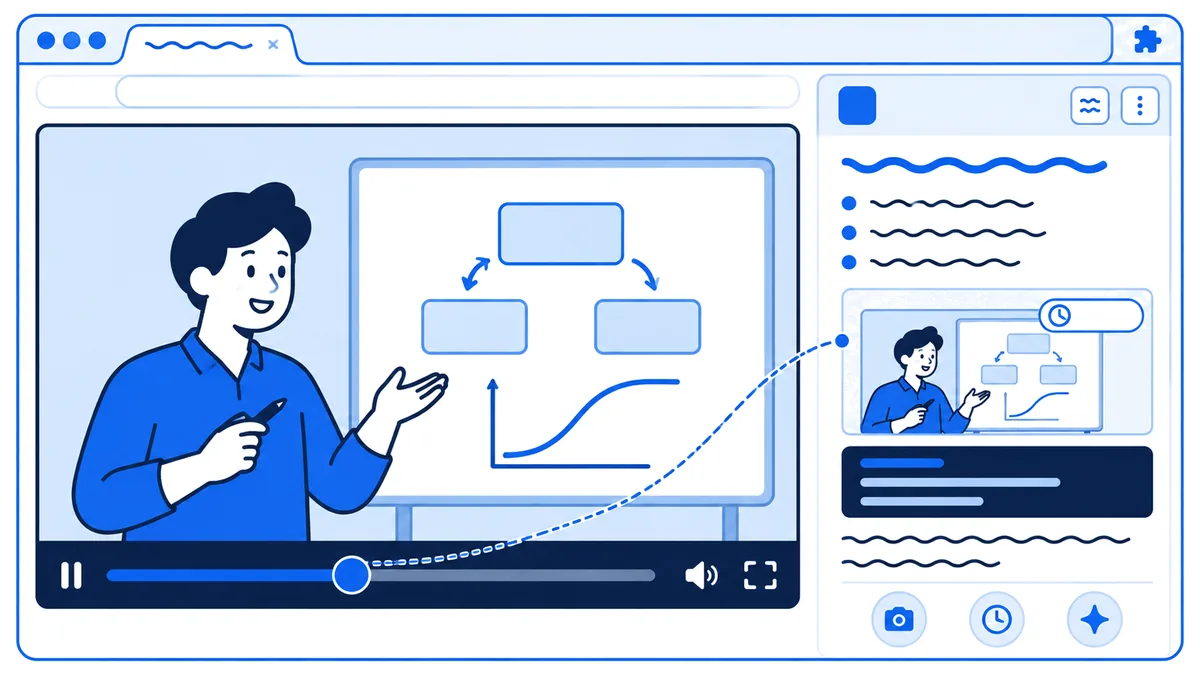
Watches the video live and writes AI study notes as you go
Captures timestamped screenshots of on-screen code, equations & diagrams
Saves everything privately to your own Obsidian vault
The honest comparison
HoverNotes vs Keepframe — side by side
Both work beside the video while you watch. Keepframe adds concept cards and summaries on YouTube. HoverNotes writes study notes on any site with a video and saves them as Markdown files you own.
| At a glance | HoverNotes | Keepframe |
|---|---|---|
| Paid plan (US) | Unlimited Pro $18/mo or $120/yr | Pro $4.99/mo, Power $9.99/mo |
| Free plan | 20 min AI Notes, 10 min Live Translate | 10 analyses a month; export first 7 days |
| Best for | Study notes on any video | Concept cards on YouTube |
| Works on | Any browser video + local files | YouTube videos with captions |
Choose HoverNotes if…
You learn from video on many sites (YouTube, Udemy, Coursera, your own video files) and want AI study notes with timestamped screenshots of the code, slides and diagrams on screen, saved as Markdown in your Obsidian vault or a folder.
Choose Keepframe if…
You learn on YouTube and want concept cards that explain each idea as it comes up, a check on whether a video is worth your time, and Study Notes you export as Word or PDF, from $4.99 a month.
| Feature | HoverNotes | Keepframe |
|---|---|---|
| AI help beside the video as you watch | AI study notes, written as the video plays | Live Frames: concept cards for the part you're watching |
| Screenshots of the video in your notes | Timestamped, Ctrl/⌘+K; AI Notes adds them for you | Grab: draw a box, saved as a timestamped Snapshot |
| Works on | Any website with a video + local files | YouTube videos with captions |
| Browsers | Desktop Chrome and Edge | Desktop Chrome |
| Where notes are saved | Markdown files on your computer / Obsidian vault | Kept Frames in your browser; documents not saved after a reload |
| Export formats | Markdown, PDF, Word | Word, PDF; transcript as text, .vtt or Word |
| Export on the free plan | Yes, no limit | First 7 days |
| What the AI writes | Detailed study notes, not a condensed summary | Brief, Study Notes or Full Summary |
| "Should you watch this?" check before you start | ||
| Output languages | AI Notes in 24 languages | 95 languages |
| Hear the video in your language | Live Translate | |
| Free plan | 20 min AI Notes + 10 min Live Translate | 10 video analyses a month |
Where Keepframe is the better choice
HoverNotes isn't the right tool for every job. Pick Keepframe if one of these matters more to you.
Lower price
Keepframe Pro is $4.99 a month or $49 a year, and Power, with unlimited video analyses for personal use, is $9.99 a month or $99 a year. HoverNotes Unlimited Pro is $18 a month or $120 a year in the US.
Concept cards beside YouTube
Keepframe's Live Frames explain the idea being discussed, close to the moment it comes up, in layers you can open: in brief, fundamentals, wider background and why it matters. Dig Deeper opens any concept as a search in the service you choose while the video keeps playing.
Decide before you watch
"Should you watch this?" reads a video's description and a selection of its comments and gives you reasons to watch and reasons to skip, without using one of your analyses.
No account, more languages
Keepframe needs no account or sign-up and keeps your Kept Frames, notes and Snapshots in your browser. Its cards and documents come out in 95 languages; HoverNotes' AI Notes writes in 24.
Questions
HoverNotes vs Keepframe — common questions
Is HoverNotes a Keepframe alternative?+
Yes, and HoverNotes is our product, so weigh that. Both are Chrome extensions that work beside the video as you watch. Keepframe is built for YouTube: it adds Live Frames, AI concept cards next to the player, and turns the video into a Brief, Study Notes or a Full Summary you export as Word or PDF. HoverNotes is the AI note taker that watches your video with you and takes study notes for you, on any website with a video or a local video file, and saves them as Markdown in your Obsidian vault or a folder.
What's the difference between HoverNotes and Keepframe?+
Where they work and where your notes end up. Keepframe works on YouTube videos that have captions, in desktop Chrome, and keeps your Kept Frames, notes and Snapshots in that browser; its Brief, Study Notes and Full Summary are not saved after a page reload, so you export them as Word or PDF (keepframe.one, checked November 24, 2026). HoverNotes works on any site with a video, including Udemy, Coursera and local files, in Chrome and Edge, and saves each note with its timestamped screenshots as a Markdown file you can review later.
Does Keepframe work on Udemy, Coursera or local video files?+
Keepframe describes itself as a YouTube learning companion. Its pages say it works on YouTube videos that have captions, uploaded by the creator or auto-generated by YouTube, and that if a video has no captions at all it can't build Live Frames or documents for it (keepframe.one, checked November 24, 2026). They don't list other sites. HoverNotes works on any website with a video, including paid course platforms, and on local video files you open in the browser.
Does Keepframe save notes to Obsidian?+
Keepframe's pages list Word (.doc) and PDF export for its documents, Word, PDF or a ZIP of Snapshots for Kept Frames, and plain text, subtitles (.vtt) or Word for the transcript. They don't mention Markdown or Obsidian (keepframe.one, checked November 24, 2026). On Keepframe's free plan, export is included for your first 7 days. HoverNotes saves every note as Markdown straight into your Obsidian vault on every plan, and exports PDF and Word too.
Can both tools capture what's on screen?+
Yes, in different ways. Keepframe's Grab lets you draw a box around a diagram, table or formula, or capture the full visible frame, and saves it as a Snapshot with a clickable timestamp; each plan has a per-video Snapshot limit. HoverNotes takes a timestamped screenshot with Ctrl/⌘+K on any plan, and on paid plans AI Notes picks screenshots of the important moments and places them in the notes for you.
Is Keepframe cheaper than HoverNotes?+
Yes. Keepframe Pro is $4.99 a month or $49 a year (30 video analyses a month) and Power is $9.99 a month or $99 a year (unlimited analyses for personal use), each with a one-time 7-day trial. Its free plan gives 10 video analyses a month, with documents and export for the first 7 days (keepframe.one, checked November 24, 2026). HoverNotes Unlimited Pro is $18 a month or $120 a year in the US, and prices vary by country. HoverNotes' free plan includes 20 minutes of AI Notes and 10 minutes of Live Translate, and your own notes, screenshots, PDF and Word export and Obsidian saving have no limit.
Make the videos you watch stick
Join 30,000+ learners turning every course, lecture and tutorial into AI study notes they can review later, taken as they watch and saved to their own Obsidian vault.
Free: unlimited notes and screenshots, plus 20 minutes of AI Notes • Unlimited Pro is $18 a month in the US