HoverNotes vs ChatGPT
ChatGPT is a general AI assistant and tutor for material you bring to it. HoverNotes takes notes while you watch: it runs beside the video in your browser, even on Udemy, Coursera and university portals, and saves timestamped notes, screenshots and a transcript on your computer. Then take your notes to ChatGPT to understand, review and quiz yourself.
 Add HoverNotes to Chrome
 Saves directly to your Obsidian vault
Last checked:
Compared from OpenAI's own pricing page (chatgpt.com/pricing) and help center articles on study mode, flashcards, file and video uploads and browsing (help.openai.com), and HoverNotes' pricing and feature pages on October 29, 2026. ChatGPT prices are US list prices.
HoverNotes is our product, so we have a stake in this comparison. We say where the other tool is the better choice.
See it in action
Notes that capture what transcripts miss
HoverNotes sits right beside the video and turns what you watch into AI study notes — automatically, as you learn, capturing the code and diagrams a transcript misses.
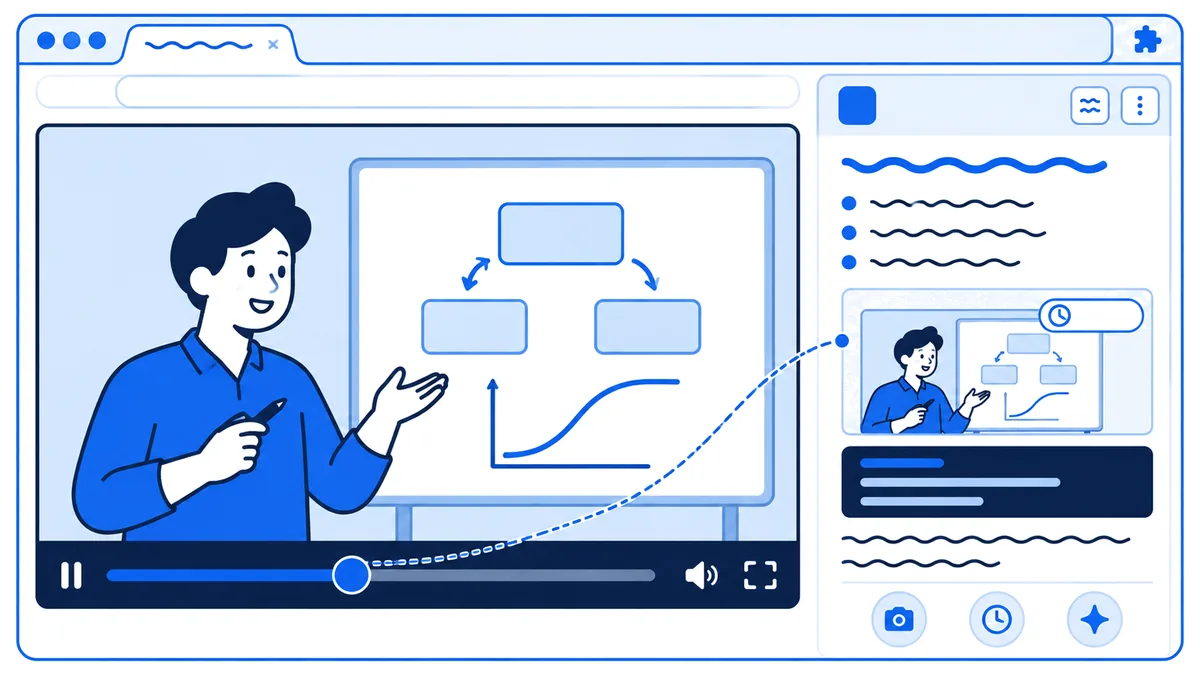
Watches the video live and writes AI study notes as you go
Captures timestamped screenshots of on-screen code, equations & diagrams
Saves everything privately to your own Obsidian vault
The honest comparison
HoverNotes vs ChatGPT — side by side
They do different jobs. HoverNotes captures a video while you watch it, wherever it plays. ChatGPT is strongest once you have the material and want to understand, review or practice it.
| At a glance | HoverNotes | ChatGPT |
|---|---|---|
| Paid plan (US) | Unlimited Pro $18/mo or $120/yr | Go $8, Plus $20, Pro from $100/mo |
| Free plan | 20 min AI Notes, 10 min Live Translate | Free, with usage limits |
| Best for | Taking notes from video | Explanations, tutoring & everyday tasks |
| Works on | Any video in your browser, incl. paid courses | Text, files & images you share |
Choose HoverNotes if…
You learn from video, such as YouTube tutorials, Udemy or Coursera courses and university lectures, and want notes written while you watch: timestamped AI notes, screenshots of on-screen code, equations and diagrams, a transcript, and everything saved on your computer in your Obsidian vault.
Choose ChatGPT if…
You have the material and want to understand it: step-by-step explanations, review, research, flashcards and quizzes in Study mode, help with code and feedback on your answers, and memory of what you've studied before.
| Feature | HoverNotes | ChatGPT |
|---|---|---|
| Writes notes beside the video as it plays, linked to timestamps | ||
| Works on videos behind your login: Udemy, Coursera, university portals | Its extension can read signed-in tabs; not a video note-taker | |
| Timestamped screenshots of code, slides & diagrams in your notes | Images you upload | |
| Transcript of what you watch | Uploaded audio, or Record mode (Mac, paid) | |
| Click a note to jump back to that moment in the video | ||
| Notes saved on your computer as Markdown (Obsidian) | Chats and Library stay in ChatGPT | |
| Ask questions about the video and your current note | Hovie, on paid plans | About files or tabs you share |
| Explains concepts step by step, helps you review | Study mode, every plan | |
| Flashcards, quizzes & practice questions | Yes, saved decks in Library | |
| Research, writing & coding help | ||
| Remembers what you've studied across chats | With Memory on | |
| Apps | Desktop browser extension (Chrome, Edge) | Web, iOS, Android, Mac, Windows |
| Free plan, no card needed | 20 min AI Notes + 10 min Live Translate | Yes, with usage limits |
Where ChatGPT is the better choice
HoverNotes isn't the right tool for every job. Pick ChatGPT if one of these matters more to you.
Tutoring and review
Study mode is on every ChatGPT plan, including Free. It explains step by step, asks you questions, quizzes you and makes flashcard-style review from notes, slides or PDFs you upload. Flashcard decks are saved in your Library. HoverNotes doesn't make flashcards or quizzes.
A general-purpose assistant
Research, writing, coding help, data analysis and deep research sit in the same chat. HoverNotes' assistant, Hovie, answers questions about the video and note in front of you.
Phone, desktop and voice
ChatGPT runs on the web, iOS, Android, Mac and Windows, with voice conversations. HoverNotes is a desktop browser extension for Chrome and Edge.
Material that isn't a video
ChatGPT reads documents, slides, spreadsheets and images on every plan, and audio files on paid plans. HoverNotes is built for video.
Questions
HoverNotes vs ChatGPT — common questions
Is HoverNotes better than ChatGPT for learning from videos?+
They do different jobs, and HoverNotes is our product, so weigh that. HoverNotes runs next to the video in your browser, writes timestamped AI notes as it plays, and saves screenshots of the on-screen code, equations and diagrams into your notes. ChatGPT is better once you have the material in hand: explanations, worked examples, practice questions, flashcards and feedback in Study mode. Many learners use both: HoverNotes to capture, ChatGPT to dig deeper.
Can ChatGPT watch videos?+
Partly. OpenAI's help center says ChatGPT accepts video files as attachments, including on the Free plan, but its analysis can be incomplete: it may not analyze the whole video or interpret its audio accurately. Videos count toward upload limits (Free users get 3 file uploads a day). It doesn't sit beside a video playing in your browser and write timestamped notes as it plays. HoverNotes does, and it saves the frames that matter as screenshots (checked on help.openai.com, October 29, 2026).
Can ChatGPT take notes from Udemy, Coursera or university lectures?+
Not as a note-taker. ChatGPT's browser extension can work with your signed-in Chrome tabs, and paid plans add a cloud browser that can sign in to websites, but OpenAI describes these for web tasks such as research, bookings and forms, not for taking notes while a lecture plays. HoverNotes runs in your own browser, where you're already signed in, so it takes notes on any video you can play there, including paid courses and internal training sites.
Can I use HoverNotes and ChatGPT together?+
Yes, and that's how many learners use them. HoverNotes takes the notes while you watch and saves them as Markdown files on your computer, with screenshots and a transcript. Then bring them to ChatGPT, or point OpenAI's Codex at your notes folder, to explain a concept, review the material, or turn it into flashcards and quizzes.
Does HoverNotes have an AI chat like ChatGPT?+
Yes. Hovie, the AI assistant in the HoverNotes note editor, answers questions about the video you're watching and the note you're writing: what was said around a timestamp, what you've missed, or a summary of your notes so far. It's included with paid plans. It's built for the video in front of you, not for general research, writing or quizzes, where ChatGPT is stronger.
Is HoverNotes cheaper than ChatGPT?+
Both have a free plan. HoverNotes' free plan includes 20 minutes of AI Notes and 10 minutes of Live Translate with no card, and your own notes, timestamped screenshots, PDF and Word export and Obsidian vault saving are unlimited; Unlimited Pro is $18 a month or $120 a year in the US, and prices vary by country. ChatGPT Free is $0 with usage limits; Go is $8 a month, Plus $20 a month and Pro from $100 a month in the US, and Study mode is on every plan (chatgpt.com/pricing, checked October 29, 2026).
Make the videos you watch stick
Join 30,000+ learners turning every course, lecture, and tutorial into AI study notes they keep — captured automatically and saved to their own Obsidian vault.
Free: unlimited notes and screenshots, plus 20 minutes of AI Notes • Unlimited Pro is $18 a month in the US