HoverNotes vs Snipo
Snipo is a great pick if your notes live in Notion — it sends timestamped notes and screenshots from videos into Notion and makes AI flashcards you can export to Anki. HoverNotes goes further on automation: it watches any video in your browser and writes the AI study notes for you, capturing the on-screen code and diagrams as timestamped screenshots, saved to your own Obsidian vault.
 Saves directly to your Obsidian vault
See it in action
Notes that capture what transcripts miss
HoverNotes sits right beside the video and turns what you watch into AI study notes — automatically, as you learn, capturing the code and diagrams a transcript misses.
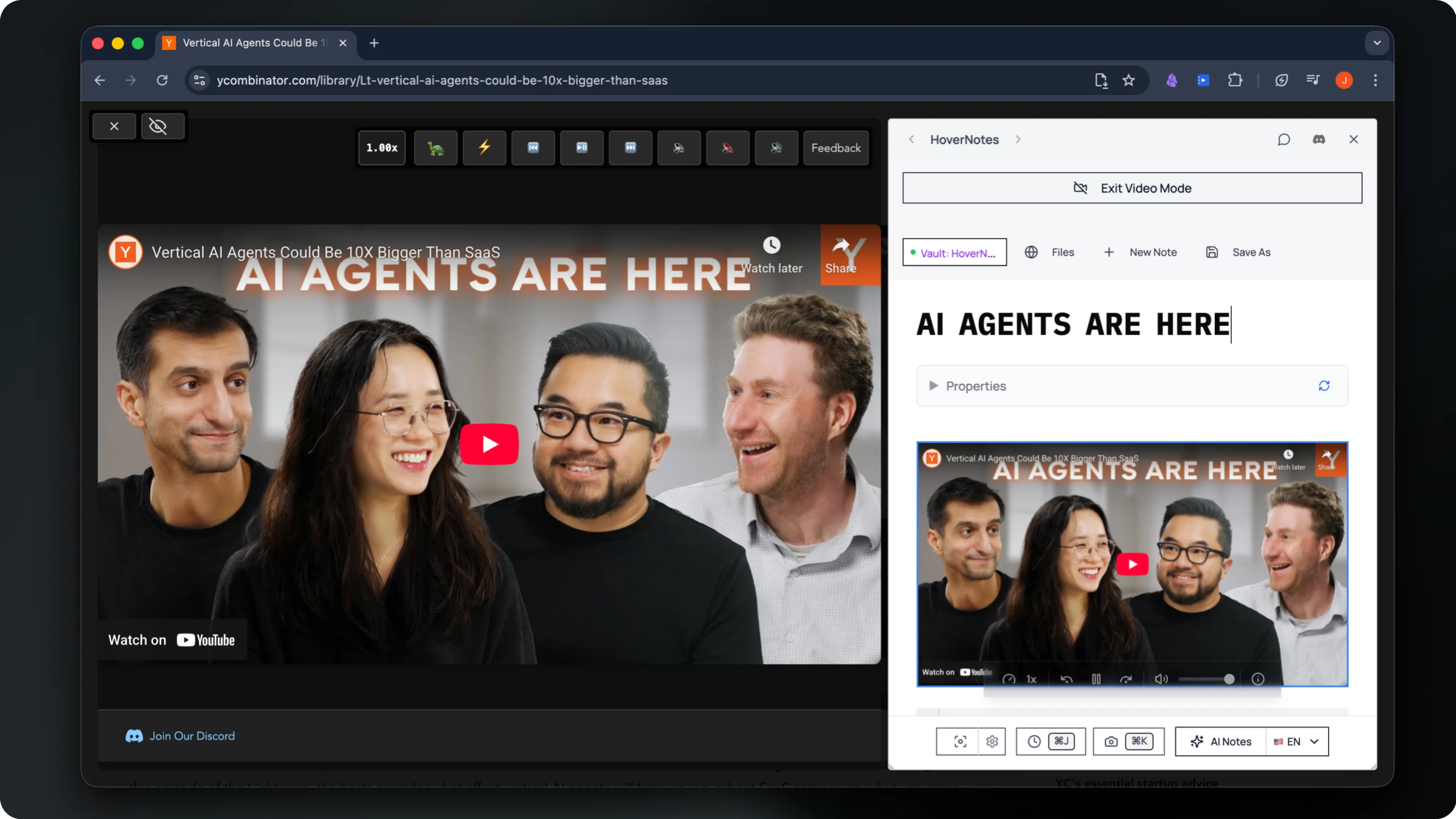
Watches the video live and writes structured AI study notes as you go
Captures timestamped screenshots of on-screen code, equations & diagrams
Saves everything privately to your own Obsidian vault
The honest comparison
HoverNotes vs Snipo — side by side
Both turn videos into notes with timestamps and screenshots. Snipo syncs manual notes and flashcards into Notion and Anki. HoverNotes writes the notes for you and keeps them local in your own Obsidian vault.
Choose HoverNotes if…
You want notes written for you — HoverNotes watches any video in your browser, auto-generates AI study notes, captures timestamped screenshots of on-screen code, equations and diagrams, and saves everything privately to your own Obsidian vault.
Choose Snipo if…
Your knowledge base lives in Notion — you want to manually capture timestamped notes and screenshots from YouTube and learning videos straight into Notion, plus AI flashcards you can export to Anki.
| Feature | HoverNotes | Snipo |
|---|---|---|
| AI writes study notes as you watch — or type your own | Manual notes | |
| Timestamped notes while watching | ||
| Screenshots of on-screen code, slides & diagrams | ||
| Works on any video in your browser, including local files | YouTube & learning sites | |
| Saves notes to Obsidian (Markdown, local-first) | Syncs to Notion (cloud) | |
| Captures on-screen code & equations | ||
| AI flashcard maker | ||
| Export flashcards to Anki | ||
| Playlist & course sync to Notion | ||
| Free plan to start |
Questions
HoverNotes vs Snipo — common questions
Is HoverNotes better than Snipo?+
It depends on your workflow. HoverNotes is the stronger choice if you want notes written for you: it watches any video in your browser, auto-generates AI study notes, captures timestamped screenshots of on-screen code, equations and diagrams, and saves everything to a local Obsidian vault. Snipo is the better fit if your knowledge base lives in Notion and you want to manually capture timestamped notes and screenshots there, plus AI flashcards you can export to Anki.
What is the difference between HoverNotes and Snipo?+
Snipo is a side-by-side note-taker that sends manual timestamped notes and screenshots from YouTube and learning videos into Notion, and generates AI flashcards you can export to Anki. HoverNotes goes further on automation: it watches the video with you and writes the AI study notes itself, capturing the on-screen code and diagrams as timestamped screenshots, saved to a local-first Obsidian vault rather than the cloud.
Does Snipo automatically generate notes from a video?+
Snipo is built around manual capture — you take timestamped notes and grab screenshots as you watch, and it can generate AI flashcards from the video. HoverNotes can auto-write the study notes for you as the video plays — and you can still add or edit notes yourself — so you finish with a structured, screenshot-rich note without having to type it all by hand.
Is HoverNotes cheaper than Snipo?+
Both Snipo and HoverNotes are free to install with paid plans for heavier use. The bigger difference is where your notes live: Snipo syncs to Notion in the cloud, while HoverNotes is local-first and saves notes to your own Obsidian vault on your device.
Who should use Snipo instead of HoverNotes?+
Choose Snipo if your notes live in Notion and you want to capture timestamped notes and screenshots there side by side with a video, plus AI flashcards exported to Anki. Choose HoverNotes if you want AI study notes written automatically as you watch, with on-screen code and diagrams captured as screenshots, saved to your own Obsidian vault.
Make the videos you watch stick
Join 20,000+ learners turning every course, lecture, and tutorial into AI study notes they keep — captured automatically and saved to their own Obsidian vault.
 Start Taking Smart Notes
Free forever plan available • No credit card required