HoverNotes vs NoteGPT
NoteGPT is a broad AI suite that summarizes almost anything. HoverNotes does one job brilliantly — it watches videos with you and turns every course, lecture, and tutorial into AI study notes, automatically, capturing the on-screen code and diagrams a summary skips.
 Add HoverNotes to Chrome
 Saves directly to your Obsidian vault
See it in action
Notes that capture what transcripts miss
HoverNotes sits right beside the video and turns what you watch into AI study notes — automatically, as you learn, capturing the code and diagrams a transcript misses.
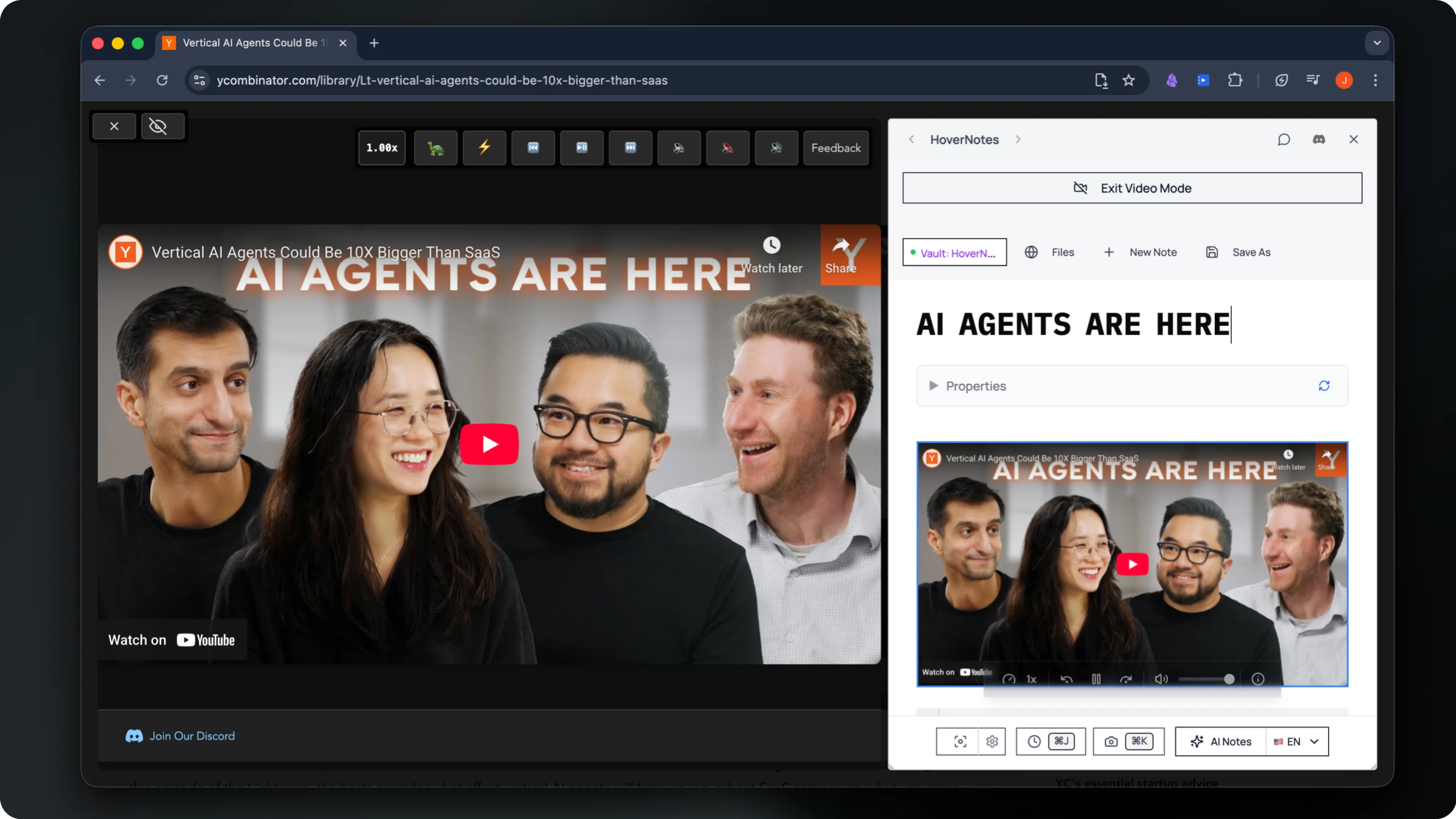
Watches the video live and writes structured AI study notes as you go
Captures timestamped screenshots of on-screen code, equations & diagrams
Saves everything privately to your own Obsidian vault
The honest comparison
HoverNotes vs NoteGPT — side by side
Both are great — at different jobs. NoteGPT is a broad AI suite. HoverNotes is the focused tool for turning the videos you watch into notes you keep.
Compared using each tool's official pricing and product pages, last reviewed June 2026. HoverNotes is independent and not affiliated with the tools listed.
| At a glance | HoverNotes | NoteGPT |
|---|---|---|
| Starting price | Free, paid plans available | $9/mo (Pro, annual) |
| Free tier | Free, 20 min AI notes | Free, limited daily quotas |
| Best for | Video learning | All-in-one AI summarizer suite |
| Works on | Any browser video + local files | YouTube, PDFs & uploads |
Choose HoverNotes if…
You learn from videos — courses, lectures, coding tutorials — and you want AI notes plus timestamped screenshots saved straight to your own Obsidian vault, fully private and local-first.
Choose NoteGPT if…
You want one cloud suite for everything — summarizing PDFs and articles, generating slides, images, voices, and writing — and video is just one of many inputs you summarize.
| Feature | HoverNotes | NoteGPT |
|---|---|---|
| Watches the video itself — works without transcripts | Transcript-based | |
| Timestamped screenshots saved into your notes | ||
| Captures on-screen code & diagrams visually | ||
| Saves notes locally to your Obsidian vault (Markdown) | ||
| Local-first — notes never stored in the cloud | Cloud-based | |
| Purpose-built for video learning | General-purpose | |
| Works inline, right beside the video you're watching | Paste-a-link summarizer | |
| All-in-one AI suite (slides, images, voices, writing) | ||
| PDF & document summarizing | ||
| Free plan to start |
Questions
HoverNotes vs NoteGPT — common questions
Is HoverNotes a NoteGPT alternative?+
Yes — for video learning specifically. If your main goal is turning the courses, lectures, and tutorials you watch into structured notes you own, HoverNotes is purpose-built for that. NoteGPT is a broader all-in-one AI suite that also summarizes PDFs, generates slides, and more.
What's the main difference?+
HoverNotes watches the video itself (no transcript required), captures on-screen code and diagrams, lets you grab timestamped screenshots, and saves everything locally to your Obsidian vault. NoteGPT works mostly from transcripts in the cloud across many content types.
Does HoverNotes work without a transcript?+
Yes. The AI watches the actual video frames, so it works even when captions or transcripts are disabled — ideal for coding tutorials and visual, diagram-heavy content.
Can I keep my notes private and local?+
Absolutely. HoverNotes is local-first: your notes and screenshots are saved as plain Markdown directly to your computer in your Obsidian vault. We never store your content in the cloud.
Is HoverNotes free?+
HoverNotes has a free Starter plan: manual note-taking, screenshot capture, video controls and Obsidian export are all free, plus 20 minutes of AI video notes to try. When you want more, upgrade to Unlimited Pro for unlimited AI notes — cancel anytime.
Make the videos you watch stick
Join 20,000+ learners turning every course, lecture, and tutorial into AI study notes they keep — captured automatically and saved to their own Obsidian vault.
Free Starter includes 20 minutes of AI notes • Upgrade anytime