Como Fazer Anotações em Tutoriais em Vídeo | HoverNotes
Learning14 de janeiro de 2026•Updated: 16 de julho de 2026
Como Fazer Anotações em Tutoriais em Vídeo
Descubra como criar notas de tutoriais a partir de vídeos que se transformam em uma base de conhecimento pesquisável, reduzindo retrocessos e aumentando a eficiência dos estudos.
Por HoverNotes Team•15 min de leitura
Fazer anotações de tutoriais significa criar resumos estruturados enquanto assiste a vídeos educativos. O objetivo é melhorar a recordação e construir um guia de referência pessoal e pesquisável. É a diferença entre assistir passivamente e aprender ativamente — garantindo que você lembre do que acabou de passar uma hora aprendendo.
#Por Que Apenas Assistir a Vídeos Tutoriais Não é Suficiente
Os tutoriais em vídeo de YouTube, Udemy e Coursera oferecem uma enorme biblioteca de conhecimento. Mas existe uma grande lacuna entre as horas que passamos assistindo e o que nosso cérebro realmente retém. Confundimos assistir com entender.
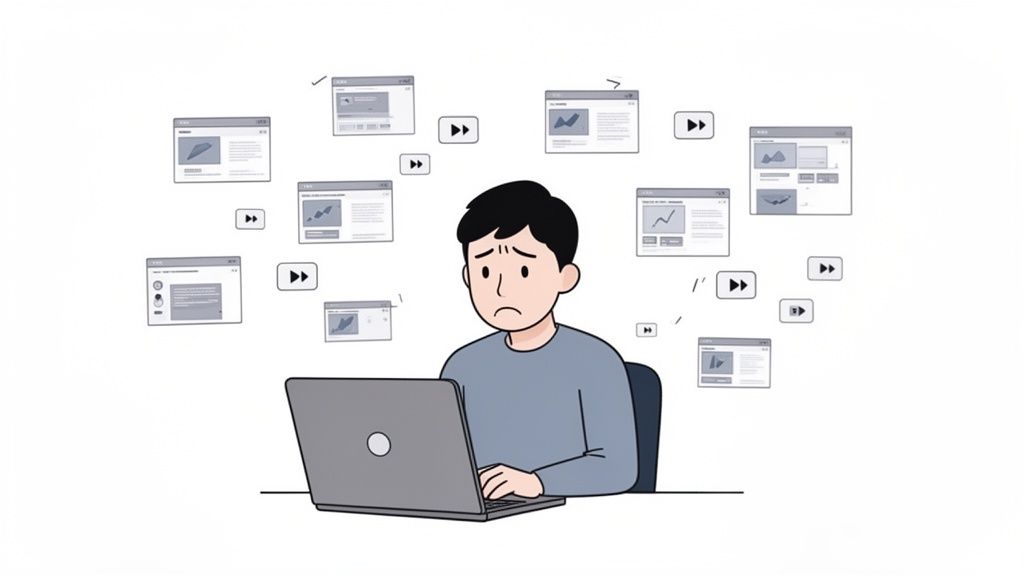
Você já passou por isso. Está em um tutorial de programação e o instrutor mostra uma função crítica. Você pausa, muda para o editor, digita, então volta e aperta play. Faça isso três vezes em cinco minutos, e seu foco se vai. Este é um problema comum no aprendizado por vídeo.
#O Ciclo Constante de Pausar e Voltar Prejudica o Foco
Esse ritmo de começar e parar destrói seu estado de fluxo. Aprender vira uma tarefa tediosa de alternar entre janelas, voltar para pegar detalhes perdidos e tirar capturas de tela aleatórias que se perdem na área de trabalho. É frustrante e ineficaz.
Esse fluxo de trabalho interrompido leva a problemas previsíveis:
Assitência Passiva: Sem engajamento ativo, o cérebro trata o vídeo como ruído de fundo. A informação não fixa.
Anotações Fragmentadas: Se você consegue anotar, acaba com uma bagunça caótica de pensamentos e screenshots sem contexto, tornando-as inúteis depois.
Sem Capacidade de Busca: Semanas depois, quando precisa lembrar de um comando específico, você não pode Ctrl+F um vídeo. Fica preso tentando encontrar esse momento-chave, perdendo tempo.
O problema central é que nosso método padrão de aprender com vídeos — apenas assistir — é falho. Consumimos conteúdo mas não desenvolvemos compreensão, resultando em horas investidas com pouco conhecimento duradouro.
Mudar de assistir passivamente para anotar ativamente é essencial para o aprendizado real. Nosso guia sobre a ciência do aprendizado por vídeo explora essa transformação. O objetivo é criar um sistema que permite se engajar no material sem a fricção constante de pausar e voltar, construindo uma biblioteca pesquisável de anotações de tutoriais.
#Como Anotações de Tutorial de Qualidade Melhoram o Aprendizado
Já assistiu a um tutorial, sentiu que entendeu, e depois de uma semana esqueceu tudo? É como tentar encher um balde furado. Fazer boas anotações de tutorial tapa esse buraco.
O ato de escrever — resumir um conceito com suas próprias palavras ou reformular uma ideia-chave — força seu cérebro a se engajar. Isso não é só registrar o que foi dito; é construir a estrutura mental para o verdadeiro entendimento. O problema da retenção com aprendizado por vídeo é real, mas a anotação é uma solução direta.
#Transformando Anotações em um Ativo Permanente de Conhecimento
Ótimas anotações de tutorial tornam-se um ativo permanente e pesquisável que você possui. Esse é o retorno a longo prazo.
Imagine que você vai trabalhar em um projeto no mês que vem e precisa de uma função específica de um tutorial de programação. Você prefere ficar procurando no vídeo ou pesquisar em suas anotações? Uma anotação bem feita vai ter o trecho de código, o contexto e uma captura de tela com carimbo de tempo que te leva direto àquele ponto no vídeo.
Suas anotações se tornam um cérebro externo. É um sistema confiável para encontrar detalhes específicos — trechos de código, diagramas, atalhos — semanas ou meses depois, sem precisar rever o vídeo.
Para usuários de ferramentas como Obsidian, esse conceito de "segundo cérebro" é poderoso. Quando suas anotações estão em arquivos Markdown simples armazenados localmente, elas são realmente suas. Você possui seu conhecimento para sempre. Pode fazer backup, mover, ou usar ferramentas de linha de comando como grep para buscar em toda sua base de conhecimento.
#Construindo uma Biblioteca de Habilidades Instantaneamente Recordáveis
Cada vez que você anota um tutorial, adiciona à sua biblioteca pessoal de conhecimento. Com o tempo, isso se torna um dos seus ativos mais valiosos.
Para Desenvolvedores: Encontre instantaneamente um argumento obscuro de linha de comando de seis meses atrás.
Para Designers: Recupere um exemplo visual de uma técnica de camadas de um tutorial de Photoshop que você assistiu ano passado.
Para Estudantes: Faça cruzamentos de conceitos de diferentes aulas antes da prova.
Isso cria um fluxo de trabalho sustentável para aprendizado contínuo. Garante que as horas investidas em assistir tutoriais valham a pena por anos.
Vamos ser diretos: a maioria das pessoas não faz boas anotações de tutoriais porque o processo é desconfortável. Alternar entre o player do vídeo e o aplicativo de notas, pausar, voltar e tirar screenshots mata o foco.
O objetivo é capturar insights sem interromper sua onda de aprendizado.
Esqueça o trabalho manual. Ferramentas modernas podem cuidar da parte tediosa, liberando você para pensar. Em vez de transcrever palavra por palavra, você pode delegar essa tarefa e focar em adicionar suas próprias ideias. Uma abordagem assistida por IA deixa você concentrado em entender.
Uma abordagem mais inteligente é deixar que a IA gere as notas iniciais para você. Isso inverte a lógica da anotação.
Em vez de ser um copista, você assiste enquanto a ferramenta constrói um esboço estruturado. Seu papel muda de transcritor para editor. Você não captura apenas o que foi dito; você complementa com seus próprios pensamentos e perguntas.
Essa combinação da velocidade da IA com seu insight cria um recurso mais rico do que você conseguiria sozinho. Para uma visão aprofundada, nosso guia sobre como fazer anotações em vídeos detalha essa metodologia.
Para um tutorial técnico, só a transcrição de texto quase não serve. Você precisa ver o código, a interface ou o diagrama. Capturas de tela específicas são essenciais.
Não estou falando de capturas genéricas da tela inteira. Você precisa registrar a informação visual exata vinculada a um ponto específico do vídeo.
Procure ferramentas que ofereçam:
Capturas de Tela com Carimbo de Tempo: Cada screenshot deve ter um carimbo que possa ser clicado, levando você de volta àquele momento exato no vídeo.
Captura Recortada: A capacidade de selecionar e capturar apenas uma região específica do vídeo é crucial. Recorte só o trecho de código ou diagrama necessário.
Imagens Embutidas: As screenshots devem ficar diretamente nas suas anotações, exatamente onde pertencem.
Ao combinar um resumo de texto gerado por IA com suas capturas visuais selecionadas, você obtém o melhor dos dois mundos. O texto explica o "o quê" e as imagens revelam o "como".
Uma ferramenta como HoverNotes foi criada para isso. É uma extensão Chrome que acompanha vídeos com você, gera notas por IA e salva tudo como Markdown direto no seu sistema de arquivos. Diferente de ferramentas que só processam transcrições, HoverNotes analisa frame a frame, capturando o que está realmente na tela. Você pode voltar a um vídeo dias depois e ele automaticamente carrega suas notas anteriores, deixando você retomar de onde parou. Isso transforma a anotação de tarefa chata em parte fluida do aprendizado.
Capturar boas anotações de tutorial é metade do caminho. O verdadeiro valor vem quando essas anotações se tornam uma base de conhecimento coerente e pesquisável.
Não se trata de criar sistemas complexos que você abandona. É sobre hábitos simples que tornam fácil encontrar o que aprendeu quando precisar.
Para aprendizes sérios, especialmente nas comunidades de Obsidian ou Logseq, ter controle sobre os dados é fundamental. Guardar notas em nuvem proprietária é alugar seu próprio conhecimento. Se o serviço mudar as regras ou fechar, suas descobertas ficam em risco.
Uma abordagem local-first usando arquivos simples Markdown (.md) é poderosa.
Você Possui Seus Dados: As anotações vivem na sua máquina. São suas.
Formato à Prova de Futuro: Markdown é um formato de texto simples, legível por décadas.
Flexibilidade Máxima: Abra suas anotações em qualquer aplicativo que leia Markdown. Você nunca estará preso.
A melhor base de conhecimento é aquela que você controla totalmente. Arquivos Markdown locais dão esse controle, garantindo que suas anotações se tornem parte permanente do seu arsenal intelectual.
Se você usa Notion, o princípio é o mesmo: o fluxo precisa ser sem atritos. Suas anotações devem copiar e colar direto no seu espaço de trabalho, com toda a formatação intacta. Quanto menos tempo perdido com reformatar, mais tempo sobra para aprender.
#Criando Estrutura a Partir das Suas Anotações de Tutorial
Um monte de anotações é uma gaveta bagunçada. A estrutura transforma isso em uma base de conhecimento pesquisável.
Uma nota eficaz de tutorial em vídeo precisa de conexões.
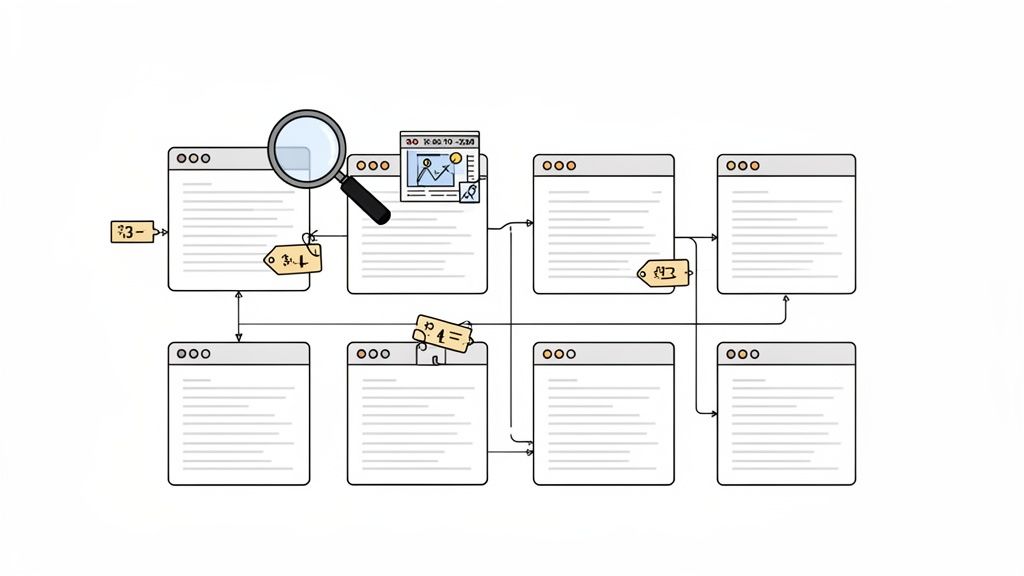
Tags: Use tags simples como #python ou #figma-basics para categorizar. Isso facilita puxar conteúdos relacionados depois.
Conceitos Vinculados: Em apps como Obsidian, crie links diretos entre notas. Se um tutorial sobre CSS Grid menciona Flexbox, conecte nas suas notas existentes de Flexbox.
Visuais com Timestamp: Uma screenshot de um bloco de código oferece contexto visual imediato. Certifique-se que toda captura tem um timestamp clicável — um clique e você volta àquele momento exato para revisar.
Essa abordagem estruturada transforma anotações de um registro estático em uma ferramenta dinâmica de estudo. Ao montar seu sistema, explore outras estratégias para criar uma base de conhecimento realmente eficaz que se adaptem ao seu estilo de aprendizado.
Uma transcrição conta o que foi falado. Ela não capta o que foi mostrado.
Para qualquer habilidade técnica — aprender código, dominar uma ferramenta de design ou entender um diagrama — as palavras são só metade da história. O aprendizado real acontece na tela. Depender só de ferramentas de transcrição para suas anotações de tutorial significa perder contexto vital.
Quando suas anotações são só blocos de texto, você perde a conexão entre o conceito e sua execução visual.
Imagine um tutorial de CSS. A transcrição pode dizer "Agora, configuramos a propriedade display para flex," mas suas anotações não mostram o impacto imediato daquela linha no layout. Isso te força a ficar voltando no vídeo para relacionar palavra e ação.
#Integrando Visuais Diretamente no Seu Fluxo de Trabalho
A solução é capturar a tela, mas não com um desktop cheio de screenshots aleatórias. Integre evidências visuais diretamente nas suas anotações.
Veja o que torna essa abordagem eficaz:
Capturas de Tela com Timestamp: Cada screenshot deve ter um timestamp clicável. Um mês depois, um clique te leva para aquele ponto no vídeo.
Recorte Direcionado: Você raramente vai precisar da tela inteira. Uma boa ferramenta deixa você recortar só o bloco de código ou diagrama que precisa. Nosso guia sobre como capturar tela de vídeos YouTube aprofunda esse tema.
Colocação no Contexto: A screenshot deve aparecer precisamente onde deve nas suas anotações, oferecendo referência visual imediata.
Diferente de ferramentas que só analisam transcrições, HoverNotes examina o vídeo frame a frame para capturar o que está realmente na tela. Isso torna suas notas tão ricas visualmente quanto o próprio tutorial, transformando-as de script simples em guia poderoso de estudos.
Esse método transforma as anotações de um registro passivo para uma ferramenta de aprendizado interativa.
#Um Novo Fluxo de Trabalho para Aprender Vídeos com Foco
Vamos transformar a teoria em um plano prático para sua próxima sessão de aprendizado. Esse fluxo é projetado para criar anotações de tutorial úteis e permanentes.
O objetivo é sair de um estilo frenético e reativo para anotar e partir para um modo focado. Em vez de brigar contra distrações e pausar o tempo todo, uma abordagem mais inteligente deixa uma ferramenta cuidar do trabalho pesado para que você possa entender o material.
Primeiro, elimine distrações. Antes de apertar play, entre num modo livre de interrupções.
Uma ferramenta como HoverNotes tem um "modo vídeo" que faz isso. Isola o player de vídeo de um lado da tela com um editor de notas limpo do outro. Bloqueia vídeos que tocam sozinhos, a seção de comentários e anúncios no site. O impacto na sua capacidade de manter o fluxo é grande.
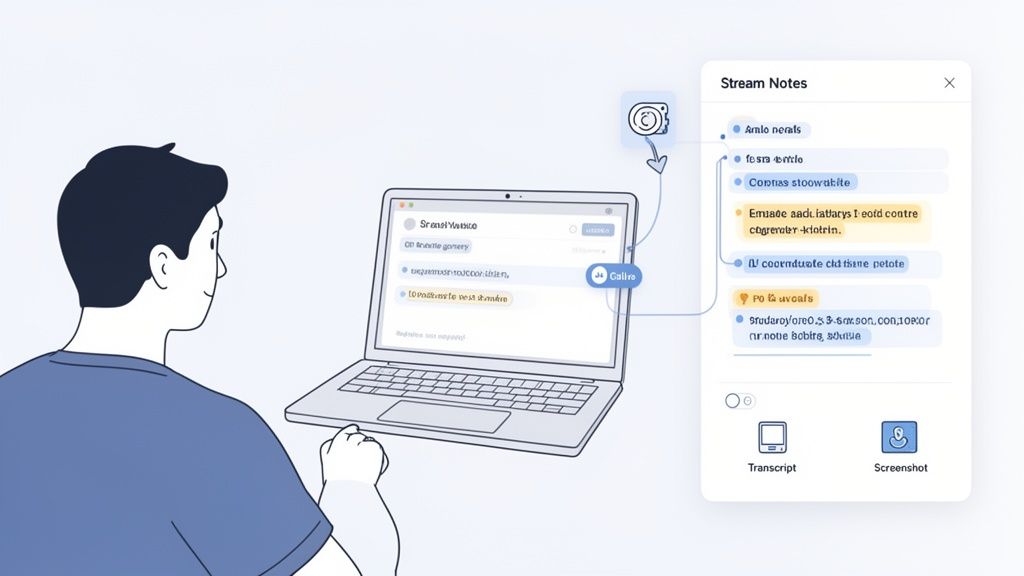
Com seu ambiente pronto, deixe a IA gerar o esboço inicial das suas anotações de tutorial. Conforme assiste, a ferramenta cria um resumo estruturado com timestamps e conceitos chave.
Seu trabalho não é aceitar essas notas passivamente. Elas são um esqueleto. Você é o curador e editor. Enquanto a IA cuida do quê, você foca no porquê — adicionando seus próprios insights e perguntas.
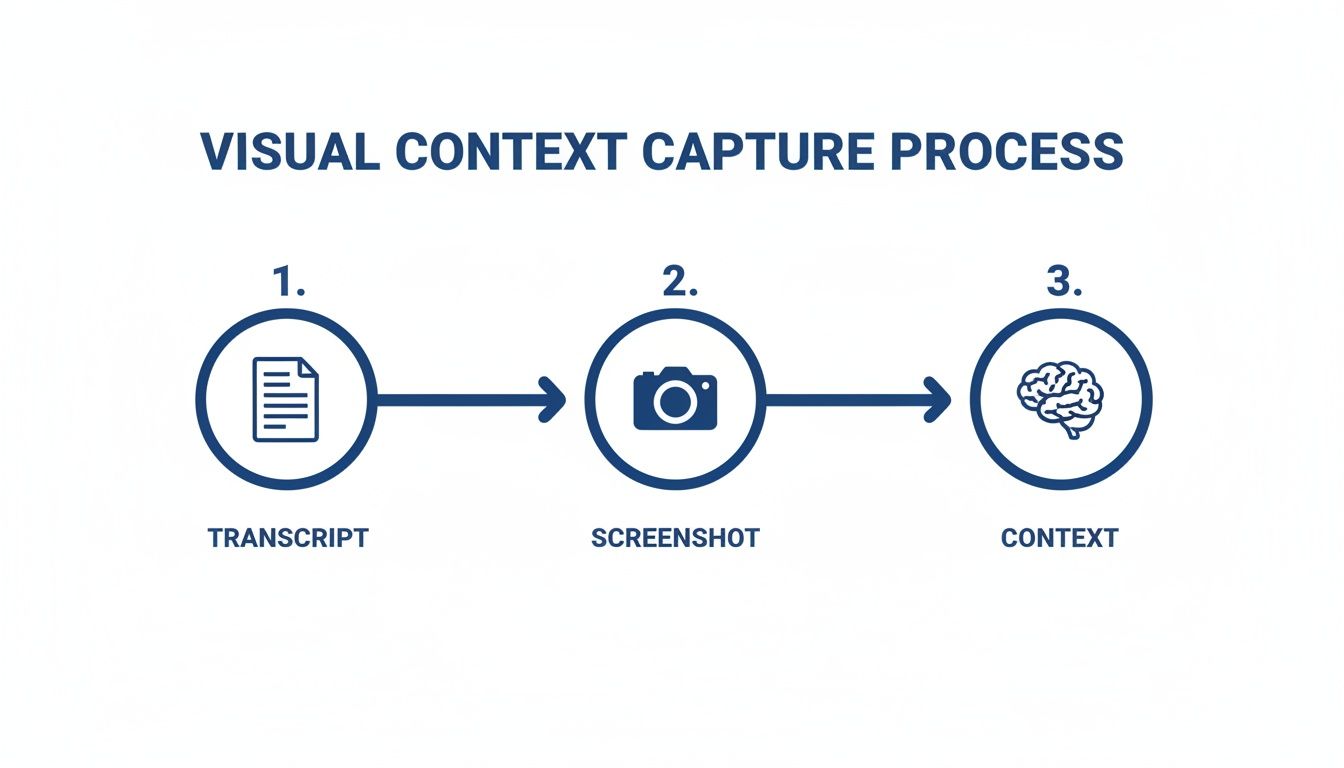
Esse processo destaca o quanto é vital combinar texto com capturas visuais para construir contexto real.
Como o diagrama mostra, o entendimento verdadeiro vem de sobrepor suas percepções e prova visual a uma transcrição básica.
Enquanto assiste, sua missão principal é identificar momentos de informação visual crítica. Quando o instrutor mostra um diagrama complexo, um elemento específico da interface ou um bloco de código — capture isso.
Uma ferramenta que "assiste" o vídeo, não só a transcrição, é essencial. Você precisa da capacidade de recortar o trecho exato de código ou diagrama e embuti-lo diretamente nas suas anotações.
Cada screenshot deve ser automaticamente marcada com um timestamp. Esse recurso simples transforma uma imagem estática em um ponto de referência interativo. Um clique te leva para aquele exato momento no vídeo, te salvando de buscar o ponto na linha do tempo.
Essa combinação — texto gerado por IA, suas screenshots e anotações pessoais — cria um ativo de aprendizado em múltiplas camadas. E se você é usuário de Obsidian, uma ferramenta como HoverNotes salva essas notas direto em seu cofre como arquivos Markdown simples.
#Perguntas Comuns Sobre Fazer Anotações de Tutorial
Quando as pessoas levam a sério as anotações de tutorial, algumas dúvidas surgem sempre. Aqui estão respostas rápidas e práticas.
Depende da densidade do vídeo. O objetivo não é copiar tudo palavra por palavra, mas construir um guia pessoal de referência que você vai usar depois.
Para um tutorial complexo de programação, você vai querer trechos detalhados de código. Para uma palestra de conceito mais geral, alguns pontos principais e um resumo em suas próprias palavras bastam.
Um grande ganho de tempo é deixar a IA criar um rascunho inicial abrangente. Isso te dá uma base completa. Depois, você só edita — apagando o que não precisa e adicionando suas próprias percepções.
#Qual a Melhor Forma de Organizar Anotações de Tutorial?
Consistência vence complexidade. Um sistema simples que você mantém é melhor que um "perfeito" que você abandona.
Aqui vai um ponto de partida:
Nomeação Padrão: Use uma convenção simples, como [Platform] - [Topic] - [Instructor].
Use Tags: Marque as notas com palavras-chave como #python ou #css-flexbox. Isso torna fácil encontrar notas sobre um tema específico.
Crie uma Caixa de Entrada Central: Tenha uma pasta onde todas as novas notas entram antes de serem organizadas. Isso evita que se percam.
#Transcrições São Suficientes para Boas Anotações?
Não. Transcrição é um substituto pobre para notas de verdade, especialmente em tutoriais técnicos.
Transcrições capturam o que foi dito, mas perdem o como. Elas não mostram o código sendo digitado ou o botão clicado. Você precisa do contexto visual que só capturas de tela com timestamps fornecem. Para entender por que são insuficientes, saiba mais sobre como transcrições são geradas e suas limitações comuns.
#Posso Fazer Anotações em Qualquer Plataforma de Vídeo?
Esse é um ponto comum de atrito. Muitas ferramentas de anotação ficam presas a plataformas específicas como YouTube. Mas o aprendizado acontece em todo lugar — portais universitários, sites internos de treinamento e plataformas de curso. Seu sistema de anotação precisa funcionar onde quer que você aprenda.
Uma extensão de navegador costuma ser a melhor solução. Por exemplo, HoverNotes funciona em qualquer vídeo — em qualquer site ou mesmo com arquivos locais no seu computador. Isso te dá um fluxo de trabalho consistente para todas as suas anotações de tutorial.
Se você usa Obsidian, HoverNotes salva suas notas como arquivos Markdown limpos direto no seu cofre, tornando-as instantaneamente pesquisáveis e uma parte permanente da sua base de conhecimento.
Notas úteis devem levar você a fazer algo com o material, não apenas a armazenar mais texto. O Institute of Education Sciences dos EUA recomenda espaçar a aprendizagem ao longo do tempo, combinar elementos gráficos com explicações verbais, usar a recuperação ativa e formular perguntas explicativas profundas (guia prático). Uma revisão por pares da investigação sobre vídeos educacionais também destaca a importância de sinalizar informações importantes, dividir as aulas em segmentos manejáveis, dar controle aos alunos e acrescentar estímulos de aprendizagem ativa (revisão). Aplicado aqui, isso significa pausar nos limites entre conceitos, capturar apenas as evidências visuais de que você precisa, escrever uma pergunta com suas próprias palavras e, depois, respondê-la antes de reproduzir novamente a fonte. Essas práticas são baseadas em evidências; uma porcentagem universal de retenção para um aplicativo ou fluxo de trabalho específico não é.
Um guia prático sobre como fazer anotações em vídeos do YouTube, Udemy ou qualquer plataforma. Aprenda um fluxo de trabalho melhor para melhorar a retenção e parar de esquecer.
Descubra como um criador de guias de estudo transforma videoaulas em anotações práticas. Este guia aborda a configuração, a captura e a integração das anotações no seu fluxo de trabalho.
Aprenda como aprender mais rápido e lembrar de mais com estratégias comprovadas e baseadas na ciência para a recordação ativa, anotações e rotinas de estudo eficientes.