Alternativa ao Otter AI para aprendizado por vídeo | HoverNotes
AI Notes22 de dezembro de 2025•Updated: 16 de julho de 2026
Alternativa ao Otter AI para aprendizado por vídeo
Explore os planos do Otter AI para ver se eles atendem aos seus objetivos. Saiba por que o aprendizado por vídeo exige uma abordagem diferente e compare as principais alternativas criadas para estudantes.
Por HoverNotes Team•14 min de leitura
Os planos do Otter.ai são focados em um único objetivo: transcrever reuniões de negócios ao vivo. A plataforma, desde o nível Básico até o Empresarial, é feita para o mundo corporativo. Ela se destaca na criação de um registro pesquisável e em tempo real de quem disse o quê durante uma reunião. Mas se você está tentando aprender com um curso em vídeo, essa não é a ferramenta certa para essa tarefa.
O Otter.ai é um líder em transcrição de reuniões com inteligência artificial. Toda a experiência é otimizada para capturar conversas ao vivo no Zoom, Teams ou Google Meet, acompanhar as tarefas pendentes e compartilhar resumos com colegas. Esse foco preciso tem impulsionado seu sucesso no mundo dos negócios.
Os recursos contam a mesma história:
Transcrição em Tempo Real: Feita para chamadas ao vivo no Zoom, Teams ou Google Meet.
Identificação do Falante: Reconhece automaticamente quem está falando e os rotula.
Colaboração em Equipe: Espaços de trabalho compartilhados permitem que colegas comentem e revisem as anotações da reunião juntos.
Acompanhamento de Tarefas: A IA é inteligente o suficiente para identificar tarefas e prazos mencionados durante a chamada.
Os planos do Otter escalam de acordo com o uso da transcrição e recursos para equipes. Esse modelo foi pensado principalmente para reuniões, então compare os limites de conversas e importação de arquivos na página oficial de preços do Otter com a duração e fonte das suas aulas.
A conclusão principal é esta: os planos do Otter.ai resolvem um problema corporativo — documentar conversas. Isso é fundamentalmente distinto das necessidades de um estudante ou autodidata, que precisa de uma ferramenta para ajudar a compreender e reter informações visuais de vídeos pré-gravados.
Essa distinção é tudo. Usar um aplicativo dedicado de anotações com IA para aprendizado pode fazer toda a diferença. O objetivo não é apenas obter uma transcrição em texto; é criar um material rico e útil para estudo que ajuda você a lembrar o que assistiu.
#Por Que a Transcrição de Reuniões Falha no Aprendizado por Vídeo
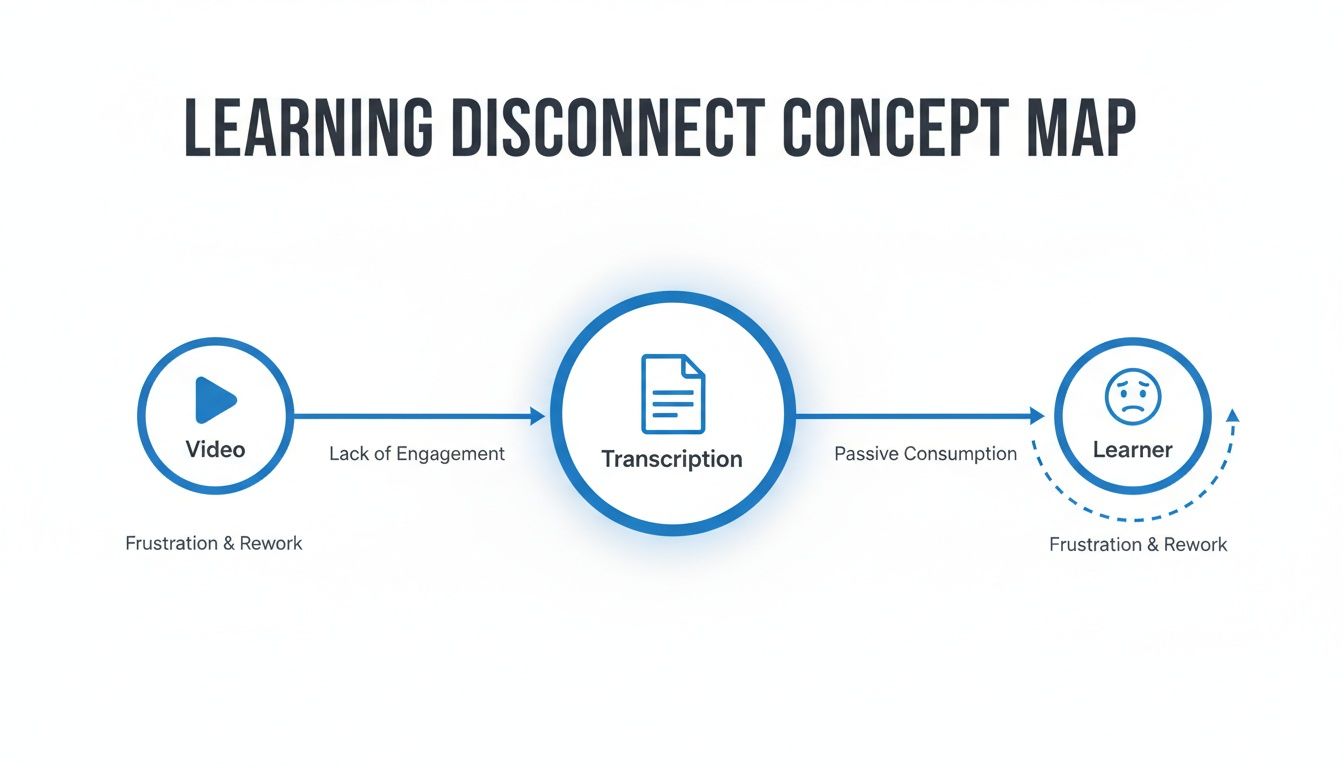
Tentar usar uma ferramenta de transcrição de reuniões como o Otter.ai para aprendizado por vídeo é como tentar martelar um prego com uma chave de fenda. Ele é excelente em capturar o que as pessoas dizem numa reunião, mas falha completamente em captar o que está sendo mostrado no vídeo educativo.
Uma transcrição de um tutorial de programação é inútil sem ver o código na tela. Um resumo de uma aula de economia perde o sentido se você não consegue ver o gráfico de oferta e demanda que o professor está apontando. Ferramentas de reunião são feitas para diálogo; ferramentas de aprendizado precisam ser feitas para o contexto visual.
Quando você fica preso a uma transcrição apenas em texto, acaba com uma parede de texto desconectada dos visuais que deveria explicar. Isso torna o estudo um processo doloroso:
Pausar e Reproduzir Constantes: Você tem que parar o vídeo a cada poucos segundos para digitar notas ou capturar uma tela, quebrando seu foco.
Um Caos de Capturas de Tela: Termina com uma pasta cheia de arquivos como Screen Shot 2024-10-26 at 11.42.15 AM.png que não têm nenhuma conexão com suas anotações em texto.
Perder o Lugar: Para achar o momento exato que um conceito foi explicado, você precisa ficar avançando e retrocedendo na linha do tempo do vídeo.
Essa dificuldade adiciona uma etapa manual de organização frustrante. Você fica tentando juntar um quebra-cabeça de texto e imagens. Se quiser ver como isso pode ser trabalhoso, nosso guia sobre como obter uma transcrição de um vídeo YouTube detalha os métodos antigos.
Para que o aprendizado seja efetivo, você precisa de anotações que integrem a palavra falada com a prova visual. Você precisa ver o diagrama ou trecho de código ali mesmo, ao lado da explicação.
HoverNotes é uma extensão Chrome que assiste vídeos junto com você, gera notas com IA e as salva como Markdown diretamente no seu sistema de arquivos. Diferente das ferramentas que só processam transcrições, HoverNotes observa o vídeo para capturar o que realmente está na tela.
Em vez de simplesmente produzir um texto, ele monta um guia de estudo interativo. Gera notas e insere automaticamente capturas de tela com timestamp exatamente onde devem estar. Se precisar revisar um conceito, você clica na imagem e vai direto para aquele momento preciso no vídeo. Esse único recurso transforma suas anotações de um documento plano em um recurso dinâmico de estudo e ajuda a realmente reter o que aprendeu.
#Comparando Otter AI e HoverNotes para Tarefas do Cotidiano
Vamos ver como essas ferramentas se saem em tarefas específicas. A diferença entre um transcritor de reuniões e uma ferramenta dedicada ao aprendizado se torna clara em cenários comuns.
#Cenário 1: Capturar uma Reunião Semanal da Equipe
Para essa tarefa, Otter.ai é o vencedor claro. Esse é o seu habitat natural.
A plataforma foi projetada exatamente para essa função. Ela conecta-se à sua chamada no Zoom ou Teams, transcreve tudo em tempo real e identifica quem está falando. Após a reunião, você recebe uma transcrição limpa e compartilhável, com os falantes rotulados e as tarefas geradas pela IA.
#Cenário 2: Estudando um Tutorial de Python no Udemy
Aqui, HoverNotes é fundamentalmente melhor.
Uma transcrição simples em texto do Otter seria quase inútil porque perde todo o contexto visual — os trechos de código, comandos do terminal e exemplos de saída que são o cerne do tutorial.
HoverNotes, por outro lado, assiste o vídeo com você. Ele cria notas que combinam as palavras do instrutor com capturas de tela com timestamp do código na tela. Para um mergulho mais profundo, nosso guia sobre estratégias de anotações em vídeo ajuda a fixar a informação.
O resultado não é apenas uma transcrição; é um guia completo de estudo. Você pode clicar em qualquer captura para voltar exatamente àquele momento no vídeo. Além disso, como as notas são salvas em arquivos .md diretamente no seu cofre Obsidian, elas pertencem a você.
Como você pode ver, a abordagem só com transcrição elimina a camada visual essencial, deixando uma imagem incompleta.
#Cenário 3: Revisando uma Aula Gravada da Universidade
Esse cenário destaca a principal diferença. Se uma aula é só o professor falando, sem slides, o Otter pode entregar uma transcrição decente.
Mas a maioria das aulas universitárias está recheada de diagramas, fórmulas químicas ou gráficos de dados. Para esse tipo de conteúdo, HoverNotes oferece um recurso de estudo muito mais valioso.
Com o HoverNotes, você pode usar o recurso "Snip" para capturar apenas o diagrama ou fórmula importante e incorporá-lo diretamente nas suas notas. Isso cria um resumo visual focado. Melhor ainda, você é dono dos arquivos, o que significa que seu conhecimento não fica preso a uma assinatura em nuvem.
Uma aula de história que é principalmente áudio pode funcionar bem com Otter. Mas uma aula de química cheia de diagramas moleculares exige uma ferramenta visual como o HoverNotes.
#Escolhendo a Ferramenta Certa: Otter AI vs HoverNotes
Não se trata tanto de qual ferramenta é "melhor", mas de qual foi feita para sua tarefa específica.
Cenário
A Melhor Ferramenta
Por Que Ela Vence
Reunião de Equipe Ao Vivo
Otter.ai
Feito para transcrição em tempo real com vários falantes e resumos com IA.
Tutorial Técnico em Vídeo
HoverNotes
Captura o contexto visual essencial como código, diagramas e elementos da interface.
Revisão de Demonstração de Vendas
Otter.ai
Ótimo para acompanhar compromissos, tarefas e quem disse o quê.
Aula Universitária (Visual)
HoverNotes
Recorta fórmulas, gráficos e slides importantes, criando um guia visual de estudo.
Podcast/Entrevista de Áudio
Otter.ai
Se destaca em transcrição pura de áudio para texto com identificação dos falantes.
Curso Online no Seu Próprio Ritmo
HoverNotes
Funciona em qualquer lugar que haja vídeo — plataformas de curso, YouTube, até portais internos de treinamento.
Tentar forçar uma ferramenta a fazer o trabalho da outra só leva à frustração. Entender essa diferença essencial é a chave para escolher a ferramenta certa.
#Uma Análise Prática de Custos para Estudantes e Aprendizes
Ao olhar os planos do Otter.ai, fica claro que são voltados para empresas. Faz sentido que uma companhia pague por recursos como gestão de equipe, integração com calendário e faturamento centralizado.
Mas para um estudante ou autodidata, esse modelo não funciona. Você acaba pagando mais por recursos que nunca vai usar.
Pagar por um plano Pro ou Business do Otter como estudante significa que seu dinheiro está financiando ferramentas para equipes de vendas, não recursos que ajudam você a reter informações de uma aula de duas horas.
O Otter.ai construiu seu sucesso atendendo uma enorme base profissional — mais de 35 milhões de usuários globalmente, grande parte na área de negócios. Essa escala mostra que o foco é uso corporativo, e isso está refletido no preço.
Para um aprendiz, isso gera alguns problemas específicos:
Você Está Pagando por Recursos Irrelevantes: Você não precisa de controles administrativos avançados ou de um agente de IA que pode participar de três reuniões ao mesmo tempo.
Os Limites Não Servem Para Aprender: O acesso básico do Otter oferece 300 minutos mensais de transcrição. Isso pode acabar só com duas aulas longas. Veja os planos atuais do Otter.
Ignora os Visuais: O custo desconsidera totalmente o que acontece na tela. Você está pagando por uma parede de texto.
Em contrapartida, uma ferramenta feita para aprendizes, como o HoverNotes, aborda o custo de forma diferente. O valor está em criar materiais de estudo permanentes e de alta qualidade, não em transcrever reuniões sem fim.
O HoverNotes oferece um acesso inicial generoso com anotações manuais ilimitadas e capturas de tela. Os recursos de IA são utilizados com créditos, para que você pague apenas pela ajuda automatizada quando realmente precisar.
Esse modelo é mais prático para estudantes. Você pode usar o modo sem distrações e capturas com timestamp em todo vídeo gratuitamente. Depois, quando pegar uma aula densa, gastar alguns créditos de IA para obter notas completas. Você paga só pelo que usa.
A conclusão é simples. Enquanto os planos do Otter AI são uma escolha lógica para negócios, oferecem pouco custo-benefício para estudantes. Você pode explorar o detalhamento completo dos preços do HoverNotes para ver como um modelo focado no aprendiz funciona.
#O Que Uma Verdadeira Ferramenta de Aprendizado por Vídeo Realmente Precisa
Aprender por vídeo requer um manual diferente do que transcrever reuniões. Essas ferramentas não são para documentar quem disse o quê; são feitas para ajudar você a entender e lembrar informações visuais. Enquanto o Otter está ouvindo uma conversa, uma ferramenta adequada para aprendizado precisa ver o que acontece na tela.
Aqui está uma lista prática do que você deve procurar.
Uma parede de texto é um péssimo guia de estudos. O recurso mais crítico é a capacidade de capturar o contexto visual — os diagramas, linhas de código e demonstrações na tela.
Isso exige:
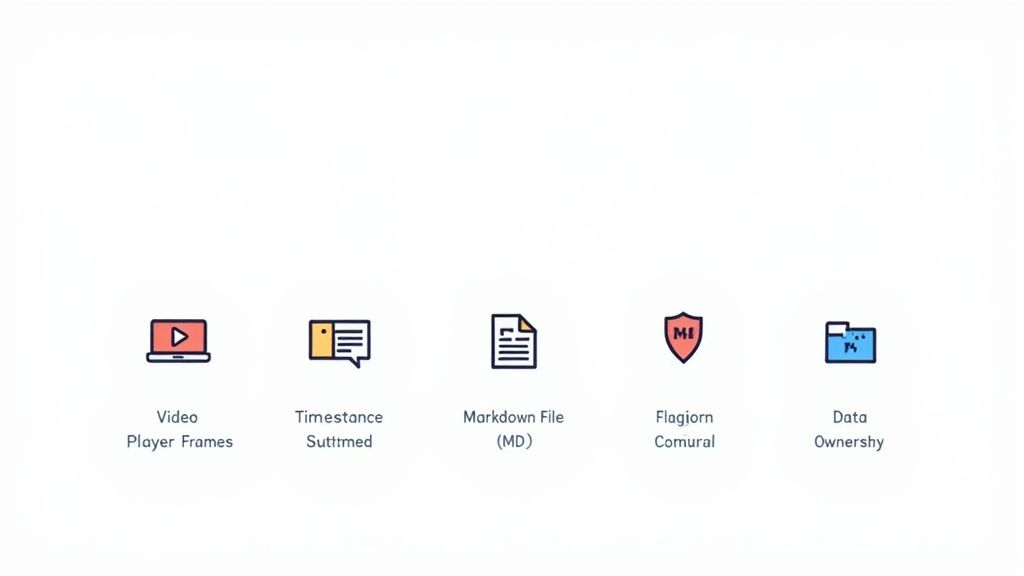
Capturas de Tela com Timestamp: Cada captura inclui um timestamp clicável — um clique e você volta ao exato momento.
Recortes Seletivos: Um bom recurso de "recorte" permite capturar apenas o bloco específico de código ou gráfico que você precisa, mantendo suas notas limpas e focadas.
Ao contrário das ferramentas que só processam transcrições, o HoverNotes foi projetado para assistir o vídeo quadro a quadro, capturando o que você realmente vê.
O aprendizado não acontece só no YouTube. Sua ferramenta de anotações precisa funcionar onde quer que você esteja aprendendo, seja no Coursera, Udemy, no portal de sua universidade ou mesmo com arquivos de vídeo salvos localmente no seu computador. Se estiver curioso sobre como a IA pode interpretar vídeos em qualquer lugar, nosso guia para criar um resumo de vídeo YouTube com IA traz ótimas ideias.
Para qualquer aprendiz sério, especialmente os das comunidades Obsidian ou Logseq, ter domínio sobre seus dados é fundamental. Suas anotações são um ativo de conhecimento a longo prazo e não deveriam ficar presas a um serviço proprietário na nuvem.
Isso significa que suas notas devem ser salvas como arquivos Markdown (.md) simples direto no seu computador. É à prova de futuro e se conecta diretamente a sistemas pessoais de gestão do conhecimento. Você possui os arquivos. Pode fazer backup, mover ou pesquisar via linha de comando — são apenas texto.
O ambiente de aprendizado faz uma enorme diferença. Anúncios, vídeos recomendados e comentários em plataformas como YouTube podem destruir sua sessão de estudos.
Procure um "modo vídeo" que elimine distrações e coloque suas notas bem próximas ao conteúdo. Isso cria um espaço dedicado para trabalho profundo. Mesmo sem IA, esse tipo de interface focada pode aumentar muito o quanto você retém.
#Como Escolher a Ferramenta Certa para Seu Objetivo
A escolha certa se resume a uma pergunta: qual problema você quer resolver?
Se seu trabalho é cheio de reuniões ao vivo, múltiplos falantes e acompanhamento de tarefas para uma equipe, então Otter.ai é uma escolha fantástica. Foi construído para esse fluxo de trabalho específico, voltado para negócios.
Mas se seu principal objetivo é aprender com vídeos pré-gravados, como cursos online ou aulas universitárias, suas necessidades são diferentes. O objetivo não é documentar uma conversa; é entender e reter informações complexas e visuais.
É aí que uma ferramenta de aprendizado por vídeo feita para isso é a única opção prática. O valor de uma aula está muitas vezes nos diagramas dos slides ou no código na tela. Uma transcrição em texto perde esse contexto crucial.
Uma ferramenta como o HoverNotes foi criada exatamente para esse cenário. Ela funciona como um parceiro de estudo, capturando tanto as palavras faladas quanto os visuais na tela para criar um recurso de aprendizado interativo e completo. Foi feita para o aprendiz individual, não para equipes corporativas.
Sua escolha deve ser guiada pelo que você faz com mais frequência.
Escolha Otter.ai se: Você precisa transcrever e resumir reuniões de negócios ao vivo para colaboração em equipe.
Escolha uma ferramenta de aprendizado por vídeo se: Você precisa fazer anotações eficazes e duradouras a partir de vídeos educativos para melhorar a retenção e construir uma base pessoal de conhecimento.
Para aprendizes que valorizam o contexto visual e a propriedade dos dados, uma ferramenta focada em vídeo é a vencedora clara. Se você é usuário do Obsidian, salvar notas como arquivos Markdown direto no computador é uma enorme vantagem. Essa abordagem local garante que seu conhecimento conquistado com esforço lhe pertença.
Só o recurso de capturas com timestamp economiza horas de reprises. Você pode testar gratuitamente para ver se a abordagem visual e local-first se encaixa no seu modo de estudar; são incluídos 20 minutos de créditos de IA, sem necessidade de cartão de crédito. Confira as opções atuais na página de preços HoverNotes.
Anotações úteis devem levar você a fazer algo com o material, não apenas armazenar mais texto. O U.S. Institute of Education Sciences recomenda distribuir o aprendizado ao longo do tempo, combinar recursos gráficos com explicações verbais, usar a recuperação ativa e fazer perguntas explicativas profundas (guia prático). Uma revisão revisada por pares sobre pesquisas em vídeos educacionais também enfatiza a sinalização de informações importantes, a divisão das aulas em segmentos manejáveis, o controle por parte dos alunos e a inclusão de estímulos de aprendizagem ativa (revisão). Aplicado aqui, isso significa pausar nos limites entre conceitos, capturar apenas a evidência visual de que você precisa, escrever uma pergunta com suas próprias palavras e, mais tarde, respondê-la antes de reproduzir novamente a fonte. Essas práticas são baseadas em evidências; uma porcentagem universal de retenção para um aplicativo ou fluxo de trabalho específico não é.
Procurando uma alternativa ao Snipo? Explore as melhores ferramentas para anotações em vídeo em qualquer plataforma, com foco no armazenamento local para usuários Obsidian.
Procurando uma alternativa ao fathom ai para estudantes? Conheça ferramentas de aprendizagem por vídeo que capturam anotações visuais, não apenas transcrições, para YouTube e Coursera.
Procurando uma alternativa ao NoteGPT? Descubra ferramentas criadas para alunos dedicados que precisam de armazenamento local, integração Obsidian e contexto visual a partir de vídeos.