Discover how to create tutorial notes from videos that become a searchable knowledge base, reducing rewinds and boosting study efficiency.
By HoverNotes Team•15 min read
Taking tutorial notes means creating structured summaries while watching educational videos. The goal is to improve recall and build a personal, searchable reference guide. It’s the difference between passively watching and actively learning—ensuring you remember what you just spent an hour on.
Video tutorials on YouTube, Udemy, and Coursera offer a massive library of knowledge. But there's a huge gap between the hours we spend watching and what our brains actually retain. We mistake watching for understanding.
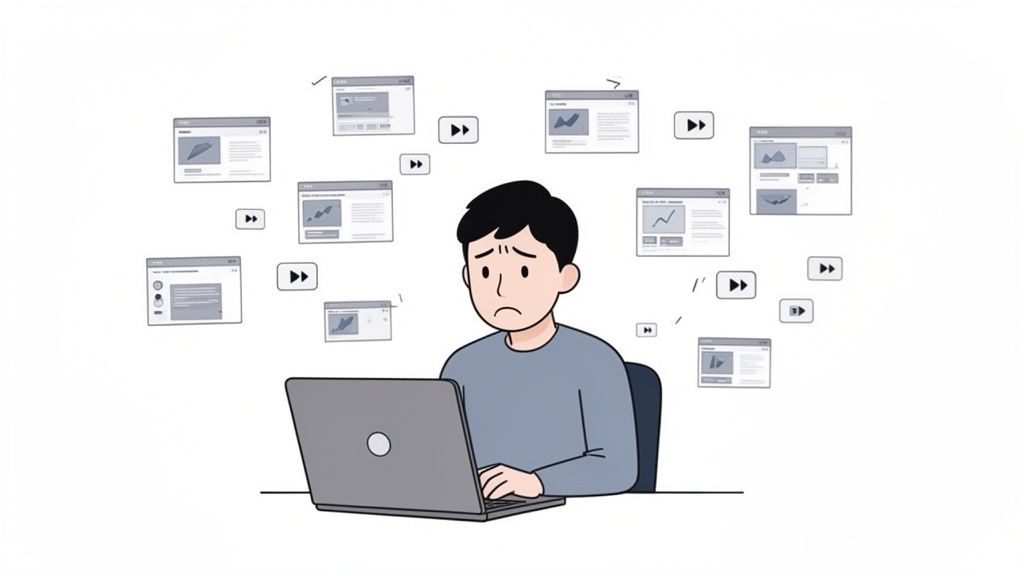
You’ve been there. You're in a coding tutorial and the instructor shows a critical function. You hit pause, switch windows to your editor, type it out, then flip back and hit play. Do that three times in five minutes, and your focus is gone. This is a common video learning pain point.
This start-stop rhythm destroys your flow state. Learning becomes a tedious chore of juggling windows, rewinding to catch a missed detail, and taking random screenshots that get lost on your desktop. It's frustrating and ineffective.
This broken workflow leads to predictable problems:
Passive Watching: Without active engagement, your brain treats the video like background noise. The information doesn't stick.
Fragmented Notes: If you manage to write things down, you end up with a chaotic mess of thoughts and screenshots with zero context, making them useless later.
No Searchability: Weeks later, when you need to recall a specific terminal command, you can't Ctrl+F a video. You're stuck scrubbing through the timeline, wasting time trying to find that one key moment.
The core problem is that our default method for learning from videos—just watching—is flawed. We consume content but don't build comprehension, leading to hours invested with little long-term knowledge to show for it.
Switching from passive viewing to active note-taking is essential for real learning. Our guide on the science of video learning explores this shift. The goal is to create a system that lets you engage with the material without the constant friction of pausing and rewinding, building a searchable library of tutorial notes.
Ever watch a tutorial, feel like you've got it, then draw a blank a week later? It’s like trying to fill a leaky bucket. Taking good tutorial notes patches the hole.
The act of writing—summarizing a concept in your own words or rephrasing a key idea—forces your brain to engage. This isn't just about recording what was said; it's about building the mental structure for true understanding. The retention problem with video learning is real, but note-taking is a direct solution.
Great tutorial notes become a permanent, searchable knowledge asset that you own. This is the long-term payoff.
Imagine you're working on a project next month and need a specific function from a coding tutorial. Would you rather scrub through the video or search your notes? A well-crafted note will have the code snippet, context, and a timestamped screenshot that takes you right back to that point in the video.
Your notes become an external brain. It’s a reliable system for finding specific details—code snippets, diagrams, shortcuts—weeks or months later, without rewatching the video.
For users of tools like Obsidian, this "second brain" concept is powerful. When your notes are plain Markdown files stored locally, they're truly yours. You own your knowledge forever. You can back them up, move them, or use command-line tools like grep to search your entire knowledge base.
#Building a Library of Instantly Recallable Skills
Each time you take notes on a tutorial, you add to your personal knowledge library. Over time, this becomes one of your most valuable assets.
For Developers: Instantly find an obscure command-line argument from six months ago.
For Designers: Pull up a visual example of a layering technique from a Photoshop tutorial you watched last year.
For Students: Cross-reference concepts from different lectures before an exam.
This creates a sustainable workflow for continuous learning. It ensures the hours you invest in watching tutorials pay off for years.
Let's be direct: most people don't take good tutorial notes because the process is awkward. Juggling a video player and a notes app, pausing, rewinding, and grabbing screenshots kills focus.
The goal is to capture insights without breaking your learning momentum.
Forget the manual grind. Modern tools can handle the tedious parts, freeing you up to think. Instead of transcribing every word, you can offload that chore and focus on adding your own ideas. An AI-assisted approach lets you focus on understanding.
A smarter approach is to let an AI generate the initial notes for you. This flips the script on note-taking.
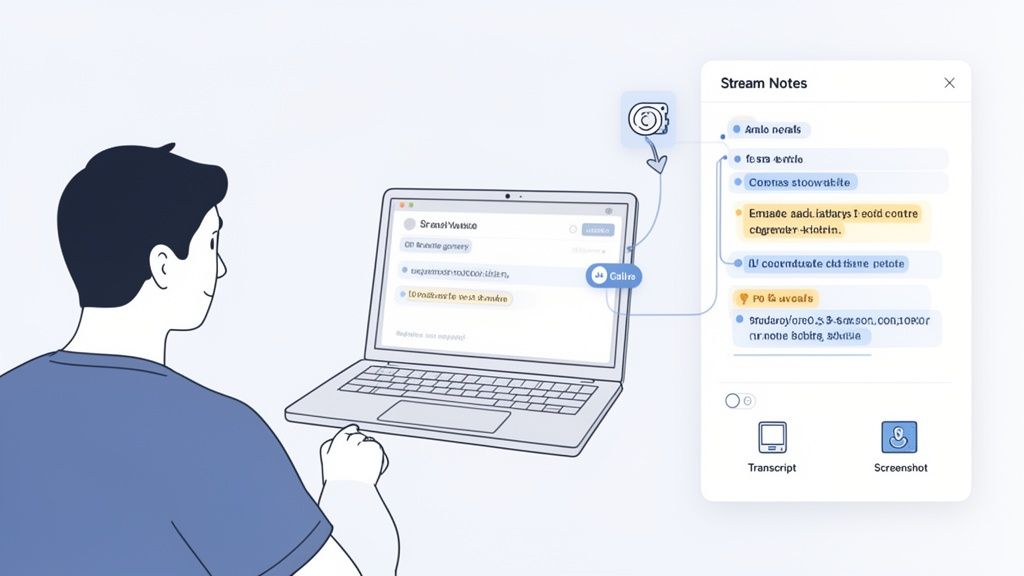
Instead of being a scribe, you watch the video while a tool builds a structured outline. Your job shifts from transcriptionist to editor. You're no longer just capturing what was said; you're augmenting it with your own thoughts and questions.
This combination of AI speed and your insight creates a richer resource than you could build alone. For a deeper look, our guide on how to take notes on videos breaks down this workflow.
For a technical tutorial, a text transcript alone is almost useless. You need to see the code, the UI, or the diagram. Targeted screen captures are essential.
I'm not talking about generic, full-screen grabs. You need to capture the exact visual information tied to a specific point in the video.
Look for tools that offer:
Timestamped Screenshots: Every screenshot should have a clickable timestamp. One click should jump you back to that precise moment in the video.
Snip Capture: The ability to select and capture just a specific region of the video is critical. Snip only the code snippet or diagram you need.
Embedded Images: Screenshots should live directly inside your notes, right where they belong.
By combining an AI-generated text summary with your curated visual captures, you get the best of both worlds. The text provides the 'what,' and the visuals provide the 'how.'
A tool like HoverNotes was built for this. It's a Chrome extension that watches videos with you, generates AI notes, and saves them as Markdown directly to your file system. Unlike tools that only parse transcripts, HoverNotes watches the video frame-by-frame to capture what's actually on screen. You can even come back to a video days later and it will automatically load your previous notes, letting you pick up where you left off. This turns note-taking from a chore into a seamless part of the learning process.
Capturing good tutorial notes is half the battle. The real value comes when you turn those individual notes into a cohesive, searchable knowledge base.
This isn't about creating a complex system you'll abandon. It’s about simple habits to make knowledge from tutorials easy to find when you need it.
For serious learners, especially those in the Obsidian or Logseq communities, data ownership is non-negotiable. Storing notes in a proprietary cloud format means you're renting your own knowledge. If that service changes its terms or shuts down, your insights are at risk.
A local-first approach using plain Markdown (.md) files is powerful.
You Own Your Data: Your notes live on your machine. They belong to you.
Future-Proof Format: Markdown is a simple text format that will be readable for decades.
Ultimate Flexibility: Open your notes in any app that reads Markdown. You're never locked in.
The best knowledge base is one you control completely. Local Markdown files give you that control, ensuring your tutorial notes become a permanent part of your intellectual toolkit.
If you're a Notion user, the principle is the same: the workflow must be frictionless. Your notes should copy and paste directly into your workspace with all formatting intact. The less time you waste reformatting, the more time you can spend learning.
A pile of notes is a junk drawer. Structure transforms it into a searchable knowledge base.
An effective note from a video tutorial needs connections.
Tags: Use simple tags like #python or #figma-basics to categorize notes. This makes it easy to pull up related content later.
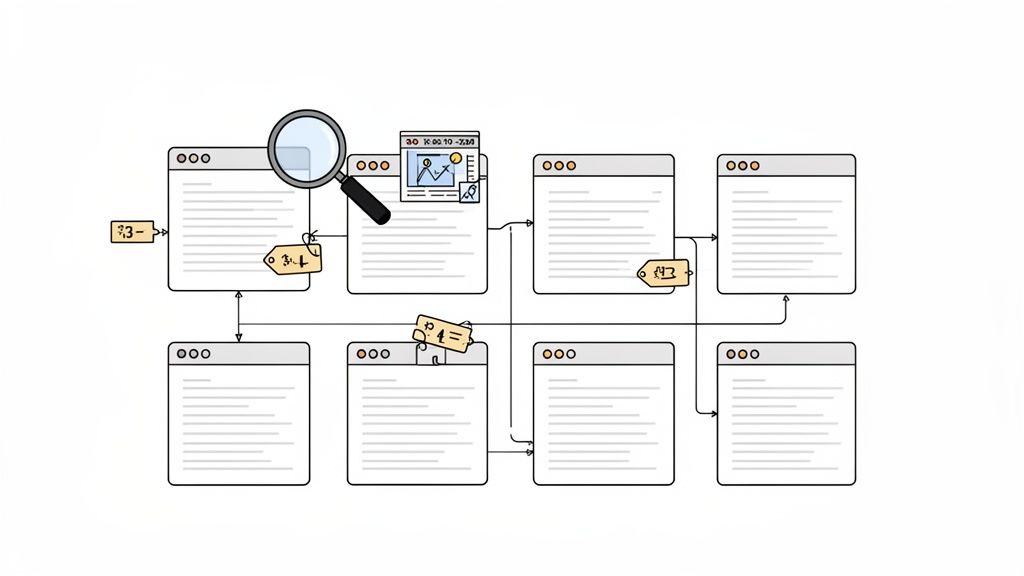
Linked Concepts: In apps like Obsidian, you can create direct links between notes. If a tutorial on CSS Grid mentions Flexbox, link to your existing Flexbox notes.
Timestamped Visuals: A screenshot of a code block provides instant visual context. Make sure every screenshot has a clickable timestamp—one click, and you're back at that exact moment in the video for a refresher.
This structured approach turns notes from a static record into a dynamic study tool. As you build your system, you can explore other strategies to build a truly effective knowledge base that fit your learning style.
A transcript tells you what was said. It misses what was shown.
For any technical skill—learning code, mastering a design tool, or understanding a diagram—the words are only half the story. The real learning happens on the screen. Relying on transcript-only tools for your tutorial notes means you miss vital context.
When your notes are just a wall of text, you lose the link between a concept and its visual execution.
Imagine a CSS tutorial. The transcript might say, "Now, we'll set the display property to flex," but your notes won't show the immediate impact that line of code has on the layout. This forces you to scrub back and forth in the video to reconnect words to action.
The solution is to capture the screen, but not with a desktop full of random screenshots. Integrate visual evidence directly into your notes.
Here’s what makes this approach effective:
Timestamped Screenshots: Every screenshot must have a clickable timestamp. A month later, one click should take you back to that exact moment in the video.
Targeted Snip Capture: You rarely need the whole screen. A good tool lets you snip just the code block or diagram you need. Our guide on how to screen capture from YouTube videos dives deeper into this.
In-Context Placement: The screenshot should appear exactly where it belongs in your notes, providing immediate visual reference.
Unlike tools that only parse transcripts, HoverNotes watches the video frame-by-frame to capture what's actually on the screen. This ensures your notes are as visually rich as the tutorial itself, turning them from a simple script into a powerful study guide.
This method transforms notes from a passive record into an interactive learning tool.
Let's turn theory into a practical plan for your next learning session. This workflow is designed to create useful, permanent tutorial notes.
The goal is to shift from a frantic, reactive note-taking style to a focused one. Instead of fighting distractions and constantly pausing, a smarter approach lets a tool handle the busywork so you can understand the material.
First, eliminate distractions. Before you press play, get into a distraction-free viewing mode.
A tool like HoverNotes has a "video mode" that does this. It puts the video player on one side of your screen with a clean note editor on the other and dims the suggested videos, the comment section and the rest of the page. On YouTube it can also mute, speed up or skip ads. The impact on your ability to stay in a flow state is significant.
With your environment set, let an AI generate the initial outline of your tutorial notes. As you watch, the tool can create a structured summary with timestamps and key concepts.
Your job is not to passively accept these notes. They are a scaffold. You are the curator and editor. While the AI handles the what, you can focus on the why—adding your own insights and questions.
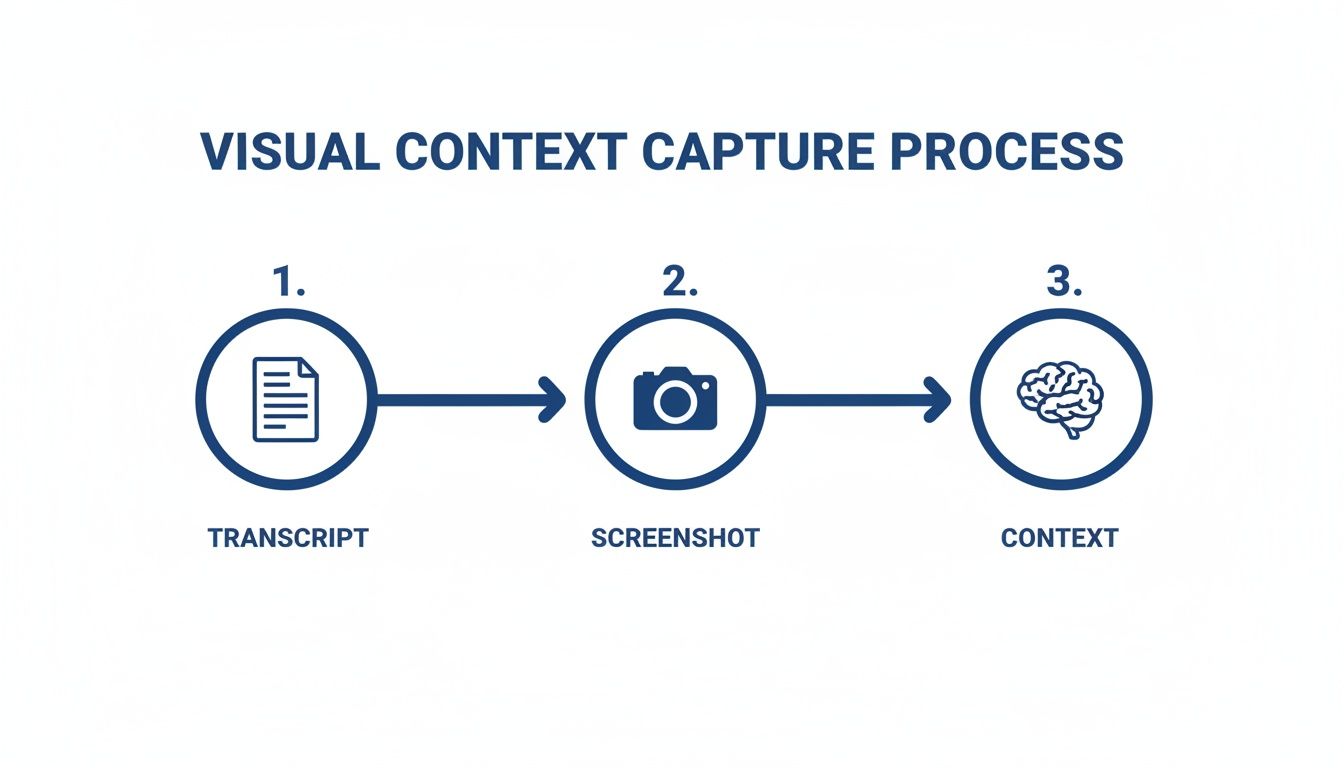
This process highlights how vital it is to combine text with visual captures to build real context.
As the diagram shows, real understanding comes from layering your insights and visual proof on top of a basic transcript.
As you watch, your main job is to spot moments of critical visual information. When the instructor shows a complex diagram, a specific UI element, or a block of code—capture it.
A tool that "watches" the video, not just the transcript, is essential. You need the ability to snip the exact code snippet or diagram and embed it directly into your notes.
Every screenshot should be automatically timestamped. This simple feature turns a static image into an interactive reference point. One click takes you back to that exact moment in the video, saving you from scrubbing through the timeline.
This combination—AI-generated text, your screenshots, and personal annotations—creates a multi-layered learning asset. And if you’re an Obsidian user, a tool like HoverNotes saves these notes directly to your vault as plain Markdown files.
It depends on the video's density. The goal isn't to copy every word; it's to build a personal reference guide you'll use later.
For a complex coding tutorial, you'll want detailed code snippets. For a high-level concept talk, a few bullet points and a summary in your own words will do.
A great time-saver is to let an AI generate a comprehensive first draft. This gives you a full foundation. Then, you just edit—deleting what you don't need and adding your own insights.
No. A transcript is a poor substitute for real notes, especially for technical tutorials.
Transcripts capture what was said but miss the how. They don't show the code being typed or the button being clicked. You need the visual context that only timestamped screenshots provide. To see why they fall short, learn more about how video transcripts are generated and their common pitfalls.
This is a common friction point. Many note-taking tools are locked to specific platforms like YouTube. But learning happens everywhere—on university portals, internal training sites, and course platforms. Your note-taking system needs to work wherever you're learning.
A browser extension is often the best solution. For example, HoverNotes works anywhere there's a video—on any website or even with local video files on your computer. This gives you one consistent workflow for all your tutorial notes.
If you use Obsidian, HoverNotes saves your notes as clean Markdown files directly into your vault, making them instantly searchable and a permanent part of your knowledge base.
Useful notes should make you do something with the material, not merely store more text. The U.S. Institute of Education Sciences recommends spacing learning over time, combining graphics with verbal explanations, using active retrieval, and asking deep explanatory questions (practice guide). A peer-reviewed review of educational video research also emphasizes signaling important information, splitting lessons into manageable segments, giving learners control, and adding active-learning prompts (review). Applied here, that means pausing at concept boundaries, capturing only the visual evidence you need, writing a question in your own words, and later answering it before replaying the source. These practices are evidence-based; a universal retention percentage for one app or workflow is not.
A practical guide on how to take notes on videos from YouTube, Udemy, or any platform. Learn a better workflow to improve retention and stop forgetting.
Learn how a study guide maker transforms video lectures into actionable notes. This guide covers setup, capture, and integrating notes into your workflow.
A 12-week CCNA study plan built on Jeremy's IT Lab's free 200-301 course: daily videos, Packet Tracer labs, flashcards, practice exams and short notes.