HoverNotes
    HoverNotes

    Watch Once, Reference Forever.

    Platforms

    • YouTube Notes
    • Udemy Notes
    • Coursera Notes
    • LinkedIn Learning Notes
    • Bilibili Notes

    Tutorials

    • YouTube
    • Udemy
    • Coursera
    • LinkedIn Learning
    • Bilibili
    • All Tutorials →

    Articles

    • YouTube Video Notes
    • Udemy Video Notes
    • Coursera Video Notes
    • LinkedIn Learning Video Notes
    • Bilibili Video Notes

    Product

    • Chrome Extension
    • Video Note-Taker
    • Video to Notes
    • AI Video Notes
    • Obsidian Video Notes
    • YouTube Video Summarizer
    • YouTube to Notes
    • Coursera Note-Taker
    • Udemy Note-Taker
    • Bilibili Note-Taker
    • Local Video Note-Taker
    • Video to Screenshots
    • YouTube to Screenshots
    • Video Controls
    • Features
    • Pricing
    • Reviews
    • Obsidian Integration
    • Blog

    Compare

    • Best AI Video Note Takers
    • HoverNotes vs NoteGPT
    • HoverNotes vs Glasp
    • HoverNotes vs Eightify
    • HoverNotes vs NotebookLM
    • HoverNotes vs Otter.ai
    • HoverNotes vs Notion AI
    • HoverNotes vs Mindgrasp
    • HoverNotes vs Fireflies.ai
    • HoverNotes vs Heptabase
    • HoverNotes vs Recall
    • HoverNotes vs tl;dv
    • HoverNotes vs Notta
    • HoverNotes vs Tactiq
    • HoverNotes vs Knowt
    • HoverNotes vs StudyFetch
    • HoverNotes vs Reflect
    • HoverNotes vs Mem
    • HoverNotes vs Opennote
    • HoverNotes vs Snipo
    • HoverNotes vs Video Notebook
    • HoverNotes vs LunaNotes
    • HoverNotes vs Turbo AI
    • HoverNotes vs Evernote
    • HoverNotes vs NoteAI

    Support

    • Updates
    • FAQ
    • Contact
    • Chrome Store
    • Edge Store

    Legal

    • Privacy Policy
    • Terms of Service
    © 2026 HoverNotes. All rights reserved.

    Contents

    • Check the Exam Version First
    • What the Free Course Includes
    • The 12-Week Plan
    • Practice Exams
    • How to Take Notes on JITL Without Writing All Day
    • A Typical Study Day
    • FAQ
      • How long does it take to study for the CCNA?
      • Is Jeremy's IT Lab enough to pass the CCNA?
      • Should I wait for CCNA v2.0?
      • Is Packet Tracer enough for CCNA labs?
    • Related reading
    LearningOctober 23, 2026

    CCNA Study Plan: 12 Weeks with Jeremy's IT Lab (Free)

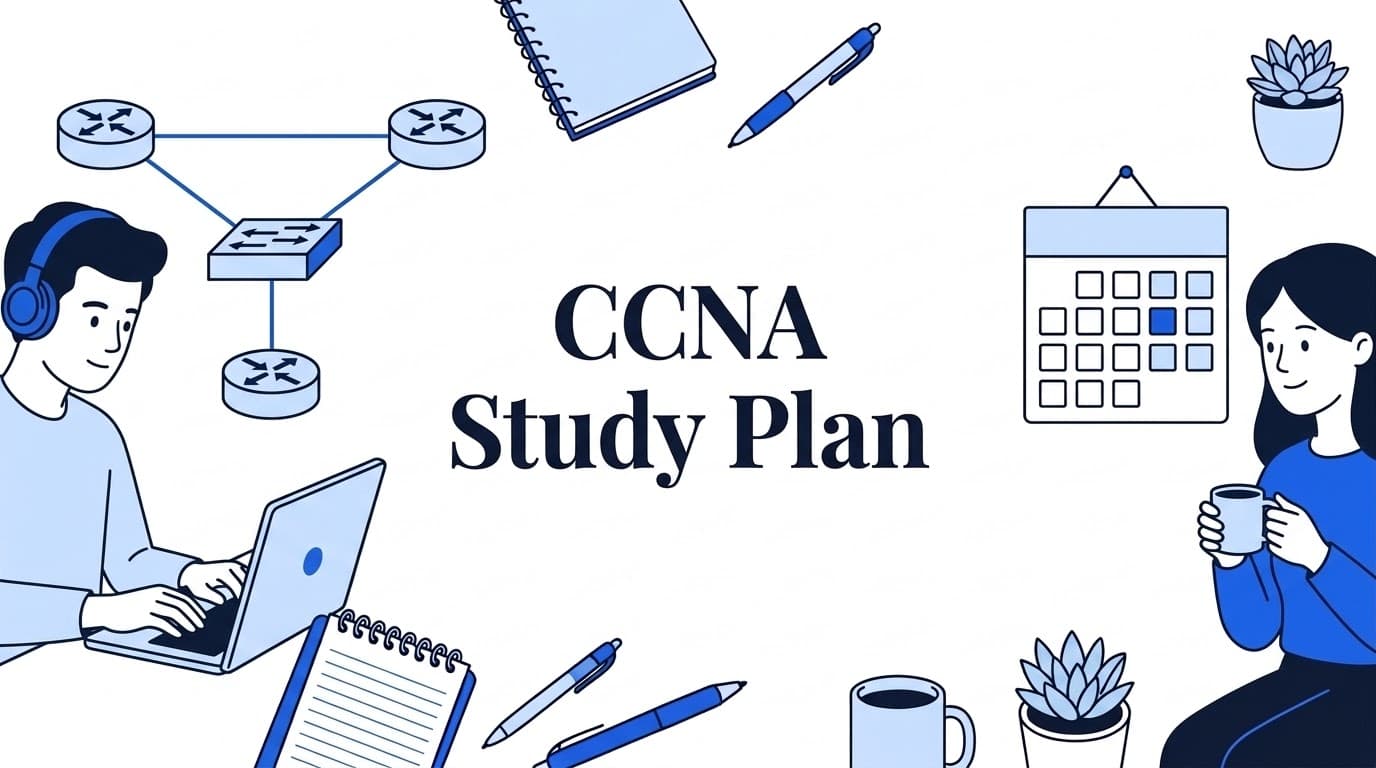
    A 12-week CCNA study plan built on Jeremy's IT Lab's free 200-301 course: daily videos, Packet Tracer labs, flashcards, practice exams and short notes.

    By HoverNotes Team•8 min read
    CCNA Study Plan: 12 Weeks with Jeremy's IT Lab (Free)

    A realistic CCNA study plan is about 12 weeks at 1.5 to 2 hours a day, five or six days a week. Work through one day of Jeremy's IT Lab's free 200-301 course per study day: the lecture, its Packet Tracer lab and its flashcards. That covers the course in about ten weeks. Spend the last two on practice exams and weak topics, then book the exam.

    This plan uses Jeremy's IT Lab (JITL) because it's free, complete and built around labs and flashcards, and because it's one of the most recommended courses on r/ccna. It isn't affiliated with Jeremy's IT Lab or Cisco, and neither is HoverNotes.

    #Check the Exam Version First

    Cisco is replacing the current CCNA exam. Before you plan anything, check which version you'll sit:


    Related Articles

    How to Study Anatomy: A Method That Uses Video Well
    How to Study Anatomy: A Method That Uses Video Well
    8
    How to Study for an AWS Certification with a Video Course
    How to Study for an AWS Certification with a Video Course
    7
    PMP Study Plan: 10 Weeks for the 2026 Exam
    PMP Study Plan: 10 Weeks for the 2026 Exam
    7
    Current examNext exam
    Exam200-301 CCNA v1.1200-301 CCNA v2.0
    Last or first test dateLast day: February 2, 2027First day: February 3, 2027
    Length120 minutesCheck Cisco's v2.0 exam topics
    PriceUS$300Check Cisco's exam page
    LanguagesEnglish, JapaneseCheck Cisco's exam page

    Sources: Cisco's CCNA exam page and its announcement about the refresh.

    What this means for you:

    • If you can be ready by late January 2027, study for v1.1. Cisco's own advice to people already studying is to keep going and sit the current exam. A 12-week plan started by the end of October 2026 ends in mid to late January, with a little room to spare.
    • If you're starting later, you'll probably sit v2.0. Cisco says it isn't a total overhaul: the fundamentals stay, with more troubleshooting and practical questions, and security and AI throughout. JITL's free playlist is built for v1.1, so read the v2.0 exam topics and plan to add material for the new parts.

    Cisco doesn't publish the number of questions. The v1.1 exam topics are split into six areas: network fundamentals (20%), network access (20%), IP connectivity (25%), IP services (10%), security fundamentals (15%), and automation and programmability (10%).

    #What the Free Course Includes

    Jeremy's free CCNA course is organized as 63 "days," each with:

    • A lecture video on one topic, from network devices on Day 1 to Ansible, Puppet and Chef on Day 63.
    • A lab video and a Packet Tracer lab file, so you configure what the lecture covered.
    • A set of Anki flashcards for that day.
    • A final "Mega Lab" that puts most of the course together.

    The lab files and flashcards are free to download from the link in the video descriptions. You'll need Anki (free on desktop) and Cisco Packet Tracer, which is free: you download it through Cisco Networking Academy with a Cisco account. Jeremy also sells an ad-free version with slides and extra quizzes on his own site, but the YouTube course is the full course.

    #The 12-Week Plan

    Each week assumes five or six study days of 1.5 to 2 hours: watch the lecture, do the lab without the solution video first, then do the day's new flashcards. Do your flashcard reviews every day, including rest days; they take 10 to 20 minutes once the deck grows.

    WeekCourse daysTopics
    11–6Network devices, cables, TCP/IP model, the CLI, Ethernet switching
    27–12IPv4 addressing, switch interfaces, the IPv4 header, static routing, life of a packet
    313–19Subnetting (3 days), VLANs (3 days), DTP and VTP
    420–25Spanning Tree, Rapid STP, EtherChannel, dynamic routing, RIP and EIGRP
    526–30OSPF (3 days), first hop redundancy protocols, TCP and UDP
    631–35IPv6 (3 days), standard and extended ACLs
    736–43CDP and LLDP, NTP, DNS, DHCP, SNMP, Syslog, SSH, FTP and TFTP
    844–51NAT, QoS, security fundamentals, port security, DHCP snooping, ARP inspection
    952–58LAN and WAN architectures, virtualization and cloud, wireless (4 days)
    1059–63 + Mega LabNetwork automation, JSON/XML/YAML, REST APIs, SDN, Ansible/Puppet/Chef
    11Practice exam 1Take a full timed practice exam, then review every question by topic
    12Practice exam 2Redo labs on weak topics, take a second exam, book the real one

    Week 7 packs eight short days; weeks 3 and 5 are heavy. If a week runs over, let it. Falling a few days behind is fine; skipping labs to catch up isn't.

    Subnetting gets its own habit. From week 3 onward, do five to ten subnetting problems a day until you can do them fast and without errors. It shows up across the exam.

    #Practice Exams

    The course covers the topics; practice exams tell you whether you can answer exam-style questions under time pressure. Jeremy's recommended resources page lists the options he uses, including Boson ExSim and his own two practice exams (both paid). Cisco also offers an official practice exam on Cisco U.

    How to use them:

    • Take the first one timed, as if it were the real exam.
    • Review every question, including the ones you got right. Write down the concept behind each miss.
    • Go back to that day's lecture and lab for each weak topic, not the whole course.
    • Don't memorize practice questions. The real exam asks different ones.

    #How to Take Notes on JITL Without Writing All Day

    The most common mistake with a video course like this is transcribing it. JITL's flashcards already cover the facts, so your notes don't need to. Keep notes for what flashcards handle badly:

    • Commands and their output. The configuration for each feature, and what show output looks like when it works and when it doesn't.
    • Topologies. The diagram from each lab, with what you configured where.
    • Your mistakes. What broke in a lab and how you fixed it. This is the most valuable page you'll write.
    • Things that confused you, with the exact time in the video where Jeremy explains them.

    One note per course day, in a folder for the course, is enough. Plain Markdown works well because commands paste cleanly and you can search across the whole course later.

    HoverNotes is a Chrome extension that helps with this on YouTube. It opens a notes panel beside the video, and one click captures a screenshot of the topology or CLI output that links back to that moment in the lecture. AI notes can draft the talking parts so you're not typing while Jeremy explains. Notes save as Markdown for Obsidian or a plain folder. When you come back to a confusing topic in week 11, you jump to the 40 seconds you need instead of rewatching the day.

    #A Typical Study Day

    1. Flashcard reviews (10–20 minutes).
    2. The day's lecture, at a speed you can follow, pausing to write down commands and anything unclear.
    3. The lab, without the solution first. Watch the lab video only when you're stuck or done.
    4. The day's new flashcards.
    5. On subnetting days onward: a handful of subnetting problems.

    #FAQ

    #How long does it take to study for the CCNA?

    Most self-studiers take a few months. With 1.5 to 2 hours on most days, this plan takes 12 weeks. With networking experience it can be shorter; with no IT background, give yourself more time and keep the order the same.

    #Is Jeremy's IT Lab enough to pass the CCNA?

    The course covers the v1.1 exam topics, with labs and flashcards. Most people add at least one set of practice exams to check readiness. Nothing guarantees a pass; practice exams help you find the gaps before the real one does.

    #Should I wait for CCNA v2.0?

    Not if you can be ready for v1.1 by February 2, 2027. Cisco's advice is to keep going. If you can't, plan for v2.0 and check its exam topics before you choose materials.

    #Is Packet Tracer enough for CCNA labs?

    For the CCNA, generally yes. Jeremy points out it only supports the commands Cisco programmed into it, so it's more limited than real equipment or an emulator, but it covers CCNA-level configuration and runs on an ordinary computer.


    If you're working through JITL or any video course, try HoverNotes free for timestamped screenshots of every topology and command output. New accounts get 20 free minutes of AI notes.

    #Related reading

    • How to study for an AWS certification with a video course
    • How to take notes on coding tutorials
    • How to take screenshots from videos

    Share this article

    Share on XShare on LinkedInShare on FacebookShare via Email

    Tags

    #exam preparation#study techniques#video learning

    Related Articles

    Continue your learning journey with these related posts

    See more posts
    How to Study Anatomy: A Method That Uses Video Well
    LearningOctober 23, 2026

    How to Study Anatomy: A Method That Uses Video Well

    How to study anatomy: learn each region in layers, test yourself on unlabeled diagrams, draw from memory, space your reviews, and rewatch only what you need.

    8 min read
    Read more →
    How to Study for an AWS Certification with a Video Course
    LearningOctober 23, 2026

    How to Study for an AWS Certification with a Video Course

    How to study for an AWS certification like SAA-C03 with a video course: pick the exam, plan 6–8 weeks, take notes by domain, build in the console, practice.

    7 min read
    Read more →
    PMP Study Plan: 10 Weeks for the 2026 Exam
    LearningOctober 23, 2026

    PMP Study Plan: 10 Weeks for the 2026 Exam

    A 10-week PMP study plan for the July 2026 exam (180 questions, 240 minutes): a video course for your 35 hours, notes by domain, and three mock exams.

    7 min read
    Read more →