Complete Guide to Video Learning with Obsidian: The Ultimate 2026 Comparison
Transform any video into permanent, searchable knowledge with the most comprehensive comparison of Obsidian video note-taking methods
Compare practical ways to take video notes in Obsidian, including plugins, browser workflows, and AI-assisted tools for visual learning.
Transform any video into permanent, searchable knowledge with the most comprehensive comparison of Obsidian video note-taking methods
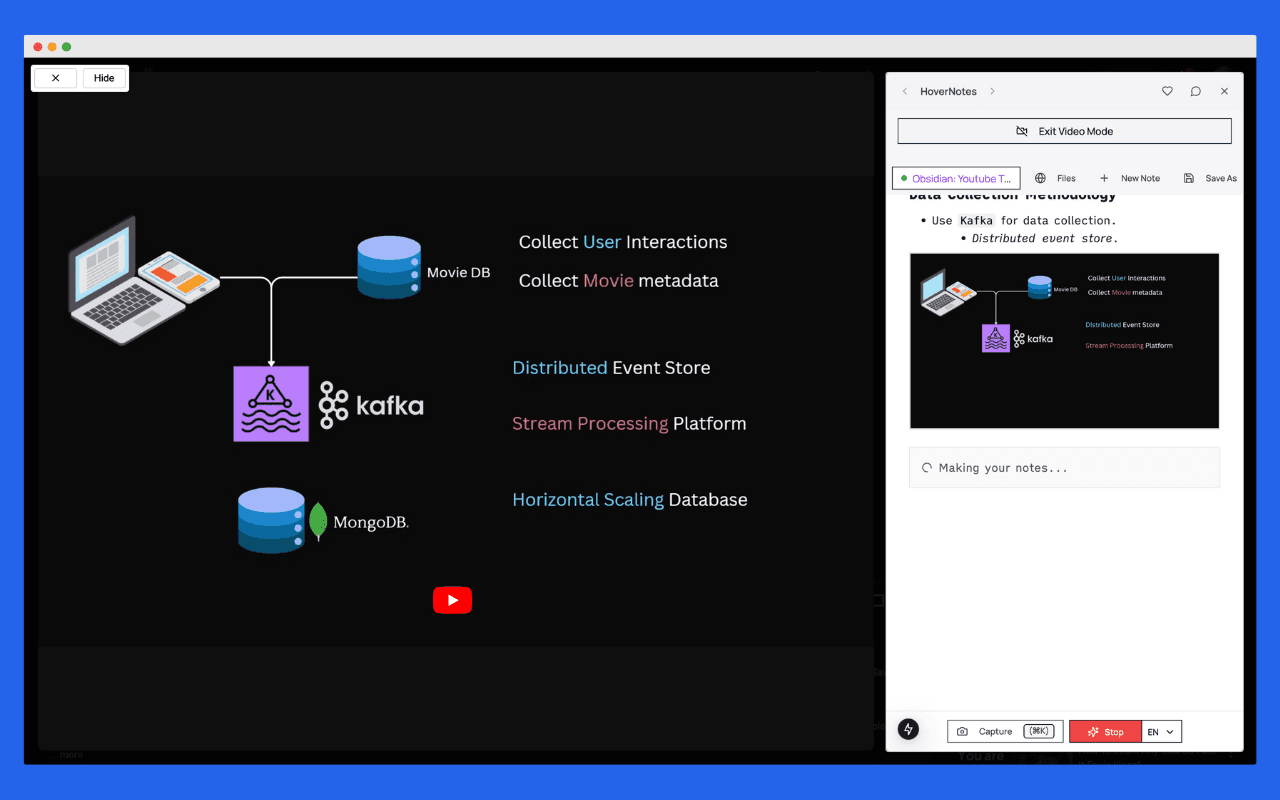
In 2026, Obsidian is a powerful platform for video learning, offering multiple methods for capturing and organizing video notes. While several solutions exist, the HoverNotes extension provides a focused workflow for turning video content into notes inside a knowledge management system.
Seamlessly bring video learning to your Obsidian vault. HoverNotes creates structured markdown notes that become a part of your existing knowledge graph.

Video content has become a primary source of learning, making efficient note-taking crucial for knowledge retention. Obsidian's ecosystem provides various tools for this purpose, but choosing the right solution can significantly impact your learning effectiveness.
The traditional approach of pausing videos to manually type notes disrupts your learning flow and often results in incomplete or poorly organized information. Modern solutions leverage AI and automation to capture comprehensive insights while you focus on understanding the content.
Standout Features:
User Experience:
Why It Wins: HoverNotes doesn't just take notes—it understands context, captures visual information, and integrates seamlessly with your existing Obsidian workflow. The AI watches the video alongside you, generating comprehensive notes that would take hours to create manually.
Features:
Limitations:
Features:
Limitations:
Features:
Limitations:
Features:
Limitations:
| Feature | HoverNotes | Media Extended | Timestamp Notes | Fleeting Notes | Transcript Solutions |
|---|---|---|---|---|---|
| AI-Powered Notes | ✓ | ✗ | ✗ | ✗ | Limited |
| Real-time Capture | ✓ | ✗ | ✗ | ✗ | ✗ |
| Visual Elements Capture | ✓ | ✗ | ✗ | ✗ | ✗ |
| Local Storage | ✓ | ✓ | ✓ | ✗ | ✓ |
| Cross-platform Support | ✓ | Limited | Limited | YouTube Only | Limited |
| Split-view Mode | ✓ | ✓ | ✓ | ✗ | ✗ |
| Setup Complexity | Minimal | Medium | Medium | Medium | High |
| Learning Disruption | Minimal | High | High | Medium | Medium |
Transform how you learn from videos. HoverNotes turns every tutorial into permanent, searchable knowledge that grows your expertise over time.
Unlike other solutions that focus solely on text, HoverNotes understands and captures:
The video learning landscape in Obsidian now includes more AI-assisted capture options. HoverNotes focuses on:
Other solutions have remained largely static, with minimal AI integration or automation improvements.
Install HoverNotes
Start Learning
Optimize Your Workflow
Folder Structure for Video Notes:
📁 Video Learning/
  📁 Programming/
    📁 React/
    📁 Python/
    📁 AI & ML/
  📁 Business/
  📁 Design/
  📁 Personal Development/
Template Integration: HoverNotes creates structured notes that can be used with Obsidian templates, including:
Skip the complex setup and workflow management. HoverNotes combines AI understanding, automatic organization, and seamless integration in one simple extension.
HoverNotes represents the evolution from manual note-taking to intelligent knowledge extraction. As AI capabilities continue advancing, we're moving toward:
While Obsidian offers various video learning solutions, HoverNotes combines AI-assisted capture, visual context, and direct note export in one workflow. The right option still depends on where you watch videos, how much automation you want, and whether local note ownership matters to you.
HoverNotes can reduce manual capture work while leaving the review, questioning, and synthesis to the learner. For students, professionals, and lifelong learners, it is one practical way to bring timestamped video context into an Obsidian vault.
Ready to transform your video learning experience? Start with HoverNotes today and discover why thousands of Obsidian users have made the switch from manual note-taking to intelligent knowledge extraction.
Seamlessly bring video learning to your Obsidian vault. HoverNotes creates structured markdown notes that become a part of your existing knowledge graph.
Have questions about integrating HoverNotes with your Obsidian workflow? Check out our complete integration guide or explore our getting started tutorial.
Related Articles:
Useful notes should make you do something with the material, not merely store more text. The U.S. Institute of Education Sciences recommends spacing learning over time, combining graphics with verbal explanations, using active retrieval, and asking deep explanatory questions (practice guide). A peer-reviewed review of educational video research also emphasizes signaling important information, splitting lessons into manageable segments, giving learners control, and adding active-learning prompts (review). Applied here, that means pausing at concept boundaries, capturing only the visual evidence you need, writing a question in your own words, and later answering it before replaying the source. These practices are evidence-based; a universal retention percentage for one app or workflow is not.
Continue your learning journey with these related posts
Compare plugins, browser extensions, and AI-assisted workflows for taking searchable video notes directly into your Obsidian knowledge base.
Explore the best ways to take notes from videos inside Obsidian in 2026—and discover why HoverNotes stands out with AI-powered features and seamless integration.

Build a powerful workflow for your Obsidian YouTube notes. Learn how to capture, organize, and link video knowledge to actually remember what you watch.