
10 Productivity Tips for Better Note-Taking
Effective note-taking is a skill that can dramatically improve your productivity, learning, and information retention. Whether you're in meetings, lectures, or brainstorming sessions, these tips will help you capture and organize information more effectively.
1. Use the Cornell Note-Taking System
The Cornell system divides your page into three sections:
- Notes: Main content area for your notes
- Cues: Keywords and questions in the left margin
- Summary: Key takeaways at the bottom
This system encourages active engagement with your content and makes review much more effective.
2. Develop Your Own Shorthand
Create abbreviations and symbols for commonly used words and concepts:
w/= withb/c= because→= leads to, results in*= important?= question or unclear
3. Use Hierarchical Structure
Organize your notes with clear hierarchies:
# Main Topic
  ## Subtopic 1
    - Detail A
    - Detail B
  ## Subtopic 2
    - Detail C
4. Color Code Your Information
Use different colors for different types of information:
- Red: Important deadlines or critical information
- Blue: Actions items or tasks
- Green: Ideas or suggestions
- Yellow: Questions or areas needing clarification
5. Leave White Space
Don't cram everything together. White space helps:
- Make your notes more readable
- Allow room for additional thoughts
- Reduce cognitive overload when reviewing
6. Review and Revise Soon Afterward
Review your notes while the context is still fresh. A short follow-up pass helps you:
- Fill in gaps while the information is fresh
- Clarify unclear points
- Add additional insights
7. Use Digital Tools Effectively
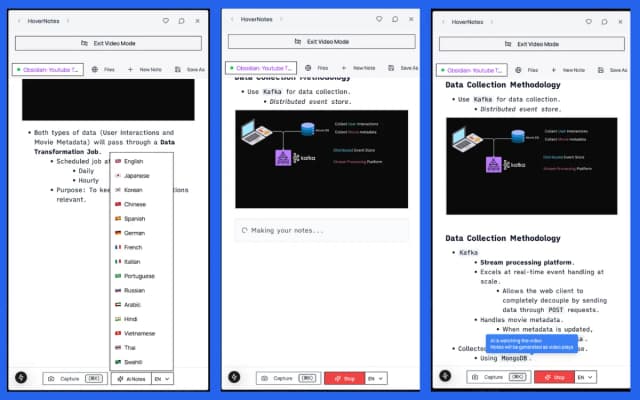
Modern note-taking apps like HoverNotes offer features that paper can't:
- Search functionality: Find any note instantly
- Tags and categories: Organize across topics
- Links: Connect related ideas
- Sync: Access notes across all devices
8. Practice Active Listening
Focus on understanding rather than transcribing:
- Listen for key concepts and themes
- Identify the speaker's main arguments
- Note examples that illustrate important points
- Ask clarifying questions
9. Create Visual Elements
Incorporate visual elements to enhance understanding:
- Mind maps: Show relationships between concepts
- Diagrams: Illustrate processes or systems
- Charts: Compare different options
- Sketches: Capture visual information
10. Develop a Consistent Review System
Create a regular schedule for reviewing your notes:
- Daily: Quick scan of today's notes
- Weekly: Review and organize the week's content
- Monthly: Connect themes and identify patterns
- Quarterly: Archive old notes and clean up your system
Turn Captured Notes Into Useful Knowledge
Capturing information is only the first half of a reliable note-taking workflow. Give new notes a temporary inbox, then process that inbox at a regular time. Rename vague files, add a short summary in your own words, and link each note to a project, question, or topic you already care about. If a note has no likely future use, archive or delete it instead of letting it dilute search results.
Keep the processing step deliberately small. A useful note does not need elaborate formatting; it needs enough context for your future self to understand why it mattered. Record the source, the decision or idea you want to remember, and the next action if there is one. This turns a growing pile of captured material into a knowledge system you can actually navigate.
Conclusion
Great note-taking is a skill that improves with practice. Start by implementing one or two of these tips, then gradually add more techniques as they become natural. Remember, the best note-taking system is the one you'll actually use consistently.
What note-taking tips work best for you? Share your strategies in the comments below!
Ready to transform your note-taking? Try HoverNotes with 20 minutes of AI processing included at signup; manual notes and screenshots remain available without using AI credits. Confirm current options on the HoverNotes pricing page.