Scopri come catturare, tradurre e organizzare in modo efficace gli appunti dai video educativi di Bilibili. Trasforma la visione passiva in apprendimento attivo.
Di HoverNotes Team•11 min di lettura
Prendere buoni appunti da bilibili fa la differenza tra guardare contenuti e imparare veramente da essi. Un approccio sistematico trasforma i video educativi della piattaforma in una libreria di conoscenze indicizzabile da usare in seguito.
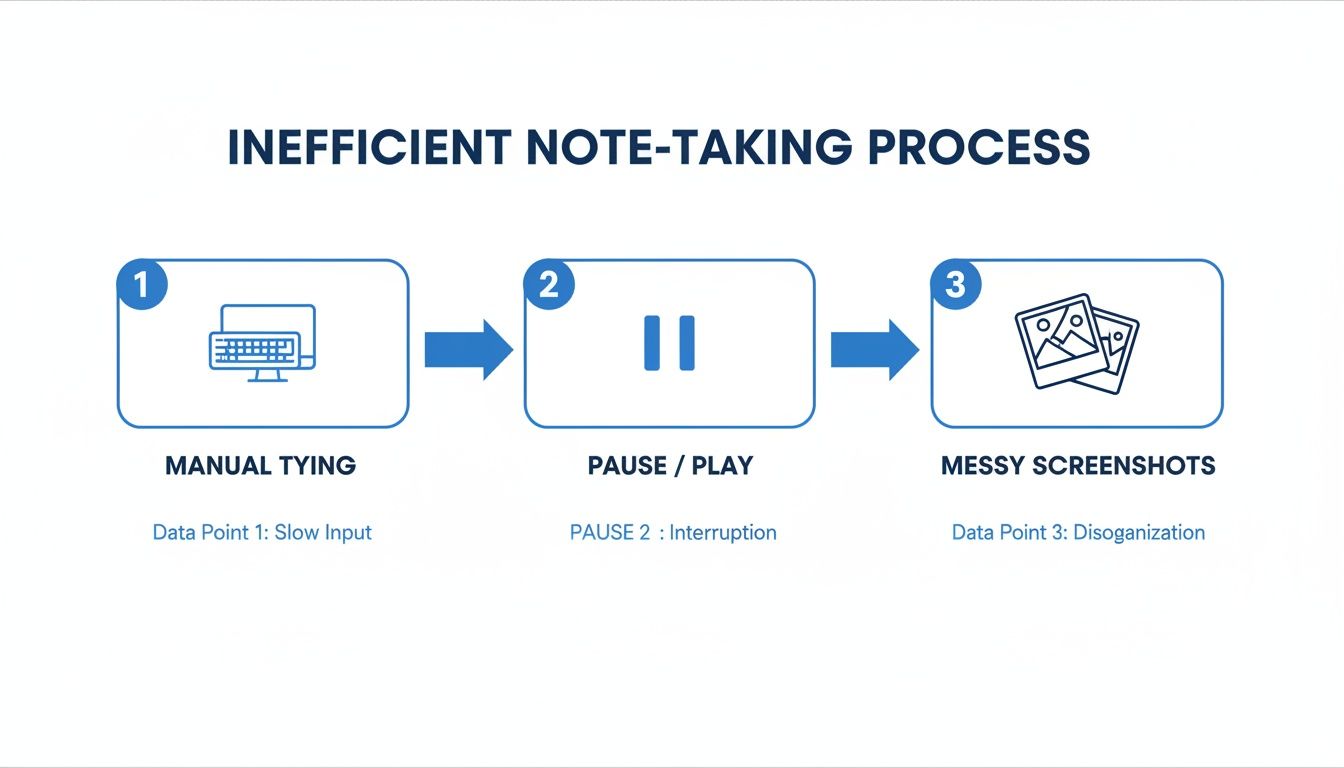
Ma c’è un problema nell’apprendere dai video: la memorizzazione è scarsa. È facile guardare per ore e ricordare quasi nulla. Questo accade soprattutto su Bilibili, dove un video ne porta rapidamente a un altro. Prendere appunti manualmente durante la visione è faticoso—mettere in pausa e riprodurre continuamente rompe la concentrazione, e una cartella piena di screenshot sparsi è inutile per la revisione.
Senza un sistema, sei solo un consumatore di contenuti, non un apprendente. Le informazioni non passano dalla memoria a breve termine a quella a lungo termine.
Ecco gli ostacoli comuni:
Dimentichi ciò che hai visto: senza un coinvolgimento attivo, le informazioni svaniscono rapidamente.
Barriere linguistiche: gran parte dei migliori contenuti è in mandarino, rendendoli inaccessibili a molti studenti internazionali.
Appunti disorganizzati: una cartella disordinata di screenshot casuali e file di testo confusi è impossibile da rivedere, rendendo vano lo sforzo di catturarli.
#I vecchi metodi di prendere appunti (e perché non funzionano)
La maggior parte inizia aprendo un tutorial Bilibili e un file di testo vuoto. Si guarda, mette in pausa, digita, riavvolge e ripete. Questo cambio continuo di attività è estenuante e frammenta la concentrazione. Si finisce con un muro di testo scollegato dal contesto visivo cruciale del video.
Il passo successivo è spesso fare screenshot. Vedi un diagramma critico o un frammento di codice e lo catturi. Presto il desktop è un caos di file chiamati Screen Shot 2024-10-27 at 11.45.12 AM.png. Queste immagini mancano di timestamp e sono scollegate dagli appunti scritti, rendendole difficili da organizzare o rivedere.
Usare una trascrizione del video sembra una scorciatoia intelligente, ma ha un difetto grave: si perde tutto ciò che appare sullo schermo. Per i contenuti tecnici e visivi che prosperano su Bilibili, è un problema serio.
Una trascrizione può dirti cosa l’insegnante ha detto sul codice, ma non può mostrarti il codice stesso. Il contesto visivo conta. Le trascrizioni trascurano diagrammi, annotazioni sullo schermo e dimostrazioni dal vivo che spesso sono il punto della lezione.
A differenza degli strumenti che analizzano solo trascrizioni, alcuni strumenti moderni guardano il video per catturare ciò che appare davvero sullo schermo. Questo problema non è unico di Bilibili; lo affrontiamo anche nella nostra guida per ottenere una trascrizione da un video YouTube. I metodi manuali forzano una scelta: prestare attenzione al video o prendere appunti. Non si può fare efficacemente entrambi.
#Un modo più intelligente per catturare gli appunti da Bilibili
Un flusso di lavoro migliore automatizza il lavoro faticoso. Invece di mettere in pausa freneticamente e digitare, ti concentri sui contenuti mentre i tuoi appunti vengono generati per te.
Strumenti come HoverNotes, un’estensione Chrome che guarda i video insieme a te, genera appunti AI e li salva come Markdown direttamente nel tuo file system, sono pensati per questo. Evita il ciclo manuale frustrante dell’apprendimento.
Questo continuo cambio di contesto è il motivo per cui molte informazioni dai video non rimangono impresse.
Un flusso di lavoro migliore è semplice. Usi uno strumento che permette a un’AI di catturare i concetti chiave, generare una scaletta e costruire un documento strutturato mentre guardi. L’AI si occupa della presa di appunti così puoi concentrarti sulla comprensione.
La chiave è che lo strumento guarda il video frame per frame, proprio come un essere umano. Questo significa che cattura dettagli visivi che gli strumenti solo trascrizione perdono, come:
Gli esatti frammenti di codice in un tutorial di programmazione.
Puoi comunque aggiungere i tuoi appunti. Uno strumento "snip" ti permette di catturare una parte specifica dello schermo—una formula o un grafico—e inserirlo nei tuoi appunti. Ogni screenshot include un timestamp cliccabile; con un click torni a quel momento preciso del video. Puoi vedere una spiegazione più dettagliata su come prendere appunti dai video con questo metodo.
L’obiettivo è spostare il tuo impegno dalla trascrizione alla comprensione. Smetti di essere uno scriba e diventi un apprendente impegnato con il materiale.
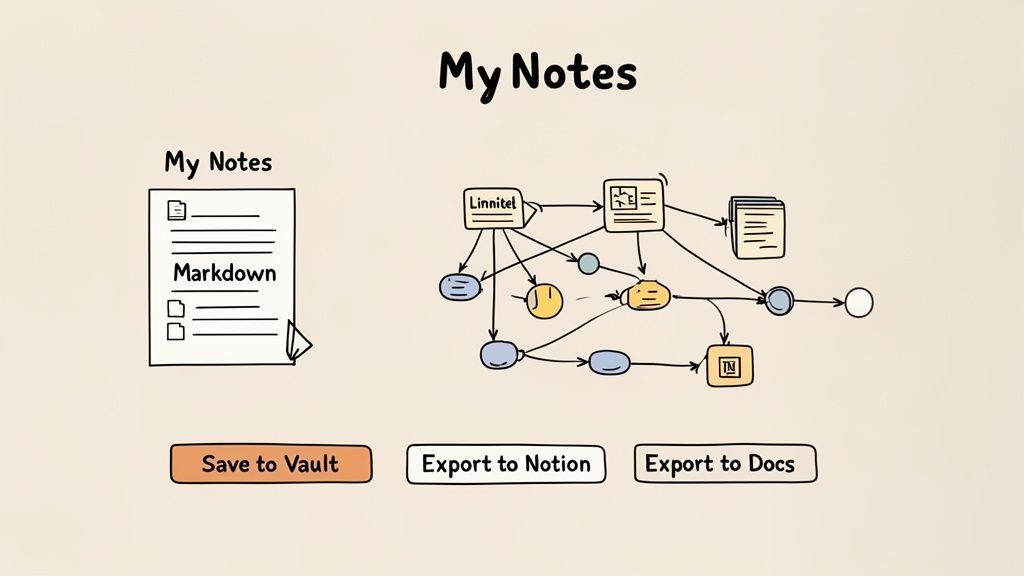
Per gli utenti Obsidian, gli appunti si salvano in file .md direttamente nel tuo vault. Non ci sono formati proprietari o servizi di sincronizzazione: gli appunti sono tuoi. Questo approccio locale significa che la tua base di conoscenza è privata, sicura e accessibile offline.
Una parte significativa dei migliori contenuti educativi di Bilibili è in mandarino. Questo non deve più essere una barriera per studenti internazionali. L’AI moderna può elaborare i contenuti video e fornire appunti nella lingua che preferisci.
Puoi guardare una lezione di machine learning in mandarino mentre un’AI genera appunti strutturati in inglese, spagnolo o giapponese. Non è solo una trascrizione; è un riassunto dei concetti chiave, definizioni ed esempi in una lingua che comprendi.
Questo apre una vasta libreria di conoscenze. Il numero di utenti attivi mensili di Bilibili, pari a 341,5 milioni nel primo trimestre 2024, sottolinea il suo ruolo di grande piattaforma per l’apprendimento tramite video. Puoi vedere di più sulla crescita del pubblico di Bilibili su sec.gov.
HoverNotes è stato creato per risolvere questo problema. Può guardare un video in una lingua e produrre appunti in un’altra, gestendo automaticamente la traduzione. Per esempio, puoi guardare una lezione coreana e ottenere note in spagnolo. Questo è particolarmente utile per materie tecniche dove il contesto visivo è cruciale, poiché l’AI cattura codice e diagrammi sullo schermo che la traduzione audio non può cogliere.
Se vuoi migliorare le tue abitudini di studio, esplorare i migliori strumenti di studio AI può aprire nuove vie per imparare efficacemente.
Questo flusso di lavoro trasforma i video educativi in lingue straniere in una parte permanente e indicizzabile della tua base di conoscenza, nella tua lingua.
Per avere un’idea più chiara di come funziona, guarda la nostra guida su appunti video AI.
#Collegare i tuoi appunti al tuo sistema personale di conoscenza
Prendere appunti è solo metà del lavoro. Per essere utili, i tuoi appunti bilibili devono diventare parte viva del tuo sistema personale di conoscenza. Qui diventa fondamentale possedere i tuoi dati.
Quando i tuoi appunti vengono salvati come file Markdown (.md) locale, sono tuoi. Non rimangono intrappolati in un servizio cloud proprietario. Per chi vuole costruire una base di conoscenza duratura, questa memorizzazione locale è un grande vantaggio. Possiedi i file—puoi spostarli, fare backup, cercarli. Sono semplicemente Markdown.
Se usi Obsidian, questo flusso di lavoro è potente. HoverNotes salva i tuoi appunti direttamente nel vault. Appena finisci un video, i tuoi appunti—con screenshot a timestamp e formattazione pulita—sono parte del tuo grafo di conoscenza. Puoi subito collegare concetti di una lezione Bilibili ad altri appunti esistenti.
Se non usi Obsidian, il principio è lo stesso. Gli appunti sono in un formato universale.
Notion: Copia e incolla i tuoi appunti direttamente in una pagina Notion. Titoli, punti elenco e screenshot si trasferiscono puliti.
Google Docs: Vale lo stesso. Gli appunti si incollano mantenendo la loro struttura.
Qualsiasi editor di testo: In fondo sono file di testo semplice. Puoi aprirli, modificarli e cercarli con qualsiasi strumento, ora o tra dieci anni.
Uno strumento efficace per prendere appunti non rinchiude la tua conoscenza; la esporta pulita nel sistema che già usi.
#Confronto tra metodi per prendere appunti su Bilibili
Non tutti i metodi per prendere appunti sono ugualmente efficaci per contenuti video. Questa tabella mostra pro e contro.
Metodo
Cattura Visiva
Timestamp
Traduzione Lingua
Efficienza
Digitazione Manuale
Impacciata (screenshot separati)
Manuale
Manuale (copia/incolla)
Molto bassa
Strumenti Integrati Bilibili
Limitati o assenti
A volte
No
Bassa
Semplici strumenti screenshot
Sì, ma senza contesto
No
No
Media
HoverNotes (cattura AI)
Screenshot istantanei
Automatico
Automatico (integrato)
Molto alta
Come vedi, i metodi tradizionali creano attrito. Devi mettere in pausa continuamente, cambiare finestre e aggiungere manualmente contesto. Uno strumento integrato rende il processo senza soluzione di continuità.
Se questo flusso di lavoro ti sembra utile, puoi provare HoverNotes gratuitamente. Include 20 minuti di crediti AI per testare con i video di Bilibili, senza carta di credito. Controlla le opzioni aggiornate sulla pagina prezzi HoverNotes.
Imparando da Bilibili, sorgono spesso alcune domande pratiche. Ecco le risposte alle più comuni.
#Posso avere gli appunti in inglese se il video è in cinese?
Sì. Strumenti come HoverNotes possono elaborare l’audio originale mandarino e generare appunti strutturati in inglese o in un’altra lingua a tua scelta. L’AI riassume i concetti chiave, non solo una trascrizione parola per parola. Questo apre la biblioteca dei contenuti educativi cinesi di Bilibili anche a chi non parla la lingua.
#Ho bisogno di un account Bilibili per prendere appunti?
No, di solito no. Finché un video è pubblico e non richiede accesso, uno strumento da browser può accedervi. Puoi iniziare a prendere appunti sulla maggior parte dei video educativi senza account.
#Come posso organizzare al meglio i miei appunti Bilibili in Obsidian?
Salva i tuoi appunti come file Markdown (.md) direttamente in una cartella dedicata nel tuo vault Obsidian, come /Bilibili Notes o /Course Captures. All’interno di ogni nota, usa tag come #python o #datascience per rendere la tua libreria video ricercabile.
Il vero vantaggio è il collegamento. Una volta che un appunto Bilibili è in Obsidian, puoi connettere un concetto del video ad altre idee nella tua base di conoscenza. Non stai solo archiviando appunti; stai costruendo una rete interconnessa di conoscenze.
Questo flusso di lavoro trasforma la visione passiva dei video in un processo attivo di costruzione del tuo grafo di conoscenza personale. Per domande più tecniche su come funzionano questi strumenti, puoi consultare la pagina FAQ di un prodotto, come quella con dettagli tecnici su HoverNotes.
Se usi Obsidian e vuoi rendere le tue sessioni di apprendimento su Bilibili più produttive, HoverNotes salva gli appunti direttamente nel tuo vault. Puoi provarlo gratis—20 minuti di crediti AI, senza carta di credito. Verifica le opzioni aggiornate sulla pagina prezzi HoverNotes.
Gli appunti utili dovrebbero farti fare qualcosa con il materiale, non limitarsi ad archiviare altro testo. L'U.S. Institute of Education Sciences raccomanda di distribuire l'apprendimento nel tempo, combinare elementi grafici con spiegazioni verbali, usare il recupero attivo e porre domande esplicative profonde (guida pratica). Una revisione peer-reviewed della ricerca sui video didattici sottolinea inoltre l'importanza di segnalare le informazioni rilevanti, suddividere le lezioni in segmenti gestibili, dare controllo agli studenti e aggiungere stimoli di apprendimento attivo (revisione). Applicato qui, significa fermarsi ai confini concettuali, acquisire solo l'evidenza visiva di cui hai bisogno, scrivere una domanda con parole tue e poi rispondervi prima di rivedere la fonte. Queste pratiche sono basate su evidenze; una percentuale universale di ritenzione per una singola app o un singolo flusso di lavoro non lo è.
Smetti di dimenticare ciò che guardi. Impara a trasformare qualsiasi video YouTube in appunti e costruisci una base di conoscenza ricercabile e a lungo termine che possiedi veramente.
Hai difficoltà a prendere appunti nei corsi MOOC su Coursera o edX? Scopri un metodo collaudato per organizzare, memorizzare e applicare le conoscenze acquisite in corsi lunghi senza esaurirti.
Scopri i limiti di una semplice trascrizione di un video YouTube per l'apprendimento. Scopri perché il contesto visivo e le note potenziate dall'IA sono fondamentali per una vera memorizzazione.