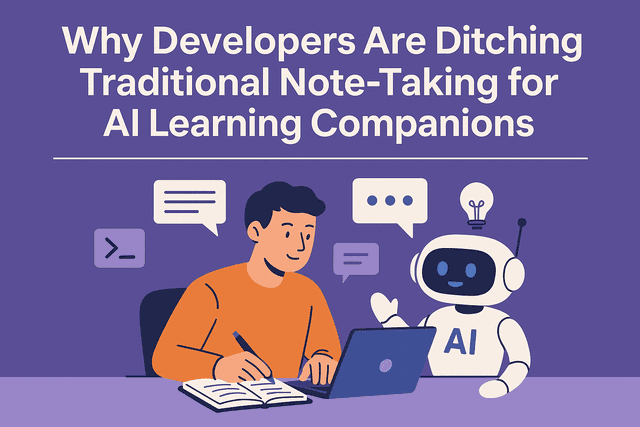

Why Developers Are Ditching Traditional Note-Taking for AI Learning Companions
The way we learn from videos is broken. You watch a brilliant tutorial, think "I'll remember this," then find yourself rewatching the same content weeks later, desperately scrubbing through timestamps to find that one crucial insight. This inefficiency isn't just frustrating—it's a fundamental barrier to knowledge retention in our video-first learning era.
The solution isn't better video creation tools. It's learning tools that transform passive video consumption into active knowledge acquisition.
The Problem With Traditional Video Learning
Knowledge Silos: Even when we do take notes, they often end up scattered across platforms—Google Docs, Apple Notes, random text files—making them impossible to search or connect to other knowledge.
Enter AI Learning Companions
The breakthrough isn't in creating better videos—it's in creating tools that watch videos with you. Unlike transcription-based tools that only capture spoken words, modern AI can understand visual context, extract code from screens, and identify the relationships between concepts as they unfold.
Visual Understanding Changes Everything
Traditional note-taking tools rely on transcripts, missing crucial visual information. When an instructor writes code on screen, draws a diagram, or demonstrates a UI interaction, transcript-based tools capture only the narration, not the implementation.
AI learning companions powered by computer vision can:
- Extract code snippets directly from video frames with proper syntax highlighting
- Capture diagrams and architectural drawings automatically
- Understand the relationship between what's said and what's shown
- Generate context-aware explanations that combine visual and audio information
The Local-First Learning Revolution
The most innovative learning tools are embracing a local-first approach, giving users complete control over their knowledge while still providing AI-powered insights.
Why Local-First Matters
Privacy: Your learning notes contain sensitive information about your skill gaps, interests, and professional development. This data should belong to you, not a cloud provider.
Ownership: When your notes live in proprietary cloud systems, you're one acquisition or policy change away from losing access to your knowledge base.
Integration: Knowledge workers already have preferred systems—Obsidian, Notion, or simple markdown files. The best tools integrate with existing workflows rather than forcing platform switches.
HoverNotes: A Case Study in Local-First Learning
HoverNotes represents this new category of AI learning companions. Instead of creating another cloud-based note-taking platform, it saves your notes on your computer and exports them directly to your chosen knowledge management system.
Core Innovation: The AI watches videos in real-time, understanding both visual and audio content to generate study notes that capture:
- Code implementations with syntax highlighting
- Screenshots at key moments
- Concept explanations in 24 languages
- Links between related ideas
Local-First Design: Notes and screenshots save directly to your Obsidian vault or a folder of Markdown files on your computer. AI features process the video on HoverNotes' servers, but your notes live on your machine.
Universal Compatibility: Works with YouTube, Udemy, Coursera, or internal company training materials.
The Business Model Evolution
Traditional SaaS models are poorly suited for learning tools. Users need:
- Burst Usage: Intensive learning periods followed by reference-only access
- Data Ownership: Complete control over their knowledge base
- Platform Freedom: Ability to export and migrate their data
The most successful tools are adopting usage-based pricing that charges for AI processing while keeping storage optional and data ownership clear.
Key Tools Defining the Space
Key Tools and Platforms
Screen Recording and Analysis Tools:
- OBS Studio: Free, open-source recording with advanced customization
- ShareX: Windows-focused with workflow automation
- Movavi: Screen recording with a built-in editor; check Movavi's current plans for regional pricing.
Video Hosting and Management:
- Vimeo: Professional hosting and team collaboration; compare Vimeo's current plans.
- Microsoft Stream: Enterprise M365 integration
- Wistia: Marketing-focused video hosting with analytics; compare Wistia's current plans.
Development Workflow Integration
Modern development teams are integrating video learning tools directly into their workflows for enhanced collaboration and knowledge sharing.
Integration with Development Tools
Jira Integration: Teams can attach video recordings directly to Jira issues, updates, and comments. This works well for bug reports with visual reproductions, explaining code reviews, feature walkthroughs, and sprint summaries.
GitHub Documentation: While GitHub READMEs don't allow direct video embedding, you can create clickable thumbnails that link to full videos for enhanced documentation.
Workflow Automation: Tools like Zapier enable automated video workflows that sync with project management systems.
Measuring Success
To evaluate whether video learning tools are making a difference, focus on specific metrics:
| Metric Category | Key Indicators | Measurement Method |
|---|---|---|
| Team Efficiency | Time saved during onboarding; fewer support tickets | Compare ticket volumes before and after implementation |
| Content Engagement | View count; play rate; watch time | Use platform analytics to track engagement |
| Knowledge Transfer | Higher implementation success; better code quality | Analyze improvements in code review outcomes |
Implementation Strategies for Learning Tools
For Developers Building Learning Tools
Start Local: Build local-first with optional cloud features, not the reverse. Users will trust you more and you'll differentiate from cloud-only competitors.
Focus on Integration: Don't build another knowledge management platform. Build the best possible integration with platforms users already love. According to Vimeo's research, "The trick to a successful Video Library? Ruthless organization."
Charge for Value: Price based on AI processing and advanced features, not storage. Storage is a commodity; intelligence is valuable.
For Organizations
Invest in Learning Infrastructure: The tools that help your team learn faster provide exponential returns on productivity and innovation.
Measure Knowledge Retention: Track not just course completion but actual application of learned concepts in real work.
The Future of Video Learning
We're moving toward a world where:
- Every video becomes searchable knowledge through AI-powered extraction and organization
- Learning is seamlessly integrated with existing workflows and tools
- Privacy and ownership are default features, not premium upgrades
- Knowledge compounds through intelligent linking and relationship discovery
Getting Started
The learning revolution is happening now. Whether you're a student, developer, or knowledge worker, the tools exist today to transform how you acquire and retain knowledge from video content.
For Individual Learners:
- Choose tools that integrate with your existing workflow
- Prioritize local storage and data ownership
- Focus on active learning features over passive consumption
For Teams:
- Experiment with AI learning companions for training materials
- Create shared knowledge bases from video learning
- Measure retention and application, not just completion
For Tool Builders:
- Solve learning, not just note-taking
- Respect user data ownership and privacy
- Build for integration, not platform lock-in
The future belongs to tools that make us smarter, not just more organized. The video learning revolution is just beginning—and the winners will be those who put learners in control of their own knowledge.
References and Further Reading
- Best Free Screen Recorder Software - TechRadar
- Loom AI Features - Loom Official
- Best Video Hosting Sites - Zapier Blog
- Video Library Organization - Vidizmo Blog
- Video Library Tips - Vimeo Blog
- Microsoft Stream - Microsoft Official
- Agile Workflow Management - Atlassian
- Video Workflow Automation - Dubb Blog
- Loom in Jira Integration - Atlassian Support
- GitHub Video Embedding - GeeksforGeeks
- Mozaik App - Mozaik Official
- Project Collaboration Success Metrics - VirtualSpace Blog
Ready to transform your video learning? Explore tools like HoverNotes that put AI learning companions and local-first design at the center of the experience.
A More Defensible Technical Workflow
The goal is not a made-up accuracy or productivity percentage; it is a result another developer can verify. Google's technical-writing guidance recommends a clear scope, logical outline, task-based headings, progressive disclosure, navigation, and links to deeper material. Apply that standard to your workflow: preserve the tutorial URL and timestamp, record the language and dependency versions, explain why the snippet exists, run it in a small reproducible environment, and link to the relevant official documentation. Treat captured code as a starting point. Tests, type checks, security review, licensing checks, and comparison with the current upstream API are what turn a tutorial fragment into maintainable project knowledge.