Wie man Lernnotizen macht, die wirklich nützlich sind
Erfahren Sie, wie Sie Lernnotizen machen, die das Behalten und Verstehen fördern. Entdecken Sie praktische Methoden für Vorlesungen, Lehrbücher und moderne Video-Lernabläufe.
Von HoverNotes Team•17 Min. Lesezeit
Gute Lernnotizen anzufertigen bedeutet, Informationen aktiv zu verarbeiten, nicht sie nur passiv abzuschreiben. Die besten Methoden zwingen dich dazu, Inhalte zusammenzufassen, Fragen zu stellen und Ideen miteinander zu verknüpfen. So entsteht ein Gedächtnis, das wirklich hält.
Es ist an der Zeit, über das bloße Festhalten jedes einzelnen Wortes hinauszugehen, das du hörst oder liest.
#Warum deine Lernnotizen dir nicht beim Lernen helfen
Wenn du schon einmal stundenlang Notizen gemacht hast und eine Woche später alles vergessen warst, bist du auf ein häufiges Problem gestoßen. Es geht nicht um den Aufwand – das traditionelle Notizenmachen erzeugt oft eine Illusion des Lernens, ohne echtes Wissen aufzubauen.
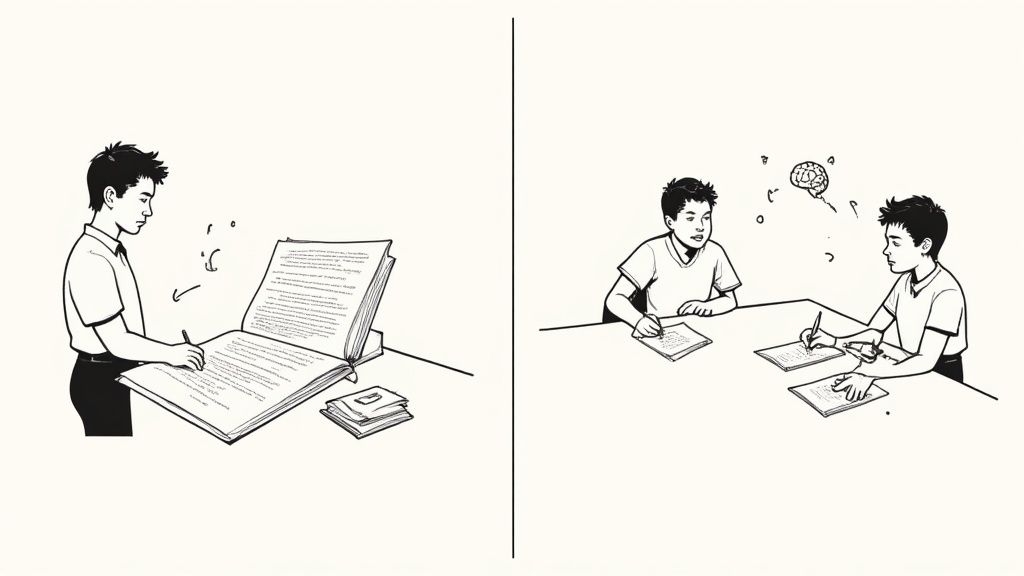
Die meisten von uns wurden darauf trainiert wie Gerichtsstenografen zu agieren, die jedes Wort einer Vorlesung hektisch tippen oder mitschreiben. Auch wenn so viele Seiten entstehen, erfordert das kaum tiefes Nachdenken. Dein Gehirn ist so auf den Schreibprozess fokussiert, dass es keine Kapazitäten hat, die Informationen zu analysieren oder zu verknüpfen.
Dieses Problem verschärft sich deutlich, wenn du versuchst, aus Videos zu lernen.
#Die besondere Herausforderung beim Lernen mit Videos
Viele schauen Videokurse, erinnern sich danach aber kaum an das Gelernte. Videos haben ein Problem mit der Behaltensleistung, und traditionelle Notizmethoden verschlechtern das noch. Das ständige Pausieren, Zurückspulen und Tippen unterbricht deine Konzentration und bremst den Lernfluss. Du hinkst entweder dem Video hinterher oder verpasst wichtige Ideen, während du hektisch mitschreibst.
Die häufige „Lösung“, Screenshots zu speichern, schafft nur ein neues Chaos:
Verstreute Dateien: Du hast einen Ordner mit willkürlich benannten Bildern, die keinerlei Verbindung zu den Notizen haben, die sie unterstützen sollen.
Kein Kontext: Ein Screenshot von einem Codeausschnitt oder Diagramm ist ohne die dazugehörige mündliche Erklärung nutzlos.
Albtraum beim Überarbeiten: Aus einem Wirrwarr von Bildern und halbfertigen Sätzen eine Lernanleitung zusammenzusetzen, ist riesige Zeitverschwendung.
Kurz gefasst: Passives Mitschreiben, egal ob in einer Vorlesung oder beim Anschauen eines YouTube-Tutorials, aktiviert nicht die Gehirnregionen, die für das Langzeitgedächtnis zuständig sind. Es fühlt sich produktiv an, ist aber nur oberflächliche Verarbeitung.
Deshalb haben so viele Leute riesige Notizbibliotheken, die sie nie wieder ansehen. Das bloße Erstellen hat die Informationen nicht verankert, und das Endergebnis ist zu chaotisch, um hilfreich zu sein. Falls dich das näher interessiert, könnte unser Leitfaden zu Produktivität und Notiztechniken hilfreich sein.
Selbst wenn du schnell tippst, erzeugt das ständige Wechseln zwischen Videoplayer und Notizapp Reibungsverluste. Du jonglierst permanent zwischen Fenstern, stoppst das Video und versuchst, visuelle Informationen einzufangen, bevor sie verschwinden. Dieses Gedankenspiel lenkt dich vom eigentlichen Ziel ab: den Inhalt zu verstehen.
Werkzeuge, die nur Audios transkribieren, verfehlen hingegen komplett den Sinn. Technisches oder designorientiertes Lernen hängt stark davon ab, was du siehst. Transkripte können die Details einer Live-Codierung oder einer Whiteboard-Demonstration nicht erfassen, weil sie vernachlässigen, was tatsächlich auf dem Bildschirm passiert. Im Gegensatz zu Tools, die nur Transkripte analysieren, schaut HoverNotes das Video an, um genau das festzuhalten, was zu sehen ist – genauso wie ein Mensch.
Nachdem wir das Problem erkannt haben, können wir Strategien einsetzen, die das Notizenmachen von einer passiven Pflicht zu einem aktiven Lernprozess machen.
Es gibt keinen „einzig besten“ Weg, Notizen zu machen. Die perfekte Methode passt zum Lernstoff und zu deiner Denkweise. Einen Einheitsansatz gewaltsam durchzusetzen, führt nur zu Frustration.
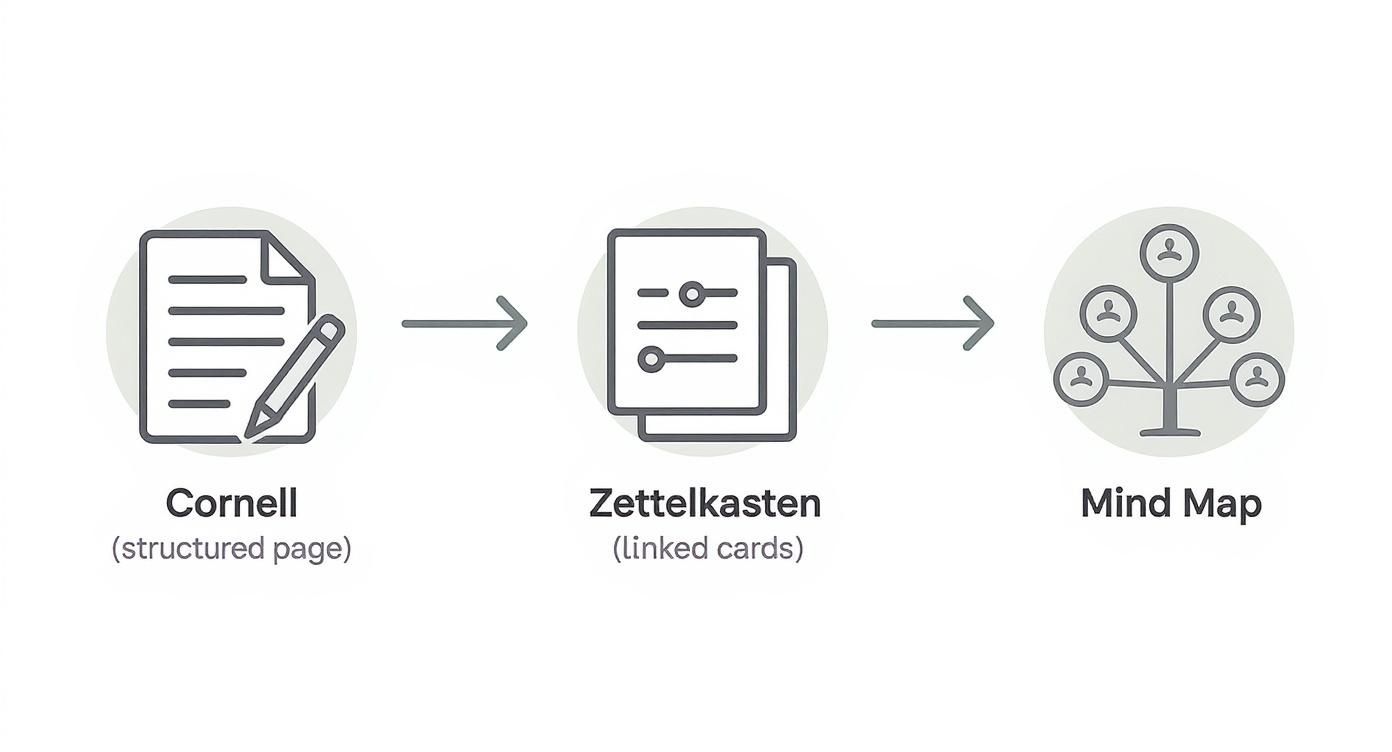
Eine schlauere Strategie ist, ein Set bewährter Methoden bereitzuhalten, das du situationsabhängig nutzt. Wir betrachten drei kraftvolle Systeme: die strukturierte Cornell-Methode, das vernetzte Zettelkasten und die visuelle Freiheit des Mind-Mappings.
Zu wissen, wann man was einsetzt, ist der erste Schritt zu Notizen, die dir wirklich beim Lernen helfen.
Entwickelt in den 1950er Jahren von einem Cornell-Bildungsprofessor, liegt die Stärke dieser Methode im integrierten Wiederholungsprozess. Sie fordert dich auf, den Stoff auf drei Ebenen zu bearbeiten: festhalten, hinterfragen und zusammenfassen.
Die Seite ist in drei Bereiche unterteilt:
Hauptnotiz-Bereich (rechter Spalt): Während einer Vorlesung oder beim Lesen hier wichtige Notizen machen. Dabei solltest du umformulieren und Kerngedanken festhalten – nicht jedes Wort.
Stichwort-Spalte (linker Spalt): Nach der Sitzung geh deine Hauptnotizen durch und entnehme Schlüsselwörter oder potentielle Prüfungsfragen. Du verwandelst so passive Notizen aktiv in Auslöser für das Abrufen aus dem Gedächtnis.
Zusammenfassung unten: Bevor du fertig bist, schreib ein bis zwei Sätze, die die gesamte Seite zusammenfassen. Das zwingt dich, alles auf einer hohen Ebene zu synthetisieren.
Diese Methode ist ein Lebensretter bei Vorlesungen, dichtem Lehrbuchstoff und strukturierten Videokursen mit linearem Aufbau. Die Stichwort-Spalte wird so dein persönliches Selbstabfrage-Werkzeug.
Wenn du ein komplexes Thema angehst oder dir ein langfristiges „zweites Gehirn“ aufbauen willst, ist die Zettelkasten-Methode ideal. Sie fokussiert weniger auf das Festhalten einer einzelnen Vorlesung, sondern darauf, ein Netzwerk aus verknüpften Ideen zu schaffen, das mit der Zeit wächst.
Der Ansatz beruht auf zwei Hauptarten von Notizen:
Fleeting Notes: Schnelle, spontane Gedanken, Fragen oder Verknüpfungen. Denk an sie als das Eingangsfach deines Gehirns – sie werden später verarbeitet.
Literaturnotizen: Beim Lesen eines Buchs oder Anschauen eines Videos erstellst du diese. Wichtig ist, die wichtigsten Erkenntnisse in deinen eigenen Worten festzuhalten und immer die Quelle zu nennen.
Der wahre Nutzen entsteht, wenn du diese in permanente, atomare Notizen destillierst, die untereinander verlinkt sind. Wer Werkzeuge wie Obsidian nutzt, findet diesen Prozess ganz natürlich. Deine Notizen sind keine isolierten Dateien mehr, sondern ein lebendiges Denk-System. Den ersten Entwurf deiner Literaturnotizen kannst du übrigens mit einer KI-Notiz-App schnell erstellen.
Manche Themen passen nicht in ordentliche, lineare Strukturen. Beim Brainstormen oder Umfassendverstehen komplexer Zusammenhänge ist Mind-Mapping unschlagbar. Es spiegelt nach, wie unser Gehirn intuitiv zwischen Ideen springt.
Du beginnst mit einem zentralen Konzept in der Seitenmitte. Von dort aus verzweigst du dich mit verwandten Ideen und Schlüsselwörtern. Jeder Hauptzweig kann kleinere Unterzweige hervorbringen, sodass eine strahlenförmige Struktur entsteht.
Mind-Mapping ist besonders hilfreich, wenn du den Wald sehen musst, nicht nur die Bäume. Es hilft bei der Gedankenorganisation vor dem Schreiben eines Aufsatzes oder macht sichtbar, wie verschiedene Teile eines komplexen Systems zusammenwirken.
Für Lernende, die sich von textlastigen Notizen eingeengt fühlen, kann dieser visuelle Ansatz eine echte Offenbarung sein, der Kreativität entfacht und Verbindungen zeigt, die man sonst übersieht.
Wenn du beim Überführen von Ausgangsmaterial in eine erste Karte KI-Unterstützung möchtest, kann MindMap AI Notizen, PDFs, Bilder, Audio und Video in strukturierte, bearbeitbare Mindmaps verwandeln. Der AI Copilot kann Zweige erweitern, zusammenfassen und neu anordnen; mit manueller Bearbeitung und mehreren Exportformaten lässt sich das Ergebnis weiter verfeinern, statt es bei einer einmaligen Visualisierung zu belassen.
Das Ziel ist nicht, eine Methode für immer festzulegen. Erfolgreiche Lerner sind flexibel. Sie nutzen vielleicht die Cornell-Methode für eine Geschichtsvorlesung, Mind-Mapping zur Projektplanung und Zettelkasten, um ihr persönliches Wissensnetz zu pflegen.
Probiere jede Methode aus und schaue, was dir für die jeweilige Aufgabe am besten liegt.
#Ein moderner Workflow zum Notizenmachen aus Videos
Videobasiertes Lernen unterscheidet sich vom Lernen mit Lehrbüchern. Wir alle haben Stunden Tutorials angesehen und Tage später können wir kaum die wichtigsten Details reproduzieren. Der ständige Zyklus aus Pausieren, Tippen und Zurückspulen unterbricht nicht nur die Konzentration, sondern macht es nahezu unmöglich, komplexe Informationen aufzunehmen.
Althergebrachte Methoden funktionieren hier nicht. Ein physisches Notizbuch ist umständlich, ein Ordner voller zufälliger Screenshots hingegen digitales Chaos. Du brauchst einen modernen Ansatz, der Video und Notizen zu einer fokussierten Einheit verschmilzt.
Wähle vor dem Start das passende Notizsystem für den Job aus. Dieses Diagramm zeigt, wie verschiedene Methoden nur Werkzeuge in deinem Werkzeugkasten sind.
Cornell, Zettelkasten und Mind-Mapping bedienen jeweils unterschiedliche Zwecke. Wähle die Methode passend zum Material.
#Schaffe einen lernfreundlichen, ablenkungsfreien Raum
Zunächst beseitige Ablenkungen. Videoplattformen sind darauf ausgerichtet, dich mit Empfehlungen und Werbung zum Klicken zu verleiten. Eine fokussierte Arbeitsumgebung zeigt das Video auf einer Seite deines Bildschirms und deine Notizen auf der anderen – so blendest du den Lärm effektiv aus.
Hier macht ein dediziertes Tool den Unterschied. HoverNotes ist eine Chrome-Erweiterung, die Videos mit dir ansieht, KI-Notizen erzeugt und sie als Markdown direkt in dein Dateisystem speichert. Der Videomodus blockiert Ablenkungen und platziert deine Notizen direkt neben dem Inhalt auf jeder Website. Diese einfache Einrichtung verringert mentalen Aufwand beim Fensterwechsel und sorgt für tiefe Konzentration.
Tools, die nur Transkripte erstellen, übersehen komplett, was auf dem Bildschirm passiert. Ein Transkript kann kein komplexes Diagramm, keinen speziellen Codeausschnitt oder keinen Schritt einer Whiteboard-Demo zeigen. Im Videolernen ist visueller Kontext oft alles.
Dein Workflow braucht eine einfache Möglichkeit, diese visuellen Momente direkt in deine Notizen einzufügen.
Zeitstempel-Screenshots: Such Werkzeuge, die Screenshots mit einem klickbaren Zeitstempel einbetten. Ein Klick sollte dich zum genauen Moment im Video zurückführen – ein Lebensretter bei komplexen Konzepten.
Bildausschnitt erfassen: Manchmal brauchst du nicht den ganzen Bildschirm. Ein guter Workflow erlaubt es, nur das relevante Code-Snippet oder Diagramm auszuschneiden und direkt einzufügen.
Durch das Einbetten dieser visuellen Hinweise verwandeln sich deine Notizen von einer bloßen Textwand in ein reichhaltiges Dokument, das den vollen Kontext für echtes Verständnis liefert.
Alles selbst zu transkribieren ist mühsam und hindert dich daran, wirklich über den Stoff nachzudenken. KI kann das Notizenmachen übernehmen, sodass du dich aufs Verstehen konzentrieren kannst.
Sieh KI nicht als Ersatz für dein Gehirn, sondern als hoch effizienten Assistenten. Ihre Aufgabe ist es, einen strukturierten ersten Entwurf zu erstellen, damit du dich auf Verbindungen und Fragestellungen konzentrieren kannst.
Während die KI die Kerninformationen erfasst, kannst du in Echtzeit eigene Anmerkungen hinzufügen. So kombinierst du die Geschwindigkeit der Automatisierung mit der Tiefe eigener Gedanken. Noch besser: Tools wie HoverNotes gehen über einfache Transkripte hinaus, indem sie das Video Frame für Frame analysieren und so erfassen, was wirklich auf dem Bildschirm geschieht. Das ist ein Quantensprung, wenn du ein YouTube-Video in Notizen umwandeln möchtest, ohne wichtigen visuellen Kontext zu verlieren.
Dein Workflow muss gewährleisten, dass dein Wissen dir auch wirklich gehört. In proprietären Cloud-Diensten gefangene Notizen sind angreifbar. Die einzig sichere Methode ist, deine Notizen in einem offenen, zukunftssicheren Format auf deinem eigenen Rechner zu speichern. Lokaler Speicher bedeutet, dass du dein Wissen für immer besitzt.
Notizen als einfache Markdown (.md)-Dateien zu speichern, ist der Goldstandard. Diese Dateien werden von starken Wissensmanagement-Apps wie Obsidian und Logseq unterstützt. Wenn deine Video-Notizen direkt in dein Obsidian-Vault gespeichert werden, sind sie ein dauerhaftes, durchschaubares Element deiner persönlichen Wissensbasis.
Dieses local-first-Modell sorgt dafür, dass deine Notizen nur auf deinem Gerät leben. Du besitzt die Dateien, kannst sie sichern, verschieben und sogar Skripte darauf ausführen. Dein erworbenes Wissen gehört dir, nicht dem Server eines Unternehmens.
#Deine Notizen zu einem persönlichen Wissenssystem verweben
Gute Notizen zu machen ist nur der halbe Weg. Wenn deine Erkenntnisse über wahllose Dokumente verstreut sind, nützen sie wenig. Magie entsteht erst, wenn du sie zu einem zentralen, durchsuchbaren System zusammenfügst – einer persönlichen Wissensbasis, auf die du dich verlassen kannst.
Dabei geht es nicht darum, die „perfekte“ App zu finden. Es geht darum, einen durchdachten Workflow zu entwickeln. Deine Notizen brauchen eine klare Pipeline von der Erfassung bis in ein System, dem du vertraust. Egal ob ein lokal gehostetes Powerhouse wie Obsidian oder ein kollaboratives Zentrum wie Notion.
#Der Obsidian-Workflow: Dein Wissen, deine Dateien
Für viele Lernende, die Privatsphäre und langfristigen Besitz schätzen, ist Obsidian die bevorzugte Lösung. Die Stärke beruht auf einer einfachen Idee: Deine Notizen sind gewöhnliche Markdown (.md)-Dateien, die lokal auf deinem Gerät liegen. Du besitzt sie – Punkt.
Hier wird ein dediziertes Erfassungstool zu deinem besten Freund. Manuelles Kopieren von Notizen und Herunterladen von Screenshots ist mühsam. Ein effektiver Workflow sollte sich fast unsichtbar anfühlen.
Stell dir das in der Praxis so vor:
Du schaust ein Video auf Udemy oder einem Uni-Portal und nutzt ein Tool wie HoverNotes.
Du fügst eigene Gedanken hinzu und erfasst wichtige Visuals mit zeitmarkierten Screenshots.
Am Ende speicherst du die gesamte Notiz – Text, Bilder und alles – als einzelne .md-Datei direkt in deinem Obsidian-Vault.
Das Ergebnis ist ein permanenter, durchsuchbarer Nachweis deines Lernens. Jeder Screenshot hat einen klickbaren Zeitstempel, der dich direkt zum exakten Punkt im Video bringt. Dein Wissen steckt nicht in einem proprietären Format, sondern gehört dir für immer.
Dieser local-first-Ansatz bedeutet, dass deine Notizen deinen Rechner nie verlassen. Du kannst sie sichern, wie du willst und kannst sicher sein, dass sie auch in Jahrzehnten noch lesbar sind. Um diesen Workflow live zu erleben, schau dir unseren Leitfaden zur HoverNotes- und Obsidian-Integration an.
#Der Notion-Workflow: Eine strukturierte Datenbank aufbauen
Notion-Nutzer setzen auf Struktur und Ästhetik. Sie organisieren ihr Lernen in Datenbanken mit individuellen Eigenschaften und Layouts. Auch wenn Notion nicht lokal-first ist, eignet es sich hervorragend für organisierte, teilbare Wissenszentren. Die Herausforderung ist, Informationen sauber hinein zu bekommen.
Inhalte aus dem Web in Notion einzufügen, kann eine Lotterie sein. Formatierung geht verloren, Bilder verschwinden. Ein solider Workflow stellt sicher, dass deine Video-Notizen perfekt übertragen werden.
Für Notion ist der Weg folgendermaßen:
Erstelle zunächst deine umfassenden Video-Notizen mit eingebetteten Screenshots und klaren Überschriften.
Wenn du zufrieden bist, markiere sämtlichen Inhalt in deinem Notiztool.
Füge ihn direkt in eine Seite in Notion ein.
Werkzeuge, die auf offenen Standards basieren, machen das einfach. Notizen aus HoverNotes lassen sich beispielsweise sauber in Notion oder Google Docs kopieren – mit Formatierung, Überschriften, Aufzählungen und eingebetteten Screenshots. So baust du ohne Formatierungsalptraum eine mächtige Datenbank für Videokurse auf. Noch besser: Wenn du das Video später noch einmal ansiehst, lädt deine vorherige Notiz automatisch und du kannst dort weitermachen, wo du aufgehört hast.
#Wie du deine Notizen in dauerhaftes Wissen verwandelst
Großartige Notizen zu machen ist nur der erste Schritt. Die eigentliche Arbeit besteht darin, die rohen Informationen in Wissen zu verwandeln, das haften bleibt.
Dabei geht es nicht darum, passiv immer wieder zu lesen. Sondern aktiv Informationen aus dem Kopf abzurufen. Dabei helfen zwei Prinzipien aus der Kognitionswissenschaft: aktives Abrufen und verteilte Wiederholung.
Aktiver Abruf bedeutet nichts anderes als sich selbst abzufragen – also etwas zu erinnern, ohne auf die Antwort zu schauen. Diese eine Gewohnheit entscheidet, ob du ein Konzept nur erkennst oder wirklich verstehst.
So baust du es in deine Routine ein:
Teste dich mit Stichworten: Wenn du die Cornell-Methode verwendest, decke den Hauptnotizbereich ab und nutze Schlüsselwörter und Fragen in der Stichwort-Spalte, um dein Gedächtnis zu prüfen.
Erstelle schnelle Karteikarten: Zieh wichtige Definitionen, Formeln oder Konzepte aus deinen Notizen und verwandle sie in Karteikarten.
Erklär’s laut: Versuche, ein Konzept aus deinen Notizen so zu erklären, als würdest du es einem Fünfjährigen beibringen. Wenn du es vereinfachen kannst, hast du es verstanden.
Der geistige Aufwand, Informationen aktiv zu beschaffen, schafft genau die stärkeren neuronalen Verbindungen.
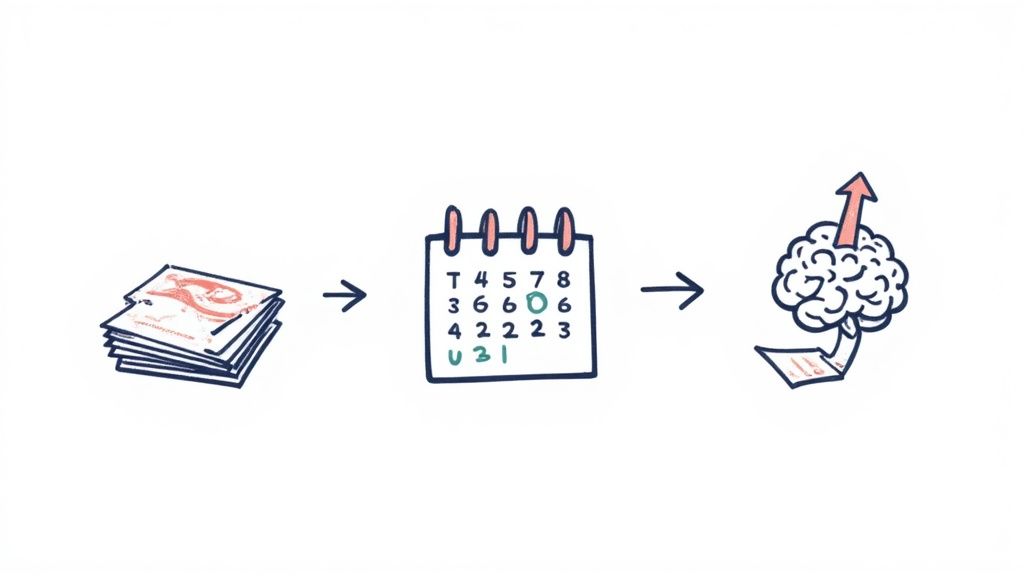
Verteilte Wiederholung nutzt unsere natürliche Neigung, Dinge im Laufe der Zeit zu vergessen. Sie plant Wiederholungen mit wachsendem Abstand – genau dann, wenn du kurz davor bist, etwas zu vergessen.
Diese klassische Grafik der „Vergessenskurve“ zeigt, warum das so gut wirkt. Jede Wiederholung verschiebt die Erinnerung weiter in die Zukunft.
Du brauchst kein komplexes System, um zu starten. Ein einfacher Zeitplan wirkt Wunder:
Tag 1: Überprüfung innerhalb von 24 Stunden.
Tag 3: Eine kurze zweite Wiederholung.
Tag 7: Ein dritter Durchgang.
Tag 30: Ein letzter Check, um das Wissen dauerhaft zu verankern.
Apps wie Anki oder Quizlet können das automatisieren, aber einfache Kalendereinträge genügen oft schon.
Hier zeigt sich die Stärke eines modernen digitalen Workflows. Wenn du Notizen aus einer Video-Vorlesung überarbeitest und ein Diagramm nicht verständlich ist, musstest du früher das ganze Video durchsuchen, um die Stelle zu finden.
Die Möglichkeit, das Original sofort wieder aufzurufen, schließt die Lücke zwischen Vergessen und Neu-Lernen.
Wenn du ein Tool wie HoverNotes nutzt, hat jeder Screenshot einen klickbaren Zeitstempel. Wenn dir während des Überarbeitens ein Konzept unklar erscheint, führt ein Klick dich genau zu diesem Moment im Video – für sofortigen Kontext.
Das ist nicht nur praktisch, sondern ein kraftvoller Lernkreislauf. Wenn du neugierig bist, wie diese Methoden in eine umfassendere Strategie passen, liest du am besten weiter über die KI-Notizrevolution und wie sie das Lernen verändert.
Auch mit einem guten System tauchen immer praktische Fragen auf.
#Wie oft sollte ich meine Notizen wirklich wiederholen?
Nutze verteilte Wiederholung. Vergiss das Pauken – das stopft Informationen nur ins Kurzzeitgedächtnis.
Ein guter Rhythmus zum Einstieg:
Schau deine Notizen innerhalb von 24 Stunden noch einmal durch.
Wiederhole sie nach 3 Tagen.
Mach eine intensivere Wiederholung nach 1 Woche.
Schau sie dir ein letztes Mal nach einem Monat an.
Dieser Zyklus durchbricht die natürliche Vergessens-Neigung deines Gehirns und signalisiert: „Hey, diese Infos sind wichtig.“ Er ist viel effizienter als alles direkt vor einer Prüfung noch mal neu zu lernen.
Das hängt von der Situation ab. Beide haben ihre Berechtigung.
Handschrift zwingt dich, langsamer zu werden und zusammenzufassen. Das führt oft zu einem tieferen ersten Verständnis während einer Live-Vorlesung.
Für das Lernen aus Videos sind digitale Notizen aber unschlagbar. Sie ermöglichen sofortige Suche, einfache Organisation und das Einfügen von Screenshots komplexer Diagramme oder Codes. Das kannst du mit Stift und Papier kaum leisten.
#Wird KI bald einfach meine Notizen für mich machen?
Sieh KI als einen erstklassigen Assistenten, nicht als Ersatz für dein eigenes Denken. Sie ist großartig darin, den nervigen Teil zu übernehmen – Vorlesungen transkribieren oder Kernpunkte zusammenfassen.
So hast du mehr geistige Kapazität für das Wesentliche: Fragen stellen, Zusammenhänge erkennen und eigene Erkenntnisse hinzufügen.
Ein schlauer Workflow lässt die KI den ersten Entwurf erstellen. Dann übernimmst du, um die Rohinformationen in echtes Wissen zu verwandeln. Manche Tools, wie HoverNotes, können sogar Notizen in deiner Sprache aus Videos in einer anderen Sprache anfertigen – sie erledigen die Übersetzung automatisch. Du kannst also ein japanisches Tutorial anschauen und bekommst Notizen in Englisch.
Ganz klar: Versuchen, jedes einzelne Wort mitzuschreiben. Das ist passives Abtippen, kein aktives Lernen. Du wirst zum Stenografen und brauchst dabei kaum Nachdenken, also nimmst Infos auf, verarbeitest sie aber nie wirklich.
Effektives Notizenmachen ist ein aktiver Prozess. Es geht darum, auf die Kerngedanken zu hören, sie in eigene Worte zu fassen und mit schon verstandenem Wissen zu verknüpfen. Priorisiere Verstehen über eine perfekte Wort-für-Wort-Abschrift. Dein Ziel ist Wissen aufzubauen, nicht nur ein Dokument.
Wenn du ein Obsidian-Nutzer bist, der ernsthaft eine dauerhafte Wissensbasis aufbauen will, ist HoverNotes genau für deinen Workflow gemacht. Es speichert KI-generierte Video-Notizen – inklusive zeitmarkierter Screenshots – direkt als saubere Markdown-Dateien in deinem Vault. Du kannst es kostenlos testen – wir schenken dir 20 Minuten KI-Gutschriften zum Start, ohne Kreditkarte. Aktuelle Optionen findest du auf der HoverNotes-Preisseite.
Erfahren Sie, wie Sie die Cornell-Methode für Video-Notizen anwenden, um das Lernen von YouTube oder Coursera zu verbessern. Diese Anleitung bietet praktische Schritte und Vorlagen.
Erstellen Sie ein leistungsstarkes System für Online-Kursnotizen – vom Erfassen und Organisieren bis hin zur langfristigen Wiederholung – und vergessen Sie nie wieder, was Sie gelernt haben.
Hör auf, zu vergessen, was du dir ansiehst. Dieser Leitfaden bietet wissenschaftlich fundierte Methoden, um deine Gedächtnisleistung beim Lernen mit Videos durch aktives Abrufen und klügere Notizen zu verbessern.