KI-gestützte Video-Notizen: Wie es tatsächlich funktioniert
KI-gestützte Videonotizen analysieren visuelle und akustische Elemente, um Lernen und Gedächtnisleistung zu verbessern. Erfahren Sie, warum diese Methode Audio-only-Ansätze übertrifft.
Von HoverNotes Team•12 Min. Lesezeit
Video ist eine effektive Lernmethode, doch zuschauen bedeutet nicht automatisch, sich zu erinnern. Wenn Sie schon mal eine zweistündige Vorlesung beendet haben und sich nur an wenige Schlüsselpunkte erinnern können, haben Sie das Problem der Videolernaufnahme erlebt. Das Problem liegt nicht an fehlender Konzentration, sondern daran, dass passives Konsumieren von Inhalten kein nachhaltiges Wissen aufbaut. Während des Anschauens Notizen zu machen, ist die Lösung, doch das manuelle Schreiben ist mühsam.
#Warum manuelles Notieren bei Videos ineffizient ist
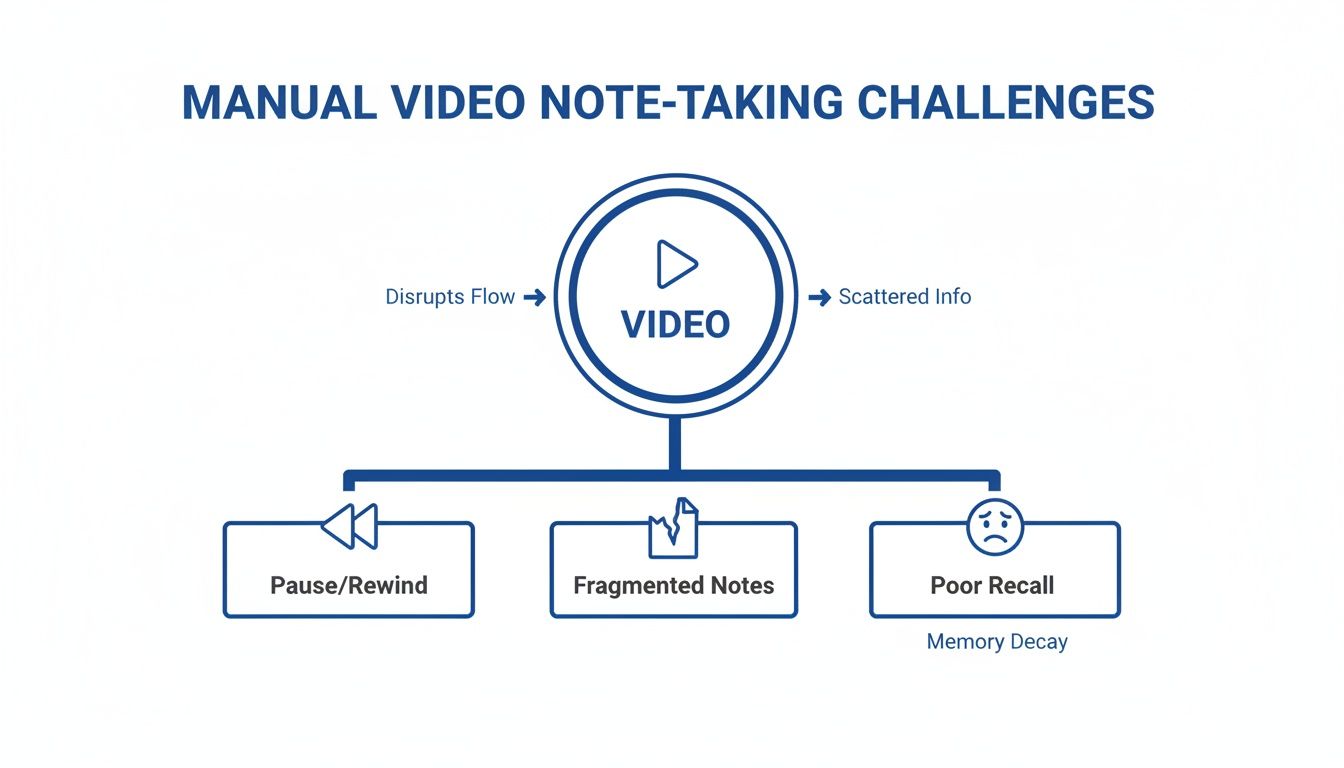
Handschriftliches Notieren während eines Videos ist ein umständlicher Prozess, der Sie ständig aus Ihrem Lernfluss reißt. Das ist kein persönliches Versagen, sondern ein Konflikt zwischen einem dynamischen Medium (Video) und einer statischen Notizmethode. Der gesamte Vorgang ist von Reibung geprägt, die das Lernen erschwert.
Sie folgen einem Programmier-Tutorial, und der Dozent eilt durch eine Funktion. Sie drücken Pause, hetzen, um sie abzutippen, und drücken Play. Drei Sekunden später kommt ein weiteres Schlüsselkonzept. Pause. Tippen. Play. Dieser Stop-Start-Rhythmus bricht Ihre Konzentration und verwandelt ein 20-minütiges Video in eine 45-minütige Aufgabe. Am Ende verbringen Sie mehr Zeit mit der Steuerung des Videoplayers als mit der Aufnahme des Materials.
Ziel der Notizen ist es, das Verständnis zu vertiefen, nicht nur ein Video abzuschreiben. Wenn der Prozess selbst ablenkt, verfehlt das den Zweck.
#Das unbeholfene Jonglieren zwischen Bildschirmen und Notizbuch
Zu versuchen, während eines Videos Notizen zu tippen, ist eine Herausforderung für Multitasking. Sie teilen entweder den Bildschirm und machen Bild sowie Notizen zu klein, oder schauen ständig zwischen Laptop und physischem Notizbuch hin und her. Dieses ständige Wechseln verhindert, dass Sie sich vollständig auf eine der Aufgaben konzentrieren.
Screenshots wirken zunächst sinnvoll. Sie sehen ein wichtiges Diagramm oder einen Codeblock und machen ein Bild davon. Das Problem ist, dass diese Bilder in einem Ordner namens Screen Shot 2024-10-26 at 11.48.15 AM.png landen, völlig losgelöst vom gesprochenen Kontext. Wochen später ist Ihr Desktop eine Sammlung visueller Bruchstücke ohne Erklärung, was sie bedeuten oder warum Sie sie gespeichert haben. Diese manuellen Methoden sind ineffizient. Für einen besseren Ansatz lesen Sie unseren Leitfaden, wie Sie Notizen zu Videos machen ohne Frust.
Nicht alle Tools für "KI-Video-Notizen" sind gleich. Die verwendete Technologie fällt meist in zwei Kategorien, und das Verständnis des Unterschieds hilft Ihnen, ein Werkzeug zu finden, das das Lernen unterstützt statt digitalen Datenmüll zu erzeugen. Der gebräuchlichste Ansatz ist transkriptbasiert. Diese Art von KI hört ein Video ab und wandelt das Gesprochene in Text um. So entsteht automatisiert ein durchsuchbares Skript, um Video in Text umzuwandeln.
Das funktioniert gut, wenn die visuellen Inhalte zweitrangig sind, etwa bei Podcast-artigen Interviews oder klaren verbalen Vorträgen. Die KI hört zu, tippt mit, und Sie erhalten ein Skript.
Bei den meisten Lehrvideos erzählt das Transkript nur die halbe Geschichte.
Stellen Sie sich vor, ein Programmierlehrer sagt: „Fügen Sie jetzt diese Funktion genau hier ein.“ Ein Transkript dieser Worte ist nutzlos, wenn man den Code auf dem Bildschirm nicht sieht. Dasselbe gilt für einen Professor, der ein biologisches Diagramm erklärt oder einen Finanzanalysten, der auf ein Diagramm zeigt. Der Kontext ist visuell.
Die Frustrationen der manuellen Notizen – etwa zu versuchen, gleichzeitig mitzuschreiben und das Video zu verfolgen – verschwinden nicht mit reinen Transkriptwerkzeugen. Sie erhalten immer noch separate, unzusammenhängende Informationen.
Wie Sie sehen, entstehen fragmentierte Notizen und schlechtes Erinnern, wenn Sie den Kontext verlieren. Ein Textwust ohne begleitende visuelle Elemente ist eine andere Form fragmentierter, kontextarmer Information.
#KI, die das Video tatsächlich Bild für Bild betrachtet
Das führt zum zweiten, stärkeren Ansatz: Bild-für-Bild-Analyse, die den Video-Content visuell verarbeitet.
Man kann es vergleichen mit dem Unterschied, ob jemand eine Präsentation am Telefon beschreibt oder persönlich dabei ist und die Folien sehen kann. Diese KI hört nicht nur zu, sie schaut das Video an.
Diese Methode verarbeitet Informationen gleichzeitig aus mehreren Quellen – hier sowohl Tonspur als auch Video-Frames. So versteht sie die Verbindung zwischen Gesagtem und Gezeigtem.
Dieser Ansatz ist ideal, um von komplexen visuellen Inhalten zu lernen. Er erfasst wichtige Informationen auf dem Bildschirm, die Audiowerkzeugen entgehen.
Hier ein direkter Vergleich der beiden Ansätze. Der Unterschied ist für alle, die technische Fertigkeiten per Video lernen, erheblich.
Merkmal
Nur Transkript-KI
Bild-für-Bild KI
Primäre Eingabe
Tonspur
Tonspur + Videobilder
Ideal für
Interviews, Audio-Vorträge, Podcasts
Programmier-Tutorials, technische Demos, akademische Vorträge mit Folien
Output
Reiner Textskript
Strukturierte Notizen mit eingebetteten, zeitgestempelten Screenshots
Visueller Kontext
Keiner. Verpasst alle Bildinformationen.
Erhalten. Erfasst Code, Diagramme und Charts.
Wie die Tabelle zeigt, ist ein bildbasierter Ansatz unerlässlich, wenn Ihr Lernen vom Bildschirmbild abhängt.
Ein Tool wie HoverNotes basiert auf dieser visuell-orientierten Philosophie. Im Gegensatz zu rein transkriptbasierten Tools betrachtet HoverNotes das Video, um strukturierte Notizen mit anklickbaren, zeitgestempelten Screenshots zu generieren. So bleibt der Zusammenhang zwischen Wörtern und Bildern erhalten – essenziell für die Speicherung. Das unterscheidet eine echte KI-Notiz-App von einem einfachen Transkriptionsdienst. Wer diese beiden Methoden kennt, kann das passende Tool für seine Lernbedürfnisse wählen.
Sich bei Video-Notizen auf ein Transkript zu verlassen, ist wie Möbel zusammenzubauen mit Anleitungen, die nur die Teile beschreiben, aber keine Diagramme zeigen. Sie bekommen die Worte, verlieren aber den Kontext, der sie sinnvoll macht. Für alle, die ernsthaft aus Videos lernen, ist das, was Sie sehen, oft wichtiger als das, was Sie hören.
Stellen Sie sich vor, Sie sind Entwickler und schauen ein Programmier-Tutorial. Der Lehrer sagt: „Um den Fehler zu beheben, ändern Sie diese Funktion so.“ Das Transkript enthält diese Worte, ist aber wertlos ohne den Blick auf den geänderten Code im Video. Die wichtigste Information – der Code selbst – ist visuell.
Dieses Problem tritt in vielen Bereichen auf, in denen Video das primäre Lernmedium ist.
Wann immer ein Video-Präsentator sagt „wie Sie sehen können“, versagt ein reines Transkript-Tool, den Kern der Lektion zu erfassen. Der Wert liegt im, was Sie sehen sollten.
Für Medizinstudierende: Eine Erklärung des Krebs-Zyklus ist ohne das Molekül-Diagramm nur eine Wortkette.
Für Finanzanalysten: Die Besprechung der Quartalszahlen basiert auf gezeigten Charts. Das Transkript „der Trend ist klar aufwärts“ ist ohne das Bild bedeutungslos.
Für Designstudierende: Ein Figma-Tutorial ist ohne Sicht auf die Benutzeroberfläche, Werkzeugaustausch und visuelle Ergebnisse kaum nachzuvollziehen.
In all diesen Fällen erklären die Worte Visualisierungen. Wenn Ihre Notizen nur die Erklärung enthalten, sind sie unvollständig und machen beim späteren Nachschlagen oft keinen Sinn.
Ziel wirksamer KI-Video-Notizen ist es, ein vollständiges Protokoll der Lernerfahrung zu schaffen, das nicht nur aufzeichnet, was gesagt, sondern auch was genau zum Zeitpunkt der Erläuterung gezeigt wurde.
Deshalb muss ein Tool das Video mit Ihnen anschauen. Eine KI, die das Video Bild für Bild analysiert, erkennt, wann wichtige visuelle Informationen auf dem Bildschirm sind. Beispielsweise ist ein Tool wie HoverNotes eine Chrome-Erweiterung, die Videos mitanschaut, KI-Notizen generiert und sie als Markdown direkt in Ihr Dateisystem speichert.
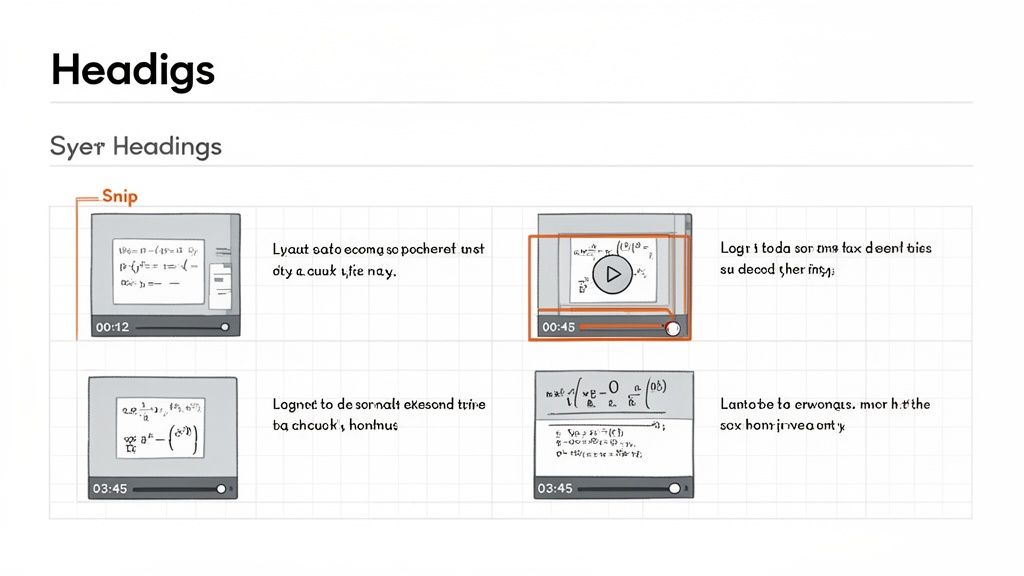
Statt einem bloßen Textwust erstellt es Notizen mit zeitgestempelten Screenshots, die direkt neben den Erklärungen eingebettet sind. Lernen Sie ein komplexes Konzept, sehen Sie das Diagramm oder den Codeausschnitt, auf den der Dozent Bezug nahm. Jeder Screenshot ist ein anklickbarer Zeitstempel – ein Klick führt Sie exakt zu diesem Moment zurück. Wer es praktisch mag, kann erfahren, wie man Bildschirmausschnitte aus YouTube macht und diese in Notizen einbindet.
#Zeitgestempelte Screenshots als visuelle Lesezeichen
Eine visuelle KI liefert zeitgestempelte Screenshots, die als interaktive Lesezeichen dienen. Eine KI wie HoverNotes erkennt automatisch, wenn der Erklärer etwas Wichtiges zeigt – eine Folie, ein Diagramm oder Code – und erfasst es. Das Bild wird neben dem erklärenden Text platziert.
Jeder Screenshot besitzt einen anklickbaren Zeitstempel. Falls eine Notiz später unklar ist, bringt ein Klick Sie genau an den Zeitpunkt im Video zurück.
Diese Funktion spart Zeit, da man nicht mühselig zurückspulen muss, um eine spezielle visuelle Passage zu finden.
#Genau das einfangen, was Sie brauchen – mit Ausschnitten
Manchmal ist ein kompletter Screenshot zu überladen. Hier helfen „Ausschnitte“. Eine visuelle KI kann gezielt einen bestimmten Bereich des Videos erfassen, damit Sie sich auf Relevantes konzentrieren:
Eine einzelne Formel auf einem digitalen Whiteboard.
Eine spezifische Funktion im Code-Editor.
Ein entscheidendes Diagramm aus einem Finanzvortrag.
Ein Button oder Menüpunkt in einem Software-Tutorial.
Diese fokussierten Bilder erscheinen in Ihren Notizen und liefern so klare, kontextreiche Visualisierungen. Während das Transkript sagt, was gesagt wurde, zeigt das, was getan wurde. Wer nur den Text möchte, kann erfahren, wie man ein Transkript aus einem YouTube-Video erhält – aber für tiefes Lernen ist visueller Kontext entscheidend.
#KI-Video-Notizen in Ihr Wissenssystem integrieren
KI-Video-Notizen zu erzeugen, ist der erste Schritt. Der wirkliche Nutzen entsteht, wenn diese Notizen in Ihre persönliche Wissensdatenbank einfließen, wo Sie sie verlinken, durchsuchen und mit der Zeit weiterentwickeln können. Ziel ist eine nahtlose Übergabe.
Datenhoheit und Portabilität sind dabei entscheidend. Ihre Notizen sollten Ihnen gehören, in einem Format, das Sie kontrollieren, nicht in einem proprietären Cloud-Service eingeschlossen.
#Der Obsidian-Workflow: Lokal zuerst und zukunftssicher
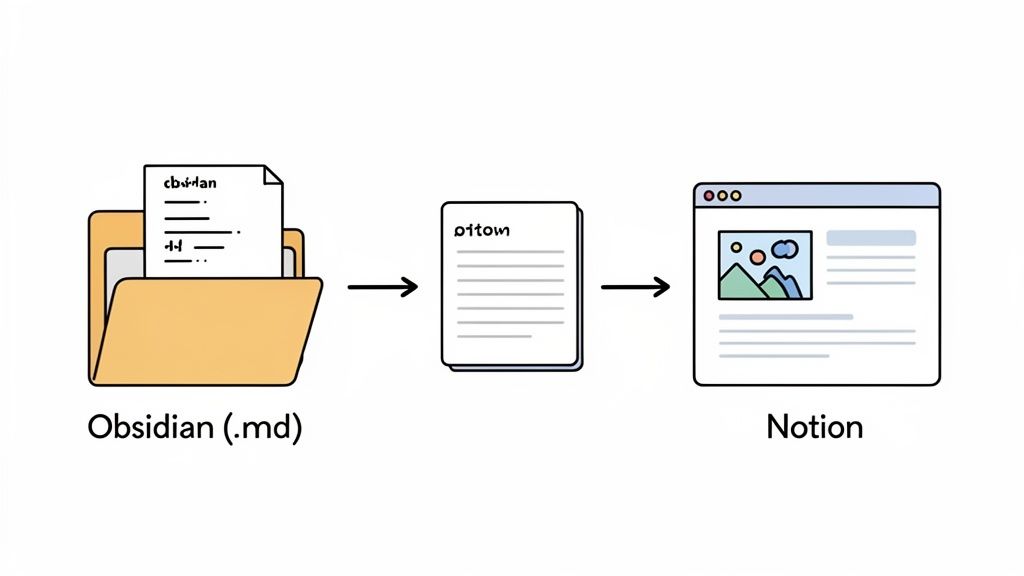
Wer Obsidian nutzt, legt Wert auf ein lokal-orientiertes Vorgehen: Wissen besitzen. Der ideale Workflow speichert Ihre Video-Notizen direkt in Ihrem Vault. Tools wie HoverNotes speichern Notizen als einfache Markdown (.md)-Dateien.
Kein manueller Export/Import: Notizen erscheinen automatisch in Ihrem Vault, bereit zum Verlinken.
Sie besitzen die Dateien: Es sind einfache Textdateien auf Ihrem Computer. Sie können Backups machen, verschieben oder mit jedem Tool durchsuchen. Ihr Wissen ist nicht hinter einem Login versteckt. Notizen speichern sich als .md-Dateien direkt in Ihrem Obsidian-Vault, ohne proprietäres Format oder Sync-Service – Ihre Notizen gehören Ihnen.
Zukunftssicheres Format: Markdown ist ein universeller Standard, der Jahrzehnte lesbar bleibt.
Diese direkte Pipeline verwandelt eine KI-Zusammenfassung in einen permanenten Knoten in Ihrem Wissensgraphen.
#Der Notion-Workflow: Sauberes Kopieren und Einfügen
Für Notion-Nutzer ist das Bewahren von Struktur und Format wichtig. Die zweitbeste Lösung nach einer API-Integration ist eine saubere Kopier- und Einfüge-Erfahrung.
Ein gut gestalteter KI-Notiznehmer formatiert seine Ausgabe mit klaren Überschriften, Aufzählungen und Bildern, die sauber übertragen werden. Wenn Sie Notizen aus einem Tool wie HoverNotes auf eine Notion-Seite kopieren, sollten Formatierung, Bilder und Links erhalten bleiben. Diese Portabilität erleichtert es, Video-Erkenntnisse in bestehende Datenbanken oder Projektseiten einzufügen – ganz ohne Nachformatieren.
Letztlich funktioniert KI-Video-Notizen nur, wenn das Tool zu Ihrem System passt. Wie Sie ein effektives digitales Gehirn aufbauen, erfahren Sie in unserem Leitfaden wie man eine Wissensdatenbank erstellt. Ob Obsidian oder Notion – das Werkzeug sollte sich Ihrem System anpassen, nicht umgekehrt.
Funktioniert das Tool überall, wo Sie lernen? Viele Tools sind auf YouTube begrenzt, doch echtes Lernen findet auf vielen Plattformen statt. Ein nützliches Tool sollte auf allen videofähigen Webseiten funktionieren: Kursseiten wie Coursera und Udemy, professionelle Plattformen wie LinkedIn Learning und sogar interne Uni-Vorlesungsportale. Tools wie HoverNotes sind als Browser-Erweiterungen konzipiert, damit sie auf jeder Webseite mit Videoinhalten laufen.
Wo liegen meine Notizen, und wem gehören sie? Viele cloudbasierte Dienste speichern Notizen auf ihren Servern und binden Sie an deren Ökosystem. Wenn Ihnen der Besitz Ihrer Daten wichtig ist, brauchen Sie ein lokal-priorisiertes Tool.
Eine lokal-priorisierte Architektur bedeutet, dass Ihre Notizen direkt auf Ihrem Computer gespeichert werden. Es sind Ihre Dateien, in einem gängigen Format wie Markdown (.md), frei von Unternehmens-Clouds. Sie besitzen Ihr Wissen.
Dieser Ansatz sorgt für Privatsphäre, Portabilität und Zukunftssicherheit Ihrer Notizen.
Versteht das Tool, was auf dem Bildschirm ist, oder ist es nur ein Transkriptionsdienst? Wie erwähnt, verpasst ein reines Transkript kritische Informationen bei technischen Videos. Für weiterführende Infos lesen Sie den Editor-Leitfaden zu kostenloser Video-Transkription online.
Ihre Checkliste für jedes Tool sollte enthalten:
Visueller Kontext: Kann es zeitgestempelte Screenshots, Diagramme und Code erfassen?
Plattformunterstützung: Funktioniert es auf Kursplattformen jenseits von YouTube?
Datenhoheit: Speichert es Notizen als lokale Markdown-Dateien, die Sie kontrollieren?
Kostenfreie Nutzung: Können Sie manuelle Funktionen wie Screenshots und ablenkungsfreien Modus ohne Kreditkarte nutzen?
Viele Tools, darunter HoverNotes, bieten 20 Minuten kostenlose KI-Guthaben bei Anmeldung – keine Kreditkarte nötig. So können Sie den gesamten Workflow testen und entscheiden, ob er zu Ihrem Lernstil passt. Aktuelle Optionen prüfen Sie auf der HoverNotes-Preisseite.
Das hängt vom Tool ab. Viele Cloud-Apps verarbeiten Video und Notizen auf Servern, was bei sensiblen Inhalten kritisch sein kann. Deshalb gewinnen lokal-priorisierte Tools an Beliebtheit. Die Verarbeitung läuft komplett auf Ihrem Rechner, und Notizen werden direkt auf Ihrer Festplatte gespeichert. Nichts wird an zentrale Server gesendet, Sie behalten volle Kontrolle.
#Kann KI auch Notizen aus Videos in anderen Sprachen machen?
Ja. Moderne KI-Modelle sind dazu fähig. Einige Tools, wie HoverNotes, unterstützen mehrsprachige Notizen. Sie können also ein Tutorial auf Japanisch sehen und strukturierte Notizen auf Englisch erhalten. Die KI übersetzt automatisch, was ein großer Vorteil beim Lernen aus globalem Content ist.
Nützliche Notizen sollten dich dazu bringen, etwas mit dem Material zu tun, statt lediglich mehr Text zu speichern. Das U.S. Institute of Education Sciences empfiehlt, das Lernen über die Zeit zu verteilen, Grafiken mit verbalen Erklärungen zu kombinieren, aktives Abrufen zu nutzen und tiefgehende Erklärungsfragen zu stellen (Praxisleitfaden). Eine peer-reviewte Übersichtsarbeit zur Forschung über Lernvideos betont außerdem, wichtige Informationen zu signalisieren, Lektionen in handhabbare Abschnitte aufzuteilen, Lernenden Kontrolle zu geben und Impulse für aktives Lernen hinzuzufügen (Übersichtsarbeit). Hier angewendet heißt das: an Konzeptgrenzen pausieren, nur die visuellen Belege erfassen, die du brauchst, eine Frage in eigenen Worten formulieren und sie später beantworten, bevor du die Quelle erneut abspielst. Diese Praktiken sind evidenzbasiert; eine universelle Behaltensquote für eine einzelne App oder einen einzelnen Workflow ist es nicht.
Entdecke luna-notes-alternative-die-überall-funktioniert: eine praktische Alternative zu Luna Notes, die geräteübergreifend funktioniert und sich ideal für ernsthafte Lernende eignet.
Erfahren Sie, wann Sie eine YouTube Videozusammenfassungs-KI für schnelle Einblicke und wann KI-Notizen für tiefgehendes Lernen, bessere Merkfähigkeit und den Aufbau einer Wissensbasis einsetzen sollten.
Entdecken Sie, wie ein KI-Videozusammenfasser Ihre Lernmethoden revolutionieren kann. Dieser Leitfaden erklärt, wie sie funktionieren, worauf Sie achten sollten und zeigt praktische Arbeitsabläufe für Studierende auf.