How to Take Notes on Coding Tutorials and Actually Learn | HoverNotes Blog | HoverNotes
General2026년 1월 30일
How to Take Notes on Coding Tutorials and Actually Learn
Discover the best way to learn programming by moving from passive tutorials to active, project-based learning. Build real skills and escape tutorial hell.
작성자 HoverNotes Team•11 분 읽기
TL;DR: Stop passively watching coding tutorials. To escape "tutorial hell," use a "watch-then-do" method: watch a 5-10 minute segment to understand the goal, then pause and try to build it from memory. Use a tool like HoverNotes to capture timestamped code snippets and AI notes without breaking your flow, creating a searchable reference library you own forever. This active approach builds real skill, not just familiarity.
So many aspiring developers fall into the same trap. They believe if they just watch enough video tutorials, the knowledge will eventually sink in. But the hard truth is that passive consumption creates an illusion of competence.
You might understand the concepts as a friendly instructor explains them, but your brain isn't doing the heavy lifting. True learning—the kind that sticks—only happens when you move from watching to doing. It’s the difference between looking at a map and actually navigating the terrain.
This guide is about making that critical shift from passive observation to active construction.
#Why Just Watching Tutorials Won't Make You a Coder
We’ve all been there. You find yourself trapped in "tutorial hell," a frustrating loop where you watch hours of coding videos, diligently follow along, and feel like you're making progress. But the moment you face a blank editor to start your own project, your mind goes blank.
What's going on? It's the illusion of competence at work. Passively watching someone else solve a problem feels productive because your brain recognizes the patterns. But recognition isn't the same as understanding. The information feels familiar, but it never makes the jump from short-term memory to the kind of deep, usable knowledge you need to actually build something. Video learning has a retention problem — people watch but don't remember.
Okay, so passive watching is out. The logical next step is to start taking notes, right? This is where most people hit a wall, because manually taking notes during a fast-paced coding tutorial is a clunky, counterproductive mess.
The workflow usually falls apart like this:
Constant Pausing: You're hitting pause every 30 seconds to jot down a concept or type out a code snippet, completely shattering your focus and flow.
Scattered Screenshots: You snap pictures of important code blocks, but they end up in a random desktop folder, totally disconnected from the notes that explain why that code matters. Screenshots end up scattered with no connection to your notes.
Lost Context: Later, you look back at your notes and see a line of code or a cryptic bullet point. Without the visual context from the video, it's meaningless. Transcripts miss diagrams, code on screen, and demonstrations.
This clumsy process turns learning into a chore. You spend more time fighting your tools than you do grasping the actual concepts. It's a huge reason why so many aspiring developers get discouraged and give up.
Passive learning is like watching someone else lift weights—you understand the technique, but you’re not building any muscle yourself. To get stronger, you have to do the reps.
To actually learn how to code, you need a system that closes the gap between seeing a concept and applying it yourself. The goal is to capture information so efficiently that you can save your mental energy for the only part that truly matters: writing code and solving problems.
This is where a dedicated tool changes the game. HoverNotes is a Chrome extension that watches videos with you, generates AI notes, and saves them as Markdown directly to your file system. Instead of constantly pausing, AI can handle the note-taking so you can focus on understanding. Instead of juggling scattered screenshots, you get timestamped images embedded right where they belong in your notes.
Unlike tools that only parse transcripts, HoverNotes watches the video to capture what's actually on screen. This simple shift can drastically cut down the time you waste rewatching content. You can learn more about the hidden cost of rewatching tutorials in our article. The key is to make learning an active process.
If you've ever felt trapped in "tutorial hell," you know the feeling. The way out isn't about finding a "better" tutorial; it's about changing how you use them. The goal is to stop being a passive viewer and become an active learner.
First, pick a tutorial that builds a small, complete project. Avoid the ones that just cover isolated concepts. A project gives you context and a finish line, which is crucial for staying motivated.
Instead of coding along line-by-line, try this. Watch a 5-10 minute chunk of the video without touching your keyboard. Just watch. Your only job is to understand the what and the why.
Once that segment is over, pause the video, switch to your code editor, and try to build that piece from memory. This is where the real learning happens. You’re forcing your brain to recall and apply information, not just parrot it back.
This deliberate act of recalling and applying is what cements knowledge. It’s the difference between recognizing a phrase in a foreign language and actually being able to speak it yourself.
You will get stuck. That’s a good sign. It means you’ve found the edge of your current understanding. When it happens, fight the urge to immediately hit play. Your first move should be to consult your notes.
This is where efficient note-taking becomes your superpower. Having a tool like HoverNotes running alongside the video frees you up to concentrate on the concepts while it handles the grunt work. When you inevitably get stuck in the "do" phase, these organized notes become your lifeline.
Check the Concepts: Start with the AI-generated summary to refresh your memory on the high-level goal.
Look at the Code: Review the timestamped screenshots of the code blocks. Is it a simple typo? A missed semicolon?
Jump Back with Precision: If you’re still stumped, a single click on a screenshot's timestamp returns you to that exact moment in the video. This is surgical review, not aimless re-watching.
This workflow turns your notes from a static transcript into an interactive study partner. You can find more on this approach in our guide on how to take effective tutorial notes.
Programming tutorials are intensely visual. A text transcript alone misses the code, the diagrams, and the terminal output.
That’s why the ability to snip specific regions of the video is so powerful. With a tool like HoverNotes, you can "snip just the code snippet or diagram you need — no need to capture the whole frame". These visual anchors are invaluable when you come back to your notes days or weeks later.
Even without AI, simply using a tool that offers a distraction-free mode with manual, timestamped screenshots is a massive upgrade. It puts the video on one side and your notes on the other, stripping away ads and annoying recommendations.
#Building Your Personal Code Library for Long-Term Recall
Finishing a tutorial is just the starting line. The real win is turning that one-off lesson into a permanent, searchable knowledge base you can lean on for every future project. This is how you escape the loop of re-watching the same videos.
Instead of letting notes scatter across random documents, you need to build a personal code library. Think of it as a central hub for your solutions and code snippets. When you get stuck on a similar problem three months from now, the answer should be in your library, not buried in your browser history.
This strategy is especially powerful when your notes are truly yours. Using a tool like HoverNotes, which saves notes as local-first Markdown (.md) files, means your knowledge isn't locked away in some company's cloud service. You own the files. Move them, back them up, grep them — they're just Markdown. This is critical for learners who value local-first tools and owning their data.
A useful library is all about organization. Just dumping notes into a folder is a recipe for chaos. Structuring your knowledge is how you find what you need when you're under pressure.
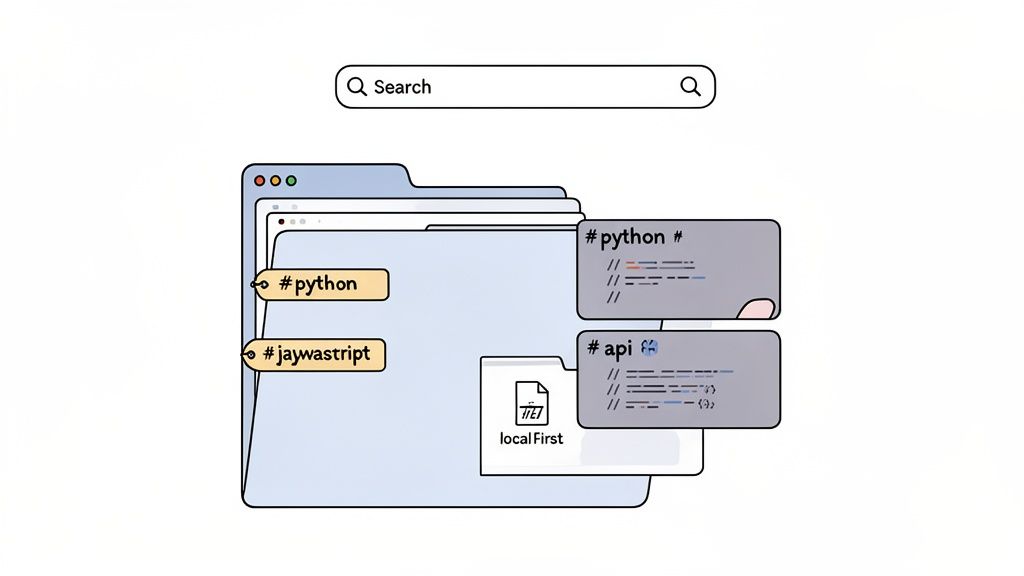
Get into the habit of tagging your notes as you create them:
By Language: Use tags like #python, #javascript, or #sql.
By Concept: Add tags for core ideas like #api, #loop, #authentication, or #css-flexbox.
By Project: If a note is tied to a specific build, tag it accordingly, like #portfolio-site.
Here’s a glimpse of how a well-organized knowledge base can look in a tool like Obsidian, which is fantastic for managing local Markdown files.
This kind of structure transforms your notes from a passive record into an active, queryable database of solutions you’ve already figured out.
A great code library contains more than just text; it includes the visual context that gave the code meaning. When your notes embed timestamped screenshots of the code, diagrams, or terminal output, you're preserving the crucial "why" behind the "what."
The most powerful notes are the ones that can transport you back to the moment of understanding. A clickable screenshot that jumps you to the exact second in a video is the ultimate recall tool.
This system shines when you face a familiar problem. Instead of a vague Google search, you search your own notes for #api and instantly find the exact code snippet, complete with a visual reminder. This process not only saves hours but also reinforces what you’ve learned. If you want to dive deeper into this workflow, check out our guide on building a reusable knowledge base from tutorials.
If you use Obsidian for learning, HoverNotes saves notes directly to your vault, making this entire process seamless. And if you're a Notion user, notes copy cleanly into Notion if that's where you keep everything. The goal is to build a system where every tutorial adds another permanent, searchable block to your personal programming encyclopedia.
Knowing the best way to learn programming also means knowing which common traps to sidestep. Many beginners get derailed by the same handful of mistakes. Steering clear of them is just as important as the learning method you choose.
One of the biggest hurdles is trying to learn too many languages at once. This "shotgun" approach just leads to shallow knowledge in many areas but mastery in none. Pick one language that aligns with your goals and stick with it until you're proficient.
Another classic mistake is aiming for memorization over understanding. You absolutely do not need to memorize every single function or syntax rule; that's what documentation is for, and every professional developer uses it daily. Focus instead on grasping the core concepts—loops, conditionals, data structures—and practice the skill of reading documentation to find what you need.
Rigidly sticking to just one learning style can also hold you back. Research from Stanford University revealed that behavioral flexibility is a key predictor of success in coding. Students who were able to switch their approach—moving from methodical 'planning' to experimental 'tinkering'—achieved significantly better grades. Being adaptable is a superpower.
This adaptability also applies to how you get help. So many learners either ask for help way too quickly or wait far too long. A good middle ground is the "20-minute rule": work on a bug or problem by yourself for 20 minutes. If you're still completely stuck after that, then it's time to ask for help or search for an answer. This builds resilience without letting you spin your wheels for hours.
The most effective learners aren't afraid to experiment, make mistakes, and adapt their strategy when something isn't working. Progress is rarely a straight line.
Ultimately, learning to code is a marathon, not a sprint. Avoiding these common errors will help you maintain momentum and build a solid foundation that lasts.
Even without AI, the distraction-free mode and timestamped screenshots in HoverNotes are worth it for staying focused. You can try it free—20 minutes of AI credits, no credit card required. Learn more at https://hovernotes.io.
Struggling with MOOC note taking on Coursera or edX? Learn a proven workflow to organize, retain, and apply knowledge from long courses without the burnout.