Comment transcrire une vidéo YouTube pour un apprentissage efficace
Découvrez comment transcrire une vidéo YouTube en utilisant des méthodes qui fonctionnent réellement. Comparez les outils intégrés, les services d’IA et les extensions de navigateur pour trouver la solution qui vous convient le mieux.
Par HoverNotes Team•14 min de lecture
Pour transcrire une vidéo YouTube, vous pouvez utiliser la fonctionnalité intégrée de YouTube, un outil IA dédié ou une extension de navigateur. Chaque méthode offre un équilibre différent entre rapidité, précision et coût, vous permettant de transformer les paroles en texte éditable et consultable pour vos notes.
#Pourquoi perdre du temps à transcrire des vidéos YouTube ?
Soyons francs : regarder une vidéo éducative donne souvent l’illusion d’apprendre. Vous passez une heure sur une conférence, vous vous sentez productif, mais quelques jours plus tard, les points clés ont disparu. Regarder passivement du contenu n’est pas une méthode efficace pour acquérir des connaissances durables. C’est là tout le problème de la mémorisation avec l’apprentissage par vidéo.
Transcrire une vidéo YouTube vous oblige à passer de la consommation passive à l’engagement actif. Cela transforme des paroles éphémères en un document texte permanent et consultable. Pour les étudiants, les chercheurs ou toute personne sérieuse dans son apprentissage, c’est un changement fondamental dans le traitement de l’information. Vous ne regardez plus simplement ; vous construisez un actif concret.
#Passer du visionnage passif à la construction active de connaissances
Ce texte devient une base sur laquelle vous pouvez construire. Vous pouvez rechercher des mots-clés spécifiques en quelques secondes, copier des citations directes pour un travail, et restructurer l’information selon votre propre compréhension. Le simple fait de nettoyer et d’organiser une transcription améliore la compréhension bien plus que de revoir la vidéo.
Ce processus offre des avantages concrets :
Meilleure rétention : Prendre des notes en regardant améliore considérablement la mémorisation. Convertir l’audio en texte et le relire renforce l’ancrage du contenu.
Connaissances consultables : Trouver un concept dans une conférence de deux heures est pénible. Plutôt que de parcourir la timeline de la vidéo, vous pouvez simplement taper Ctrl+F dans votre transcription.
Possédez vos données : Pour ceux qui utilisent des outils « local-first » comme Obsidian, une transcription devient un savoir que vous possédez pour toujours. Elle est stockée sur votre machine, prête à être liée et connectée à vos autres notes.
Vous cessez d’être un simple consommateur et commencez à bâtir une bibliothèque personnelle et interconnectée d’idées. C’est une étape cruciale pour maîtriser n’importe quel sujet complexe.
L’objectif est de rendre l’apprentissage plus efficace et durable. Vous pouvez en apprendre davantage sur les problèmes de rétention dans l’apprentissage vidéo dans notre guide détaillé. Transformer la vidéo en texte crée une base solide pour un vrai savoir à connecter et à approfondir.
#Utiliser la fonction de transcription intégrée à YouTube
Pour une transcription rapide, la méthode la plus rapide est l’outil intégré de YouTube. Il est utile pour saisir une citation unique ou obtenir un aperçu général du contenu d’une vidéo. Le processus ne prend que quelques secondes.
Cliquez sur les trois points (...) sous le lecteur vidéo et choisissez « Afficher la transcription ». Un panneau s’ouvre à côté de la vidéo affichant tout le texte, généralement avec des horodatages.
Voici où trouver l’option « Afficher la transcription » :
De là, vous pouvez copier le texte et le coller où vous voulez. Les horodatages sont cliquables, vous permettant de sauter directement au moment précis dans la vidéo.
Bien que gratuit et instantané, ce procédé présente des limites importantes. Le principal problème est la précision. Le texte est généré par machine et rencontre souvent des difficultés avec les accents, le jargon technique et la grammaire de base. Vous obtenez une transcription parfois difficile à lire, voire trompeuse.
L’autre problème majeur est le formatage. La transcription est un mur de texte sans indication de locuteur, sans paragraphes ni ponctuation. Si vous souhaitez l’utiliser pour une étude sérieuse, attendez-vous à passer beaucoup de temps à la nettoyer.
Alors, quand est-il raisonnable de l’utiliser ?
Recherches rapides : C’est utile pour trouver un terme précis ou vérifier une phrase.
Brouillon de départ : Vous pouvez l’utiliser comme base pour une retranscription manuelle, vous évitant de taper tout mot à mot.
Pour constituer une base de savoir fiable, cette méthode est insuffisante. Le temps gagné au départ est perdu à corriger les erreurs. Pour les apprenants nécessitant des notes précises, un processus plus abouti est nécessaire. Notre guide sur les intégrations YouTube explore les workflows conçus pour résoudre précisément ce problème.
Quand la transcription gratuite de YouTube ne suffit pas, les outils IA dédiés sont la solution suivante. Ces services sont conçus pour transcrire audio et vidéo avec une grande précision.
Ce niveau de qualité est un gros plus pour les étudiants et les chercheurs qui doivent pouvoir faire confiance à leur source. Une transcription fiable signifie moins de temps passé à corriger, plus de temps pour s’immerger dans les idées.
La différence de qualité entre la transcription par défaut de YouTube et un service IA dédié est notable. Si les outils gratuits ont leur place, ils ne peuvent égaler les modèles IA spécialisés.
Ce graphique illustre l’écart de précision.
Les outils automatiques sont rapides mais au détriment de la précision. C’est là que les services IA dédiés apportent plus de valeur.
Avant de vous engager, considérez ces deux compromis pratiques.
Coût : La plupart des services proposent un accès limité. Transcrire des vidéos plus longues ou utiliser des fonctionnalités premium demande généralement un abonnement.
Vie privée : Utiliser ces outils implique d’envoyer les données vidéo à une entreprise tierce. Pour du contenu sensible, ça peut ne pas être acceptable. C’est une raison clé pour laquelle beaucoup d’apprenants soucieux de leur confidentialité préfèrent les outils local-first qui gardent les données sur leur machine.
Il faut décider si la meilleure précision vaut le coût et le compromis sur la vie privée. Pour un projet ponctuel, un essai gratuit suffit souvent. Pour un usage continu, un abonnement est un investissement rentable dans votre gestion de l’apprentissage.
Voici un comparatif rapide pour vous aider à choisir.
Chaque méthode a son utilité. Adaptez l’outil à la tâche.
Ces outils font partie d’un processus plus large. Le vrai but est d’intégrer la transcription à la prise de notes pour l’apprentissage. Un résumeur vidéo IA peut automatiser encore davantage, transformant la transcription en notes concises sans travail manuel.
#Utiliser des extensions de navigateur pour un flux de travail fluide
Gérer plusieurs onglets pour transcrire une vidéo est inefficace. Les extensions de navigateur résolvent cela en fonctionnant directement sur la page YouTube. Cela supprime les frictions, vous permettant de rester concentré sur le contenu sans interruption. C’est particulièrement utile lors d’une conférence complexe où il faut saisir rapidement un concept clé.
Une bonne extension crée un flux direct de la vidéo vers vos notes, automatisant le copier-coller. Pendant que vous vous concentrez sur la compréhension, l’outil prend en charge la transcription.
Cette approche est idéale pour construire une base de connaissances pérenne et locale. Vous créez une bibliothèque consultable que vous possédez, sans corvée manuelle. Le stockage local signifie que vous êtes maître de votre savoir pour toujours.
Par exemple, HoverNotes est une extension Chrome qui génère des notes IA à partir des vidéos et les enregistre directement dans Obsidian. Cette configuration apporte plusieurs avantages :
Automatisation authentique : L’extension gère la transcription et la génération de notes, vous permettant de vous concentrer sur la conférence. L’IA prend en charge la prise de notes pour que vous puissiez vous concentrer sur la compréhension.
Stockage local-first : Envoyer les notes à une application locale comme Obsidian garantit la propriété et la confidentialité de vos données.
Intégration fluide : Elle connecte directement votre lieu d’apprentissage (YouTube) à votre base de savoir à long terme.
Cette méthode est efficace pour tous ceux qui construisent méthodiquement leur compréhension d’un sujet. Elle va au-delà de la simple transcription pour gérer activement la connaissance.
Vous pouvez en apprendre plus sur la façon dont l’extension HoverNotes Chrome crée ce workflow. La bonne extension vous aide à passer moins de temps à la corvée et plus à apprendre.
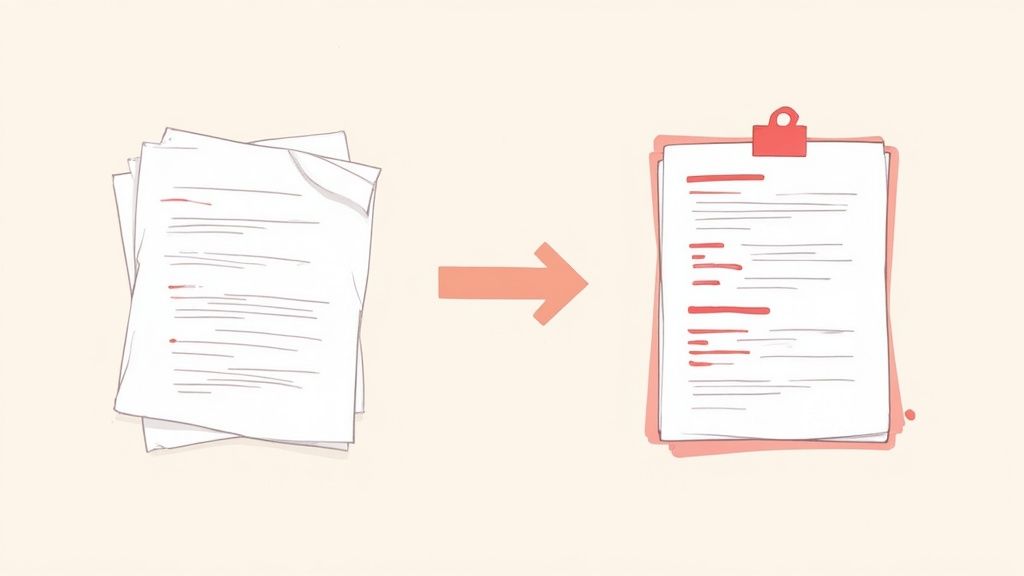
Que vous utilisiez l’outil YouTube ou un service dédié, votre première transcription est probablement une masse brute de données — un mur de texte avec erreurs, formulations maladroites et horodatages. Ce n’est pas une note, c’est une matière première. Le vrai apprentissage commence quand on transforme ce texte désordonné en une note claire, structurée et pérenne.
Commencez par fragmenter le texte. Parcourez-le et insérez des sauts de paragraphe à chaque changement de sujet du locuteur. Le but est de séparer les idées et aérer le texte.
Ensuite, faites quelques nettoyages simples :
Supprimez les horodatages : Sauf si vous avez besoin de référencer un instant précis dans la vidéo, ils ne servent qu’à encombrer. Une fonction rechercher-remplacer rapide peut les effacer.
Corrigez la ponctuation et les fautes : L’IA crée souvent des phrases trop longues. Ajouter points et virgules rend le texte bien plus lisible.
Ajoutez du gras et des puces : Mettez en gras les termes clés ou affirmations importantes. Transformez les listes d’exemples ou d’étapes en puces pour faciliter la lecture.
Impodez votre logique au texte. C’est ainsi que vous transformez les paroles de quelqu’un d’autre en votre propre savoir.
Ajoutez vos titres et sous-titres (par exemple des H2 et H3 dans Markdown). Rédigez des titres qui résument le concept de chaque section pour votre futur vous. Ce simple geste rend la note bien plus utile à la relecture.
Si la vidéo a plusieurs intervenants, ajoutez des étiquettes simples comme « Animateur : » ou « Invité : » pour faciliter le suivi de la conversation.
Ce processus de structuration — ajout de titres, listes et texte en gras — est une forme d’apprentissage actif. Il vous force à élaborer un modèle mental de l’information, ce qui aide à la mémorisation.
Pour ceux qui utilisent des outils comme Obsidian, c’est ici que vous pouvez commencer à insérer des [[wiki-links]] pour connecter des idées dans la transcription à d’autres notes de votre base. Cela tisse le nouveau savoir dans votre réseau d’informations existant.
Au final, vous aurez transformé un fichier généré par machine en un document utile et lisible par un humain. C’est l’étape finale cruciale pour transcrire une vidéo YouTube, faisant d’un simple enregistrement un réel atout pour votre base de connaissances personnelle.
#Comment utiliser les transcriptions pour le SEO et l’analyse approfondie
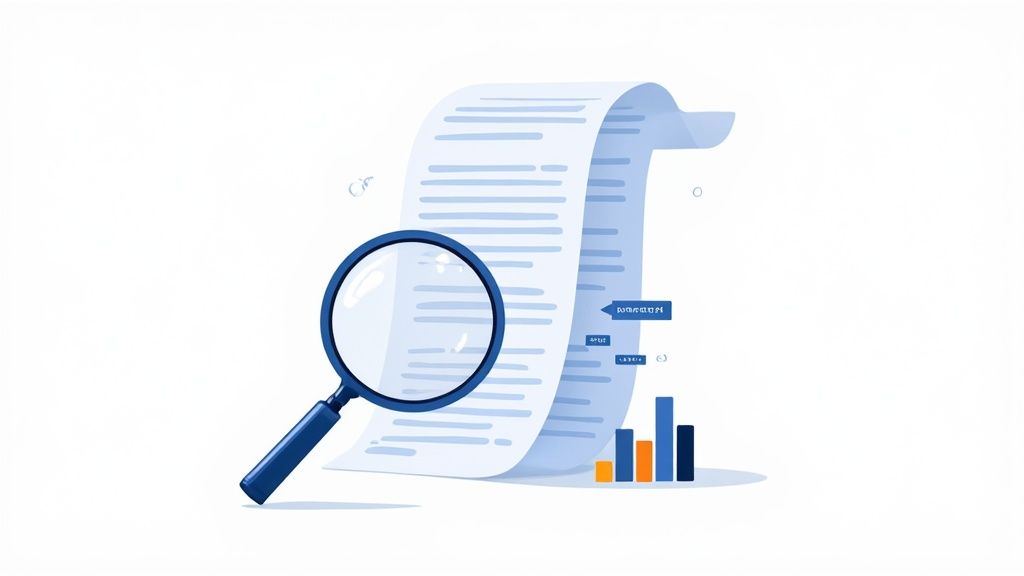
Une transcription propre est plus qu’une note d’étude ; c’est une base de données. Vous pouvez l’explorer pour trouver mots-clés, tendances et analyses poussées.
Pour les créateurs de contenu, une transcription est un outil SEO. L’algorithme de YouTube utilise le titre, la description et les tags, mais la transcription offre la source de contexte la plus riche. En analysant le texte, vous identifiez les mots-clés principaux et secondaires qui apparaissent naturellement dans votre contenu. Cela vous permet d’aligner les métadonnées de votre vidéo avec ce que l’algorithme de recherche attend.
Au-delà du SEO, les transcriptions permettent des analyses plus sophistiquées. Pour chercheurs ou marketeurs, un ensemble de transcriptions d’experts dans un domaine devient un jeu de données puissant à analyser.
Imaginez analyser une série de conférences. En injectant les transcriptions dans des outils d’analyse, vous pouvez :
Modélisation de thèmes : Identifier les concepts centraux qui reviennent dans plusieurs conférences.
Analyse de sentiment : Évaluer le ton du locuteur pour repérer moments d’enthousiasme, prudence ou conviction.
Analyse de fréquence : Compter la récurrence de certains mots pour comprendre ce que le locuteur met en avant. Un terme qui revient souvent est souvent la clé de son argument.
Analyser une transcription vous fait passer de simple auditeur passif à enquêteur actif. Vous pouvez décortiquer un argument, repérer des présupposés et voir la structure d’une idée d’une façon impossible rien qu’en regardant.
Cette approche analytique transforme une transcription en un actif stratégique. Elle aide les créateurs à optimiser le SEO YouTube et les marketeurs à suivre les tendances linguistiques du secteur. Vous pouvez découvrir ces techniques avancées d’analyse de transcription YouTube sur vomo.ai.
Pas besoin d’être data scientist pour commencer. Un simple générateur de nuages de mots offre une vue rapide et visuelle des termes les plus importants d’une vidéo.
Pour ceux utilisant des outils de gestion de connaissance comme Obsidian, des plugins comme Tag Wrangler ou des scripts personnalisés permettent d’effectuer cette analyse directement dans vos notes. Vous voyez quels concepts sont les plus liés, révélant des lacunes dans votre compréhension.
L’important est de considérer la transcription comme point de départ, pas produit final.
Voici des réponses rapides aux questions fréquentes sur la transcription de vidéos YouTube.
#Puis-je transcrire une vidéo YouTube qui n’est pas mienne ?
Oui. Toutes les méthodes abordées — fonctionnalité intégrée de YouTube, outils IA et extensions navigateur — fonctionnent sur n’importe quelle vidéo publique pour un usage personnel d’étude ou prise de notes.
Pour usage personnel, c’est généralement autorisé. Transcrire une conférence pour vos notes privées relève du fair use. Vous ne la distribuez pas, vous l’utilisez pour apprendre.
Le problème survient si vous publiez ou tirez profit de la transcription. La mettre en ligne sur un blog, inclure dans un produit ou partager largement sans permission peut entraîner des problèmes de droits d’auteur.
Une transcription pour votre coffre privé Obsidian est correcte. Publier cette même transcription publiquement nécessite l’autorisation de l’auteur original.
Prêt à dire adieu aux transcriptions brouillonnes et à bâtir une base de savoir pérenne à partir des vidéos ? HoverNotes est une extension Chrome qui génère des notes IA à partir de vidéos et les enregistre directement dans Obsidian, gardant votre apprentissage organisé et local. Essayez-la gratuitement sur https://hovernotes.io.
Des notes utiles doivent vous amener à faire quelque chose avec le contenu, et non simplement à stocker davantage de texte. L’U.S. Institute of Education Sciences recommande d’espacer l’apprentissage dans le temps, de combiner des éléments graphiques avec des explications verbales, d’utiliser la récupération active et de poser des questions explicatives approfondies (guide pratique). Une revue à comité de lecture consacrée à la recherche sur la vidéo éducative souligne également l’importance de signaler les informations essentielles, de découper les leçons en segments gérables, de donner le contrôle aux apprenants et d’ajouter des incitations à l’apprentissage actif (revue). Appliqué ici, cela signifie faire une pause aux frontières des concepts, ne capturer que les preuves visuelles dont vous avez besoin, formuler une question avec vos propres mots, puis y répondre plus tard avant de relire la source. Ces pratiques sont fondées sur des données probantes ; un pourcentage universel de rétention pour une application ou un flux de travail ne l’est pas.
Découvrez les limites d'une simple transcription vidéo YouTube pour l'apprentissage. Comprenez pourquoi le contexte visuel et les notes alimentées par l'IA sont essentiels pour une véritable mémorisation.
Vous avez du mal avec les cours enregistrés ? Trouvez le meilleur preneur de notes pour les vidéos, comparez les outils numériques et manuscrits, et apprenez à maîtriser vos notes d'étude.
Vous avez du mal à prendre des notes sur Coursera ou edX ? Découvrez une méthode éprouvée pour organiser, retenir et appliquer les connaissances issues de cours longs sans vous épuiser.