Un système pratique pour vos notes de cours en ligne | HoverNotes
General31 janvier 2026•Updated: 16 juillet 2026
Un système pratique pour vos notes de cours en ligne
Créez un système puissant pour les notes de cours en ligne, depuis la capture et l’organisation jusqu’à la révision à long terme, afin de ne jamais oublier ce que vous apprenez.
Par HoverNotes Team•15 min de lecture
En bref : Regarder des cours en ligne ne suffit pas ; on oublie la plupart des informations. Pour que le savoir s'imprime, construisez un système.
Choisissez vos outils : Utilisez une application locale comme Obsidian pour vos notes et un outil de capture comme HoverNotes pour extraire le contenu des vidéos.
Mettez en place votre coffre-fort : Créez une structure de dossiers simple (par exemple Courses/Platform - Course Name) pour tout organiser.
Capturez intelligemment : Utilisez l’IA pour gérer la transcription afin de vous concentrer sur la compréhension. Capturez le contexte visuel avec des captures d’écran horodatées de diagrammes et de code — ce que les transcriptions ne saisissent pas.
Structurez vos notes : Après capture, utilisez des titres, du texte en gras et des listes à puces pour rendre les notes faciles à parcourir. Reliez les nouveaux concepts aux notes existantes dans votre coffre-fort.
Faites des révisions actives : Ne vous contentez pas de relire. Interrogez-vous avec vos notes. Transformez les titres en questions et expliquez les concepts à voix haute. Réservez 30 minutes par semaine pour cela.
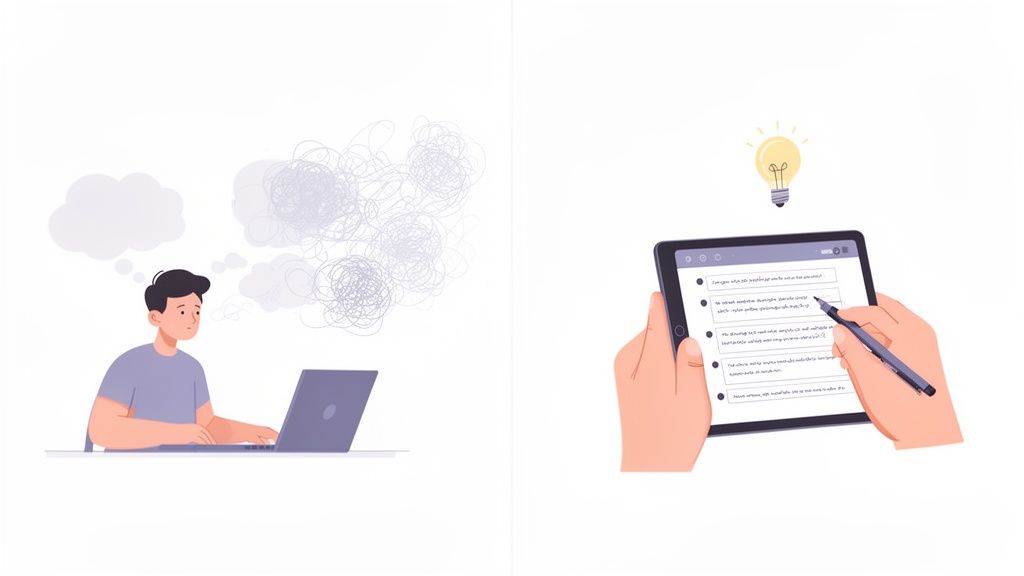
Si vous avez passé des heures sur un cours en ligne pour en oublier la plupart une semaine plus tard, vous n'êtes pas seul. Regarder passivement des vidéos est une mauvaise façon d’apprendre. Construire un système pour vos notes de cours en ligne transforme ce visionnage passif en un processus actif, garantissant que le savoir soit vraiment assimilé.
#Pourquoi vous ne retenez pas ce que vous regardez
L’ancienne méthode est chaotique. Mettre la vidéo en pause sans cesse pour écrire dans un carnet casse votre concentration. Prendre des captures d’écran crée un dossier d’images dispersées sans contexte. Vous vous retrouvez avec des idées déconnectées, quasi-impossibles à reconstituer plus tard.
Ce guide ne parle pas de « mieux prendre des notes ». Il s'agit de mettre en place un flux de travail fiable — un système pour créer une base de connaissances permanente et consultable qui vous aide vraiment à mémoriser et appliquer ce que vous avez appris.
#Pourquoi un système est préférable aux notes éparses
Noter des points au hasard donne l’impression d’être productif, mais ça ne tient pas sur la durée. Un système structuré offre un cadre pour capturer, organiser et surtout réviser.
Voici comment une méthode aléatoire se compare à une approche systématique pour vos notes de cours en ligne.
Aspect
Méthode aléatoire
Méthode systématique
Organisation
Dispersé entre différentes applis ou carnets.
Centralisé en un seul endroit (par ex. Obsidian).
Contexte
Pas de lien vers la source ; difficile à rappeler.
Riche en contexte, avec horodatage et captures d’écran.
Recherche
Presque impossible de retrouver une info spécifique.
Totalement consultable, tout se trouve en un instant.
Révision
Rarement relu ; notes temporaires.
Conçu pour des révisions faciles et une mémorisation durable.
Valeur
Devient rapidement un amas numérique inutile.
Devient un actif précieux et permanent.
Une approche systématique transforme vos notes d’un simple soutien temporaire en un atout durable. L’objectif est de contrer la courbe d’oubli, le déclin naturel de la mémoire. Un bon système de prise de notes en est la meilleure défense.
Cela signifie établir un processus efficient lors de l’apprentissage et efficace pour la mémorisation à long terme. Le reste de ce guide vous explique comment mettre en place ce système. Pour la théorie, voir notre article sur comment booster la rétention avec les vidéos.
#Étape 1 : Installez votre centre d’apprentissage numérique
Avant de lancer la vidéo, créez un espace dédié à votre savoir. Pour ceux qui veulent apprendre sérieusement et posséder leurs données, les outils locaux comme Obsidian sont le meilleur choix.
Votre savoir vous appartient ; il ne doit pas être enfermé sur un serveur d’entreprise. En construisant votre système autour de fichiers Markdown (.md) simples, vous garantissez que vos notes de cours en ligne seront lisibles dans le futur. Vous possédez vos fichiers. Déplacez-les, sauvegardez-les, fouillez-les : ce ne sont que du texte.
Les bons outils ne vous gênent pas. Pour ce flux de travail, vous avez besoin de deux choses : un endroit où stocker le savoir et un moyen de le capturer.
Votre base de connaissances (le « coffre-fort ») : Nous recommandons Obsidian. C’est une application gratuite qui transforme un dossier de fichiers Markdown en une base connectée et puissante.
Votre outil de capture : Mettre en pause manuellement, taper et faire des captures d’écran est fastidieux. Un outil dédié est indispensable. HoverNotes est une extension Chrome qui accompagne les vidéos, génère des notes IA et les sauvegarde au format Markdown dans votre système de fichiers.
Cette combinaison crée un flux direct d’une conférence vidéo vers votre bibliothèque permanente et consultable.
Voici à quoi peut ressembler une installation propre de Obsidian. Les notes sont bien structurées pour un accès facile.
La mise en page est minimaliste, aidant à se concentrer sur les notes tout en naviguant dans votre base de connaissances.
#Créez une structure de dossiers simple et efficace
La cohérence est la clé. Une structure simple fait la différence entre une vraie bibliothèque et un tiroir fourre-tout. Dans votre coffre-fort Obsidian, créez un dossier principal nommé 01_Courses.
À l’intérieur, créez un sous-dossier pour chaque cours. Une nomenclature claire évite les maux de tête. Par exemple :
Udemy - AWS Certified Solutions Architect
Coursera - Machine Learning Specialization
YouTube - Python for Everybody
Cette hiérarchie simple maintient tout en ordre. Quelques minutes de mise en place économisent des heures de rangement plus tard. Pour approfondir, consultez notre guide sur comment créer une base de connaissances.
Une fois votre coffre-fort et sa structure prêts, l’étape suivante est de maîtriser le processus de capture.
#Étape 2 : Transformez les cours vidéo en savoir exploitable
Avec votre centre numérique prêt, il est temps de capturer des notes de cours en ligne de qualité. L’objectif est de rendre la prise de notes fluide pour que vous puissiez vous concentrer sur la compréhension, sans jongler maladroitement entre pauses et saisie.
Un bon flux de capture réduit les frictions. Si vous utilisez un outil comme HoverNotes, activez un mode sans distraction qui place la vidéo d’un côté de votre écran et un éditeur de notes de l’autre. Cela bloque les publicités et les suggestions "à suivre", pour garder votre attention.
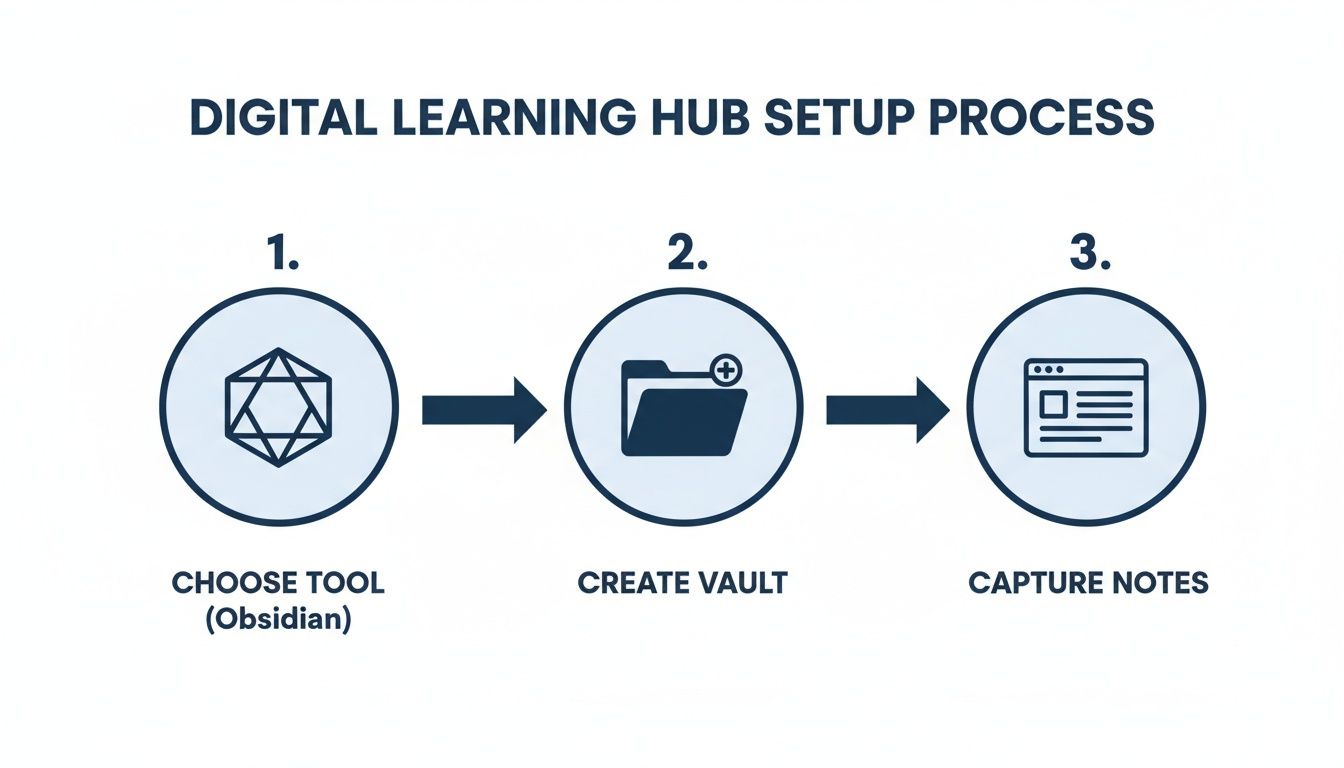
Le processus est simple mais efficace : choisissez votre outil, configurez votre coffre-fort, commencez à capturer.
Des bases solides — le bon outil et un coffre organisé — rendent la prise de notes efficace.
#Passez du rôle de transcripteur à celui d’apprenant actif
Quand l’IA s’occupe de la transcription, votre rôle change. Vous ne vous pressez plus pour tout taper. Vous pouvez regarder, écouter et réfléchir. L’IA produit un premier jet ; vous devenez l’éditeur.
Votre tâche prend plus de valeur. Vous pouvez :
Ajouter vos propres réflexions : Pendant que l’IA génère des notes, tapez vos pensées et questions directement dans l’éditeur.
Corriger ou clarifier : L’IA n’est pas parfaite. Modifiez rapidement le texte produit pour coller au sens de l’enseignant ou à votre compréhension.
Mettre en avant les concepts clés : Utilisez le gras ou les titres pour faire ressortir les points importants.
Ce flux transforme le visionnage passif en séance d’apprentissage active.
#Capturez ce que les transcriptions ratent toujours
Le plus gros défaut des outils limités à la transcription est qu’ils ignorent le contexte visuel. Beaucoup d’informations dans les cours techniques — tutoriels codage, cours d’ingénierie — sont montrées, non dites.
Une transcription peut dire « comme vous le voyez dans ce schéma », ce qui est inutile quand on relit une semaine plus tard.
C’est là que la capture visuelle est cruciale. Plutôt que d’écrire « voir schéma », un outil qui observe la vidéo peut saisir le visuel lui-même. Contrairement aux outils ne traitant que les transcriptions, HoverNotes analyse la vidéo pour capturer ce qui est à l’écran. Sa fonction "snip" vous permet de sélectionner la partie pertinente — un extrait de code, une formule ou un diagramme — et de l’intégrer directement dans vos notes.
Chaque capture d’écran inclut un horodatage cliquable — un clic vous ramène au moment précis. Cette fonctionnalité évite des heures de recherche dans la vidéo pour retrouver un point donné. Ce flux est précieux que vous appreniez sur Coursera, Udemy, un portail universitaire privé ou via des fichiers vidéo locaux. Pour un guide détaillé, consultez notre article sur comment prendre des notes vidéo.
#Étape 3 : Du texte brut à la connaissance structurée
Vous avez capturé le contenu brut. Bon début, mais ce n’est que la matière première. Le vrai apprentissage survient quand vous façonnez ce texte pour qu’il ait du sens pour vous. Cela transforme un amas de mots en un élément permanent de votre bibliothèque de connaissances.
Ce n’est pas qu’un problème d’étudiant. La formation en entreprise explose, avec une meilleure rentabilité par employé grâce à un bon training. Les professionnels ont besoin de systèmes fiables pour gérer leur savoir. L’article sur la croissance folle de la formation en ligne d’entreprise montre pourquoi cette compétence est cruciale.
Votre premier passage après capture doit créer une structure visuelle. Un mur de texte est un enfer pour les révisions. Un formatage simple Markdown rend les notes immédiatement plus utiles.
Scindez les paragraphes longs et utilisez la mise en forme pour signaler l’importance :
Titres (##, ###) : Détaillez les sujets et sous-sujets principaux. Cela crée une table des matières facile à parcourir pour la conférence.
Texte en gras (**text**) : Faites ressortir les termes clés, définitions ou conclusions essentielles.
Listes à puces (*) : Transformez les listes en puces. C’est beaucoup plus lisible qu’une phrase avec des virgules.
Citations (>) : Mettez en avant des citations fortes de l’instructeur ou des moments « aha ! ».
Il ne s’agit pas que d’esthétique. C’est un exercice mental qui vous force à identifier la structure centrale de l’information, un grand pas vers sa compréhension.
Des notes isolées sont une impasse. La vraie puissance d’un outil comme Obsidian vient de la connexion entre idées. Cela transforme une collection de documents en toile de savoir, à l’image du cerveau.
Après avoir structuré une nouvelle note, demandez-vous : "À quoi cela me fait-il penser ?" Puis commencez à faire des liens.
Le but est qu’il n’y ait jamais de note « orpheline » — une note non reliée à aucune autre. Chaque nouvelle connaissance doit se connecter à quelque chose que vous connaissez déjà.
Par exemple, si vous notez sur les compréhensions de listes en Python, vous pouvez relier ce concept à une note plus large sur [[Python Fundamentals]] ou même [[Functional Programming Concepts]]. Ce simple acte construit des voies mentales facilitant la mémorisation. C’est un concept central dans notre guide sur comment construire un second cerveau.
#Une stratégie de taggage pratique pour la découverte
Les liens connectent des idées spécifiques ; les tags les catégorisent. Une stratégie de tags cohérente facilite la recherche.
Voici un système pratique :
#status/review : Appliquez-le à toute note à revoir.
#type/concept : Utilisez-le pour les notes détaillant une idée spécifique (ex. #type/concept/recursion).
#course/aws-architect : Regroupe toutes les notes liées à un même cours.
#person/andrew-ng : Tag les idées d’un instructeur particulier.
Cela garantit que peu importe comment vous cherchez une note à l’avenir — par sujet, source ou statut — vous la retrouverez en quelques secondes.
#Étape 4 : Construisez un système de révision qui fonctionne
Des notes jamais relues ne sont que du désordre bien formaté. La dernière pièce du système est un processus de révision pratique qui ancre l’apprentissage durablement. C’est là que le temps passé à créer des notes de cours en ligne porte ses fruits.
L’objectif est de dépasser la relecture passive. Nous allons utiliser le rappel actif, méthode qui oblige votre cerveau à extraire l’information sans tricher. Cela construit de solides connexions neuronales.
Vos notes structurées sont la matière première idéale. Transformez-les en auto-questionnaire plutôt que de les lire passivement.
Transformez les titres en questions : Traitez chaque titre comme une question. Avant de lire le contenu dessous, essayez d’expliquer le concept à voix haute ou par écrit.
Expliquez les captures d’écran : Regardez un schéma ou un extrait de code. Avant de lire vos notes ou de revenir à la vidéo, expliquez ce que cela signifie et pourquoi c’était important.
Suivez les liens : Quand vous voyez un lien vers un autre concept, faites une pause. Essayez de définir ce concept avant de cliquer dessus.
Ce processus semble plus dur que la lecture. C’est justement le but. La lutte productive fixe le savoir.
La régularité, c’est la clé. Un planning simple et répétable fait toute la différence. Réservez 30 minutes chaque dimanche pour revoir vos notes de la semaine.
Un système numérique comme Obsidian ou Logseq montre tout son potentiel ici. Dans six mois, vous ne vous souviendrez probablement pas de tous les détails d’un cours. Mais quand vous aurez besoin d’une méthode statistique précise, une recherche rapide « régression logistique » dans votre coffre-fort affichera instantanément votre note.
Elle contiendra votre résumé affiné, les concepts clés, et la capture d’écran horodatée avec la formule. Cela boucle la boucle du système, transformant une information fugace en savoir permanent et consultable. Pour d’autres idées, consultez notre guide sur comment créer un guide d’étude.
#Questions fréquentes sur ce système de prise de notes
Au fur et à mesure que vous construisez ce système, certaines questions reviennent souvent.
#Un outil de prise de notes IA est-il indispensable ?
Non, mais c’est un gain de temps considérable. Le cœur du système est la structure et la révision. L’outil IA gère la transcription pour que vous puissiez consacrer votre énergie à réfléchir au contenu. Vous pouvez suivre ce processus en tapant manuellement. Même sans IA, le mode sans distraction et les captures d’écran valent le détour. Vous pouvez utiliser un outil comme HoverNotes pour bénéficier gratuitement de ces fonctionnalités.
#Comment gérer un cours énorme avec plus de 100 vidéos ?
C’est ici qu’un système fait toute la différence. Pour un cours volumineux, créez une note centrale d’index, ou une Map of Content (MOC).
Créez une note principale comme MOC - AWS Certified Solutions Architect. Chaque vidéo a sa propre note avec une dénomination cohérente, par exemple 01.1 - Intro to IAM. Dans votre MOC, liez chaque note de cours. Vous obtenez une table des matières propre et cliquable dans votre base.
#Puis-je utiliser Notion ou Google Docs au lieu de Obsidian ?
Oui. Bien que ce guide mette l’accent sur des outils locaux comme Obsidian et Logseq parce qu’ils vous donnent la propriété de vos données, les principes sont universels. Capturer, structurer et réviser fonctionnent sur n’importe quelle plateforme. L’essentiel est d’avoir un espace centralisé, organisé et consultable pour vos notes. Les notes de HoverNotes se copient proprement dans Notion ou Google Docs avec le formatage intact, vous pouvez donc utiliser l’outil que vous souhaitez.
La fonction capture d’écran avec horodatage seule vous fait gagner des heures de re-visionnage. Vous pouvez l’essayer gratuitement—vous bénéficiez de 20 minutes de crédits IA, sans carte bancaire. Vérifiez les offres actuelles sur la page tarifaire HoverNotes.
Des notes utiles doivent vous amener à faire quelque chose avec le contenu, et pas seulement à stocker davantage de texte. L’U.S. Institute of Education Sciences recommande d’espacer l’apprentissage dans le temps, d’associer des éléments graphiques à des explications verbales, de pratiquer le rappel actif et de poser des questions explicatives approfondies (guide pratique). Une revue évaluée par les pairs consacrée à la recherche sur les vidéos éducatives souligne également l’importance de signaler les informations importantes, de découper les leçons en segments faciles à gérer, de donner le contrôle aux apprenants et d’ajouter des incitations à l’apprentissage actif (revue). Appliqué ici, cela signifie faire une pause aux frontières entre les concepts, ne capturer que les preuves visuelles dont vous avez besoin, formuler une question avec vos propres mots, puis y répondre plus tard avant de relire la source. Ces pratiques sont fondées sur des données probantes ; un pourcentage universel de rétention pour une application ou un flux de travail ne l’est pas.
Apprenez à apprendre plus rapidement et à mieux retenir grâce à des stratégies éprouvées, appuyées par la science, pour le rappel actif, la prise de notes et des routines d'étude efficaces.
Vous avez du mal à prendre des notes sur Coursera ou edX ? Découvrez une méthode éprouvée pour organiser, retenir et appliquer les connaissances issues de cours longs sans vous épuiser.
Découvrez les notes stockées en local, qui vous offrent confidentialité et maîtrise de vos données, avec des conseils pratiques pour devenir pleinement propriétaire de votre savoir.