Video learning tips for visual learners | HoverNotes
GeneralDecember 18, 2025•Updated: July 16, 2026
Video learning tips for visual learners
Discover powerful study techniques for visual learners to improve retention from video content with diagrams, screenshots, and visual note-taking.
By HoverNotes Team•13 min read
You'd think that video and visual learning would be a perfect pair. Yet, how many times have you watched a tutorial, felt like you totally got it, and then... nothing? The information just vanishes.
This is a common retention problem. Passively watching a video often leads to cognitive overload because your brain is trying to absorb information without a strategy. To make it stick, you need to turn that passive viewing into active learning with a structured, visual approach to taking notes.
It’s a classic paradox for visual learners. You queue up an explainer video, follow every step, and have that "aha!" moment. But a day later, the details are fuzzy. This "content amnesia" is a classic symptom of passive consumption. You're asking your brain to watch, listen, and process simultaneously—an inefficient way to learn anything deeply.
Without an active way to engage, you lose the most critical part: the visual context.
Let's say you're learning a new coding function from a YouTube tutorial. The instructor is talking through the logic while the exact syntax flashes across the screen. You see it and nod along, but you don't actually capture it. When you sit down to write the code yourself, you can't quite remember how it was structured.
That’s because the visual itself—the code snippet, the diagram, the on-screen demonstration—wasn't anchored to anything in your memory. Relying on a text transcript is even worse; you'd lose the on-screen code completely. For a deeper look at this, you can learn more about how to get and use a YouTube video transcript for studying.
The core issue is that watching isn't the same as learning. True retention comes from interacting with the material—capturing key visuals and connecting them to the concepts being explained.
The old-school method of constantly pausing to screenshot is clumsy. It shatters your focus and leaves you with a messy folder of disconnected images. To make video learning actually work, you need a smarter way to grab visual information in context.
Effective learning starts with capturing the right information. But for a visual learner, text isn't enough. You need the actual diagrams, code on screen, and step-by-step demonstrations. The problem is, manual note-taking while watching video is hard. Constantly pausing the video, taking a screenshot, switching windows, and pasting it somewhere else is tedious and pulls you right out of the learning flow.
A much better workflow is to capture visual evidence and embed it directly into your notes the moment it appears. This instantly solves the "scattered screenshots" problem by providing immediate context. Instead of a random file named Screen Shot 2024-10-26 at 11.45.12 AM.png, you get a visual anchor right next to your written thoughts.
This is where a dedicated tool makes a significant difference. For example, HoverNotes is a Chrome extension that watches videos with you, generates AI notes, and saves them as Markdown directly to your file system. Unlike tools that only parse transcripts, HoverNotes watches the video frame-by-frame to capture what's actually on screen—diagrams, code, and demonstrations included.
The goal is simple: capture what you see, right when you see it, without friction. This makes your notes a true reflection of the visual lesson, not just a weak summary of what was said.
This approach transforms note-taking from a chore into a seamless part of how you learn. You capture exactly what matters visually, ensuring your study materials are complete. If you want a deeper dive into screen capture techniques, this guide on taking screenshots from a YouTube video has you covered.
You don't always need the entire video frame. Sometimes, you just need that one specific diagram, a single block of code, or a formula on a crowded slide.
That's when you should snip specific regions of the video. This technique keeps your notes clean and focused on only the most critical visual information. This is a huge benefit for Obsidian users. Since your notes save directly as .md files, these embedded image snippets show up natively in your vault, creating a rich, searchable, and visual knowledge base you own forever.
Grabbing key visuals from a video is a great start, but it's only half the job. If those screenshots and notes just sit in a folder, they’re not much better than a vague memory. The real learning happens when you organize those visuals in a way that lets your brain see the big picture.
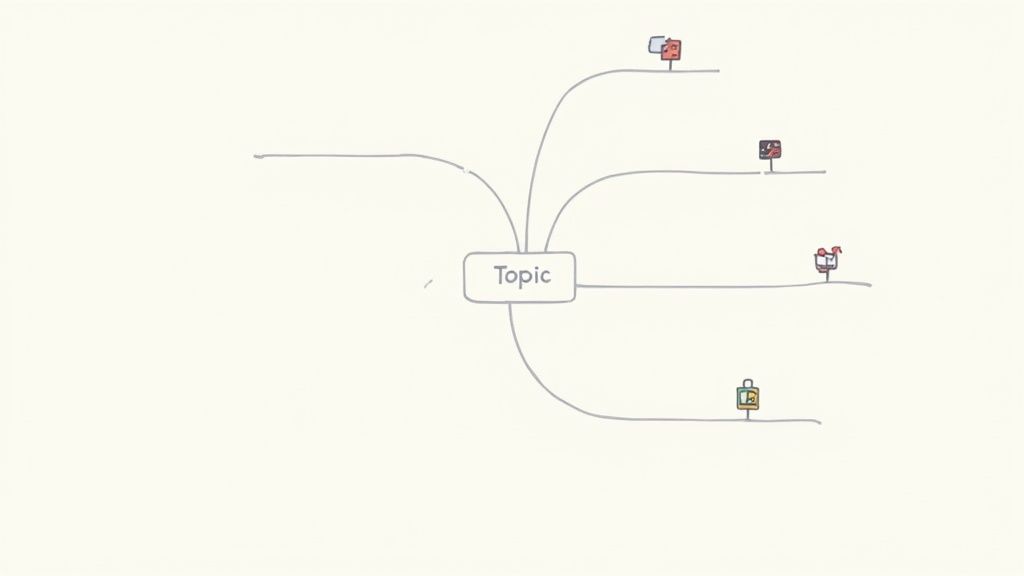
This is where mind maps and digital canvases are effective. For visual learners, they mirror how our minds naturally connect ideas—spatially, not linearly. You get a bird's-eye view of a topic instead of getting lost in a wall of text.
Think of a digital canvas, like the one built into Obsidian, as your personal infinite whiteboard. This is where you can piece together a powerful visual study guide.
Start simple: create a central node for the video's main topic. From there, branch out with key concepts, dropping in your captured screenshots to act as visual anchors for each idea.
The process itself forces you to think critically about how different pieces of information relate. For example, you can draw a line directly from a screenshot of a function's syntax to a diagram explaining its underlying logic.
By arranging visual notes spatially, you’re not just storing information; you’re building a map of understanding that you can navigate. Each visual becomes a landmark for a specific concept.
When you combine a visual note-taking tool with a canvas, the workflow clicks into place. For instance, with a tool like HoverNotes, you can drag the Markdown files—already complete with embedded, timestamped screenshots—straight into an Obsidian Canvas.
Each note instantly becomes a movable card, ready to be connected to other ideas.
What you end up with is a dynamic, living study guide. If a concept on your mind map ever feels fuzzy, just click the screenshot. Because every screenshot includes a clickable timestamp, one click returns you to that exact moment in the video for a quick refresher. It’s an effective way to synthesize information from multiple videos into one cohesive map.
Real learning isn’t about consumption. It’s about engagement. Just hitting "play" on a video lecture is like letting information wash over you—and hoping a few drops stick. It's a strategy that guarantees you'll forget most of what you saw.
To build knowledge that lasts, you have to actively process the material.
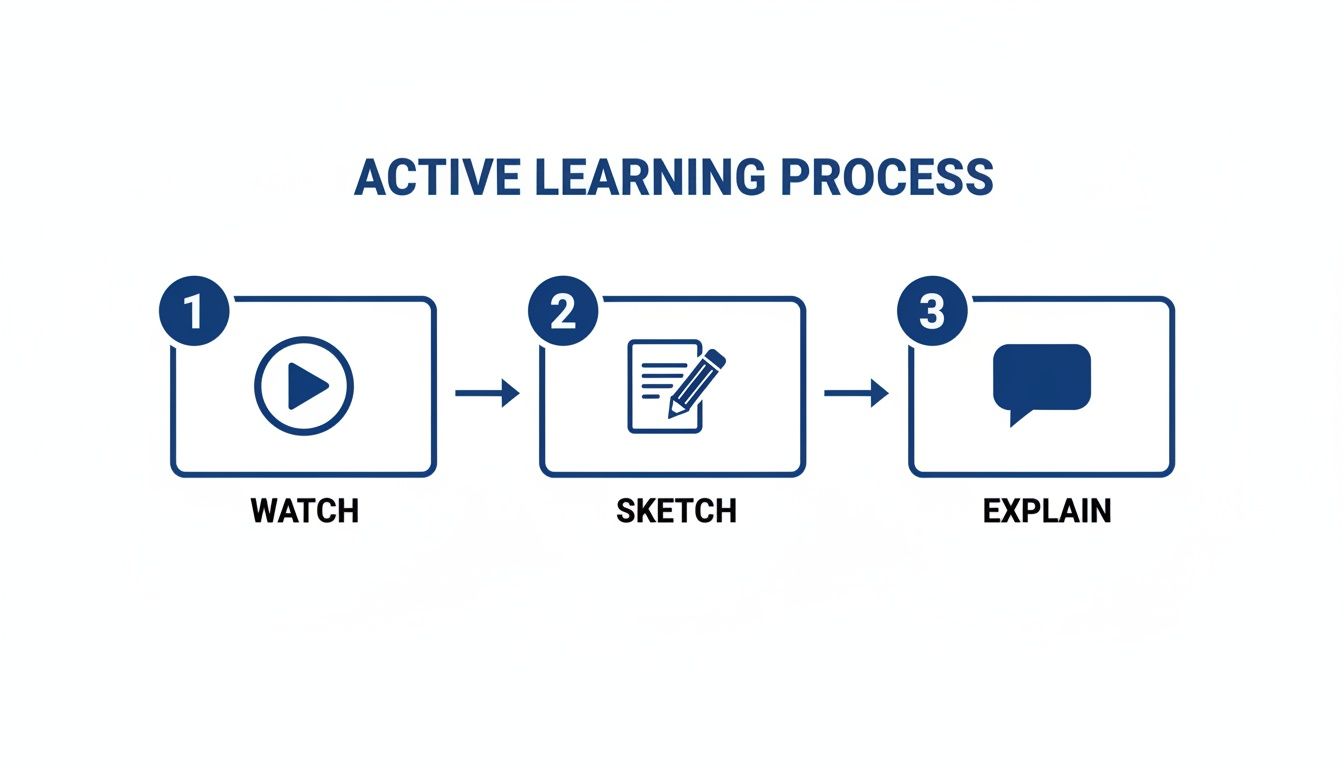
One powerful way to do this is a visual twist on the Feynman Technique. Watch a short segment of a video, maybe just a minute or two, and then hit pause. Now, without rewinding, grab a pen and sketch out the concept you just learned. Can you draw the flowchart? Can you diagram the process?
This simple act of trying to recreate the visual from memory forces your brain to process the information, not just passively observe it.
This approach is backed by cognitive science. It’s called dual-coding theory, and the idea is simple: our brains form stronger memories when we combine visual information (like screenshots) with our own verbal or written explanations (like notes).
When you capture a diagram from a video and then write your own summary next to it, you're building two separate mental pathways to the same idea. That redundancy makes the information much easier to recall during an exam.
This is where having the right tool makes a huge difference. A distraction-free video mode that puts your notes side-by-side with the content nudges you to summarize and connect ideas in real-time instead of "getting to it later."
The learning isn't in watching the video; it's in the act of processing and re-explaining the visual information yourself. You have to shift from being a spectator to an active participant.
The data backs this up. Studies on visual learning show that students who learn from illustrated lectures can see an 83% greater advantage on delayed tests compared to those who just read text. The trick is combining those visuals with active retrieval. If you want to dive into the research, you can explore the studies on visual learning techniques.
The right tools are designed to make this active process feel effortless. With a tool like HoverNotes, you can use its distraction-free video mode to manually type your own notes, using the free screenshot feature to instantly capture key visuals as you go. For more ideas on how to organize those notes, check out our guide on how to turn a YouTube video into notes.
Not all visual study methods are created equal. Passive techniques might feel productive, but active ones are where real learning happens.
The takeaway is clear: the more you force your brain to do something with the visual information, the more likely you are to remember it. The goal is to move from simply seeing to truly understanding.
Taking visual notes is a great first step, but what happens to them afterward? If they just sit in a forgotten folder, you lose their value. The goal is to build a personal, searchable knowledge base you actually own—one that turns a study session into a permanent asset.
This is about getting away from proprietary cloud services where your hard work can get locked in. That’s why many serious learners rely on local-first tools like Obsidian. When your notes are just plain Markdown files on your own computer, your knowledge is truly future-proof. You own the files. Move them, back them up, grep them—they're just Markdown.
A good system doesn't have to be complicated. Simple is usually better.
Start with a logical folder structure that makes sense to you—maybe organized by course or subject. Then, add another layer of findability with tags. Tagging a note with #python or #calculus makes it easy to pull up related ideas from different video lectures.
This simple workflow—watching, sketching, and explaining—is what transforms passive viewing into active learning. You're forced to engage directly with the material, which is where real understanding happens.
The last piece is connecting the dots. Don't just let your notes sit in isolation. Link your new note on a specific coding function back to a broader note about the programming paradigm it belongs to. This builds a web of knowledge that mirrors how your brain works, making connections you might have otherwise missed.
Your collection of scattered notes transforms into a valuable learning asset you control. Since they're just files, you own them forever, free from subscriptions or platform lock-in.
And if you use other tools? No problem. Because these notes are well-formatted Markdown, they're portable. You can copy-paste them directly into an app like Notion and all your images and formatting will come along perfectly.
Here are some common hurdles visual learners face when trying to make video lessons stick, along with some practical advice.
#"How Can I Stop Constantly Pausing and Rewinding Videos to Take Notes?"
The dreaded pause-play-rewind cycle kills your focus and can turn a 20-minute lecture into an hour-long ordeal.
A simple fix is to use a side-by-side setup, with the video on one half of your screen and your notes on the other. This helps, but you're still doing all the manual work.
A better way is to let AI handle the initial heavy lifting. Tools like HoverNotes can act as your note-taking assistant. It's a Chrome extension that "watches" alongside you, pulling out key concepts and grabbing timestamped screenshots automatically. This frees you up to focus on understanding the material in real-time. Later, you can go back and add your own thoughts to the AI-generated outline, all without breaking your learning flow.
#"Are Digital or Physical Mind Maps Better for Visual Learning?"
This depends on the goal.
A whiteboard or piece of paper is great for initial, messy brainstorming. It’s quick, tactile, and lets you get thoughts out without getting bogged down by software.
But for long-term studying, digital mind maps are a game-changer, especially with something like the Obsidian Canvas. You can embed clickable screenshots that jump you right back to the exact moment in a video. You can link concepts to other notes in your digital library and rearrange everything with a simple drag-and-drop. For video learning, a digital approach is far more powerful because it keeps your visual notes directly tied to the source material.
#"What's the Best Way to Actually Review My Visual Notes?"
Just looking at your notes again isn't enough. The best method for locking in information is active recall combined with spaced repetition.
Don't just passively re-read your mind map. Instead, cover up the text and look at a diagram you saved. Try to explain the entire concept out loud, from memory, as if you were teaching it to someone else.
Your timestamped screenshots become powerful self-testing tools. Cover the notes, look at the image, and explain it. Then, click the image to jump back into the video and see how accurate you were. By spacing these review sessions out—maybe one day, then three days, then a week later—you force your brain to work harder to retrieve the information, which builds durable, long-term memory.
For Obsidian users, the ability to save your video notes as clean Markdown files straight into your vault makes building a visual knowledge base almost effortless. Notes copy cleanly into Notion if that's where you keep everything. You can try HoverNotes for free—you get 20 minutes of AI credits just for signing up, no credit card needed. You can learn more and get started here.
Useful notes should make you do something with the material, not merely store more text. The U.S. Institute of Education Sciences recommends spacing learning over time, combining graphics with verbal explanations, using active retrieval, and asking deep explanatory questions (practice guide). A peer-reviewed review of educational video research also emphasizes signaling important information, splitting lessons into manageable segments, giving learners control, and adding active-learning prompts (review). Applied here, that means pausing at concept boundaries, capturing only the visual evidence you need, writing a question in your own words, and later answering it before replaying the source. These practices are evidence-based; a universal retention percentage for one app or workflow is not.
A practical guide on how to take notes on videos from YouTube, Udemy, or any platform. Learn a better workflow to improve retention and stop forgetting.