La meilleure application de prise de notes vidéo pour les étudiants et les autodidactes
Découvrez la meilleure application de prise de notes vidéo adaptée à votre flux de travail. Nous comparons les meilleurs outils pour étudiants et professionnels utilisant Obsidian, Notion, et les cours en ligne.
Par HoverNotes Team•20 min de lecture
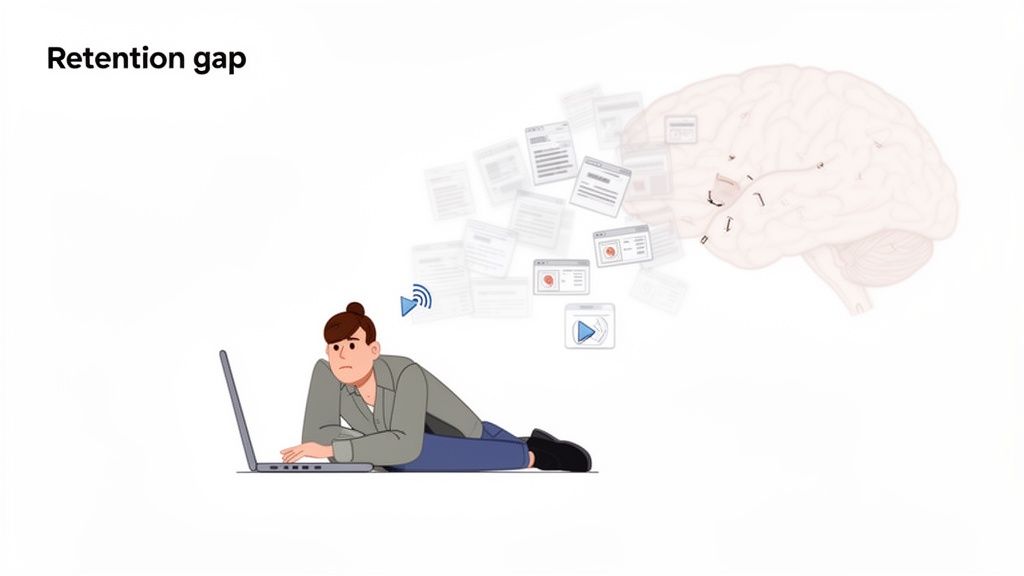
Assister à une conférence de deux heures ou à un tutoriel de codage dense ne signifie pas que vous avez vraiment appris quelque chose. La plupart du temps, l'information vous traverse simplement. C’est le problème de rétention lié au visionnage passif de vidéos : cela semble productif, mais les connaissances ne s’ancrent pas.
#Pourquoi votre apprentissage par vidéo souffre d’un problème de rétention
La science de l’apprentissage est claire : pour retenir quelque chose, il faut s’y engager activement. Lorsque vous vous contentez d’appuyer sur « lecture », vous êtes spectateur. L’information défile sans former les connexions neuronales solides qui construisent la mémoire.
C’est une frustration courante pour tous ceux qui apprennent sur des plateformes comme Udemy, Coursera ou YouTube. Vous savez que vous avez vu ce schéma ou ce bout de code la semaine dernière, mais pour le retrouver vous êtes condamné à scruter sans fin la timeline vidéo. Ce cycle de pause et retour en arrière est une énorme perte de temps.
Prendre des notes semble être la solution évidente, mais les méthodes traditionnelles ne fonctionnent pas bien avec la vidéo. Essayer d’écrire dans un carnet en regardant un tutoriel est maladroit. Votre attention se divise, et vous ratez des détails clés en baissant les yeux.
Prendre des captures d’écran est une autre solution courante, mais elle crée du désordre. Votre bureau se remplit de fichiers comme Screen Shot 2026-10-27 at 11.43.15 AM.png. Ces images sont dénuées de contexte, dissociées de vos notes écrites, et introuvables par recherche. Un mois plus tard, ce dossier n’est que du fouillis numérique.
Le processus manuel de pause, de saisie, et de capture d’écran casse votre concentration. Il vous force à choisir entre comprendre le contenu sur le moment et le capturer pour plus tard, sans pouvoir faire efficacement les deux en même temps.
C’est pour cela qu’une application dédiée à la prise de notes vidéo est si essentielle. Ces outils sont conçus pour résoudre les défis spécifiques liés à l’apprentissage par vidéo. L’IA peut prendre les notes à votre place, ce qui vous permet de vous concentrer sur la compréhension.
Une bonne application de prise de notes vidéo transforme un spectateur passif en apprenant actif. Au lieu de vous battre avec les outils, vous pouvez vous concentrer sur le contenu. Les fonctionnalités clés répondent directement aux difficultés des méthodes manuelles.
Flux de travail intégré : la vidéo et vos notes cohabitent dans un même espace, souvent côte à côte. Fini le passage frénétique d’une fenêtre à l’autre qui casse la concentration.
Captures contextuelles : vous capturez des captures d’écran horodatées, pas des images au hasard. Un clic sur une capture vous ramène instantanément au moment précis dans la vidéo.
Connaissances consultables : toutes vos notes – textes et visuels – sont sauvegardées dans une bibliothèque structurée. Des heures de vidéo deviennent une base de connaissances personnelle réellement exploitable.
Pour quiconque prend l’apprentissage au sérieux, dépasser les méthodes manuelles encombrantes est une amélioration majeure. Une app pensée pour ça s’occupe des tâches mécaniques, laissant votre cerveau libre de faire ce qui compte vraiment : apprendre.
#Ce qu’il faut rechercher dans une application moderne de prise de notes vidéo
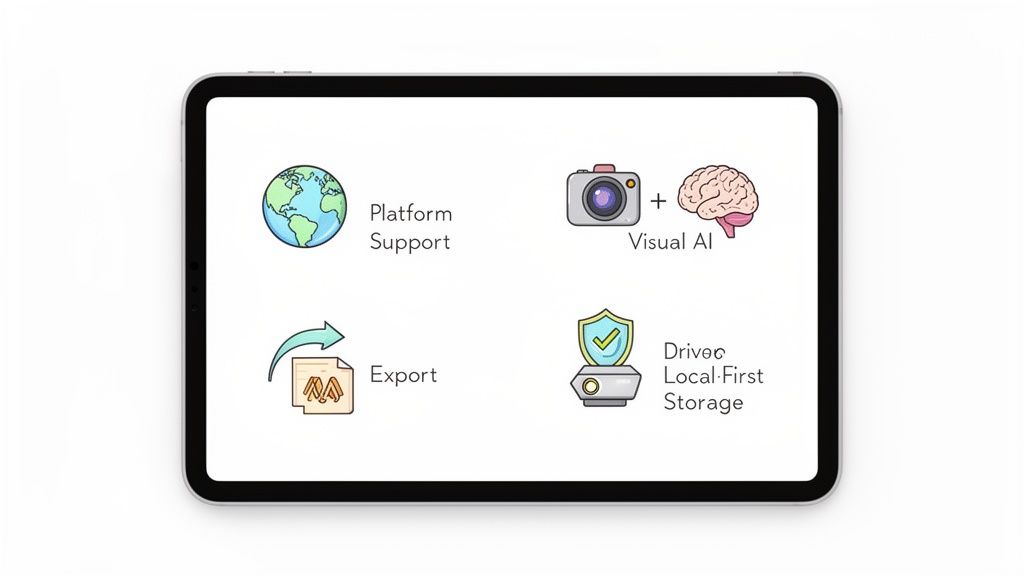
Avant de comparer les outils, il vous faut une liste de critères. Qu’est-ce qui distingue une véritable application de prise de notes vidéo d’un simple éditeur de texte ? Le marché est saturé et chaque application clame haut et fort ses atouts. Ce cadre vous aide à vous concentrer sur ce qui compte vraiment pour l’apprentissage.
D’abord, où ça fonctionne ? C’est la question la plus importante. Beaucoup d’apps sont conçues uniquement pour YouTube. C’est un début, mais les apprenants sérieux tirent leur contenu de dizaines de sources.
Une application efficace doit être agnostique aux plateformes. Elle doit marcher partout où vous apprenez :
Principales plateformes de cours : Udemy, Coursera, LinkedIn Learning.
Sites vidéo publics : YouTube, Vimeo, Bilibili.
Portails privés/internes : portails d’universités, plateformes de formation en entreprise, enregistrements Zoom.
Fichiers vidéo locaux : cours ou conférences téléchargés et stockés sur votre ordinateur.
Si une application ne peut pas gérer les vidéos où que vous les trouviez, vous aurez un système éclaté. L’objectif est un seul outil pour toutes vos vidéos d’apprentissage. C’est là que des apps comme HoverNotes se démarquent, conçues pour fonctionner partout où il y a une vidéo.
#Une IA qui comprend les visuels, pas que les mots
Beaucoup d’outils prétendent utiliser « l’IA », mais la plupart ne transcrivent que l’audio. Pour quiconque apprend un sujet technique ou visuel, une transcription est quasi inutile. Elle ne capte ni le code à l’écran, ni les données dans un graphique, ni les étapes d’une démonstration logicielle.
Cherchez une application de prise de notes vidéo dotée d’une IA multimodale. Cela signifie que l’IA « regarde » la vidéo image par image, analysant ce qu’il y a visuellement à l’écran, comme le ferait un humain. Contrairement aux outils qui ne traitent que les transcriptions, HoverNotes observe la vidéo pour saisir ce qui s’y trouve réellement. C’est la différence entre un mur de texte et des notes structurées avec description des diagrammes et bouts de code.
Que deviennent vos notes après les avoir prises ? Certaines apps enferment vos notes dans un format propriétaire ou les isolent dans le cloud, rendant difficile leur intégration dans votre base de connaissances personnelle.
Vos notes sont votre propriété intellectuelle. Vous devez en être pleinement propriétaire et garder le contrôle.
Cherchez ces fonctionnalités :
Export Markdown (.md) : ce format texte brut garantit une pérennité et peut s’ouvrir dans des apps comme Obsidian et Logseq.
Stockage Local-First : les meilleurs outils sauvegardent vos notes directement sur votre ordinateur. Vous possédez les fichiers. Votre savoir n’est pas séquestré derrière un identifiant.
Copier-coller propre : pour ceux qui utilisent Notion ou Google Docs, les notes doivent se copier-coller proprement, avec formats, images et liens préservés.
« Vous possédez les fichiers. Déplacez-les, sauvegardez-les, explorez-les par recherche — ce ne sont que des Markdown. »
Pour quiconque construit un système de gestion personnelle de connaissances (PKM) à long terme, ce principe de propriété des données est crucial.
Une bonne app de prises de notes vidéo doit réduire les frictions, pas les créer. Les meilleurs outils s’intègrent naturellement dans votre façon d’apprendre.
Un exemple parfait est celui des captures d’écran horodatées cliquables. Cette fonctionnalité vous évite de parcourir frénétiquement la timeline pour retrouver un instant précis. Un clic, et vous êtes directement au bon moment.
Que vous soyez utilisateur Obsidian qui veut sauvegarder ses notes directement dans un coffre ou étudiant qui organise tout dans Notion, l’outil doit correspondre à votre flux de travail. Même sans IA, des choses simples comme un mode vidéo sans distractions et des outils manuels de capture facilitent grandement l’expérience.
#Une comparaison honnête des meilleures applications de prise de notes vidéo
Voyons maintenant comment se comportent quelques outils populaires.
Choisir la bonne application dépend de votre méthode de travail. Ce qui marche pour un simple spectateur sur YouTube ne convient pas à un étudiant construisant un second cerveau dans Obsidian. Mon but ici n’est pas de désigner la meilleure app, mais de vous donner un aperçu clair et honnête pour choisir celle qui vous convient.
Nous comparerons ces options selon le support plateforme, les fonctionnalités IA, les options d’export, et l’intégration avec votre environnement de gestion de connaissances personnel (PKM).
#HoverNotes : pour l’apprenant sérieux et multi-plateforme
HoverNotes est une extension Chrome qui vous accompagne dans la vidéo, génère des notes IA, et les sauvegarde comme Markdown directement dans votre système de fichiers. Elle s’adresse à ceux qui apprennent sérieusement depuis n’importe quelle source vidéo.
Support plateforme : HoverNotes marche sur tous les sites avec vidéo — YouTube, Udemy, Coursera, LinkedIn Learning, Bilibili, portails universitaires, sites de formation interne, et même fichiers vidéo locaux. Vous avez un outil unique pour toutes vos vidéos.
Fonctions IA : son IA est multimodale, elle analyse à la fois la transcription audio et les images. C’est une révolution pour le contenu technique. Elle capture le code à l’écran, les schémas, formules que les outils transcription seuls manquent. Elle peut même générer des notes dans une autre langue que l’audio.
Export & Intégration : c’est son autre point fort, surtout pour les utilisateurs Obsidian. HoverNotes sauvegarde en fichiers Markdown (.md) propres directement dans le système local. Vous pointez vers votre coffre Obsidian, et les notes apparaissent instantanément. Ce design local-first vous donne la propriété de vos données. Les utilisateurs Notion peuvent copier-vers Notion proprement formaté.
Usage idéal : HoverNotes s’adresse aux autodidactes engagés, étudiants, et travailleurs du savoir qui utilisent Obsidian (ou tout PKM basé sur Markdown) et apprennent depuis une multitude de sources vidéo. Son focus sur la propriété des données et la capture du contexte visuel en fait un outil puissant pour bâtir une base de connaissance pérenne.
Vous pouvez l’essayer gratuitement — 20 minutes de crédits IA, sans carte bancaire. Vérifiez les options actuelles sur la page tarifaire HoverNotes.
Voici un aperçu de l’interface HoverNotes. Elle offre un mode sans distraction avec la vidéo d’un côté et vos notes de l’autre.
Cette disposition côte à côte est cruciale pour l’apprentissage actif. Elle évite les changements constants de fenêtres, ce qui aide à rester concentré.
#Snipo : pour les preneurs de notes focalisés sur YouTube
Snipo est un autre outil populaire qui fonctionne bien pour son public cible. Il est centré sur la prise de notes à partir des vidéos YouTube, avec un support limité d’autres plateformes.
Support plateforme :Snipo marche bien sur YouTube et quelques autres comme Bilibili. Son support est restreint. Si vous n’apprenez que sur YouTube, c’est une option solide. Mais il n’opère pas sur des plateformes comme Coursera ou les portails universitaires privés.
Fonctions IA : Snipo utilise l’IA pour générer résumés et notes basées sur la transcription audio. Cela fonctionne bien pour extraire les points clés des discours et conférences où le verbal prime.
Export & Intégration : Snipo est un service cloud. Vos notes résident dans votre compte Snipo et peuvent être exportées en PDF ou Markdown. Il n’offre pas d’intégration locale-first comme Obsidian où les fichiers sont sauvegardés directement dans votre coffre.
Usage idéal : Snipo est une bonne option pour ceux qui apprennent principalement sur YouTube et préfèrent la facilité d’une app cloud.
#Outils basés uniquement sur la transcription (Otter.ai, Fireflies.ai)
Bien qu’ils ne soient pas conçus pour l’apprentissage, des outils comme Otter.ai et Fireflies.ai sont parfois évoqués. Il faut comprendre leur vocation.
Support plateforme : Ce ne sont pas des extensions de navigateur fonctionnant pendant le visionnage. Ils sont conçus pour transcrire l’audio de réunions (Zoom, Google Meet) ou de fichiers audio/vidéo chargés.
Fonctions IA : Leur IA excelle dans une tâche : la transcription automatique de la parole. Elles identifient bien les intervenants, créent des transcriptions précises, résument les échanges.
Export & Intégration : Outils d’entreprise, ils s’intègrent avec des logiciels professionnels comme Salesforce et Slack.
Usage idéal : Otter et Fireflies sont faits pour transcrire des réunions, pas pour apprendre depuis des vidéos éducatives. Pour une retranscription textuelle mot à mot d’une réunion professionnelle, ce sont les meilleurs. Mais pour un étudiant qui suit un cours Udemy, ils ne captureront pas le code crucial à l’écran.
Conclusion clé : Otter et Fireflies ciblent la transcription de réunions (usage entreprise). HoverNotes cible l’apprentissage depuis des contenus vidéo (usage apprenant).
Pour approfondir les stratégies de prise de notes pour réussir académiquement, notre guide sur les meilleures applications de prise de notes pour étudiants offre de belles perspectives.
#Comparaison des fonctionnalités des applications de prise de notes vidéo
Voici un aperçu comparatif côte à côte de ces outils.
Fonctionnalité
HoverNotes
Snipo
Outils uniquement transcription
Usage principal
Apprentissage académique et technique multi-plateforme
Apprentissage ciblé YouTube et création de contenu
Transcription de réunions et entretiens
Support plateforme
N’importe quel site avec vidéo, plus fichiers locaux
YouTube, Bilibili, et quelques autres
Fichiers chargés et plateformes de réunion
Analyse IA
Multimodale (Visuels + transcription audio)
Basée sur transcription audio
Basée sur transcription audio
Intégration Obsidian
Sauvegarde directe en .md dans coffre local (Local-first)
Export manuel vers Markdown (Cloud)
Export texte manuel (Cloud)
Propriété des données
Élevée (utilisateur possède les fichiers)
Moyenne (notes sur serveurs de l’entreprise)
Moyenne (notes sur serveurs de l’entreprise)
Captures d’écran horodatées
Oui, avec liens cliquables vers la vidéo
Oui
Non
Mode sans distraction
Oui, bloque pubs & recommandations
Non
Non applicable
Au final, tout dépend de votre méthode. Si votre apprentissage est varié, que vous tenez à posséder vos données dans un format ouvert, et que vous devez capturer le visuel, un outil comme HoverNotes est fait pour vous. Si vous vivez sur YouTube et voulez une app cloud simple, Snipo est une bonne option. Pour une simple transcription de réunions, restez sur un service dédié.
#Comment l’IA évolue au-delà de la simple transcription
La première génération d’outils IA pour vidéo transformait les paroles en un mur de texte. C’était un début, mais pour qui apprend quelque chose de visuel, la transcription seule fait défaut. Le contexte visuel compte — une transcription ne montre ni schémas, ni code, ni démonstrations.
Une transcription ne peut pas vous montrer la ligne exacte de code qui génère un bug, la forme d’un graphique en data science, ou la bonne technique dans un tutoriel pratique. Pour apprendre vraiment, l’IA doit aussi regarder.
#De l’écoute à l’observation : l’essor de l’IA multimodale
C’est là que la technologie change. Les outils plus récents utilisent une IA multimodale, qui traite plusieurs types de données à la fois — ici l’audio et les images vidéo.
Au lieu de se limiter aux mots, cette IA analyse ce qui se passe à l’écran. Elle peut identifier et capturer :
Extraits de code : extraire la syntaxe exacte d’une vidéo de programmation dans vos notes.
Diagrammes et graphiques : décrire les éléments visuels et leurs connexions.
Texte à l’écran : capturer termes clés, titres ou données présentes dans la vidéo.
Démonstrations : résumer les étapes physiques montrées dans un tutoriel.
C’est un bond énorme pour ce qu’une application de prise de notes vidéo peut faire. On passe de la transcription simple à un partenaire d’apprentissage intelligent qui comprend le contexte de ce que vous voyez.
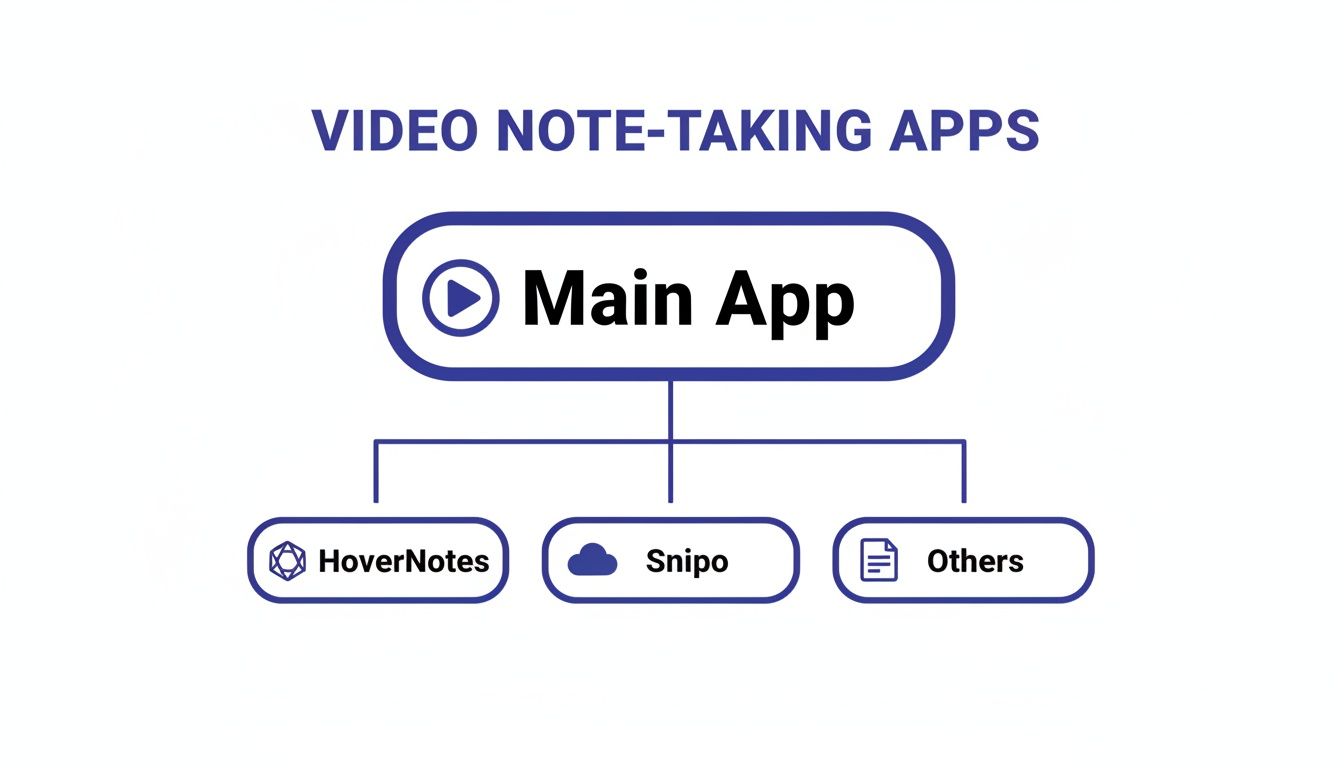
Le schéma ci-dessous montre comment les outils de prise de notes vidéo se divisent en catégories selon leur technologie.
Comme on le voit, une ligne claire sépare les outils centrés sur la transcription de ceux qui, comme HoverNotes, ajoutent l’analyse visuelle et le stockage local.
#Un exemple rapide : apprendre une nouvelle fonction logicielle
Imaginez que vous regardiez un tutoriel sur une fonction délicate de Figma. L’instructeur dit « Maintenant, modifiez simplement la courbe de Bézier comme ceci » en effectuant un geste rapide à la souris.
Un outil exclusivement transcription capture les mots « modifier la courbe de Bézier comme ceci ». C’est inutile sans le visuel.
Un outil multimodal comme HoverNotes est différent. Il regarde la vidéo image par image, capture une capture horodatée du moment exact où la courbe est ajustée, et l’intègre directement dans vos notes. Chaque capture inclut un timestamp cliquable — un clic vous ramène à cet instant précis.
Cela signifie que vous passez moins de temps à essayer de comprendre vos notes et plus à développer vos compétences. L’IA gère le « comment », vous vous concentrez sur le « pourquoi ».
Les IA modernes vous aident aussi à traiter l’information plus vite. Des fonctions comme la synthèse IA automatique et la génération de chapitres se généralisent.
Cela vous permet de saisir l’essentiel d’une conférence de deux heures en quelques minutes ou de sauter directement à la section à revoir. Pour en savoir plus, consultez notre guide sur comment une IA de résumé vidéo YouTube peut accélérer votre apprentissage.
#Intégrer les notes vidéo dans votre flux de travail de connaissances
Une excellente application de notes vidéo ne sert à rien si elle ne s’intègre pas à votre façon de travailler. Le but est de réduire les frictions, pas de créer un nouveau silo d’informations.
Vos notes doivent circuler naturellement dans le système que vous utilisez déjà, qu’il s’agisse d’un outil PKM local-first comme Obsidian ou d’un espace cloud comme Notion.
L’intégration est le pont entre la capture d’idées et la construction d’un savoir durable.
#Le flux de travail Obsidian pour le savoir local-first
Pour les utilisateurs Obsidian, la propriété des données est non négociable. Votre base de connaissances repose sur des fichiers texte brut Markdown que vous contrôlez. Tout outil cloud qui enferme vos notes sur ses serveurs est inenvisageable.
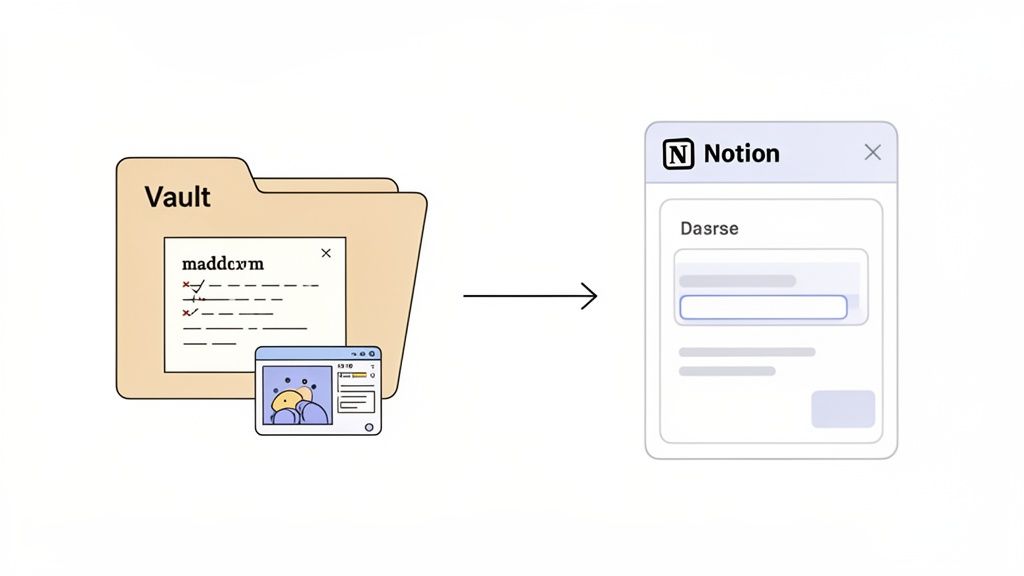
Une app local-first comme HoverNotes change la donne. C’est une extension Chrome conçue pour sauvegarder vos notes en fichiers .md directement sur votre ordinateur. Vous pouvez la pointer sur votre coffre Obsidian.
Voici comment ça fonctionne :
Installez l’extension et ouvrez les réglages.
Définissez votre dossier de téléchargement sur votre dossier coffre Obsidian (ex : Documents/MyVault/VideoNotes).
Regardez n’importe quelle vidéo — un cours Udemy, un tuto YouTube, etc.
Générez des notes IA ou prenez-les manuellement, en capturant des captures d’écran horodatées.
Quand vous avez fini, cliquez sur sauvegarder. La note complète, formatée en Markdown avec images locales, apparaît instantanément dans votre coffre.
Les notes se sauvegardent au format .md directement dans votre coffre Obsidian, sans format propriétaire ni service de synchronisation — vos notes vous appartiennent. Chaque note n’est qu’un fichier Markdown que vous possédez à vie.
#Le flux de travail Notion pour bases de données structurées
Les utilisateurs Notion organisent souvent tout dans des bases de données et espaces de travail partagés. Le copier-coller propre est le moyen le plus pratique d’emmener vos notes vidéo où il faut. L’essentiel est que la mise en forme survive au transfert.
Une bonne application de prise de notes vidéo doit préserver la structure lors du copier-coller :
Les titres restent des titres.
Les listes à puces restent des listes.
Le texte en gras et italique est conservé.
Les images et captures embarquées suivent le contenu.
Ce flux simple vous permet de capturer des notes détaillées depuis n’importe quelle source vidéo et, par un simple copier-coller, de les déposer directement dans une page Notion. Les notes se copient proprement dans Notion si c’est là que vous organisez tout.
Voici quelques réponses aux questions courantes concernant la prise de notes à partir de vidéos.
#Ces applications peuvent-elles fonctionner sur mon portail universitaire ?
Oui, mais il faut choisir le bon outil. Beaucoup d’apps ne fonctionnent que sur des sites publics comme YouTube. Pour des étudiants, c’est inacceptable.
Une app comme HoverNotes fonctionne comme une extension Chrome, donc elle peut opérer sur n’importe quel site diffusant une vidéo dans votre navigateur. Cela inclut les portails universitaires protégés par mot de passe, les sites de formation en entreprise comme Coursera ou Udemy, et autres plateformes institutionnelles. L’objectif est un flux unique et cohérent, peu importe où vous apprenez.
La sécurité de vos notes dépend de leur lieu de stockage. La plupart des outils cloud conservent vos données sur leurs serveurs. Vous leur faites confiance pour la sécurité et la confidentialité.
Un cours vidéo de 40 heures peut être écrasant. L’astuce est d’éviter un fichier unique d’énormes notes. Les meilleurs outils vous laissent prendre des notes vidéo par vidéo.
Fractionner les cours volumineux en petites parties est essentiel. Une bonne app vous permet de sauvegarder les notes pour chaque vidéo et de reprendre là où vous vous êtes arrêté.
Une fonction « charger et continuer » est critique. Avec HoverNotes, vous pouvez revenir plus tard et reprendre exactement où vous étiez — vos notes précédentes se chargent automatiquement. Vous pouvez ensuite utiliser votre base de connaissances, comme Obsidian, pour relier les notes des conférences individuelles et créer un guide complet pour tout le cours.
Si vous cherchez un outil qui fonctionne partout, sauvegarde les notes directement dans votre coffre Obsidian, et capture le contexte visuel que les autres apps ne saisissent pas, HoverNotes pourrait être fait pour vous. Même sans IA, le mode sans distraction et les captures d’écran valent le coup. En savoir plus et commencer sur hovernotes.io.
Des notes utiles doivent vous amener à faire quelque chose avec le contenu, et non simplement à stocker davantage de texte. L’U.S. Institute of Education Sciences recommande d’espacer l’apprentissage dans le temps, de combiner des éléments graphiques avec des explications verbales, de recourir au rappel actif et de poser des questions explicatives approfondies (guide de bonnes pratiques). Une revue à comité de lecture consacrée à la recherche sur les vidéos éducatives souligne également l’importance de signaler les informations importantes, de diviser les leçons en segments gérables, de donner aux apprenants un contrôle sur le déroulement et d’ajouter des incitations à l’apprentissage actif (revue). Appliqué ici, cela signifie faire une pause aux limites des concepts, ne capturer que les éléments visuels dont vous avez besoin, formuler une question avec vos propres mots, puis y répondre plus tard avant de relancer la source. Ces pratiques sont fondées sur des données probantes ; un pourcentage universel de rétention pour une application ou un flux de travail donné ne l’est pas.
Découvrez comment apprendre efficacement grâce aux vidéos Udemy avec des stratégies pratiques, soutenues par la science, pour arrêter de regarder passivement et commencer à retenir ce que vous apprenez.
Découvrez des astuces et outils pour prendre des notes sur YouTube afin d'améliorer la rétention et d'organiser votre apprentissage à partir des vidéos.
Découvrez les meilleurs outils d'extension Udemy Chrome pour améliorer votre apprentissage. Améliorez la lecture vidéo, prenez des notes avec l'IA, traduisez les sous-titres et restez concentré.