How to Actually Remember What You Learn from Videos | HoverNotes
ObsidianJanuary 25, 2026
How to Actually Remember What You Learn from Videos
Stop forgetting what you watch. This guide offers science-backed methods to boost your video learning retention using active recall and smarter note-taking.
By HoverNotes Team•19 min read
TL;DR: Watching videos is passive and leads to forgetting. To remember what you learn, you must be an active participant. Take notes while you watch, use techniques like active recall and spaced repetition to review, and own your notes by saving them locally. The key is to turn passive viewing into an active learning process.
It’s a familiar story. You watch an incredible tutorial, feeling that "aha!" moment of clarity, only to find yourself struggling to remember the key steps a week later. Sound about right?
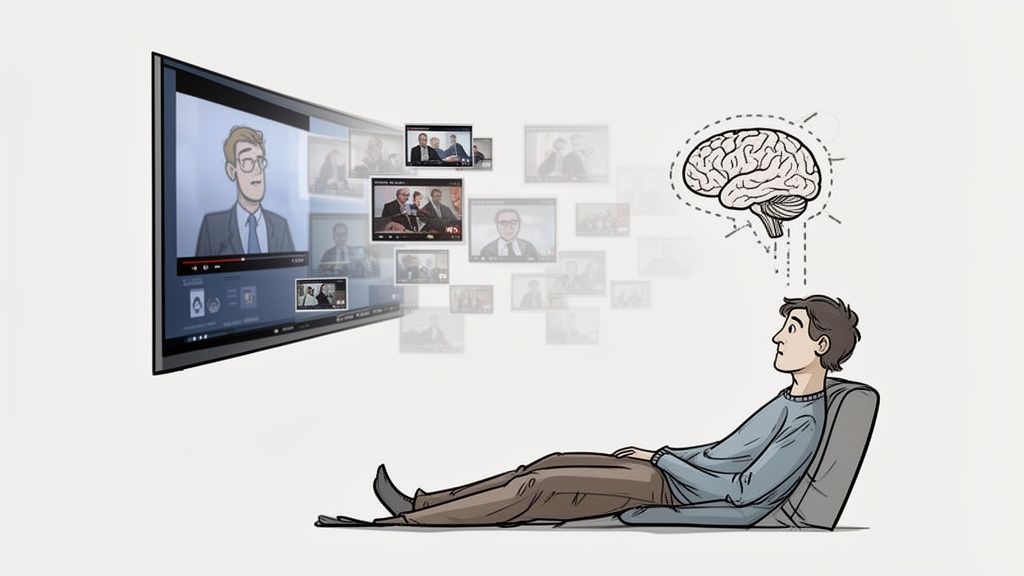
The problem isn't you—it's the format. Watching a video feels productive, but it's a fundamentally passive activity. Our brains, however, build strong, lasting memories through active engagement. Without that, the information you just spent an hour on is almost guaranteed to fade.
If you've ever binged a complex lecture series and then drawn a blank trying to explain it, you’ve met the "Forgetting Curve." This isn't a personal failure; it's just how our memory works. The principle is simple: without reinforcement, you can lose up to 50-80% of new information in just 24 hours.
Video learning sits in a strange spot. On one hand, visuals are powerful. Research shows learners can retain 80% of what they see, a massive jump from the 20% they retain from reading alone. Yet, passively watching a video doesn't forge the strong neural pathways needed for genuine recall.
The information feels familiar, but it hasn't been properly encoded into long-term memory. If you want to dig deeper into why this happens, exploring a few adult learning theory principles gives you a solid foundation for making video learning stick.
The core issue is a lack of what psychologists call "desirable difficulty." Your brain needs a challenge—a bit of a mental workout—to form strong memories. When you just sit back and watch, you're in pure consumption mode, not processing mode.
Think about these common traps:
Following a Tutorial: You code along with a YouTube video, line for line. Everything works perfectly. But when you try to build something similar from scratch later, you're lost. You were just mimicking actions, not internalizing the why behind them.
Watching a Lecture: An expert explains a complex topic. It all makes perfect sense in the moment. But because you never connected it to your own knowledge or questioned the assumptions, it doesn't stick.
Binge-watching a Course: You blaze through 10 lessons on a Saturday afternoon. Great, right? Except you can barely summarize the main points from half of them.
In every case, the information just washes over you. You haven't forced your brain to do the heavy lifting of summarizing, questioning, or connecting the dots.
To beat the Forgetting Curve, you have to switch gears from being a passive viewer to an active participant. It’s about interacting with the material in a way that forces your brain to work. Taking notes, pausing to summarize concepts in your own words, and grabbing key screenshots are all powerful forms of active engagement.
This is exactly why just grabbing a video's transcript often falls short. While helpful for a quick search, a transcript completely misses the visual context—which is often the whole point of watching a video in the first place. We actually wrote a whole guide on the pros and cons of how to get a transcript from a YouTube video.
The real magic happens when you process both the spoken words and the on-screen action together. That's where true understanding begins.
Here’s the single biggest key to remembering what you learn from videos: you have to switch from being a passive consumer to an active participant. It’s not enough to just let the information wash over you.
Your brain builds strong, durable memories when it’s forced to do some work—to actually process, summarize, and connect new ideas.
And the best way to kickstart that process? Take notes.
When you have to rephrase a concept in your own words, you force your brain to actually grapple with its meaning. That simple act of translation, from what you see and hear to what you type or write, is where the real learning kicks in.
But let's be honest, manual note-taking from a video is usually a clunky, frustrating mess. You’re constantly hitting pause, rewinding to catch a phrase, and trying to juggle a text editor with your video player. It’s a workflow that completely breaks your concentration and makes learning feel like a chore.
The friction of pausing, playing, switching windows, and typing is often just enough to make people give up on note-taking altogether. They default back to just watching. This is the critical gap where the right tool can make all the difference.
The old-school method for taking video notes is fundamentally broken. It usually looks something like one of these awkward setups:
The Window Juggle: You’ve got the video playing in one window and you're frantically trying to type in Notion or a text file in another, alt-tabbing back and forth like a maniac.
The Scattered Screenshots: You grab screenshots of important diagrams or bits of code, but they end up lost in a random desktop folder, totally disconnected from your written thoughts.
The Pen-and-Paper Scramble: You're trying to scribble in a physical notebook while keeping your eyes on the screen, a method that captures very little detail and usually ends up as an illegible mess.
These methods don't just slow you down; they actively get in the way of the learning process itself. Improving this workflow is key. Part of that also involves understanding the principles behind creating engaging training videos that are designed to hold your attention in the first place.
A smoother process lets you stay in a state of flow, where you're fully absorbed in the material.
This is where a tool built specifically for video learning can help. For instance, HoverNotes is a Chrome extension that watches videos with you, generates AI notes, and saves them as Markdown directly to your file system.
It places a note-taking panel right next to your video. Suddenly, a lean-back viewing session becomes an active, lean-forward learning process. This setup removes the friction and frees you up to focus on what matters: understanding the material. You can learn more about how to effectively take notes on videos with a modern workflow.
Ultimately, the goal is to make active engagement feel effortless. By cutting down the mechanical friction of taking notes, you free up your mental energy to do the real work—thinking about the content and making it your own.
Trying to learn from a video transcript is a bit like reading sheet music to understand a concert. You get the individual notes, but you completely miss the performance.
This is especially true for any technical or complex subject. For these topics, the visual information isn't just a helpful supplement; it's often the most critical part of the entire lesson.
Think about a coding tutorial. The transcript might tell you to "set the isActive variable to false," but it can't show you the exact line of code, the surrounding syntax, or how that variable fits into the broader scope on the screen. The same problem comes up in a medical lecture explaining an anatomical chart or a finance video breaking down a stock graph. The words provide the narration, but the on-screen visuals deliver the core data.
This is exactly where tools that only process transcripts completely miss the point.
Truly effective retention from video learning depends on capturing the complete picture. A text-only file gives you a flat, one-dimensional record of a multi-dimensional experience. The real value is created when you can instantly connect what was said with what was shown.
Embedding visual evidence directly into your notes is a game-changer. Instead of ending up with a vague text summary, you build a rich, multi-modal study guide that perfectly mirrors how the information was originally taught.
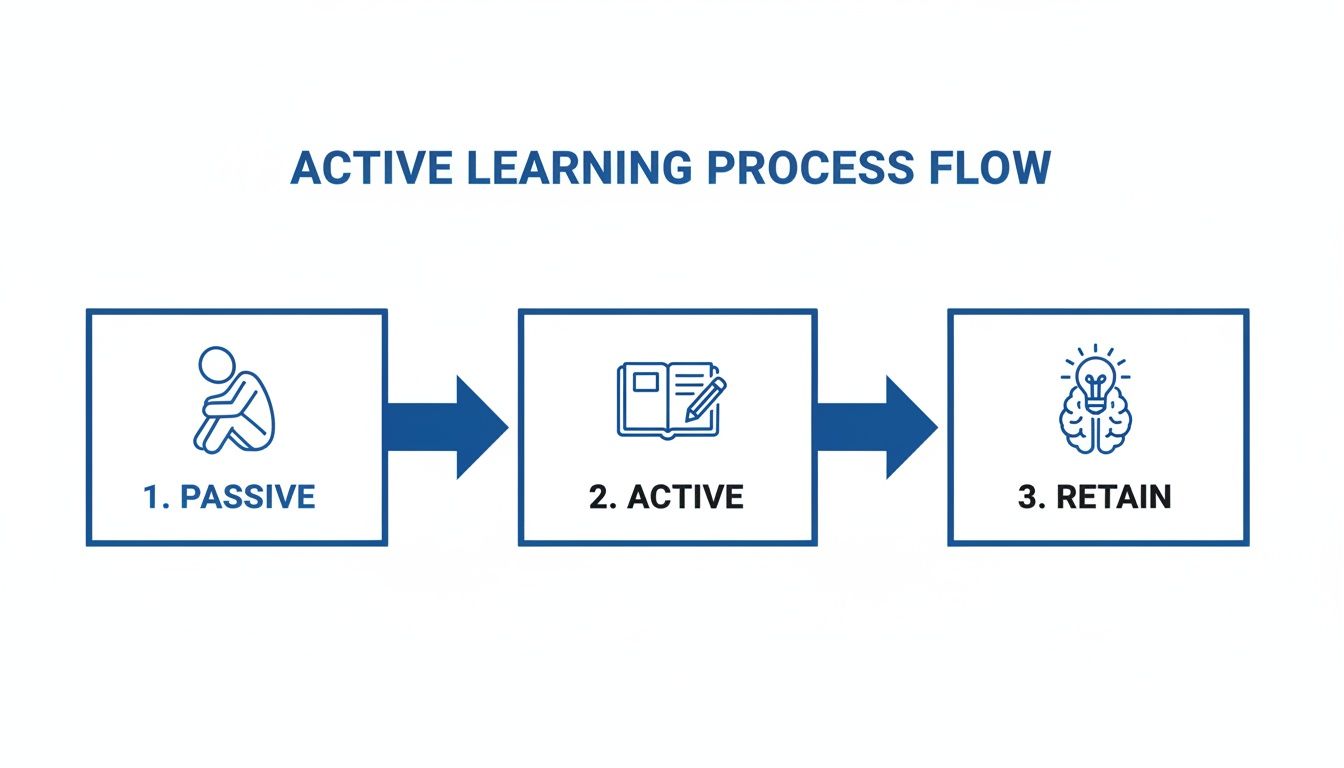
This simple flowchart shows the powerful shift from just passively watching to actively retaining what you learn.
As you can see, real retention only happens after you actively engage with the material—a step that passive viewing skips entirely.
Of course, just having a messy folder of random screenshots won't get you very far. The key is to connect those visuals with the right context. This is where features designed specifically for learners make a huge difference.
Timestamped Screenshots: Imagine you're reviewing your notes and can't quite remember the details of a specific diagram. With a timestamped screenshot, you're just one click away from jumping back to that exact moment in the video. This feature alone can save you hours of frustrating scrubbing and rewatching. You can explore more on this in our detailed guide on how to take screenshots from videos.
Snip Capture: Sometimes you don't need the whole screen. A good learning tool lets you snip just the relevant part—a specific block of code, the key data point on a chart, or a single formula. This keeps your notes clean, focused, and free of clutter.
For learners, especially in technical fields, a tool that truly watches the video to generate notes is fundamentally different from one that just listens. It understands that what’s on the screen is often more important than what’s being said.
Tools like HoverNotes are built around this very principle. Unlike tools that only parse transcripts, HoverNotes watches the video to capture what's actually on screen.
Each note becomes a complete, self-contained piece of knowledge—text and visuals, perfectly synchronized. This approach transforms your notes from a simple script into a dynamic, searchable, and highly effective study asset.
Not all note-taking methods are created equal, especially when it comes to video. Some are great for capturing spoken words, while others excel at preserving the all-important visual context. Here's a quick look at the trade-offs.
Method
Visual Context Capture
Ease of Use
Review Efficiency
Manual Text Notes
Poor. Relies on describing visuals.
High. Just type.
Low. Descriptions lack detail.
Separate Screenshots
Good. Captures visuals perfectly.
Medium. Requires switching apps.
Low. Notes and images are disconnected.
Transcript-Only Tools
None. Ignores on-screen content.
High. Fully automated.
Poor. Misses half the information.
Integrated Visual Notes
Excellent. Links visuals to text.
High. Built into the workflow.
Excellent. Text and images in context.
As you can see, integrating visuals directly into your notes offers the most complete and efficient way to learn. It captures both what was said and what was shown, creating a far more powerful resource for review and retention.
Alright, you’ve watched the video and captured your notes. That’s a great start, but it’s only half the battle. If you just let those notes gather digital dust in a folder, you're still going to forget most of what you learned.
The real work—the part that actually improves your video learning retention—begins after you close the video player. This is where you transform fleeting information into durable, long-term knowledge. It’s not about spending hours re-reading. It's about being strategic with two of the most powerful learning techniques we have: active recall and spaced repetition.
Let’s be honest: passively re-reading your notes is one of the worst ways to study. It feels productive because the information looks familiar, but recognition isn’t recall. It creates a dangerous illusion of competence.
Active recall flips that script entirely. Instead of passively absorbing information, you actively pull it out of your memory. It’s a much tougher mental workout, and that’s precisely why it works so well.
A simple way to do this is to turn your own notes against you. Look at your headings and key concepts and frame them as questions before you read the details.
"Can I explain this concept in my own words?"
"What were the key steps in that process?"
"Why exactly does this piece of code work the way it does?"
Force yourself to answer from memory. If you get stuck, the answer is right there in your notes, complete with context and maybe even a timestamped screenshot to give your memory a nudge.
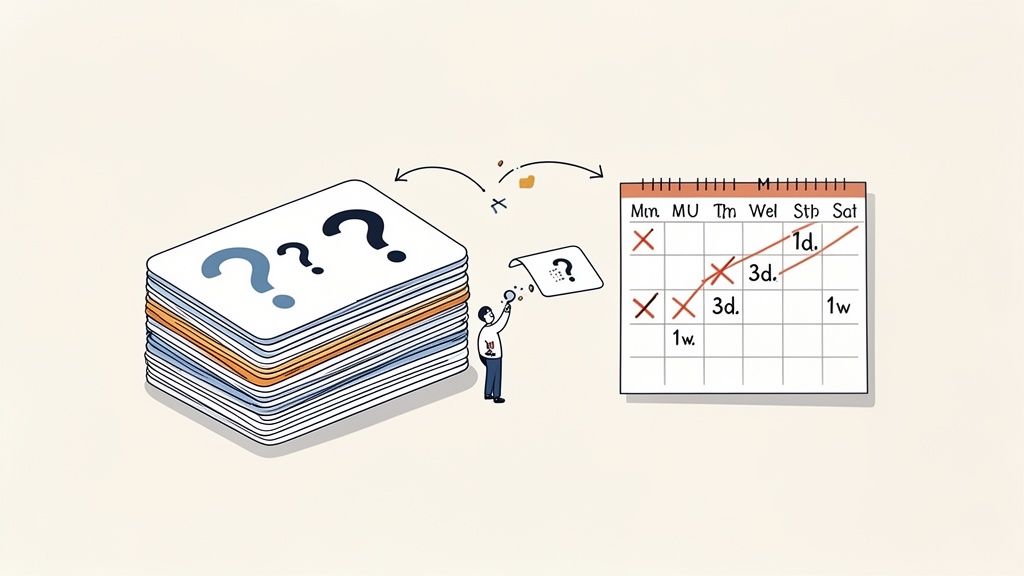
We all forget things. It’s a natural process. But you can fight back. Spaced repetition is the practice of reviewing information at strategically increasing intervals. Think of it as a targeted counter-attack against the Forgetting Curve, stepping in right when you’re about to forget something.
You don't need a complex system to get started. A basic review schedule for your video notes could look something like this:
First Review: Within 24 hours of watching.
Second Review:3-4 days later.
Third Review: About 1 week later.
Fourth Review:2-3 weeks after that.
Each session reinforces the memory, making it stronger and more resistant to decay. This is especially potent for the kind of focused content you get in educational videos. In fact, one study found that 67.6% of students reported better long-term retention from short videos—the perfect format for this kind of targeted, note-driven review. You can dig into the study's findings on video effectiveness if you want to see the data.
Trying to manually track all these review intervals can be a real drag, and it’s easy to let things slip. This is where having the right tools in your corner makes a massive difference. For serious learners, this entire process can be almost completely automated.
The real power of plain Markdown notes is that they aren't locked into one proprietary system. You can use other tools to act on them, turning your knowledge assets into a dynamic study system instead of a static archive.
Because HoverNotes saves everything as local .md files, your video notes are primed for integration into a broader knowledge system. If you're an Obsidian user, for example, plugins like Spaced Repetition can instantly turn your notes into digital flashcards. You can test yourself on key concepts, and if you need a quick refresher, just click the timestamped screenshot to jump right back to that exact moment in the video.
This creates a powerful feedback loop: you take great notes while you watch, and then your personal knowledge system helps you review them intelligently over time. For more on structuring this, check out our guide on how to make a study guide.
#Building a Personal Knowledge Base You Actually Own
All that effort you pour into learning from videos should build a permanent asset—something you own, not something you rent from a cloud service. It's a subtle distinction, but it matters. Most popular note-taking apps keep your data on their servers, which quietly introduces risks most of us never think about.
What happens if that company gets acquired, pivots, or just shuts down? Your knowledge could vanish overnight or get locked away in some weird, proprietary format. Even something as simple as a lapsed subscription could block you from your own hard-won insights. It’s a fragile foundation for something so valuable.
There’s a much more resilient way to think about this: a local-first philosophy. At its core, it means your notes are saved as plain files, like Markdown (.md), directly on your own computer.
This one simple shift changes everything.
You Own It. Forever. Your notes live on your hard drive, not a company server. They are yours, period.
Future-Proof Format. Markdown is just text. It’ll be readable in 50 years on any device you can imagine.
Completely Private and Secure. Your data never leaves your machine unless you explicitly decide to share or back it up.
Infinitely Searchable. You can use your computer's built-in search or other powerful tools to find anything, anytime.
This mindset is the bedrock of incredible knowledge management tools like Obsidian and Logseq, which are built for people who are serious about owning their learning for the long haul.
The scale of online learning is just staggering. MOOC enrollment ballooned from 300,000 in 2011 to a whopping 220 million by 2021. And with studies showing that online education can boost retention rates by up to 60% compared to traditional classrooms, managing that firehose of knowledge is absolutely critical. A local-first approach ensures you permanently own and control this flood of valuable information. You can find more stats about the growth of e-learning on magnetaba.com.
This is where your video learning workflow needs to connect with your knowledge management system. Instead of the clumsy process of copying and pasting notes from some web app, a tool that saves directly to your file system eliminates all that friction.
The goal is to build a personal library of insights that compounds over time. Your notes should be a permanent, searchable extension of your own memory, not a temporary collection held by a third party.
This is exactly how a tool like HoverNotes works. Notes save as .md files directly to your Obsidian vault, no proprietary format or sync service - your notes belong to you. This works anywhere there's a video—course platforms like Coursera and Udemy, YouTube, even internal training portals on university sites.
This workflow transforms every video you watch into a permanent, reusable piece of knowledge. It’s a core concept we explore in our guide on how to build a second brain. By doing this, you guarantee that the effort you put in today will still be paying dividends for years to come.
Forget those two-hour marathon study sessions. They just don't work. Research consistently shows that our attention for video content peaks in the first 3 to 6 minutes and then starts to drop off a cliff. The trick is to work with your brain, not against it.
The best way I've found to do this is with short, focused blocks. Think Pomodoro Technique. You dive in for a 25-30 minute sprint—watch a critical section of the video, actively work on your notes, and then—this is the important part—you step away for a five-minute break. This rhythm is a game-changer. It keeps you from burning out and gives your brain the breathing room it needs to start cementing the new information.
Look, there's a good argument that handwriting forces you to process information more deeply because it's slower. But let's be realistic—videos move fast. For learning from video, typing is the clear winner for pure efficiency.
The real enemy here isn’t the method itself, but the clunky workflow of constantly switching between your video player and a separate notes app. It completely breaks your focus. This is where tools that integrate a note-taking panel right beside the video are so valuable. They give you the speed of typing plus powerful features handwriting can never offer, like embedding timestamped screenshots directly into your notes.
Ultimately, the best method is the one you’ll actually stick with.
The goal is to make active learning as frictionless as possible. If the process of taking notes is clumsy and interrupts your focus, you’re less likely to do it. A smooth, integrated workflow is key to consistency.
#How Can I Review My Notes Without Just Rereading Them?
Passively rereading your notes is probably one of the worst ways to study. It feels productive, but it's a trap. To build real, durable knowledge, you have to practice active recall. This means forcing your brain to pull the information out from memory, not just passively recognize it on a page.
So, instead of just staring at your notes, try this:
Teach it. Seriously. Cover up your notes and try to explain the main concepts out loud, as if you were teaching a friend who knows nothing about the topic.
Question everything. Go through your notes and turn every heading and key point into a question. Then, put the notes away and try to answer them from memory.
Use visual lifelines. When you get stuck—and you will—use your notes as a targeted tool. This is where clickable, timestamped screenshots are incredible. One click takes you right back to the exact moment in the video, giving you just enough context to jog your memory and fill in the gap.
You have to make your brain work for it. That struggle is precisely what builds strong, lasting memories.
The timestamp screenshot feature alone saves hours of rewatching. You can try HoverNotes free—20 minutes of AI credits, no credit card required. Even without AI, the distraction-free mode and screenshots are worth it. Check it out at https://hovernotes.io.
Discover the cognitive science behind why you forget most video learning content and learn how active, strategic note-taking can transform your retention.
Discover the best Chrome extensions for students. Boost focus, take smarter notes from videos, and streamline research with our top picks for online learning.