MOOC note taking strategies for long courses | HoverNotes Blog | HoverNotes
General2026年1月26日
MOOC note taking strategies for long courses
Struggling with MOOC note taking on Coursera or edX? Learn a proven workflow to organize, retain, and apply knowledge from long courses without the burnout.
作者 HoverNotes Team•18 分钟阅读
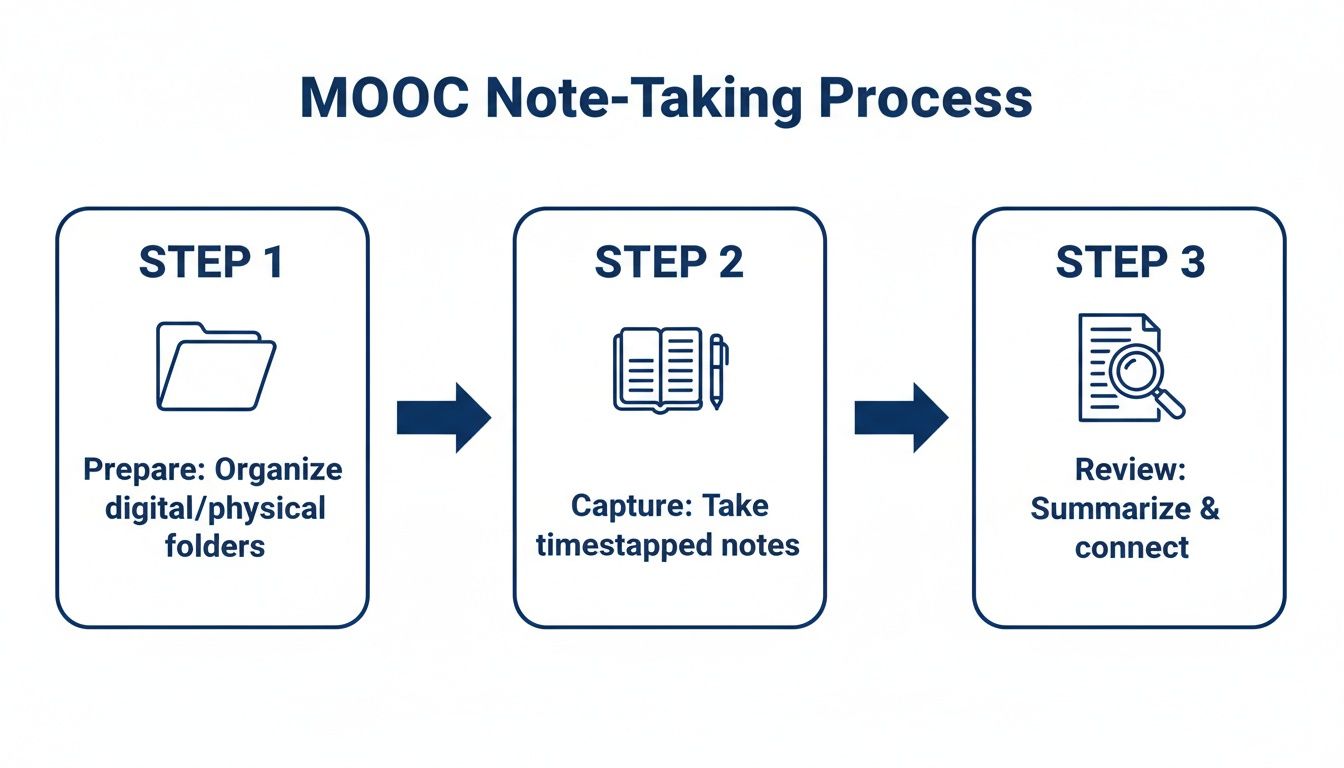
TL;DR: Taking notes for long MOOCs on platforms like Coursera and edX is about creating a usable knowledge base, not just transcribing lectures. To succeed, you need a system.
Prepare: Before starting, create a dedicated folder for the course with subfolders for each week/module. Use a consistent naming convention for your note files (e.g., W02-L1-Topic.md).
Capture: Ditch the constant pause-and-play. Use a tool to capture timestamped screenshots of diagrams and code. Let AI handle the basic summarization so you can focus on understanding and adding your own questions.
Review: Spend 5 minutes after each lecture summarizing it in your own words. Create separate "atomic notes" for core concepts and link them together. This turns your notes into long-term, searchable knowledge.
Trying to take effective notes from a MOOC shouldn't feel like you're just transcribing the lecture. Real learning comes from turning hours of video content into a personal, searchable knowledge base—one you can actually remember and use down the road.
We've all been there. You sign up for an exciting new course on Coursera or edX, only to find yourself drowning in video lectures. The default approach—passively watching—is a recipe for forgetting almost everything.
The secret is to get active. A good workflow isn't about capturing every single word. It's about preparing before you hit play, capturing the most important ideas during the lecture, and then consistently reviewing what you've learned.
This simple, three-step process is what separates notes that get forgotten from knowledge that sticks.
When you treat note-taking as an active learning cycle instead of a passive chore, you start building a much deeper understanding of the material. Each phase builds on the last, creating a resource that's genuinely valuable for the long term.
If you're looking for more strategies to improve this process, our full guide on taking effective video notes is a great place to start.
Ever finished a 40-hour Coursera specialization only to realize you can barely recall the key concepts from week two? You’re not alone. The way most of us take notes from MOOCs is fundamentally broken, especially for long-form video courses.
Passively watching lectures while scribbling a few bullet points is a recipe for forgetting. People watch but don't remember. Learning science is clear on this: active engagement is what makes memories stick, and just listening isn't nearly enough. You might feel productive in the moment, but that information rarely finds a permanent home in your brain. We cover the science behind this in our guide to active video learning.
The most common approach is a frustrating dance with the video player. You pause to jot down a thought, rewind to catch a specific detail, then hit play again. This constant context-switching completely shatters your focus and kills your learning flow.
Instead of actually absorbing what the instructor is explaining, your brain is busy managing the player controls. This drags a 20-minute lecture into a 45-minute ordeal, leaving you mentally drained with very little to show for it.
This cycle is a huge reason why MOOC note taking often feels more like a chore than a learning activity. You spend more energy trying to capture information than actually understanding it, which defeats the whole purpose.
Frantically trying to type out everything a professor says isn't just slow—it completely ignores the most important visual information on the screen. Transcripts miss diagrams, code on screen, and demonstrations. Complex courses rely heavily on visuals to get the point across, like:
Complex Diagrams: Explaining system architecture or biological processes.
Code Snippets: Demonstrating a specific function or algorithm.
Data Visualizations: Showing trends in charts and graphs.
On-Screen Demonstrations: Walking through software or a physical process.
A text-only summary misses all of that rich context. Your notes end up saying things like, "as you can see in the diagram," but you have no diagram to reference.
Screenshots are a step in the right direction, but they usually create a brand new problem. They end up in a messy, disorganized folder on your desktop, completely disconnected from the notes they’re supposed to illustrate. A few weeks later, you're left with a hundred PNG files named Screen Shot 2024-10-26 at 11.45.12 AM.png and no clue what they mean or why you saved them.
This is a massive issue, especially when you consider the sheer scale of online learning. From 2012 to 2022, MOOCs reached an estimated 220 million learners globally (excluding China), which highlights just how many people need better tools for learning from video. You can read the full research about these trends and see the data for yourself. These broken methods are exactly why a more integrated approach is essential for anyone serious about making their learning last.
Before you even press play on that first lecture, a little bit of prep work can make all the difference. Spending just 15 minutes setting up a solid structure for your notes is the single most important thing you can do to keep a long, complex course from turning into a chaotic mess.
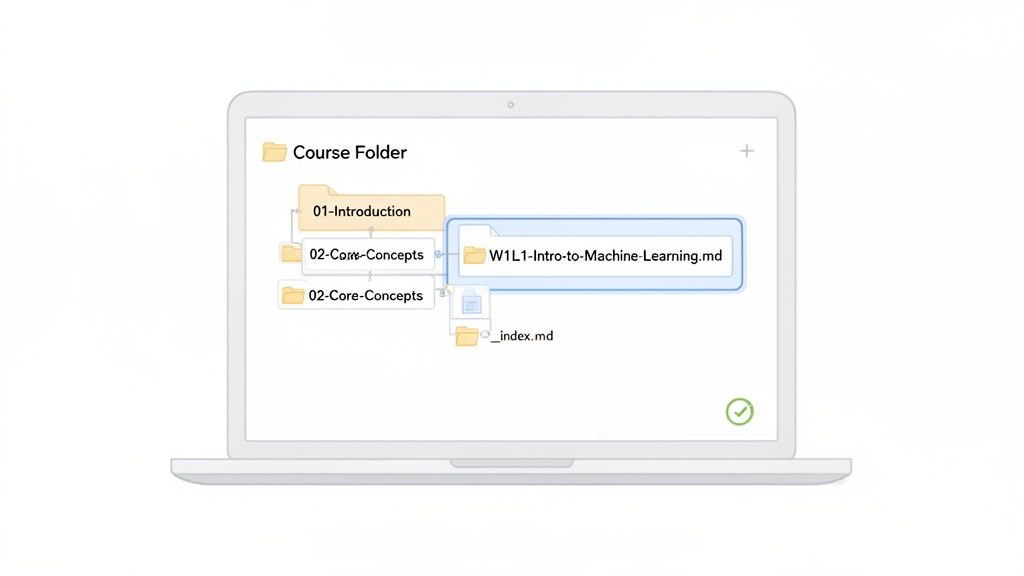
If you’re using a tool like Obsidian or Logseq, this starts with creating one main folder for the course. This folder will be the home for every single note, summary, and resource you collect. It sounds simple, but this step separates a useful knowledge base from a digital junk drawer.
Inside that main course folder, create subfolders for each week or module. It’s a simple habit that pays off as the weeks go on and your collection of notes starts to grow.
A predictable structure that’s easy to scan works best:
_Media (A dedicated spot for any screenshots, images, or PDFs)
01-Introduction-to-Data-Science
02-Statistical-Inference
03-Regression-Models
04-Practical-Machine-Learning
This way, when you’re hunting for your notes from week three, you know exactly where to look. No more frantic searching through a flat list of dozens of files.
For each individual lecture, create a new Markdown file. The key here is consistency. A good, clean format to follow is [Week]-[Lecture]-[Topic].
For example:
W02-L1-Distributions-and-Sampling.md
W02-L2-Confidence-Intervals.md
W02-L3-Hypothesis-Testing.md
This small bit of discipline does two things. First, it automatically sorts your notes chronologically. Second, it makes the entire course flow obvious just by scanning the file list—a huge help when you need to revisit a specific concept.
This organized approach to MOOC note taking is a core principle for building a reliable knowledge system. It’s how you turn temporary study aids into a permanent, well-structured library of everything you’ve learned.
Finally, create a central index file inside your main course folder. I usually name mine _index.md or 00-Course-Homepage.md. Think of this file as your dashboard for the entire course.
In this index file, you can do a few useful things:
Link to each lecture note: Build a master table of contents that links to every note file as you create it. This gives you a bird's-eye view and one-click access to any lesson.
Track your progress: Add checkboxes next to each lecture link to mark them off as you go.
Jot down high-level thoughts: Use this space for the course's main goals, key formulas, or overarching themes.
This kind of setup doesn't just keep you organized; it also forms the foundation of what many people call a "second brain." It's a system designed for long-term knowledge retention. If you're interested in that idea, you can learn more about how to build a second brain.
This is where the real learning kicks in. Your goal isn't to create a perfect transcript of the MOOC lecture. It's about capturing the key ideas, your own questions, and the crucial visual context that actually helps you understand the material.
The manual way of doing this—juggling a video player and a separate notes app—is a massive cognitive drain. The constant context-switching between watching, pausing, typing, and rewinding completely kills your focus and pulls you out of the learning flow. It's a frustrating, clunky process.
This is where a tool designed specifically for video learning makes a huge difference. For lectures that are heavy on spoken detail, learning how to effectively transcribe voice memos can also be a powerful way to capture detailed insights, creating a solid foundation for your notes.
Instead of trying to do everything yourself, a smarter approach is to let AI handle the heavy lifting so you can focus on understanding. A Chrome extension like HoverNotes can watch the video alongside you, generating a structured AI summary with key concepts while you concentrate on the material itself.
This frees you up to think critically about the content. As the AI generates the foundational notes, you can add your own annotations, questions, and connections right alongside them.
The real value isn't just in the AI-generated text. It's in the combination of automated capture and your personal thought process. This creates a rich document reflecting both the lecture and your unique understanding of it.
One of the biggest failures of manual MOOC note-taking is losing visual context. You might write "see diagram for details," but the diagram itself is trapped in the video, lost until you go hunting for it again.
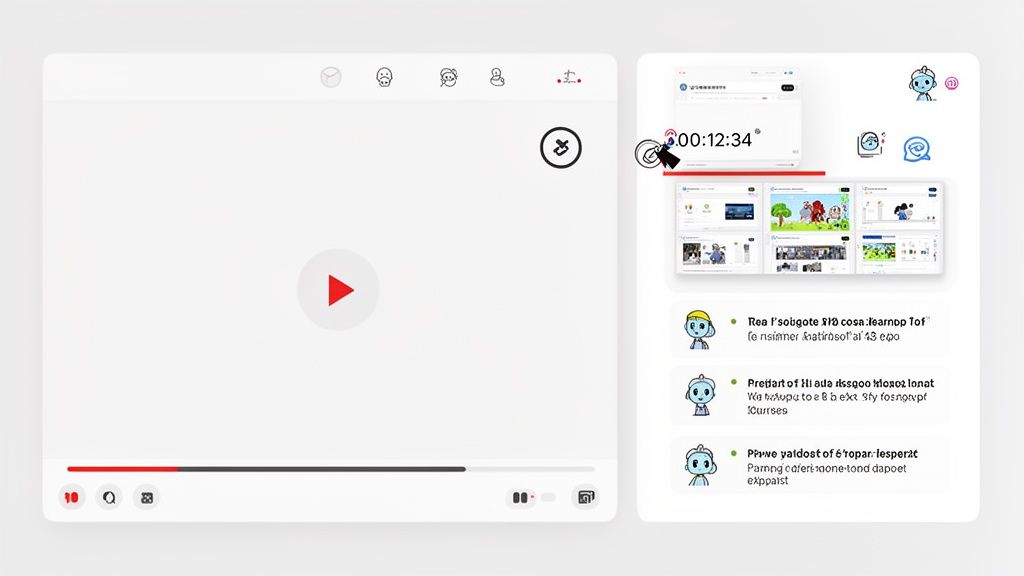
Tools built for video learning solve this problem directly. Unlike tools that only parse transcripts, HoverNotes watches the video frame-by-frame to capture what's actually on screen. This allows it to capture crucial visual information that holds the real meaning.
Timestamped Screenshots: See a complex diagram? Grab it with a click. Every screenshot includes a clickable timestamp—one click returns you to that exact moment in the video.
Snip Capture: Don't need the whole screen? Snip just the code block or the specific part of the slide you need, keeping your notes clean and focused.
Embedded Context: Screenshots are inserted directly into your notes, right where they belong, providing instant visual reference as you review.
This method completely solves the disconnected screenshot problem. If you're looking for a structured way to combine these elements with your own thoughts, our guide on the Cornell Method for video note taking can help you set up a powerful template.
The difference in focus and output between the old way and an AI-assisted approach is night and day. It's the difference between being a stenographer and being a student.
Here’s a quick breakdown of how the experience changes.
Structured summary, key concepts, and visual references
Review Efficiency
Low; hard to find context without rewatching
High; click screenshots to jump to video moments
A modern workflow lets you spend your limited mental energy on what actually matters: engaging with the material, asking questions, and forming connections. You get higher-quality notes with a fraction of the effort, which makes the entire learning process more effective and a lot less frustrating.
#Step 3: Turning Your Notes into Long-Term Knowledge
Alright, you’ve finished the lecture and captured a ton of notes. Great start, but the real work—the part that actually makes the knowledge stick—is just beginning. Think of the notes you’ve gathered as raw material. To truly internalize what you're learning from a long Coursera or edX course, you need a solid review and synthesis process.
This doesn't have to be a monumental task. One of the most powerful habits you can build is spending just five minutes after each lecture to write a quick summary at the bottom of that day's note file.
That simple act forces your brain to switch from passively collecting information to actively processing it. It's the bridge between remembering something for an hour and actually understanding it for the long haul.
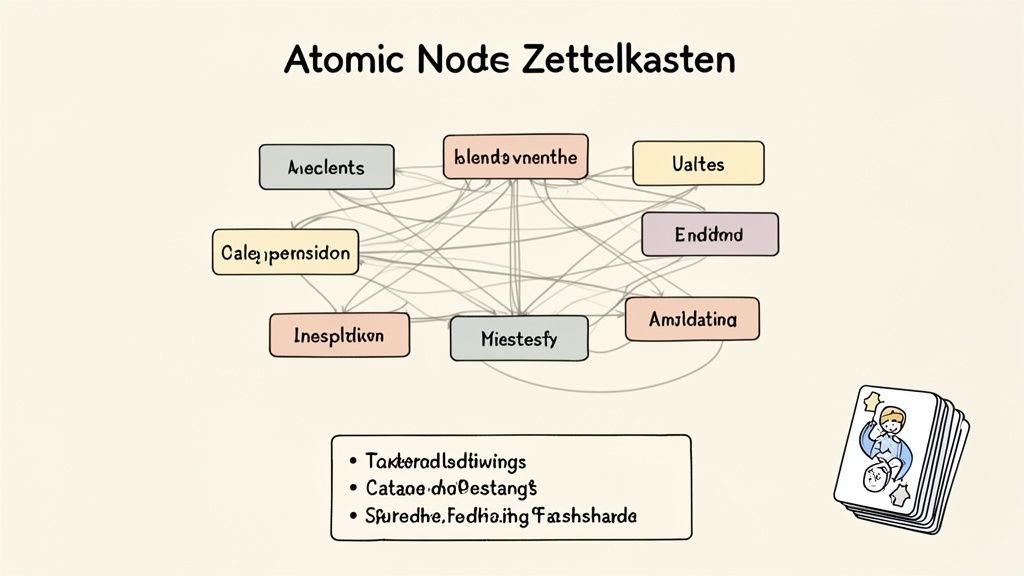
For the really big ideas in a lecture—those foundational concepts you know will show up again—it's time to get a bit more granular by creating atomic notes. This is a core idea from knowledge management systems like Zettelkasten, and it’s a game-changer. An "atomic note" is just a single, dedicated file for one specific idea.
So, after a statistics lecture on regression models, you might spin off a few separate notes like this:
Linear Regression.md
R-squared Value.md
Ordinary Least Squares (OLS).md
Inside each of these tiny files, you'd define the concept in your own words. Then, you link it back to the main lecture note. This practice starts to build a personal web of interconnected knowledge, making it easy to see how different ideas relate to each other across the entire course.
Here's where the magic really happens. Because your notes are saved as local Markdown files, you have complete and total control over them. For any serious learner, this is a massive advantage. You're not trapped in some proprietary cloud service that could disappear tomorrow.
Your notes belong to you. Move them, back them up, grep them—they're just Markdown.
This local-first architecture opens the door to proven memory techniques like spaced repetition. You can use community plugins right inside Obsidian (like Spaced Repetition or AnkiBridge) or export your key concepts to dedicated tools like Anki. By reviewing these core ideas at increasing intervals, you systematically push information from your short-term memory into your long-term memory. You can find out more about these powerful methods in our guide on how to study effectively for exams.
And when you're dealing with dense course readings, tools that help you efficiently summarize PDF documents can be a huge help in your workflow. This entire review process transforms your notes from a static record into an active learning engine, guaranteeing the time you invest in MOOCs pays off with knowledge that actually lasts.
Today’s learning environment is borderless. One day you’re taking a data science course from a US university, the next you’re studying history with a professor in the UK, or even trying to follow a technical tutorial in a language you don't fully speak. Your MOOC note taking system needs to be just as worldly.
You need a workflow that feels consistent, whether you're on Coursera, edX, YouTube, or your own university's internal training portal.
This isn’t just a minor detail. The big MOOC platforms see massive learner populations from markets like the USA, UK, India, and Brazil. In fact, research shows that emerging economies in Asia—especially China (16.67%) and India (11.76%)—are huge centers for MOOC research, reflecting the sheer scale of learners there. If you want to go deeper, you can learn more about these MOOC adoption themes in the full analysis. Understanding this global spread is key to knowing what learners really need from their tools.
For international learners, the language barrier is often the biggest hurdle. This is where modern AI tools are a massive help, cracking open educational content that might have been inaccessible just a few years ago.
Picture this: you find the perfect coding tutorial on Bilibili, but it’s entirely in Mandarin. Or maybe it's a finance lecture from a German university that’s exactly what you need. Manually translating is a non-starter, and the auto-generated captions are often a mess, especially for technical topics.
A better workflow involves using a tool that can process video in its original language and generate notes for you in your preferred language. This capability fundamentally changes the game for global learners.
A tool like HoverNotes, a Chrome extension that watches videos with you, can handle this automatically. You can watch a Japanese tutorial on a complex topic and get structured, accurate notes in English. The AI does the heavy lifting with translation, letting you focus completely on the content without language getting in the way.
Your note-taking method has to be platform-agnostic. If you’re stuck with a tool that only works on YouTube, you’re constantly creating friction and having to switch up your workflow. It’s a huge pain.
Instead, look for a solution that offers broad, reliable compatibility:
Major MOOC platforms: Coursera, edX, Udemy, LinkedIn Learning.
Video sharing sites: YouTube, Vimeo, Bilibili.
Private portals: University lecture sites, internal company training videos.
Local files: Even video courses you've downloaded to your computer.
This kind of flexibility is what makes a system dependable. If you're building your knowledge base in Obsidian, for example, HoverNotes saves notes directly to your vault as plain Markdown files, no matter where the video came from. You own the files. Your knowledge base stays consistent and powerful.
Over the years, I've seen a lot of people wrestle with the same challenges when trying to build a solid note-taking habit for online courses. Let's tackle some of the most common questions head-on with practical advice.
Almost certainly less than you think. The goal isn't to create a perfect, word-for-word transcript. That's just stenography, not learning. Your real aim should be to capture the big ideas, your own questions as they pop into your head, and any crucial visuals.
Focus on the "why," not just the "what." If an instructor explains a formula, don't just copy the formula—jot down why it works and a simple example of how it's used. This is where real understanding happens.
This simple shift turns your notes from a passive record into an active thinking tool. You're not just documenting; you're processing.
I love the feel of pen on paper, but for MOOCs, a digital workflow is almost always the smarter choice. Juggling a physical notebook while trying to manage a video player is clumsy and breaks your focus.
More importantly, digital notes give you serious advantages that handwriting can't match:
Searchability: Good luck finding that one specific concept from week two of a 40-hour course in a physical notebook. A quick Ctrl+F in your digital notes finds it in seconds.
Integration: You can effortlessly drop in screenshots, links to resources, and other media right alongside your typed thoughts. It creates a much richer learning document.
Backups: Your digital notes can be easily backed up and synced across all your devices, which means your hard work is never at risk of being lost.
While the tactile benefit of handwriting is real, the practical power of a typed, searchable, and multimedia-rich system is undeniable for long-form video courses.
#What’s the Best Way to Handle Diagrams and Code Snippets?
This is the exact spot where a manual, text-only approach completely breaks down. Trying to redraw a complex architectural diagram or retype a dozen lines of code is painfully slow and a recipe for errors.
The most effective method is to capture them directly.
Use a tool that lets you take a timestamped screenshot or "snip" a specific part of the video. When that screenshot has a clickable timestamp, you can instantly jump right back to that exact moment in the lecture for a quick refresher. This gives you perfect visual context without derailing your learning flow.
If you're looking for a tool that automates this entire process, HoverNotes is a Chrome extension designed for this exact challenge. It watches videos with you, generates AI-powered notes, and saves everything as clean Markdown files directly to your computer. It works anywhere there's a video—Coursera, YouTube, or even your university's internal portal. You can try HoverNotes for free with 20 minutes of AI credits, no credit card required.
Stop forgetting what you learn on Coursera. Discover a practical workflow for creating useful, searchable Coursera notes that boost long-term retention.