Видеозаметки для онлайн-курсов: практическое руководство
Перестаньте забывать то, что смотрите в онлайн-курсах. Освойте практичный метод ведения видеозаметок, который улучшает запоминание и органично вписывается в вашу базу знаний.
Автор HoverNotes Team•12 мин чтения
Вы были в такой ситуации. Вы часами смотрите курс Udemy или Coursera, впитывая каждую деталь, но через неделю понимаете, что забыли почти всё. И дело не только в вас — это распространённая проблема видеообучения. Решение — перейти от пассивного просмотра к активному вовлечению, а это начинается с эффективного ведения видео заметок.
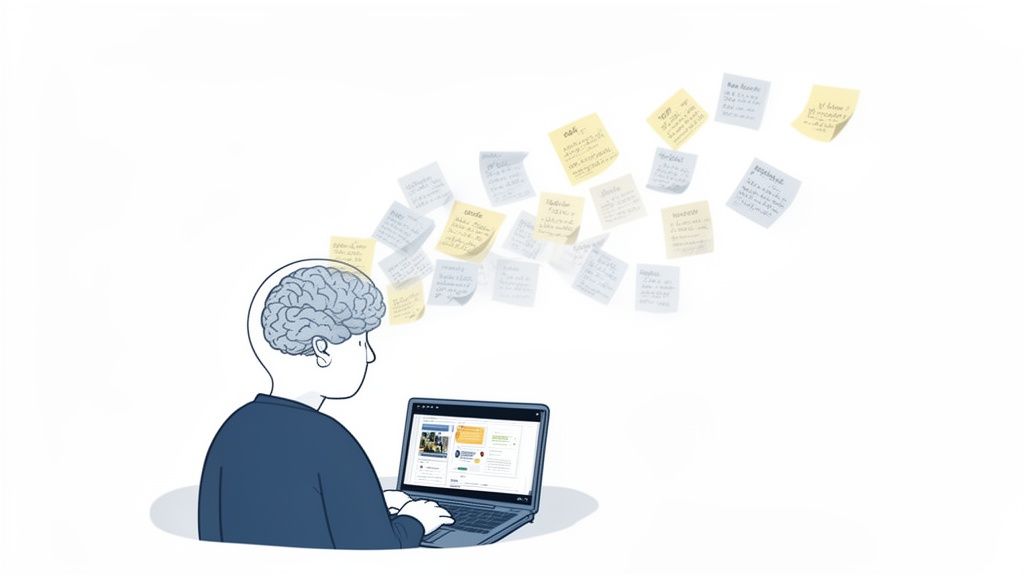
Это расстраивающий круговорот. Вы записываетесь на курс, смотрите лекции и чувствуете себя продуктивным. Но когда пытаетесь применить знания, детали кажутся расплывчатыми. Это «иллюзия понимания» — пассивный просмотр заставляет вас , что вы учитесь, но не формирует прочные нейронные связи, необходимые для долгосрочного запоминания.
думать
Ваш мозг — не губка, а мышца. Просто смотреть видео не заставляет мозг работать над обработкой, организацией и связыванием информации. Проблема в том, что видеообучение слишком лёгкое. Непрерывный поток информации не создаёт необходимого когнитивного сопротивления, которое заставляет мозг активно включаться и запоминать.
Вот почему как вы делаете видео заметки важнее, чем само содержание курса.
Если не участвовать активно — пересказывать концепцию своими словами, задавать вопросы преподавателю, связывать новые идеи с уже известным — информация редко переходит из кратковременной памяти в долговременную. Это как послушать песню и научиться её играть. Одно — пассивно и временно; другое — формирует навык, который остаётся.
Ручной процесс создания заметок при просмотре видео утомителен. Постоянная пауза и воспроизведение ломают концентрацию. Скриншоты превращают папку в хаос из файлов без смысла. Писать в тетради, глядя в экран, неудобно. Это сопротивление часто заставляет людей отказаться и вернуться к пассивному просмотру.
Данные показывают явную разницу в результатах:
Деятельность
Первичное понимание
Долгосрочное удержание
Способность применять знания
Пассивный просмотр
Кажется высоким, но поверхностным.
Очень низкое. Кривая забывания начинается уже через 48 часов.
Минимальное. Нельзя вспомнить детали при необходимости.
Активное ведение заметок
Медленнее и осознаннее, но ведёт к глубокому пониманию.
Значительно выше. Создаёт прочные следы памяти.
Высокое. Можно вспомнить и применить концепции в новых ситуациях.
Кратковременное ощущение «понял» от пассивного просмотра — плохая замена настоящим знаниям, которые можно вызвать.
Переход от пассивного к активному обучению — это не про больше времени за учёбой, а про изменение способа учёбы. Задача — сознательно прерывать поток информации, заставляя мозг работать с материалом.
Одно лишь изменение — от простого просмотра к активному ведению заметок — это самый эффективный способ гарантировать, что время, вложенное в онлайн-курсы, окупится. Подробнее смотрите в нашем руководстве по видеообучению и удержанию.
Приобретённые знания становятся постоянной частью вашего арсенала, а не мимолётным опытом.
Большинство "видео заметок" — это просто расшифровки. Стена текста не передаёт визуальную сторону истории — диаграммы слайда, код на экране или демонстрацию преподавателя. Расшифровки лишены контекста.
Эффективные заметки фиксируют и что было сказано, и что было показано. Это критично для технических предметов — один скриншот формулы или кода стоит целых абзацев текста.
#За пределами расшифровки: почему визуальный контекст важен
Представьте, что вы учите математику, не видя уравнений на доске, или изучаете программный фреймворк, не видя код. Вы теряете важнейший контекст. Это базовый минус инструментов, работающих только с расшифровкой.
Полезные видео заметки должны включать:
Ключевые визуалы: Скриншоты важных слайдов, графиков или диаграмм.
Конкретные примеры: Захваты фрагментов кода, формул или пошаговых процессов.
Ваши собственные мысли: Вопросы, связи и сводки, которые превращают информацию в знания.
Мы все пробовали ручной метод: поставить паузу, сделать скриншот, сохранить в случайную папку, потом пытаться ссылаться на него в отдельном текстовом файле. Это неудобно, а скриншоты оказываются разбросаны и не связаны с заметками, которым они должны помогать. Если вы ограничены только текстом, можно узнать, как расшифровать видео с YouTube, но современный рабочий процесс должен органично интегрировать визуалы.
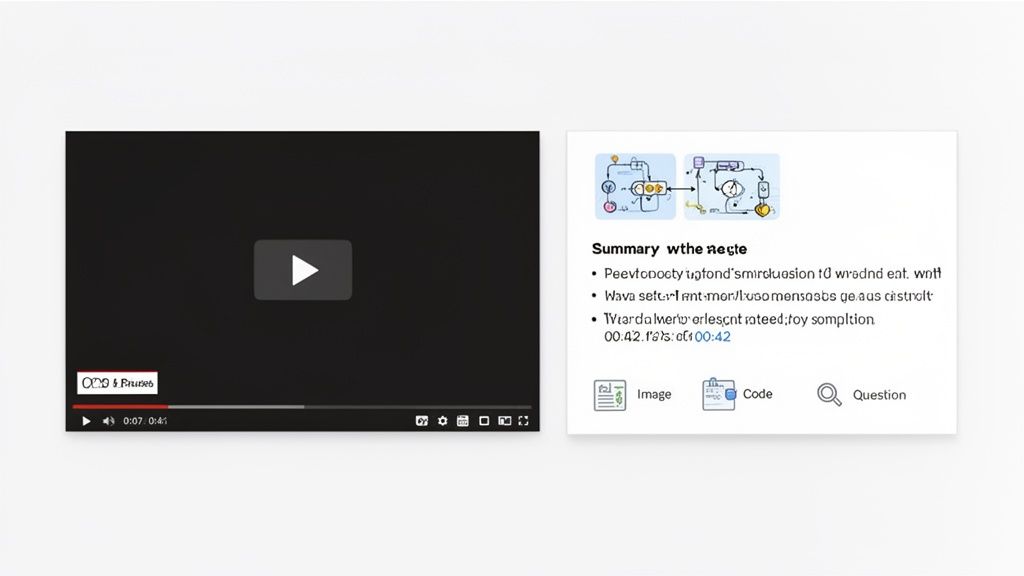
Одна из самых практичных функций для видео заметок — кликабельная отметка времени. Она решает огромную проблему: быстро найти тот самый момент в 90-минутной лекции, где преподаватель объяснял ключевое понятие. Вместо нудного перематывания, запись с таймстампом позволяет одним кликом перейти прямо к нужному месту.
Это превращает ваши заметки из статичного документа в интерактивное учебное руководство, экономя часы на повторном просмотре уже понятного материала.
Такую функцию автоматизирует инструмент HoverNotes — расширение Chrome для учебы. В отличие от программ, анализирующих лишь расшифровки, HoverNotes «смотрит» на видео, захватывая то, что реально отображается на экране. Каждый сделанный скриншот содержит кликабельный таймстамп, связывающий визуал с исходным моментом видео, давая мгновенный контекст.
Последний элемент — структура. Хорошие видео заметки — это упорядоченный актив. Добавляя собственные заголовки, сводки и вопросы, вы строите ментальную схему темы.
Это отличает пассивный конспект от динамичного учебного инструмента. Для пользователей Obsidian сохранение заметок в формате Markdown означает, что они сразу становятся частью вашего «второго мозга». Вы можете создавать ссылки, теги и искать их вечно. Для тех, кто пользуется Notion, важно, чтобы заметки можно было аккуратно перенести с сохранением форматирования и изображений.
Такой интегрированный подход делает ваши видео заметки ценными не только для экзамена, но и для создания надёжной базы знаний, которой вы владеете.
Построить систему для видео заметок — значит создать повторяемый процесс, который соответствует вашему стилю обучения. Отличный рабочий процесс почти незаметен, помогает перейти от просмотра лекции к организованным, удобным для поиска заметкам без потери концентрации.
Большинство путаются именно на ручном методе. Постоянные паузы для набора текста нарушают поток. Снимки экрана заполняют рабочий стол файлами, похожими на Screen Shot 2024-10-26 at 11.45.12 AM.png. Это сопротивление превращает учёбу в рутину.
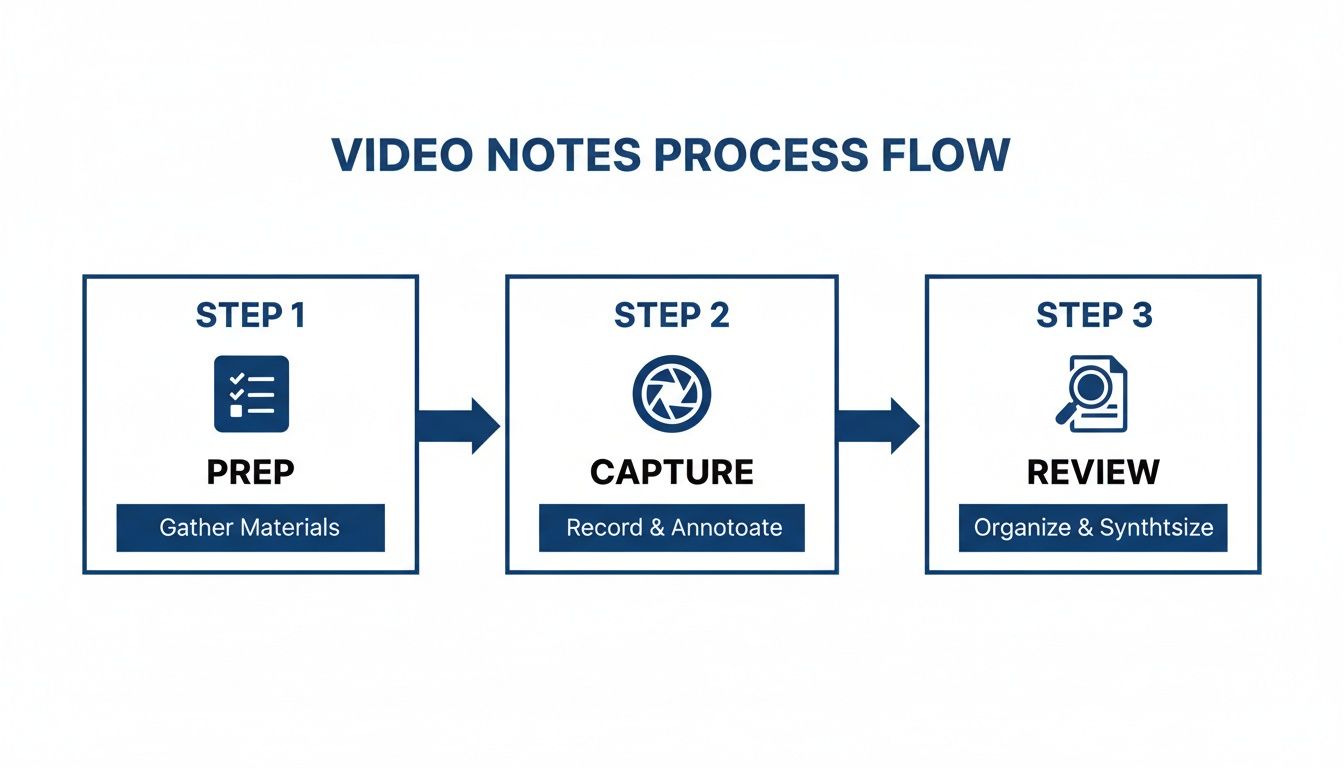
Эффективный процесс состоит из трёх этапов: подготовка, захват и обзор. Задача — сделать этап захвата максимально лёгким, чтобы вы могли сосредоточиться на понимании, а не на борьбе с инструментами.
Перед тем как нажать "плей", уделите минуту организации.
Создайте отдельную папку: Для курса Udemy или Coursera заведите для него главную папку. Если вы пользователь Obsidian, эта папка может находиться прямо в вашем хранилище.
Выберите схему именования: Решите простой способ наименования файлов, например [Lecture Number] - [Lecture Title].md (например, 01 - Introduction to Python.md). Это автоматически подержит порядок.
Эта подготовка гарантирует структурированность заметок с самого начала, спасая вас от цифрового хаоса, к которому вы никогда не захотите возвращаться.
Здесь современные инструменты меняют правила игры. Вместо мучительной ручной паузы и скриншотов нужна система, которая работает вместе с вами. AI-помощник возьмёт на себя основную работу, а вы сосредоточитесь на понимании.
Инструмент вроде HoverNotes — расширение Chrome, разработанное для этого. Он ставит видео и заметки бок о бок в режиме без отвлекающих факторов, блокируя рекламу сайта. Работает на любых сайтах с видео — платформах курса Coursera и Udemy, YouTube, даже внутренних учебных порталах. Два способа захвата:
Заметки, сгенерированные AI: Позвольте AI создать первоначальные заметки. Он сделает расшифровку и сводку, освобождая ваш мозг для концепций. Затем добавьте свои мысли, вопросы, связи.
Ручные заметки с умными инструментами: Если предпочитаете писать сами, используйте редактор. Вам всё равно доступны бесплатные, отмеченные временем скриншоты. Одним кликом или через сочетание клавиш можно захватить диаграмму или код и вставить в заметки. Есть даже инструмент "вырезка" для захвата выбранной области кадра видео.
Такой интегрированный подход решает основное препятствие ручного ведения заметок с видео. Если хотите изучить другие возможности, наше руководство по лучшим приложениям для заметок студентов даст более широкий обзор.
Ваши заметки ценны только если вы их используете. После видео найдите 5-10 минут на просмотр того, что записали.
Это возможность превратить сырые заметки в реальные знания. Добавьте в начало собственное краткое изложение. Выделите жирным ключевые термины. Выпишите вопросы и запланируйте их проработать.
Создавая простой рабочий процесс, вы не просто делаете заметки — вы строите мощную систему обучения, которая масштабируется от одного туториала до полного сертификационного курса.
Отличные видео заметки — лишь половина дела. Если они лежат в случайной папке, вы теряете большую часть их ценности. Настоящее преимущество — когда заметки связаны с вашей личной системой знаний — вашим "вторым мозгом".
Для серьёзных учеников, особенно тех, кто пользуется инструментами вроде Obsidian или Notion, такая интеграция обязательна. Это разница между разовым обучением и созданием постоянной, удобной для поиска базы, которая растёт с каждым курсом.
Основой долговечной системы знаний является открытый формат. Здесь идеально подходят обычные Markdown (.md) файлы. В отличие от проприетарных форматов, которые блокируют знания внутри одного приложения, Markdown — универсальный простой текст. Его можно открыть на любом устройстве, в любом приложении, навсегда. Ваши заметки слишком ценны, чтобы быть заложниками системы, которой вы можете не пользоваться через пять лет.
Ваши знания принадлежат вам. Использование открытого формата как Markdown гарантирует полный контроль. Вы владеете файлами. Перемещайте, резервируйте, ищите по ним — это просто Markdown.
Это идеально для пользователей Obsidian. Инструмент с локальным хранением вроде HoverNotes сохраняет видео заметки как нативные .md файлы прямо на вашем компьютере. Вы можете указать папку хранилища Obsidian, и каждая заметка с видео мгновенно становится новой, связанной страницей в вашем втором мозге. Заметки остаются на вашем устройстве; синхронизация с облаком не требуется.
Как только видео заметки попадают в вашу базу знаний, можно начинать создавать связи. Здесь вы переходите от накопления информации к её синтезированию.
Связывайте концепции: Если лекция по функциям Python напомнила вам нечто из курса по структурам данных, создайте прямую ссылку между этими заметками.
Используйте теги для поиска: Тегируйте заметки, связанные с конкретными проектами (#project-ai-app) или более общие темы (#machine-learning). Так вы сможете быстро найти все нужные материалы.
Встраивайте визуалы: Скриншот диаграммы или блока кода моментально прояснит контекст, когда вы вернётесь к заметкам спустя месяцы.
Этот процесс превращает отдельные заметки в взаимосвязанную сеть знаний. Подробнее об этом подходе — в нашем руководстве по построению второго мозга.
Если Notion для вас — центр контроля, принципы те же. Нужен чистый рабочий процесс копирования и вставки, сохраняющий структуру и полноту заметок.
Когда заметки создаются с форматированием и встроенными изображениями, их можно вставлять напрямую в базу Notion. Это превращает каждую видеолекцию в структурированную запись в вашем трекере курсов, с сводками, ключевыми идеями и визуальными подсказками. Для этого нужен инструмент, который создаёт заметки, легко копируемые в Notion вместе с изображениями.
В итоге ваши видео заметки должны стать постоянными активами, создающими накопительную библиотеку персональных знаний.
Даже с хорошим процессом практические сложности могут свести к нулю вашу концентрацию. Как управлять заметками для курса из 50 лекций? Как быть с уроком на непонятном языке? И не слишком ли медленно всё от руки печатать? Давайте разберём эти трудности.
Первое испытание — организация. Для больших курсов нужна чёткая структура файлов. Сделайте одну папку на курс, и отдельно файл заметок для каждой лекции. Простой конвенцией именования вроде 03 - Advanced Python Concepts.md сделать поиск лёгким.
Еще одна распространённая проблема — найти идеальное руководство на незнакомом языке. Вы видите, что происходит, но аудио бесполезно. Современный ИИ может помочь.
Некоторые инструменты обрабатывают видео и создают заметки на другом языке. Представьте, что смотрите лекцию на японском, а получаете структурированные заметки на английском. Открывается новый мир обучающих материалов. Это не просто перевод; это делегирование утомительной работы по расшифровке и переводу, чтобы вы могли сосредоточиться на понимании.
Если вам нужна только расшифровка, в нашем руководстве есть практические советы, как расшифровать видео YouTube.
#Управление долгими курсами и ограничением времени
Для длинных курсов на платформах вроде Udemy или Coursera невозможно делать заметки часами подряд. Функция «загрузить и продолжить» критична. Она позволяет закрыть браузер, вернуться позже и продолжить с того места, где остановились, с заметками, уже загруженными.
Это обеспечивает организацию в длительном курсе, превращая многчасовой марафон обучения в удобные для восприятия этапы.
Если хотите увидеть эти решения в действии, инструмент вроде HoverNotes создан именно для этого. Попробуйте бесплатно — режим без отвлечений и скриншоты с таймстампами стоят того, даже если не пользоваться AI. Не хотите AI? Просто используйте редактор, скриншоты и управление видео — всё бесплатно.
Ответы на несколько популярных вопросов о построении системы видео заметок.
#Действительно ли цифровые заметки лучше рукописных для видео?
Рукописные записи помогают закрепить идеи, но для видеообучения цифровые заметки имеют огромное преимущество. Можно встроить скриншоты с отметками времени — диаграммы, код. Можно ссылаться на точный момент лекции. Это превращает библиотеку курсов в визуально богатую базу данных с поиском, недостижимую вручную. Из-за объёма и визуального характера видео цифровой процесс жизненно необходим.
#Как сделать, чтобы заметки не были просто расшифровкой?
Расшифровка говорит, что было сказано; ваши заметки должны фиксировать, что это значит для вас. Сосредоточьтесь на трёх вещах: ваших мыслях, визуальном контексте и структуре.
И самое главное — добавляйте собственные комментарии. Задавайте вопросы. Связывайте идею с уже известным.
ИИ может создать сводку, но ваши личные заметки — «ага!» моменты и вопросы — превращают сырые записи в настоящий учебный ресурс. Цель — база знаний, а не просто запись.
#Можно ли использовать один инструмент для заметок на всё?
Да, но выбирайте внимательно. Многие работают только на определённых платформах, например YouTube. Это серьёзное ограничение. Лучше расширение для браузера, работающее с любым сайтом с видео. Так вы получите единый, универсальный рабочий процесс вне зависимости от платформы — Udemy, Coursera, университетский портал или внутренний тренинг. Ваша система заметок становится универсальной.
Если вы пользователь Obsidian, который строит постоянную, удобную в поиске библиотеку из онлайн-курсов, HoverNotes создан именно для этого. Он сохраняет видео заметки как чистые Markdown-файлы прямо в ваше хранилище.
Трудности с записью лекций? Найдите лучший инструмент для заметок по видео, сравните цифровые и рукописные методы и научитесь эффективно владеть своими учебными записями.
Испытываете трудности с ведением заметок в MOOC на Coursera или edX? Узнайте проверенный способ организации, запоминания и применения знаний из длительных курсов без выгорания.
Перестаньте забывать то, что изучаете на Coursera. Узнайте практический метод работы с заметками Coursera, который помогает создавать полезные и легко поддающиеся поиску записи для улучшения долговременного запоминания.