Snipo alternative for Obsidian users | HoverNotes Blog | HoverNotes
General2026年1月15日
Snipo alternative for Obsidian users
Searching for a Snipo alternative? Explore the best tools for video notes on any platform, with a focus on local-first storage for Obsidian users.
作者 HoverNotes Team•13 分钟阅读
Snipo is a solid tool if you take notes from YouTube and live inside of Notion. It gets the job done. But if you’re an Obsidian user, or your learning extends beyond YouTube, you’ve probably hit its limits.
You’re not just looking for a Snipo alternative—you’re looking for broader platform support and, most importantly, local-first data ownership. This isn't about swapping tools; it's about building a better, more resilient learning system you actually control.
For many, Snipo’s workflow is enough. It captures timestamped notes from YouTube and sends them to Notion. But what happens when your next course is on Udemy or Coursera? What about a recorded university lecture you need to review? Suddenly, a tool that only works with one platform becomes a bottleneck.
Serious learners pull knowledge from everywhere. Tying your note-taking process to a single platform forces you into a fragmented system. You end up with notes scattered across different apps, defeating the purpose of a central knowledge hub.
A true Snipo alternative needs to work wherever you learn. It has to bring consistency to your workflow, no matter the source. Manually taking notes while watching video is tedious—constantly pausing, rewinding, and trying to capture screenshots that end up scattered on your desktop.
The real problem with video learning is retention—we watch, but we don't remember. Effective note-taking is the bridge between passively watching and actively learning. You can learn more in our guide on improving video learning retention.
For Obsidian users and anyone serious about personal knowledge management software, data ownership isn't a feature—it's a core principle. The thought of your personal knowledge locked on someone else's server is a deal-breaker. You need your insights stored in a universal, future-proof format, on your own machine.
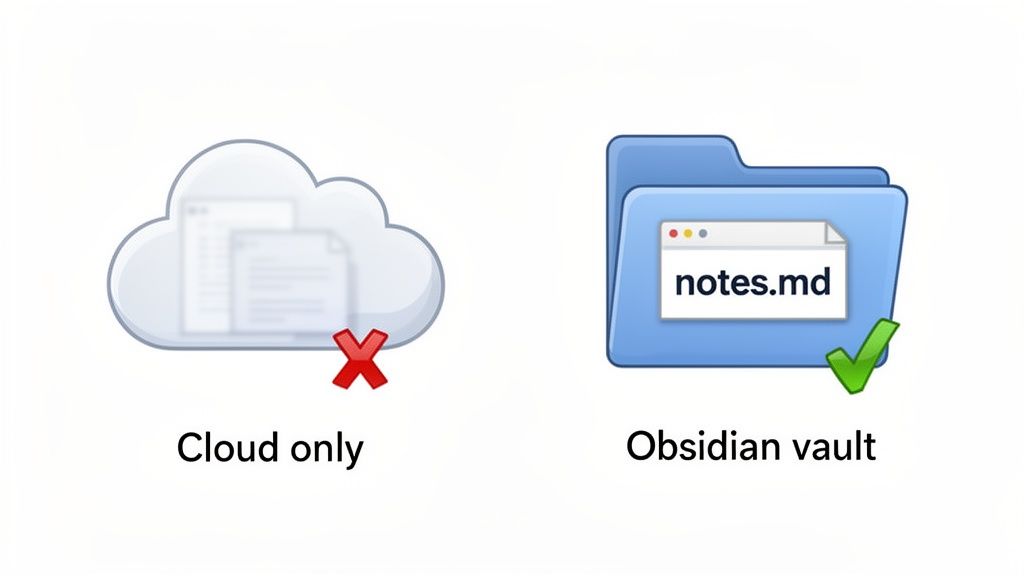
This is where a local-first Snipo alternative becomes essential. Your notes shouldn’t sync to a proprietary cloud. They should save directly as plain Markdown (.md) files into your Obsidian vault.
This approach gives you:
Complete ownership: Your notes are yours. Forever.
Privacy: No third-party service is scanning your knowledge.
Portability: They're simple text files. You can move, back up, and open them with any text editor, now and in the future.
Ultimately, the search for an alternative is a strategic move toward building a learning system that adapts to you—not the other way around.
Picking the right video note taking app isn't about the longest feature list. It’s about finding something that fits your learning style and existing workflow. Judge tools on these four practical criteria.
First: does it work where you actually learn? If your world is 100% YouTube, a specialized tool might be fine. But most of us pull knowledge from Udemy, Coursera, LinkedIn Learning, or even a professor's self-hosted lecture portal.
A tool that’s picky about platforms adds friction. It shatters your focus and scatters your knowledge. The goal is a single process that works on any website with a video player.
Where do your notes live? Many cloud-based tools stash your notes on their servers, locking them into a proprietary format. If that company goes under or you cancel your subscription, your insights could vanish.
For anyone using Obsidian, local-first storage isn't a preference—it's a requirement. You need a Snipo alternative that saves your notes directly to your computer as plain Markdown (.md) files. This is the only way to ensure you own your data forever.
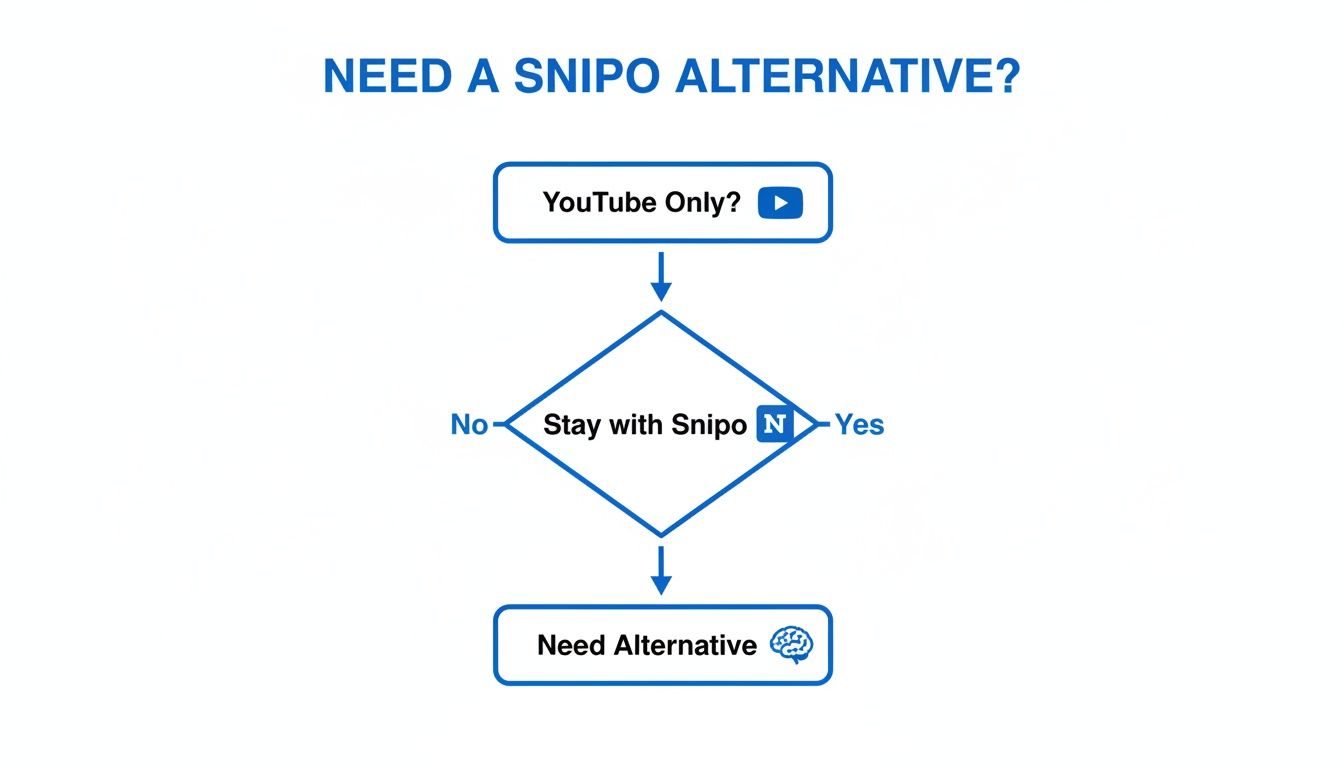
This flowchart breaks down that first critical decision.
As you can see, the moment your learning expands beyond YouTube, you need something more flexible.
How are the notes created? Many tools just parse a video's transcript. That misses anything that isn't spoken. This is a massive blind spot for visual topics like coding, design, or math, where the most important information is in diagrams, code snippets, or formulas. Transcripts miss diagrams, code on screen, and demonstrations.
A better approach is a tool that sees the video frames, just like you do. This allows it to capture crucial visual context—that line of code or that complex equation—and embed it right into your notes with a clickable timestamp.
Finally, how does the tool fit into your system? The best tools feel like a natural part of your process. For Notion and Obsidian users, this means seamless integration.
The AI note-taking market is projected to hit $2,545.1 million by 2033 because people want tools that integrate smoothly. Your notes should be effortless to create and save directly where they belong, cleanly formatted.
The right choice comes down to your learning style and workflow. Snipo does one thing well: it sends notes from YouTube straight into Notion. If that's your entire process, it’s a great tool.
But the moment your learning world expands, you'll feel its limits. This is where a more flexible tool like HoverNotes steps in. HoverNotes is a Chrome extension that watches videos with you, generates AI notes, and saves them as Markdown directly to your file system. It’s built for people whose learning sources are diverse and who want to own their knowledge.
Let's break down the core differences. This table focuses on the philosophical differences that matter most to serious learners, especially those invested in systems like Obsidian.
Feature
Snipo
HoverNotes (The Alternative)
Platform Support
YouTube-centric
Works everywhere: YouTube, Udemy, Coursera, local files
Primary Integration
Notion database
Local-first (Obsidian, Logseq, any Markdown editor)
This isn't just a feature-for-feature comparison; it highlights a fundamental difference in approach. Snipo is a bridge to Notion. HoverNotes is a universal tool for building a personal, locally-owned knowledge base.
The biggest practical difference is platform compatibility. Snipo is almost exclusively a YouTube tool. That's a huge bottleneck for serious learners. What about courses on Udemy, lectures on Coursera, or internal training videos? They're left out.
HoverNotes is platform-agnostic. It works anywhere there's a video.
YouTube and Bilibili: Works flawlessly.
Major Course Platforms: Full support for Udemy, Coursera, LinkedIn Learning, and others.
University Portals and Private Sites: Captures notes from password-protected and internal training sites.
Local Video Files: You can even use it to take notes on videos saved to your computer.
This universal approach means you can keep one consistent note-taking system across every learning resource.
How and where your notes are stored is a massive point of difference. Snipo’s model is built around pushing notes into a Notion database. That's a dealbreaker for anyone who values data ownership—especially the Obsidian community. Your knowledge lives in Notion's cloud.
HoverNotes takes a firm local-first stance.
Notes save as .md files directly to your Obsidian vault, no proprietary format or sync service - your notes belong to you.
This means you get clean, plain Markdown files saved right on your hard drive. They're portable, private, and future-proof. You can back them up, move them, or search them with any system tool. While notes copy-paste cleanly into Notion, the system is fundamentally designed for the local-first principles championed by Obsidian users.
Many tools, Snipo included, lean on video transcripts to generate notes. This captures spoken words but misses the visuals. For technical tutorials or design courses, the real value is in the diagrams, code snippets, and on-screen demonstrations.
HoverNotes gets this. It watches the video to generate notes, just like a human would. This allows it to capture crucial visual context.
Timestamped Screenshots: Every screenshot includes a clickable timestamp. One click returns you to that exact moment.
Snip Capture: You can select and capture specific regions of the video frame—just a block of code or a single formula—and insert it directly into your notes.
This method ensures your notes are rich with the visual context needed for real understanding. It’s a huge step up from transcript-only notes. It's interesting to see how different tools are tackling video content; for example, a tool like Shortgenius is geared more towards AI-driven video content creation, which just goes to show how central visual data processing has become.
#Why Local-First Storage Matters for Obsidian Users
If you're building a personal knowledge base in Obsidian, you already get it: local-first storage isn't a feature, it's the philosophy. It's the difference between building your second brain on solid ground versus rented land.
Cloud-based note-takers are convenient, but your notes live on someone else's server. If that service shuts down or jacks up its prices, your knowledge is at risk.
A local-first approach flips the script. Your notes are saved directly to your machine as plain files. HoverNotes, as a Snipo alternative designed around this principle, saves everything as standard Markdown (.md) files.
You own the files. Move them, back them up, grep them — they're just Markdown.
This isn't an abstract benefit. It means your video notes become a permanent, future-proof part of your digital library, not a liability trapped in a proprietary format. They're just text files you can open with any text editor, on any computer, ten years from now.
For Obsidian users, the magic of local-first is the zero-friction workflow. There’s no clunky import/export process.
You point HoverNotes to your Obsidian vault's folder. That's it. From then on, every note you clip from a video on Udemy or YouTube instantly appears in your vault, ready to be linked and tagged.
Permanent Ownership: Your notes are yours, full stop.
Total Privacy: Your learning process stays on your machine.
Future-Proof Format: Markdown is a universal standard that will outlast any single app.
This direct-to-vault method respects the core principles of the Obsidian community. Understanding the power of local-first notes is key to building a resilient knowledge system. For more on organizing digital assets, a modern guide to digital asset management offers insights that align with this philosophy.
Choosing a tool that embraces local-first storage isn't just about finding a Snipo alternative; it's about committing to data sovereignty for the long haul.
Learning from video isn't just about what you hear; it's what you see. Many note-taking tools just rip the transcript, which ignores the most valuable parts of any technical or academic video.
The diagram explaining a process, the block of code a developer is walking through, or the formula on a digital whiteboard—these visuals are the lesson. They're invisible to tools that only care about spoken words.
A transcript that says, "as you can see in this diagram," is useless without the actual diagram. The real learning happens when you connect the explanation to its visual counterpart.
A better Snipo alternative needs to understand what’s on the screen.
Unlike tools that only parse transcripts, HoverNotes watches the video to capture what's actually on screen.
This fixes the problem of scattered screenshots and disconnected text. Instead of a messy desktop folder, you get a single set of notes where every visual element has its proper place.
The real power of capturing visuals comes from context. Manually taking screenshots is clunky. An integrated tool fixes this broken workflow.
Timestamped Screenshots: Every screenshot includes a clickable timestamp. If you need a refresher, one click takes you right back to that exact moment in the video.
Snip Capture: Don't need the whole screen? The "Snip" tool lets you select just the important part—a diagram, a line of code, or a formula—and drop it directly into your notes.
This turns your notes from a static document into an interactive study guide. You can dive deeper into why this matters in our article on how to get a transcript from a YouTube video.
The education sector has caught on, claiming over 30% of the AI note-taking market in 2023 by adopting tools that capture both audio and visual information from lectures. You can read more about these market trends in education on marketresearch.biz.
How do you choose? It boils down to your learning style and what you value. This isn't about which tool is "better," but which is a better fit for you.
The decision is straightforward. If your entire world is in Notion and you only take notes from YouTube, Snipo is a solid, purpose-built tool.
However, for learners who use Obsidian, study across multiple platforms like Udemy and Coursera, and care about owning their knowledge, the choice leans heavily toward HoverNotes. It was built for a local-first, platform-agnostic learning system. Your notes are saved as clean, portable Markdown files directly to your machine.
If you're a Notion user who sticks to YouTube, Snipo is built for you. If you're an Obsidian user studying across multiple platforms who wants to truly own your knowledge, HoverNotes is designed for your workflow.
When building a knowledge base for the long haul, the answer becomes obvious. The timestamp screenshot feature alone saves hours of rewatching.
You can use all the core features of HoverNotes for free: the note editor, one-click timestamped screenshots, the distraction-free video player, and advanced playback controls. You only use credits when you ask the AI to generate a summary or list of key points.
It's a direct connection. HoverNotes saves everything as a standard Markdown (.md) file.
You tell the extension to save new notes directly into your local Obsidian vault folder. From that point on, every note you create appears in Obsidian instantly. There’s no importing or syncing needed.
You could be watching a lecture in Spanish or a tutorial in Japanese, but tell the AI to generate your notes in English (or another language). It's a fantastic way to access educational content from all over the world.
If you're building a personal knowledge base that pulls from different places and you believe in actually owning your data, HoverNotes was built for you. You can try it for free with 20 minutes of AI credits and see how it slots into your workflow.
Discover the best video note taking app for your workflow. We compare top tools for students and professionals using Obsidian, Notion, and online courses.