Otter.ai is built for transcribing business meetings. But what is the actual Otter AI cost for a student trying to take notes from a video lecture? Otter's pricing is designed for professional teams, not individual learners on a budget. This means you often pay for features you don't need, like team management, while missing tools critical for learning from video, like capturing diagrams or code on screen.
Watching a video lecture isn't like listening to a meeting. You need to connect what you see with what you hear. A simple transcript misses the point. Manually pausing to take screenshots and type notes is tedious and breaks your focus.
This guide breaks down Otter.ai's plans, limits, and pricing to help you see if it fits your study workflow. We'll look at what you get, what you don't, and why a tool built for learning might be a better, more cost-effective option for platforms like YouTube, Coursera, or your university's lecture portal.
1. Otter.ai Pricing (official)
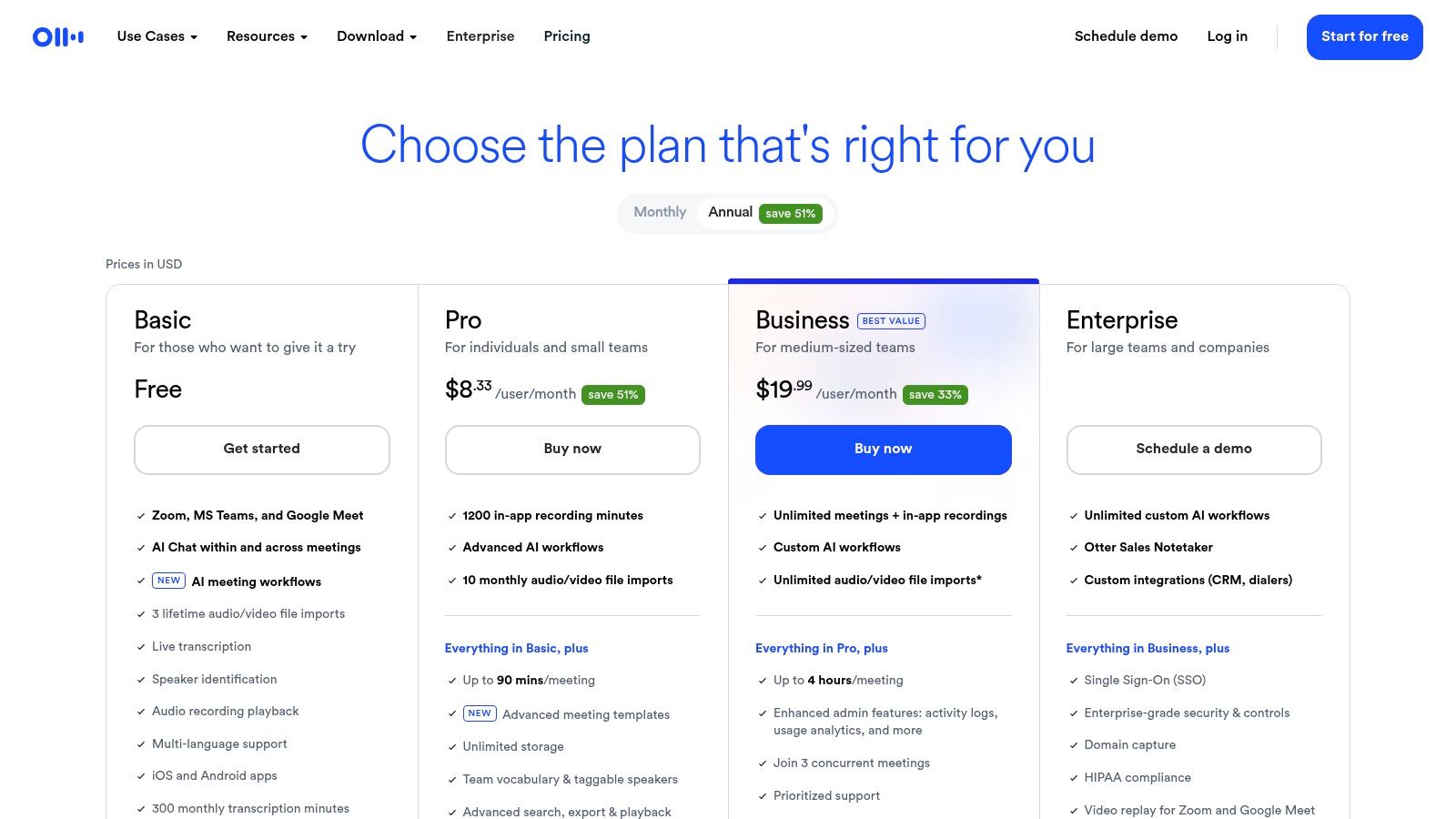
The most reliable place to check the Otter AI cost is its official pricing page. It lists the Basic (Free), Pro, Business, and Enterprise plans, so you can directly compare features.

The free plan is very limited: 300 transcription minutes per month and only 30 minutes per conversation. This is often not enough for a single one-hour lecture. Paid plans increase these limits but are priced per user, which adds up quickly for a student budget. The features are heavily skewed toward business meetings (e.g., assigning action items, syncing with Salesforce), not academic study.
Key Takeaways & Tips
- Check the Education Discount: Otter offers a discount for students and educators, but you have to look for it in the site's footer or FAQ.
- Annual vs. Monthly: Paying for a year upfront is cheaper, but it's a significant commitment if you're not sure you'll use it consistently.