Udemy против Coursera: Что лучше для обучения? | HoverNotes
General11 декабря 2025 г.•Updated: 16 июля 2026 г.
Udemy против Coursera: Что лучше для обучения?
Udemy против Coursera: что лучше для обучения? Сравните функции, стоимость, разнообразие курсов и результаты, чтобы выбрать подходящую платформу для себя.
Автор HoverNotes Team•16 мин чтения
Когда выбираешь между Udemy и Coursera, всё сводится к одному вопросу: какова твоя цель?
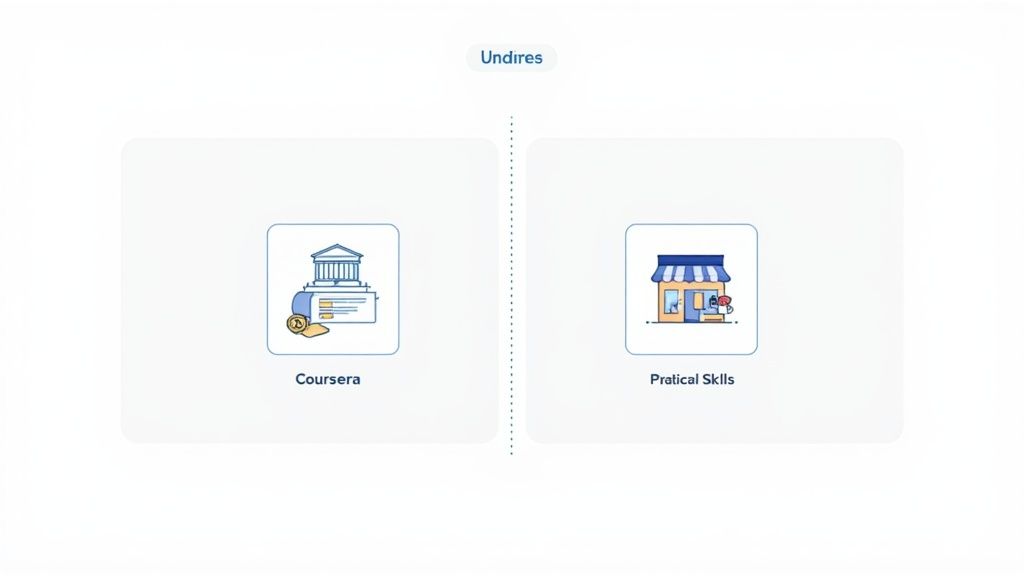
Если тебе нужен признанный сертификат для смены карьеры, Coursera — твой лучший выбор. Если нужно быстро и бюджетно освоить практический навык, то здесь явным фаворитом является Udemy.
#Udemy vs Coursera: Краткое сравнение для обучающихся
Главное отличие — в их структуре. Coursera сотрудничает более чем с ведущими университетами и такими компаниями, как Google и IBM. Это позволяет предлагать структурированные курсы с академической основой для тех, кто хочет получить серьезные удостоверения в резюме.
325
Udemy — это открытый маркетплейс с более чем 250 000 курсов, представленным на её официальной странице с Персональными планами. Можно покупать отдельные курсы или подписываться на подобранные коллекции, однако цены, акции и условия подписки отличаются в зависимости от региона и аккаунта.
Представьте так: Coursera — это гибкий онлайн-университет, а Udemy — огромная библиотека практических навыков. Один предлагает формальный, структурированный путь с важным сертификатом. Другой даёт пожизненный доступ к конкретному навыку, который можно использовать сразу.
Вот прямое сравнение:
Особенность
Udemy
Coursera
Модель обучения
Открытый маркетплейс с курсами от практиков.
Кураторский каталог от ведущих университетов и компаний.
Лучше подходит для
Быстрого обучения практическим профессиональным навыкам.
Получения формальных и признанных удостоверений для карьеры.
Структура оплаты
Покупка отдельных курсов или использование Персонального плана там, где он доступен.
Подписка на Coursera Plus или покупка отдельных программ.
Темп обучения
Полностью в вашем собственном темпе, пожизненный доступ к курсам.
Самостоятельный темп с рекомендованными дедлайнами — более структурированно.
Удостоверения
Сертификат об окончании (низкая официальная ценность).
Сертификаты от университетов и профессиональные дипломы.
Источник преподавателей
Любой эксперт может создать и продавать курс.
Профессора университетов и отраслевые эксперты из партнёрских компаний.
В этой таблице показаны основные различия, но настоящий выбор зависит от того, что именно вам нужно.
Итог: Выбирайте Coursera, чтобы получить резюме с проверяемыми сертификатами. Выбирайте Udemy, если нужна конкретная навык для применения уже завтра.
Но какой бы платформой вы ни пользовались, просто смотреть видео — плохой способ учиться. Видео-обучение страдает от проблемы запоминания — люди смотрят, но не запоминают. Ценность приходит от активного обучения, например, делая заметки на курсах Udemy. Это превращает пассивный просмотр в знания, которые реально пригодятся. Для всех, кто серьёзно относится к грамотному вложению времени и денег, активное вовлечение — обязательный элемент.
#Каталоги курсов и модели обучения: маркетплейс против университета
Главное отличие между Udemy и Coursera — это не количество курсов, а философия, которая стоит за тем, как курсы попадают на платформу. Это формирует и то, чему вы можете научиться, и качество преподавания.
Udemy — огромный открытый маркетплейс. С библиотекой из более чем 250 000 курсов и 80 000 преподавателей это цифровой базар, где каждый эксперт может преподавать. В этом и сила, и слабость платформы.
Это значит, что можно найти курс практически на любую тему — от «Python для Data Science» до очень специфических тем вроде «Продвинутые политики RBAC в Kubernetes».
Udemy создан для оперативного, практического освоения навыков. Нужно срочно освоить конкретную функцию софта к проекту, сдающемуся на следующей неделе? Udemy почти наверняка предлагает курс, где преподаёт кто-то, кто ежедневно пользуется этим инструментом.
Но качество курсов там сильно разнится. Один курс — настоящая находка от опытного профессионала, следующий — устаревший и некачественный материал. Чтобы преуспеть на Udemy, придётся проверять курсы, читать отзывы, анализировать компетенции преподавателей и смотреть пробные лекции.
Coursera — это кураторская, закрытая система. Они сотрудничают с более чем 325 ведущими университетами и компаниями, такими как Google, IBM, и Стэнфорд. Каталог около 12 000 курсов значительно меньше, но гораздо более отфильтрован.
Этот подход акцентирует внимание на академической строгости и структурированных учебных путях. Учебный план часто разрабатывают профессора университетов или ведущие специалисты отрасли — от теории к практике. Курс Coursera скорее напоминает университетское занятие с обязательными чтениями, оценочными заданиями и рецензиями сверстников.
Давайте рассмотрим, как каждая платформа подойдёт для курса «Python для Data Science».
Курс Udemy погрузится сразу в практические библиотеки, такие как Pandas и NumPy. Преподаватель — работающий дата-сайентист, который покажет, как он использует Python в работе, с упором на практические занятия и проекты.
Курс Coursera, например специализация «Python для всех» Университета Мичигана, начинается с основ. Там изучается программирование и основы компьютерных наук прежде, чем переходить к структурам данных и применению.
Выбор зависит от ваших целей. Udemy даёт "как", а Coursera объясняет "почему" за этим "как".
Но на любой платформе просто смотреть часы видео — верный путь к забыванию. Запоминание падает без активного вовлечения. Ведение подробных заметок важно, и у нас есть руководство о том, как эффективно фиксировать знания из курсов Coursera.
Для тех, кто ценит владение своими знаниями, это ещё важнее. Многие используют локальные инструменты, такие как Obsidian, чтобы создавать постоянную базу знаний. Инструмент вроде HoverNotes, расширения Chrome, которое смотрит видео вместе с вами и создаёт заметки на базе ИИ, помогает преодолеть этот разрыв. Поскольку он сохраняет заметки в формате Markdown прямо на ваш компьютер, всё, чему вы научились на курсах Coursera или Udemy, хранится у вас в хранилище Obsidian. Инструмент работает на любом сайте с видео — будь то университетский портал или просто просмотр YouTube.
#Оценка сертификатов и реальное влияние на карьеру
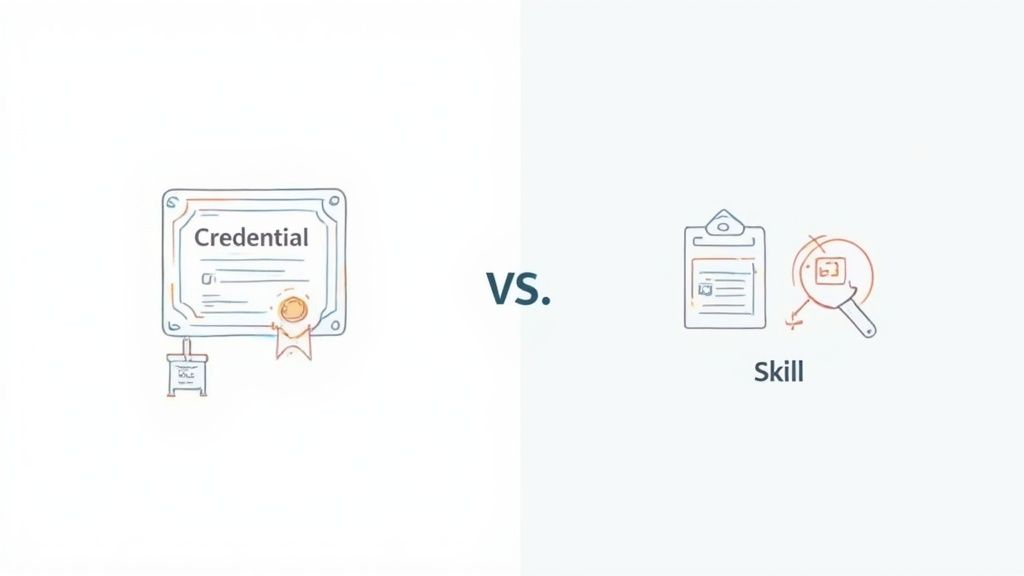
Когда речь идёт о ценности сертификата в реальном мире, Udemy и Coursera играют в разные игры. Это самое важное различие для тех, кто хочет продвинуться в карьере.
Ценность сертификата зависит от авторитета, который его выдаёт. Здесь модель Coursera даёт огромное преимущество.
Репутация Coursera основана на партнёрствах с топовыми университетами и гигантами индустрии, такими как Google, IBM и Microsoft. Их сертификаты действительно значимы. Завершение Профессионального сертификата Google или специализации Стэнфорда — это не просто похвала, а серьёзный пункт в резюме, который распознают рекрутеры.
Это структурированные курсы с жёсткими заданиями и оценками.
Сертификаты с брендом университета: Показывают, что вы прошли курсы, разработанные ведущим учебным заведением.
Профессиональные сертификаты: Такие программы, как Профессиональный сертификат по аналитике данных от Google, считаются надёжным подтверждением для старта карьеры.
MasterTrack программы: Части магистерской программы, которые могут засчитываться в университетском зачёте.
Полные онлайн-степени: Можно полностью получить аккредитованный диплом известного университета через Coursera.
Udemy выдаёт простой сертификат об окончании. Он подтверждает, что вы просмотрели видео, но имеет мало веса для работодателей. В открытом маркетплейсе сертификат не поддержан известным учебным заведением.
Оценивать Udemy по сертификатам — значит упускать суть. Настоящая ценность платформы в демонстрируемых навыках.
Никого не интересует ваш сертификат Udemy по Python. Важен тот факт, что вы можете решить кодинговое задание на техническом интервью с помощью Python. Udemy даёт вам именно такие практические знания.
Настоящий «сертификат» от курса Udemy — это проект, который вы создали, или техническая задача, которую теперь умеете решать. Для разработчиков, дизайнеров и других технических специалистов именно это важнее всего. Успех на интервью определяется демонстрацией практического применения, а не просто просмотром видео. У нас есть руководство, как переносить код из туториалов в реальные проекты, если хотите узнать больше.
Ваш выбор должен основываться на вашей текущей цели:
Выбирайте Coursera, если: планируете сменить карьеру, нужен официальный сертификат, чтобы пройти фильтр HR, или хотите получить повышение. Признание бренда — мощный сигнал.
Выбирайте Udemy, если: нужно быстро освоить конкретный практический навык — чтобы доделать проект, успешно пройти техническое интервью или освоить новый инструмент. Здесь важна способность, а не сертификат.
Обе платформы могут повлиять на вашу карьеру. Coursera помогает строить резюме, а Udemy — наращивать навыки. Многие эффективные обучающиеся используют обе: Coursera — для фундаментальных знаний и сертификатов, а Udemy — для обучения по потребности.
Как вы платите — важный фактор. Хотите покупать отдельные навыки или подписываться на библиотеку знаний?
Udemy позволяет покупать отдельные курсы единоразово. На официальной странице сейчас представлен широкий разброс базовых цен, а акции могут менять фактические предложения. Для точного ориентирования используйте живую информацию о планах и курсах Udemy для вашего региона, не рассчитывая на типовые цены со скидками.
Покупка отдельного курса на Udemy подходит, если вы точно знаете, какой навык вам нужен, и хотите продолжительный доступ к курсу по текущим условиям Udemy. Сравните цену при оформлении с ценой Персонального плана, если такая подписка доступна в вашем аккаунте.
Оплата по курсам подходит для:
учеников с ограниченным бюджетом, которые предпочитают осваивать навыки по одному;
тех, кто любит собирать собственную, постоянную цифровую библиотеку;
людей, желающих избежать эффекта усталости от подписок.
Особенность в том, что затраты могут быстро расти, если вы планируете изучить много тем. Купив пять или шесть курсов, даже со скидкой, вы потратите больше, чем за несколько месяцев подписки.
Ценообразование Coursera более сложное. Многие курсы можно "прослушать" бесплатно в режиме аудитории — лекции доступны, но нет заданий и сертификатов. Настоящая сила в платных вариантах.
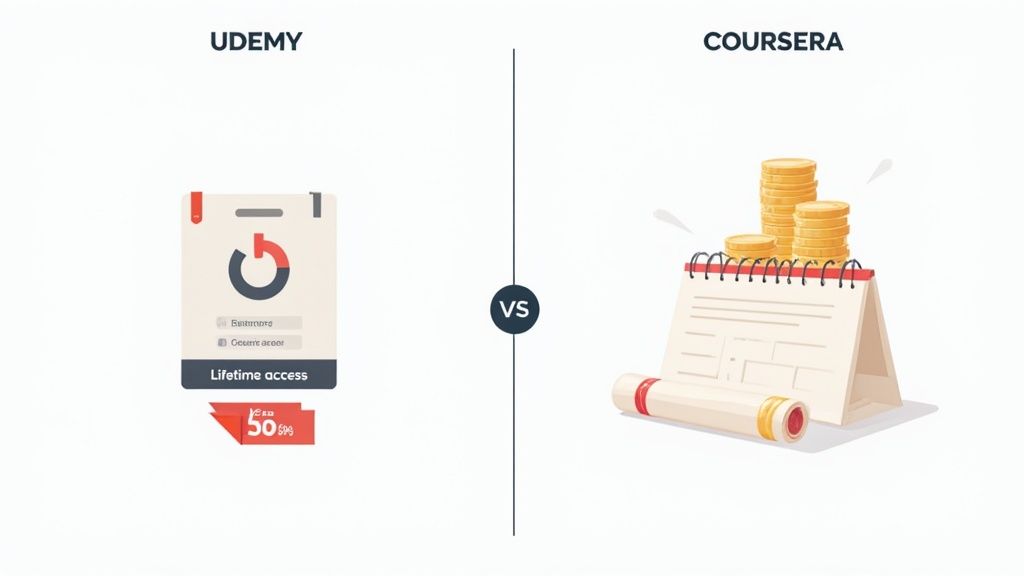
Основное отличие: доступ против владения. Udemy продаёт вам постоянный цифровой актив, а Coursera Plus даёт аренду доступа к большому каталогу с акцентом на сертификаты.
Для больших обязательств есть:
Индивидуальные специализации: подписка на серию курсов.
Программы MasterTrack и степени: официальные академические программы стоимостью тысячи долларов.
Подписка — однозначный выбор, если хотите глубоко погрузиться в область, например в data science. Но если вы пройдёте только один курс за несколько месяцев, выгоднее будет покупать отдельные курсы на Udemy.
Краткий обзор стоимости и ценности обеих платформ.
Какую бы платформу вы ни выбрали, просто смотреть видео — путь к плохому запоминанию. Чтобы извлечь настоящую пользу, нужно активно работать с материалом и делать хорошие заметки. Некоторые инструменты для заметок имеют бесплатные функции, например режим без отвлечений и захват скриншотов, позволяя бесплатно фиксировать ключевые элементы любого видео-курса.
#Как улучшить запоминание при обучении на любой платформе
Выбор между Udemy и Coursera — это первый шаг. Настоящая сложность — убедиться, что вы помните то, чему научились. Пассивный просмотр видео лекций — на Udemy, Coursera или YouTube — удивительно плохой способ построить навык. Без активного участия знания не закрепляются.
Решение — превратить пассивный просмотр в активное обучение: делать заметки, фиксировать ключевые идеи и важные визуальные материалы. Но любой, кто пробовал, знает, как это неудобно: постоянно ставить на паузу и возвращаться назад, теряя поток. Записи в тетрадь не сохраняют визуальный контекст видео, скриншоты собираются в беспорядке и никак не связываются с вашими мыслями.
Видео-обучение имеет серьёзную проблему с запоминанием. Можно провести часы за просмотром отличного лектора, объясняющего сложную тему, а уже к следующему дню забыть большую часть. Это универсальная проблема для любого серьёзного самоучки.
Чтобы бороться с этим, нужна система, которая делает активное обучение простым и естественным. Нужно связать заметки напрямую с кодом, схемами и демонстрациями из видео.
Цель — создать заметки, которыми можно реально пользоваться. Это значит фиксировать не просто слова лектора, но и то, что он показывает — фрагменты кода, схемы и видео-демонстрации, которые простой текстовый транскрипт никогда не передаст.
Инструмент, заточенный под это, меняет всё. Например, HoverNotes — расширение для Chrome, которое смотрит видео вместе с вами, создаёт заметки на базе ИИ и сохраняет их прямо на компьютер в формате Markdown. Он создан, чтобы превратить просмотр курса в настоящее владение знаниями.
Эффективное ведение заметок должно быть естественной составляющей процесса обучения, а не рутиной. Вместо борьбы с неудобным workflow, используйте инструменты, специально созданные для обучения с видео.
Это переломный момент для тех, кто использует локальные инструменты вроде Obsidian и хочет действительно владеть своими данными. Когда ваша система работает на любых платформах — учебных сайтах, YouTube и даже корпоративных порталах — она становится единственным источником правды в вашем образовательном пути.
Опишем, как выглядит такой удобный рабочий процесс:
Фиксация визуальных элементов в контексте: Вместо обычных скриншотов — захватите именно тот график или блок кода, который нужен. В отличие от инструментов, которые обрабатывают только транскрипт, HoverNotes наблюдает за видео и захватывает то, что реально отображается.
Временные метки на всё: Каждый скриншот снабжён кликабельной временной отметкой — один клик перебросит вас к нужному месту в видео, экономя время.
Автоматизация рутинного: Пусть ИИ суммирует лекции, а вы сосредоточьтесь на понимании. Можно смотреть японский туториал и получать заметки на английском — преодолевая языковой барьер.
Владеете своими заметками: Заметки сохраняются в виде .md файлов прямо в ваше хранилище Obsidian без проприетарных форматов и синхронизации. Файлы ваши: перемещайте, делайте резервные копии, ищите по содержимому — это просто обычные Markdown.
Такой подход превращает обучение из пассивного и быстро забываемого в активное и постоянное. Независимо от того, выбираете ли вы Udemy для практических навыков или Coursera для академической глубины, главное — построить систему, благодаря которой знания останутся с вами. Попробовать HoverNotes можно бесплатно — при регистрации вы получите 20 минут ИИ-кредитов, без необходимости указывать карту.
Выбор между Udemy и Coursera не в поиске "лучшей" платформы, а в подборе подходящего инструмента под задачу. Лучший выбор зависит от ваших текущих целей, карьерных планов и стиля обучения.
Давайте разберём, когда стоит выбрать ту или иную платформу.
#Выбирайте Udemy для практических навыков по требованию
Udemy — ваш выбор, когда нужно срочно решить конкретную задачу или освоить практический навык сейчас. Это огромная, доступная библиотека для быстрого обучения. Ценность здесь — не бумажка, а реальные умения.
Выбирайте Udemy, если: вы разработчик, которому надо срочно освоить новый фреймворк к проекту, стартующему в понедельник. Или маркетолог, которому нужно освоить новый аналитический инструмент до запуска кампании. Это платформа для тех, кто действует — быстро и эффективно.
Платформа отлично подходит, если ваша цель конкретна и связана с навыками. Вы покупаете курс, получаете пожизненный доступ и можете возвращаться к материалам в любое время. Это прямой, эффективный и гибкий подход для самостоятельных учащихся, для которых сертификат не главное.
Coursera — очевидный победитель, если ваша цель — построить резюме, сменить профессию или получить сертификат, который признают работодатели. Партнёрства с топовым университетами и компаниями — их козырь, благодаря которым сертификаты имеют вес.
Выбирайте Coursera, если: хотите войти в data science и для этого нужен официальный документ. Или стремитесь к повышению, где специализация под брендом университета станет решающим аргументом. Эта платформа для тех, кто планирует свою карьеру по шагам.
Самые эффективные учащиеся не ограничиваются одной платформой. Они строят прочную теоретическую базу с помощью структурированной специализации на Coursera, а затем восполняют пробелы конкретными, доступными курсами Udemy для освоения практических инструментов и проектов.
Coursera даёт вам «почему».
Udemy даёт «как сделать прямо сейчас».
Такой гибридный подход создаёт мощный и всесторонний набор навыков, одновременно подтверждённых сертификатами и готовых к применению.
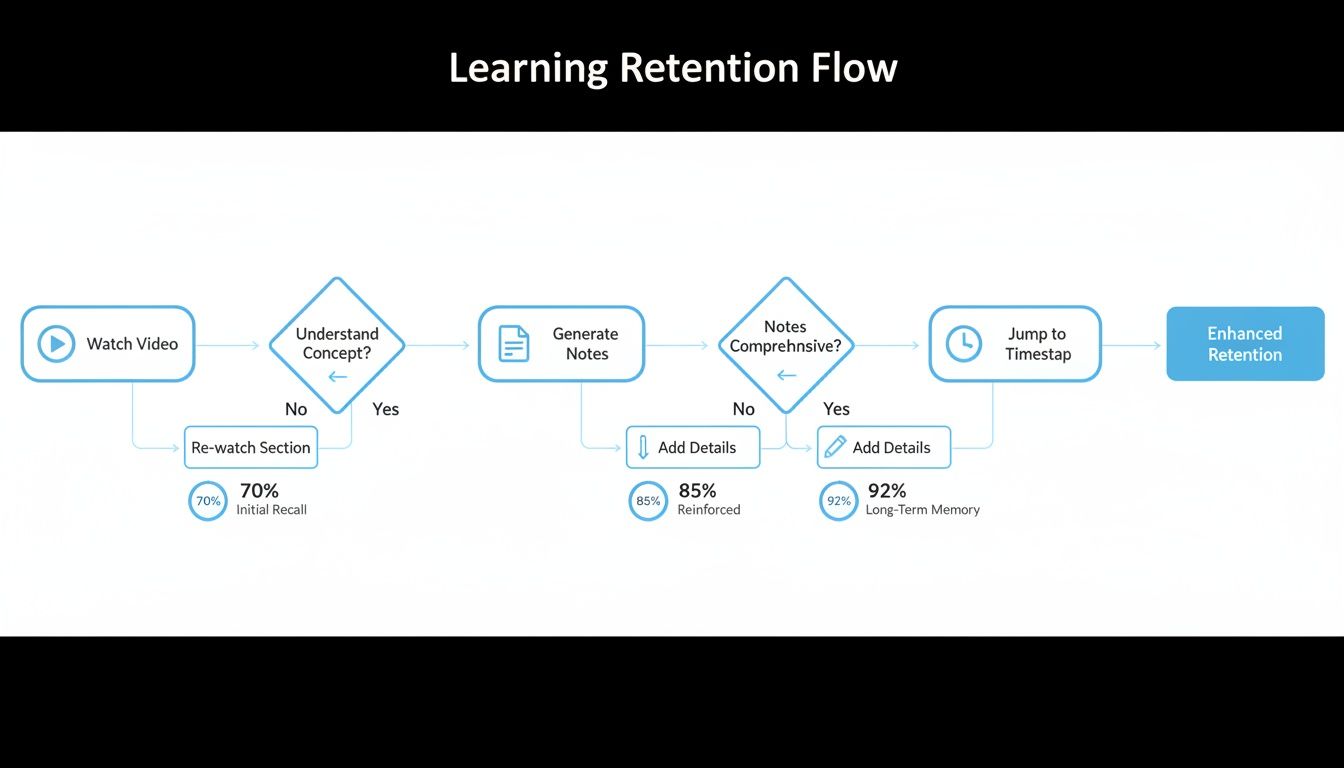
Но независимо от платформы настоящее обучение происходит в вашем процессе, а не просто при нажатии «плей». Эта схема показывает, как из пассивного просмотра сделать активное и долгосрочное усвоение.
Такой workflow отличает тех, кто заканчивает курсы, от тех, кто действительно усваивает материал. Он превращает пассивный просмотр видео в активный процесс фиксации и использования знаний.
Просто смотреть видео — это не обучение. Сложность в том, чтобы информация задержалась в памяти. Здесь ваши инструменты так же важны, как и курсы. Хороший инструмент решает универсальную проблему забывания того, что вы только что посмотрели.
Я поклонник HoverNotes, расширения Chrome, которое смотрит видео с вами, создаёт заметки на базе ИИ и сохраняет их в формате Markdown прямо на компьютере. Работает везде — на Coursera, Udemy, YouTube и даже в корпоративных обучающих видео.
В отличие от инструментов, обрабатывающих только транскрипты, HoverNotes смотрит видео целиком и захватывает то, что реально на экране — от сложного кода до детализированных схем. Каждый скриншот снабжён кликабельной временной меткой, позволяющей одним кликом вернуться к этому месту.
Если вы пользователь Obsidian, заметки сохраняются в ваш локальный хранилище в простом формате .md. Такой локальный подход гарантирует, что знания принадлежат только вам — навсегда. Функция временных меток со скриншотами экономит часы неудобного повторного просмотра.
Можно, но скорее не стоит — по крайней мере, не в официальном разделе "Лицензии и сертификаты". Сертификат о прохождении на Udemy мало что значит, так как он не выдан аккредитованным учреждением.
Лучше указать реальные навыки. Вместо «Сертификат Udemy по Python» проще написать «Python» в разделе навыков. А затем быть готовым подтвердить их на собеседовании. Сертификаты Coursera, особенно от крупных игроков как Google или престижных университетов, это совсем другой уровень и идеальны для резюме и LinkedIn.
Да, это удивительно доступно. Coursera предлагает простую программу финансовой поддержки для многих курсов и специализаций. Если вы не можете оплатить обучение, можно подать заявку, указав свой бэкграунд и причину.
Такая открытость делает качественное, университетское образование доступным для тех, кто иначе не смог бы себе его позволить.
Рассмотрение заявки обычно происходит быстро, так что ждать недель при начале обучения не придётся.
#Стоит ли использовать обе платформы: Udemy и Coursera?
Однозначно стоит. Это, пожалуй, самый эффективный способ обучаться. Используйте Coursera для прочной теоретической базы и получения удостоверяющих сертификатов.
Затем берите практические курсы на Udemy для конкретных инструментов и библиотек. Например, изучаете теорию data science на Coursera и находите узкоспециализированный курс по Python-визуализации на Udemy. Coursera даст вам структурированный путь, а Udemy заполнит пробелы в навыках.
Udemy отлично подходит новичкам, которые хотят просто попробовать и сразу применить новые знания на практике. Это недорогой и необременительный способ начать с проекта.
**Coursera лучше тем, кто хочет структурированного, академического подхода. Если вам важны чёткие шаги, основательная теория и мотивация в виде официального сертификата, выбирайте Coursera.
Если вы изучаете узкую тему, сравните отдельный курс Udemy с подпиской, доступной в вашем аккаунте. Если планируете широкую смену карьеры, скорее подойдёт структурированный путь с сертификатами Coursera.
Какой бы платформой вы ни воспользовались, помните — просто смотреть видео — путь к забвению. Чтобы знания закрепились, нужно активно с ними работать. Инструмент вроде HoverNotes значительно помогает: функция с временными метками и скриншотами экономит часы поиска нужной темы в видео. Если вы пользователь Obsidian, HoverNotes сохраняет заметки прямо в ваше хранилище, так что вы действительно владеете своими знаниями.
Узнайте, как учиться быстрее и запоминать больше с помощью проверенных, научно обоснованных стратегий активного воспроизведения, ведения заметок и эффективных учебных методик.
Откройте для себя лучший способ изучения программирования — перейдите от пассивных уроков к активному обучению на реальных проектах. Развивайте реальные навыки и выберитесь из бесконечных учебников.