Watch Once, Reference Forever.
© 2026 HoverNotes. All rights reserved.
English 中文(简体) 日本語 Italiano Português Русский Deutsch Español Tiếng Việt Français 動画チュートリアルから効果的にコードをドキュメント化するのに苦労していますか? あなたは一人ではありません。ほとんどの開発者は、動画を使った学習リソースからコードのドキュメントを抽出・整理・維持する際に大きな課題に直面し、知識の喪失やデバッグの繰り返しを招いています。
解決策は、受動的な動画視聴を能動的かつ構造的な知識構築へと変える、体系的なアプローチと専門ツールにあります。
# # 動画チュートリアルドキュメントの戦略的価値 現代のソフトウェア開発は動画学習にますます依存しており、そのため効果的なドキュメント戦略が必須となっています。目的は以下の通りです:
新技術やフレームワークに対する迅速なスキル習得
分散開発チーム間のチームナレッジ共有
規制された開発環境でのコンプライアンス及び監査証跡
個別指導を超えて拡張可能なメンターシップと研修プログラム
適切なドキュメントツールの選択は、個々の生産性やチームの協力効果に大きく影響します。現代のソリューションは動画ベースのコード学習に特化した機能や統合で特定の課題に対応しています。
主な焦点 :コード抽出、構文ハイライト、開発ワークフロー統合対象ユーザー :個人開発者および小規模開発チーム主要機能 :リアルタイムコードキャプチャ、AIによる解説、多言語サポート
主な焦点 :タイムスタンプ付き注釈、ビジュアルキャプチャ、動画プラットフォーム統合対象ユーザー :複数の動画プラットフォームから学習する利用者主要機能 :プラットフォーム統合、自動スクリーンショット、再生同期
主な焦点 :チームコラボレーション、バージョン管理、組織的な知識共有対象ユーザー :大規模開発チーム及び企業環境主要機能 :アクセス制御、監査証跡、自動コンプライアンス報告 # HoverNotes:動画コードドキュメンテーションのプロフェッショナル標準 HoverNotes は動画ベースのコードドキュメントの進化形で、開発者のワークフローに特化した機能を提供します:
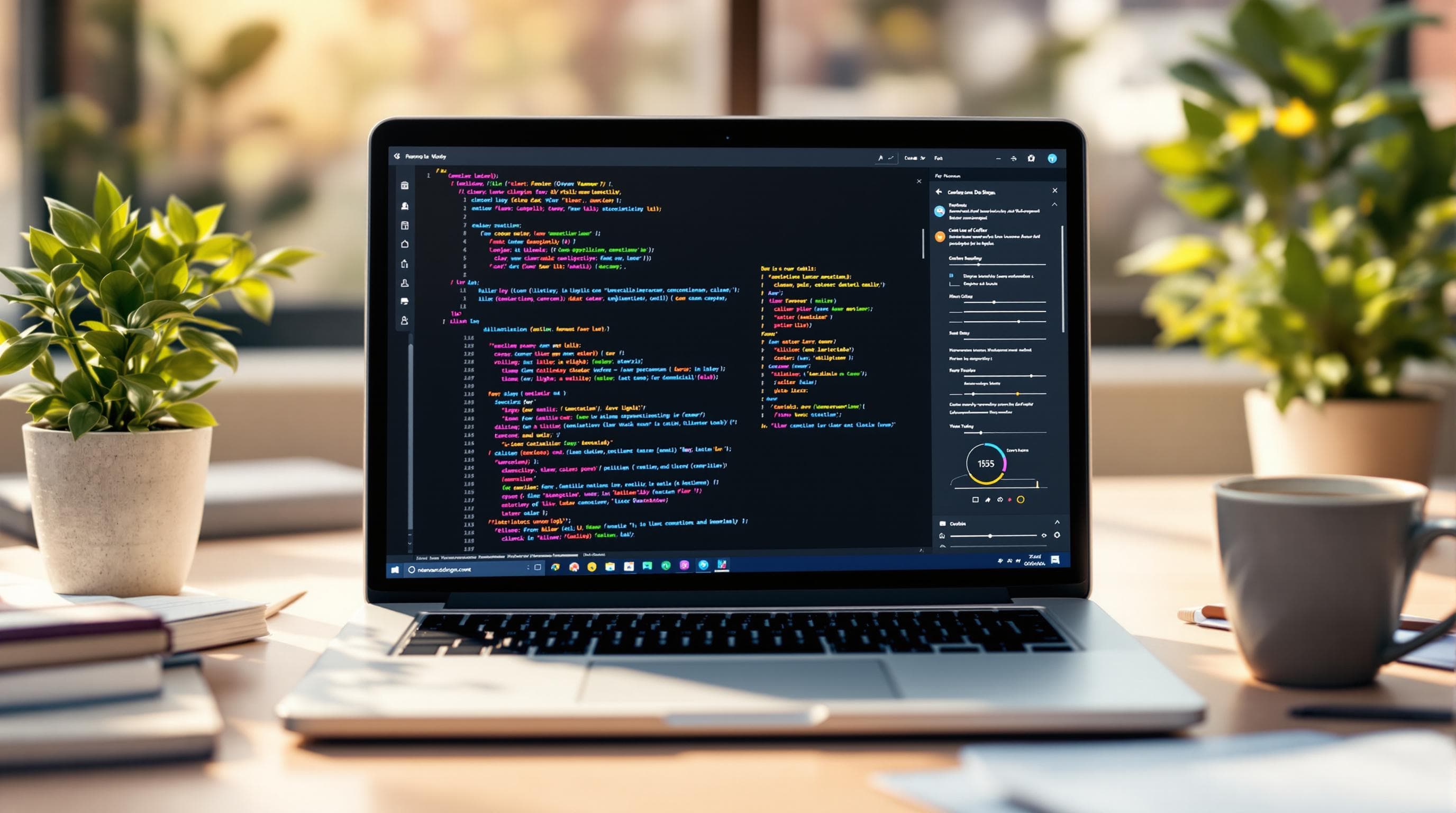
Turn Any Video into Smart Documentation Stop pausing and rewinding technical videos. HoverNotes automatically captures code, creates searchable notes, and builds your personal knowledge base from any tutorial.
プログラミングパターンや関係性を理解するコンテキスト認識のコード抽出 15以上のプログラミング言語に対応するマルチ言語構文ハイライト コンテキスト依存のインサイトとベストプラクティスを提供する知的解説 図解、UIモックアップ、アーキテクチャイラストなどのビジュアル要素のキャプチャ
動画再生中のリアルタイム処理による手動介入不要のコード抽出 YouTube、Udemy、Courseraなどの学習プラットフォームとの統合 主要なドキュメント形式及びナレッジ管理システムへのエクスポート機能 正確なチュートリアル箇所への参照を可能にするタイムスタンプ同期
共同編集用のチーム共有機能(近日対応予定) カスタムワークフロー構築向けのAPI連携 企業データ保護要件に準拠したセキュリティ 個人からチームまで対応可能なスケーラブルなアーキテクチャ
How to Document Your Code Like a Pro 効果的な動画コードドキュメントは、キャプチャの正確性と長期的な保守性、チームがアクセスしやすいバランスのとれた体系的なアプローチが必要です。
多様なモーダルを組み合わせたキャプチャ戦略:
現代のドキュメントアプローチは、網羅的なカバレッジのために複数のキャプチャ方式を活用しています:
# Documentation Structure Template
## Code Snippet: User Authentication
**Source** : React Tutorial @12:34-15:20
**Language** : JavaScript (React 18.2.0)
**Context** : JWT implementation with secure storage
```javascript
// チュートリアルからキャプチャ;最新のソースやAPIドキュメントと照合必須
const authenticateUser = async (credentials) => {
try {
const response = await fetch('/api/auth', {
method: 'POST',
headers: { 'Content-Type': 'application/json' },
body: JSON.stringify(credentials)
});
return await response.json();
} catch (error) {
console.error('認証に失敗しました:', error);
}
};
```
**Visual Context** :
``
<TutorialDocumentationCTA /> **Implementation Notes** :
- Requires CSRF token for production
- Error handling added for network failures
- Compatible with React 18+ concurrent features
3. 包括的なメタデータ統合
重要なメタデータはドキュメントの長期的価値を保証します:
documentation_metadata:
extraction_info:
source_url: "https://youtube.com/watch?v=example"
timestamp: "12:34-15:20"
extraction_date: "2024-03-15"
tool_used: "HoverNotes"
review_status: "needs verification"
technical_context:
programming_language: "JavaScript"
framework: "React 18.2.0"
dependencies: ["axios" , "jwt-decode" ]
complexity_level: "intermediate"
implementation_status:
tested: true
reviewed: true
production_ready: false
modifications_needed: ["CSRF protection" , "error boundaries" ]
team_context:
relevant_projects: ["user-dashboard" , "mobile-app" ]
assigned_developer: "senior-dev-team"
review_date: "2024-03-20"
/video-tutorial-documentation/
├── /languages/
│   ├── /javascript/
│   │   ├── /react/
│   │   │   ├── /authentication/
│   │   │   ├── /state-management/
│   │   │   └── /performance/
│   │   ├── /vue/
│   │   └── /angular/
│   ├── /python/
│   │   ├── /django/
│   │   ├── /flask/
│   │   └── /fastapi/
├── /concepts/
│   ├── /algorithms/
│   ├── /design-patterns/
│   └── /architecture/
├── /tools-and-platforms/
│   ├── /docker/
│   ├── /kubernetes/
│   └── /aws/
└── /project-implementations/
    ├── /e-commerce-platform/
    ├── /social-media-app/
    └── /data-visualization/
機能タグ :#authentication、#database、#api-design、#security技術タグ :#react、#python、#docker、#aws難易度タグ :#beginner、#intermediate、#advanced、#expertステータスタグ :#implemented、#tested、#reviewed、#production-readyチームタグ :#frontend-team、#backend-team、#devops、#full-stack ## Expected Output Examples
### Console Output
```bash
$ npm start
✓ ポート3000でサーバー稼働中
✓ データベース接続成功
✓ 認証ミドルウェア読み込み完了
Before Authentication :

After Successful Login :

Network Failure :

Architecture and Flow Diagrams:
System architecture overviews showing component relationshipsData flow diagrams illustrating information movementUser interaction flows demonstrating step-by-step processesAPI endpoint mappings with request/response examples
Image compression maintaining readability while minimizing file sizesConsistent annotation styles using standardized colors and fontsVersion control integration tracking visual changes alongside code updatesAccessibility considerations including alt text and high contrast options
# Artificial intelligence transforms video code documentation from manual transcription to intelligent knowledge extraction and organization.
# Advanced AI Code Analysis and Explanation Context-Aware Code Understanding:
Modern AI tools like Swimm and HoverNotes provide sophisticated code analysis capabilities:
Pattern Recognition and Documentation:
Recurring code patterns identification across tutorial seriesDesign pattern classification (Singleton, Observer, Factory, etc.)Best practice recommendations based on industry standardsAnti-pattern detection highlighting potential code issues Intelligent Code Explanation Generation:
const fetchUserData = async (userId ) => {
const response = await fetch (`/api/users/${userId} ` );
return response.json ();
};
# Multilingual Documentation and Global Collaboration Advanced Translation Capabilities:
Global Team Collaboration Features:
Real-time collaborative editing with conflict resolutionCultural context adaptation for programming conceptsTime zone coordination for review and approval workflowsLocalized code examples adapting to regional coding standards # Intelligent Search and Knowledge Discovery Advanced Search Capabilities:
searchDocumentation ({
query : "ReactでJWT認証を実装する方法" ,
filters : {
language : "JavaScript" ,
framework : "React" ,
complexity : "intermediate" ,
lastUpdated : "6ヶ月以内"
},
include : ["code_examples" , "video_timestamps" , "related_concepts" ]
});
searchDocumentation ({
naturalLanguageQuery : "最新のReactアプリケーションでフォームバリデーションを行うあらゆる方法を教えてください" ,
includeRelatedTopics : true ,
suggestImprovements : true
});
Smart Summarization and Insights:
Tutorial chapter summaries highlighting key concepts and implementationsCode change impact analysis identifying affected components and dependenciesLearning path recommendations suggesting related tutorials and conceptsKnowledge gap identification finding missing documentation areas Continuous Documentation Intelligence:
"The integration of Continuous Documentation into the development workflow ensures that code documentation is always up to date, reducing the risk of outdated or incorrect information."
— Swimm Platform Engineering Team
AI-Enhanced Quality Assurance:
Automatic accuracy checking comparing documented code with actual implementationsConsistency validation ensuring uniform documentation standards across projectsCompleteness analysis identifying missing documentation for critical code pathsRelevance scoring prioritizing documentation updates based on usage patterns Your AI Learning Companion Let AI watch videos with you, extract key insights, and create comprehensive notes automatically. Focus on learning, not note-taking.
Advanced Documentation Synchronization:
Swimm and similar platforms provide automated synchronization between code changes and documentation:
documentation_sync:
triggers:
- code_changes: ["src/auth/**" , "src/api/auth/**" ]
- test_updates: ["tests/auth/**" ]
- dependency_changes: ["package.json" , "requirements.txt" ]
actions:
- validate_documentation_accuracy
- update_code_examples
- regenerate_api_documentation
- notify_documentation_reviewers
**リアルタイムコラボレーション機能:**
**ドキュメントレビューと承認ワークフロー:**
```yaml
review_workflow:
stages:
- author_self_review:
checklist: ["accuracy" , "completeness" , "clarity" ]
tools: ["automated_linting" , "spell_check" ]
- peer_review:
reviewers: 2
criteria: ["technical_accuracy" , "team_standards" ]
deadline: "48_hours"
- technical_lead_approval:
focus: ["architecture_alignment" , "security_compliance" ]
required_for: ["production_documentation" ]
- documentation_team_review:
focus: ["style_guide" , "discoverability" , "maintenance" ]
frequency: "monthly_batch_review"
{
"recommendations" : [
"ms-vscode.vscode-docs-authoring" ,
"yzhang.markdown-all-in-one" ,
"davidanson.vscode-markdownlint" ,
"bierner.markdown-mermaid" ,
"swimm.swimm-vscode-extension"
] ,
"settings" : {
"markdown.preview.theme" : "documentation-theme" ,
"documentation.autoSave" : true ,
"documentation.syncWithCode" : true }
}
継続的インテグレーション向けのドキュメントパイプライン:
name: Documentation Quality Assurance
on:
push:
paths: ['docs/**' , 'tutorial-implementations/**' ]
pull_request:
paths: ['docs/**' , 'tutorial-implementations/**' ]
jobs:
documentation-validation:
runs-on: ubuntu-latest
steps:
- name: Validate markdown syntax
uses: DavidAnson/markdownlint-cli2@v4
- name: Check documentation links
uses: gaurav-nelson/github-action-markdown-link-check@v1
- name: Validate code examples
run: |
python scripts/validate-code-examples.py
npm run test:documentation-examples
- name: Generate documentation metrics
run: |
python scripts/documentation-analytics.py
echo "Documentation coverage: $(cat coverage-report.txt)"
- name: Security scan documentation
uses: trufflesecurity/trufflehog@main
with:
path: ./docs/
class DocumentationAnalytics :
def __init__ (self ):
self .metrics = {
'page_views' : {},
'search_queries' : {},
'user_feedback' : {},
'edit_frequency' : {}
}
def track_documentation_usage (self, user_id, page_path, action ):
"""Track how team members interact with documentation"""
return {
'user_engagement' : self .calculate_engagement_score(user_id),
'content_effectiveness' : self .analyze_content_performance(page_path),
'knowledge_gaps' : self .identify_missing_documentation(),
'update_priorities' : self .prioritize_documentation_updates()
}
def generate_team_insights (self ):
"""Generate actionable insights for documentation improvement"""
return {
'most_accessed_tutorials' : self .get_popular_content(),
'outdated_documentation' : self .find_stale_content(),
'collaboration_patterns' : self .analyze_team_editing_patterns(),
'knowledge_transfer_effectiveness' : self .measure_onboarding_success()
}
高品質な動画チュートリアルドキュメントを維持するには、正確性の検証、内容の鮮度保持、チームのアクセス性に関する体系的なアプローチが不可欠です。
class DocumentationQualityAssurance :
def __init__ (self ):
self .quality_metrics = {
'code_accuracy' : 0.0 ,
'link_validity' : 0.0 ,
'content_freshness' : 0.0 ,
'example_functionality' : 0.0 ,
'style_consistency' : 0.0
}
def validate_tutorial_documentation (self, doc_path ):
"""Comprehensive quality validation"""
results = {
'code_syntax_check' : self .validate_code_examples(doc_path),
'external_link_check' : self .verify_external_references(doc_path),
'tutorial_source_validation' : self .check_video_availability(doc_path),
'dependency_currency' : self .check_dependency_updates(doc_path),
'accessibility_compliance' : self .validate_accessibility(doc_path)
}
overall_score = self .calculate_quality_score(results)
improvement_suggestions = self .generate_improvement_plan(results)
return {
'quality_score' : overall_score,
'detailed_results' : results,
'actionable_improvements' : improvement_suggestions,
'priority_fixes' : self .prioritize_fixes(results)
}
content_monitoring:
schedule: "weekly"
checks:
dependency_updates:
frequency: "daily"
action: "create_update_pr"
threshold: "security_vulnerabilities"
tutorial_source_availability:
frequency: "weekly"
action: "flag_broken_sources"
fallback: "suggest_alternative_tutorials"
code_example_functionality:
frequency: "monthly"
action: "run_automated_tests"
environments: ["development" , "staging" ]
technology_currency:
frequency: "quarterly"
action: "identify_deprecated_practices"
suggest: "modern_alternatives"
**Documentation Standards and Style Guides:**
```markdown
- 全てのコード例はテスト済みで動作確認されていること
- 依存関係のバージョンと環境要件を記載すること
- 再現手順のための明確なセットアップ指示を含めること
- エラーハンドリングやエッジケースの考慮を加えること
- コード実演に正確なタイムスタンプを含めること
- 可能な場合は公式チュートリアルの元ソースへのリンクを付けること
- 元コードへの修正点を明確に記載すること
- 異なるフレームワークバージョンとの互換性についても記述すること
- 作成者およびプラットフォームによるソースの明示
- 最終検証日とレビュアー情報の記録
- 難易度レベルと実装推定時間の提示
- 関連概念および前提知識のリンク付け
- すべてのチュートリアルドキュメントにピアレビューを必須とする
- 専門家による技術的正確性の検証を行う
- チーム全員が利用できるアクセシビリティ評価を実施する
- 月次でドキュメント健全性の評価を行う
Knowledge Transfer and Onboarding:
def measure_onboarding_success (new_team_member_id, documentation_path ):
"""ドキュメントがチームメンバーのオンボーディング支援にどれだけ効果的かを追跡"""
metrics = {
'time_to_first_successful_implementation' : 0 ,
'documentation_questions_asked' : 0 ,
'self_service_success_rate' : 0.0 ,
'tutorial_completion_rate' : 0.0 ,
'code_quality_of_implementations' : 0.0
}
success_indicators = {
'reduced_mentor_intervention' : True ,
'faster_task_completion' : True ,
'higher_confidence_scores' : True ,
'independent_problem_solving' : True
}
return generate_onboarding_effectiveness_report(metrics, success_indicators)
# Long-Term Documentation Evolution Technology Migration and Update Strategies:
migration_strategy:
technology_updates:
react_16_to_18:
impact_assessment: "高"
affected_documentation: ["すべてのReactチュートリアル" , "コンポーネント例" ]
migration_timeline: "6週間"
resource_allocation: "シニア開発者2名"
documentation_platform_migration:
current: "NotionとConfluenceのハイブリッド"
target: "統合プラットフォーム"
migration_phases:
- コンテンツ監査と分類
- 自動移行ツールの導入
- チームトレーニングと導入支援
- 旧システムの廃止
Community Contribution and Knowledge Sharing:
const documentationCommunity = {
contributionTypes : {
'tutorial_creation' : { points : 10 , review_required : true },
'code_example_improvement' : { points : 5 , review_required : true },
'documentation_review' : { points : 3 , review_required : false },
'accessibility_enhancement' : { points : 7 , review_required : true }
},
recognitionProgram : {
'documentation_champion' : { threshold : 100 , benefits : ['カンファレンス登壇' ] },
'tutorial_expert' : { threshold : 50 , benefits : ['メンタリング機会' ] },
'quality_guardian' : { threshold : 75 , benefits : ['レビュー チームメンバー資格' ] }
}
};
# # Strategic Tool Selection and Workflow Integration Decision Framework for Documentation Tools:
phase_1_foundation:
duration: "2〜4週間"
goals:
- ツール選定とセットアップ
- チームトレーニングとオンボーディング
- ドキュメント標準の定義
- 初期チュートリアルドキュメントの作成
phase_2_optimization:
期間: "4~8週間"
goals:
- 自動化された品質保証
- 高度な検索と発見
- クロスチームコラボレーション
- 開発ワークフローとの統合
phase_3_scaling:
期間: "継続中"
goals:
- コミュニティ貢献プログラム
- 高度な分析と洞察
- AIで強化されたドキュメント改善
- ナレッジトランスファーの最適化
成功指標:
- 持続的なチームの関与
- 測定可能な生産性向上
- オンボーディング時間の短縮
# Measuring Documentation Success Comprehensive Success Metrics:
class DocumentationSuccessMetrics :
def __init__ (self ):
self .productivity_metrics = {
'デバッグ時間短縮' : 0.0 ,
'コード再利用率向上' : 0.0 ,
'オンボーディング加速' : 0.0 ,
'知識保持率' : 0.0
}
self .quality_metrics = {
'ドキュメントの正確性' : 0.0 ,
'コンテンツの新鮮度スコア' : 0.0 ,
'チーム満足度評価' : 0.0 ,
'アクセシビリティ準拠' : 0.0
}
self .collaboration_metrics = {
'チーム間ナレッジ共有' : 0.0 ,
'ドキュメントへの貢献率' : 0.0 ,
'レビュー参加率' : 0.0 ,
'ナレッジ発見効率' : 0.0
}
def calculate_roi (self, time_period_months=6 ):
"""ドキュメント施策の投資対効果を計算する"""
time_savings = self .calculate_time_savings()
quality_improvements = self .calculate_quality_gains()
collaboration_benefits = self .calculate_collaboration_value()
total_investment = self .calculate_documentation_investment()
total_benefits = time_savings + quality_improvements + collaboration_benefits
return {
'roi_percentage' : ((total_benefits - total_investment) / total_investment) * 100 ,
'回収期間(月)' : total_investment / (total_benefits / time_period_months),
'生産性向上' : self .calculate_productivity_gain(),
'知識保持率向上' : self .calculate_retention_improvement()
}
# Advanced Documentation Strategies
# Effective video tutorial documentation represents a strategic investment in developer productivity, team collaboration, and organizational knowledge management. The systematic approaches outlined in this guide transform scattered learning efforts into comprehensive, maintainable knowledge assets.
Organizational Value Creation:
Enhanced knowledge retention across distributed development teamsAccelerated skill development through structured learning approachesImproved code quality via documented best practices and pattern librariesReduced technical debt through consistent documentation and maintenance practices # Critical Success Factors Team Collaboration Excellence:
Enterprise-grade solutions like Swimm provide:
Automated synchronization between code changes and documentationVersion control integration maintaining documentation alongside code evolutionAdvanced collaboration features supporting distributed development teams # Implementation Roadmap for Success Immediate Actions (Week 1-2):
Tool evaluation and selection based on team size and requirementsInitial team training on chosen documentation platformsDocumentation standards establishment defining quality and format requirementsPilot project initiation with 5-10 key tutorials Short-term Goals (Month 1-3):
Comprehensive tutorial library development covering core team technologiesQuality assurance pipeline implementation ensuring accuracy and freshnessTeam workflow integration embedding documentation in development processesFeedback collection and iteration optimizing approaches based on usage Long-term Vision (6+ Months):
AI-enhanced documentation workflows leveraging advanced automationCommunity contribution programs scaling knowledge sharingCross-team knowledge networks facilitating organizational learningContinuous improvement culture maintaining documentation excellence # Future-Proofing Your Documentation Strategy Emerging Technology Integration:
Advanced AI capabilities providing intelligent content generation and analysisVoice and video annotation enabling multimodal documentation approachesAugmented reality overlays creating immersive learning experiencesAutomated code migration updating documentation as technologies evolve Scalability Considerations:
Microservice documentation architectures supporting modular development approachesAPI-first documentation platforms enabling custom integrations and workflowsGlobal collaboration infrastructure supporting distributed teams across time zonesCompliance and security frameworks meeting enterprise regulatory requirements # Measuring Long-Term Success Continuous Improvement Framework:
Quarterly documentation audits ensuring content quality and relevanceAnnual tool evaluation cycles adopting emerging technologies and platformsTeam feedback integration incorporating user experience insightsIndustry best practice adoption staying current with documentation trends # The Competitive Advantage of Excellent Documentation Organizations that excel at video tutorial documentation gain significant competitive advantages:
Talent Development Acceleration:
Faster skill acquisition enabling rapid adaptation to new technologiesReduced training costs through systematic knowledge capture and sharingEnhanced developer satisfaction via structured learning and growth opportunitiesImproved retention rates through investment in professional development
Knowledge democratization making expert insights accessible to entire teamsRapid prototyping capabilities leveraging documented patterns and approachesCross-pollination of ideas through comprehensive knowledge sharing systemsReduced time-to-market for new features and products
Knowledge preservation protecting against expertise loss during team transitionsStandardized practices reducing inconsistencies and technical debtComprehensive audit trails supporting compliance and quality assuranceDisaster recovery capabilities through distributed knowledge assets
# # Comprehensive Tool Comparison:
# Accuracy in code extraction requires a combination of advanced tools and systematic validation processes:
Manual Validation Strategies:
Syntax verification using language-specific linters (ESLint, Pylint, etc.)Compilation testing ensuring extracted code runs without errorsCross-reference validation comparing extracted code with tutorial demonstrationsPeer review processes having team members verify complex extractions Automated Quality Assurance:
npm run lint:extracted-code
python scripts/validate-syntax.py
npm test -- --coverage extracted-examples/
# Essential features for professional video documentation tools include:
AI-powered explanations providing context and best practicesVisual element capture including diagrams and UI demonstrationsExport functionality to popular formats (Markdown, PDF, etc.)Search and organization features for long-term knowledge management Team and Enterprise Features:
Collaboration capabilities for team knowledge sharingVersion control integration maintaining documentation alongside codeSecurity and compliance meeting enterprise requirementsAnalytics and insights measuring documentation effectiveness # Effective team organization requires systematic approaches combining tool capabilities with established workflows:
Hierarchical Organization Structure:
/team-documentation/
├── /technology-stacks/
├── /project-implementations/
├── /best-practices/
├── /troubleshooting/
└── /onboarding/
Standardized metadata ensuring consistent documentation across team membersReview and approval processes maintaining quality and accuracyRegular updates and maintenance keeping documentation currentAccess controls and permissions managing sensitive or proprietary information
Development workflow integration embedding documentation in code review processesKnowledge sharing sessions presenting documented insights to broader teamsOnboarding programs using documentation for new team member trainingCross-team collaboration sharing insights across different development groups # Documentation maintenance frequency depends on several factors including technology evolution, team needs, and content complexity:
Update Frequency Guidelines:
Critical security updates : Immediate (within 24-48 hours)Framework version changes : Weekly to monthly depending on adoption timelineNew feature implementations : As implemented in production systemsBest practice evolution : Quarterly reviews with annual comprehensive updates
content_monitoring:
dependency_updates: 毎日
tutorial_source_validation: 毎週
code_example_testing: 毎月
comprehensive_review: 四半期ごと
Link validation ensuring tutorial sources remain accessibleCode functionality verifying examples work with current dependenciesAccuracy verification confirming documented approaches reflect current best practicesTeam feedback incorporating user experience insights and suggestions By implementing systematic approaches to video tutorial documentation, development teams can transform individual learning efforts into valuable organizational knowledge assets that accelerate productivity, improve code quality, and enhance collaboration effectiveness.
Never Rewatch a Coding Tutorial Transform your coding tutorials into instant notes with reusable code snippets, visual references, and clear AI explanations. Start shipping faster with HoverNotes.
目標は、でっち上げの正確性や生産性のパーセンテージではありません。別の開発者が検証できる成果物を作ることです。Google のテクニカルライティングの指針 では、明確な範囲、論理的なアウトライン、タスクに基づく見出し、段階的な情報開示、ナビゲーション、より深い資料へのリンクが推奨されています。その基準を自分のワークフローに適用しましょう。チュートリアルの URL とタイムスタンプを残し、言語と依存関係のバージョンを記録し、そのスニペットが存在する理由を説明し、小さく再現可能な環境で実行し、関連する公式ドキュメントへリンクします。取り込んだコードは出発点として扱ってください。テスト、型チェック、セキュリティレビュー、ライセンス確認、そして現在の upstream API との比較こそが、チュートリアルの断片を保守可能なプロジェクト知識へ変えるものです。
開発者向けドキュメントが動画へと移行している流れを探り、ナレッジ共有とチームの効率を高めるために欠かせないツールや戦略を紹介します。
開発者向けの動画学習を強化し、ノート取りやコード管理を効率化する必須のブラウザ拡張機能を探りましょう。
ADHDの開発者が、効果的な戦略とツールを活用して学習とプロジェクト作成を向上させ、チュートリアル地獄から抜け出す方法を学びましょう。