From Notion to HoverNotes: Why Developers Need Specialized Tutorial Tools | HoverNotes Blog | HoverNotes
ComparisonMarch 9, 2025
From Notion to HoverNotes: Why Developers Need Specialized Tutorial Tools
Explore how specialized tutorial tools enhance coding education compared to general documentation platforms, catering to developers' specific needs.
By HoverNotes Team•8 min read
#From Notion to HoverNotes: Why Developers Need Specialized Tutorial Tools
Developers often struggle to manage coding tutorials and technical notes effectively. While general-purpose tools like Notion excel at documentation and project management, specialized tools like HoverNotes address the unique challenges of video-based programming education.
Both tools serve important but different roles in a developer's workflow:
Notion: A flexible workspace for documentation, project management, and team collaboration. Features include syntax highlighting for 60+ programming languages, real-time collaboration, and powerful database organization.
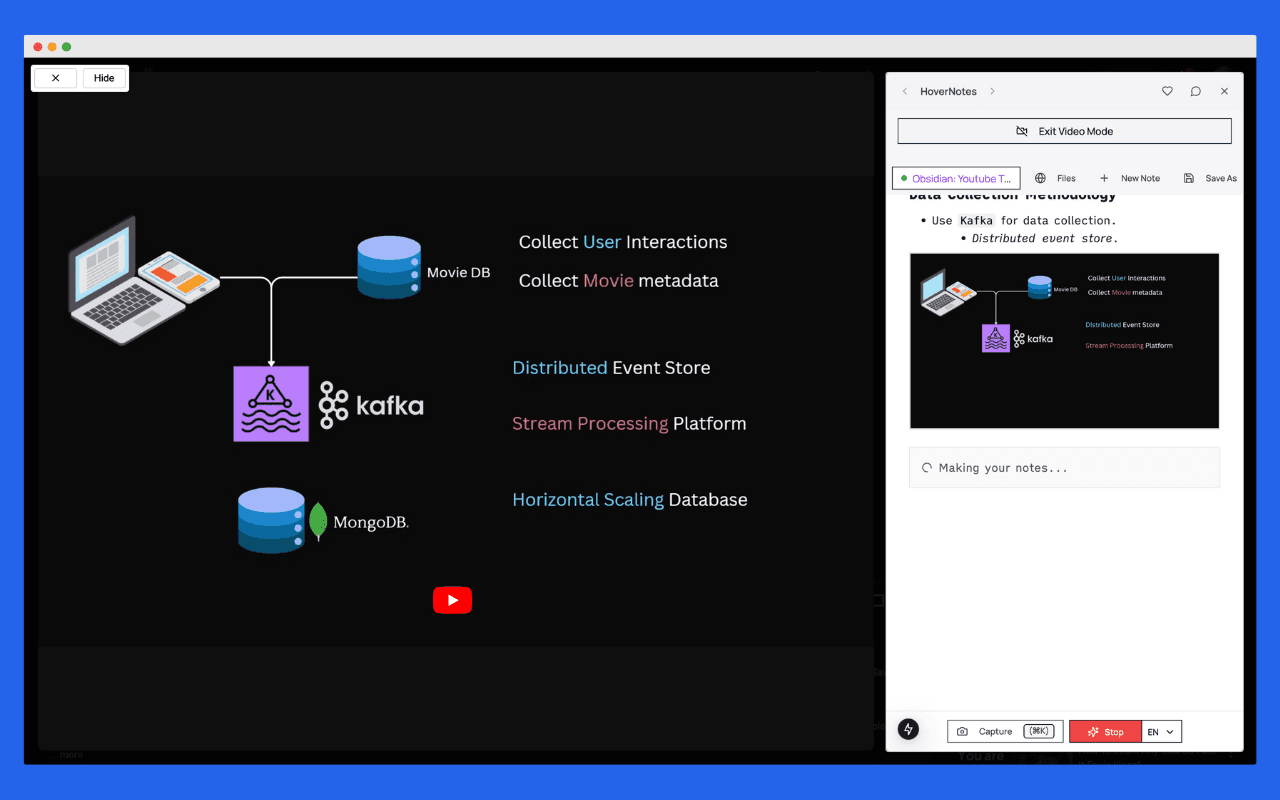
HoverNotes: A specialized Chrome extension that uses Google Gemini 2.0 AI to convert video tutorials into actionable notes, complete with automatically extracted code snippets, timestamped screenshots, and direct Obsidian integration.
Choose Notion for comprehensive team documentation and project management. Choose HoverNotes when you learn primarily from video tutorials and need automated note-taking.
Turn Any Video into Smart Documentation
Stop pausing and rewinding technical videos. HoverNotes automatically captures code, creates searchable notes, and builds your personal knowledge base from any tutorial.
#Understanding Notion for Development Documentation
Notion serves as a powerful, flexible workspace for technical documentation and team collaboration. Its block-based design allows developers to create comprehensive documentation systems that grow with their projects.
Notion provides robust support for developer workflows with syntax highlighting for over 60 programming languages. Its clean interface allows teams to organize documentation hierarchically, making complex codebases more manageable.
Key code-related features include:
Syntax highlighting for major programming languages
Code block organization with language detection
Template systems for consistent documentation
Database integration for tracking code-related tasks
While Notion offers extensive functionality, developers should be aware of some constraints:
Performance impact with very large documents or complex databases
Limited version control compared to specialized tools like Git
Rate limiting of three requests per second per integration for API usage
#HoverNotes: Specialized Video Tutorial Management
HoverNotes addresses a specific gap in the developer learning workflow: efficiently capturing knowledge from video tutorials. Built specifically for video-based programming education, it uses AI to automate the traditionally manual process of taking notes while watching coding tutorials.
HoverNotes differentiates itself through comprehensive video understanding. Rather than relying solely on transcripts, the tool analyzes visual elements including:
Code demonstrations in IDEs and terminals
UI interactions and interface explanations
Diagram explanations and architectural overviews
Live debugging sessions and error resolution
This visual understanding creates more complete and useful notes than transcript-only approaches.
HoverNotes works across major learning platforms including YouTube, Udemy, Coursera, and others. This broad compatibility ensures consistent note-taking regardless of where tutorials are hosted.
The tool's architecture prioritizes privacy and local control:
The choice between Notion and HoverNotes depends largely on your primary use case and learning style. Many developers find value in using both tools for different aspects of their workflow.
Both Notion and HoverNotes solve real problems for developers, but they address different aspects of the knowledge management workflow.
Consider HoverNotes if:
Video tutorials are your primary learning method
You struggle with manual note-taking during coding videos
You value automated, accurate capture of code and visual content
You prefer local storage and integration with existing knowledge systems
Consider Notion if:
You need comprehensive team documentation capabilities
Project management integration is important
You want flexibility to customize your workspace extensively
Collaboration and sharing are key requirements
Consider both if:
You learn individually but work in teams
You want specialized tutorial capture with flexible organization
You have budget for both tools and value workflow optimization
The key is understanding that these tools complement rather than compete with each other. HoverNotes excels at the specialized task of video tutorial note-taking, while Notion provides comprehensive workspace management. Many successful developers use each tool for its strengths, creating a more effective overall knowledge management system.
Ship Code Faster with Smart Notes
Stop losing time re-learning concepts. Build a searchable library of code snippets, tutorials, and technical knowledge that grows with every video you watch.
Yes, many developers use both tools in their workflow. HoverNotes captures detailed tutorial notes automatically, which can then be organized and shared through Notion's collaborative features. HoverNotes exports to markdown, making it easy to import content into Notion when needed.
Notion is specifically designed for team collaboration with real-time editing, sharing permissions, and collaborative workspaces. HoverNotes focuses on individual learning efficiency, though its markdown exports make sharing possible.
HoverNotes offers a free tier for basic use and $19/month for premium features, focused on individual productivity. Notion starts free for personal use with team plans at $8/user/month. The choice depends on whether you prioritize individual learning efficiency or team collaboration capabilities.
Both tools handle code well but differently. Notion requires manual code entry but offers excellent formatting and organization. HoverNotes automatically extracts and formats code from videos, reducing manual work but focusing specifically on tutorial content.
Yes, both tools support markdown export/import, making it possible to move content between them. This flexibility allows you to start with one tool and experiment with workflows that include both.
Never Rewatch a Coding Tutorial
Transform your coding tutorials into instant notes with reusable code snippets, visual references, and clear AI explanations. Start shipping faster with HoverNotes.
Discover the best methods for taking video notes in Obsidian in 2025. Compare Media Extended, Timestamp Notes, Fleeting Notes, and see why HoverNotes emerges as the clear winner for AI-powered video learning.
Discover the best tools and methods for taking video notes in Obsidian in 2025. Compare plugins, browser extensions, and AI-powered solutions for effective video learning.
Most video learning tools focus on capturing information. But research shows that's only half the battle. Here's why retention-focused learning beats passive note-taking every time.